
 Get it for my Mac (144 MB)


 m’s HalfTone
1.5.3
- Version
- 6.5.0 Rev2
- Developer
- Native Instruments
- Interface in
- English
- Licence on file
- K'ed by TEAM HCiSO
- macOS it runs on
- macOS 10.15 or later
- Chip support
- Apple Silicon, Intel 64-bit
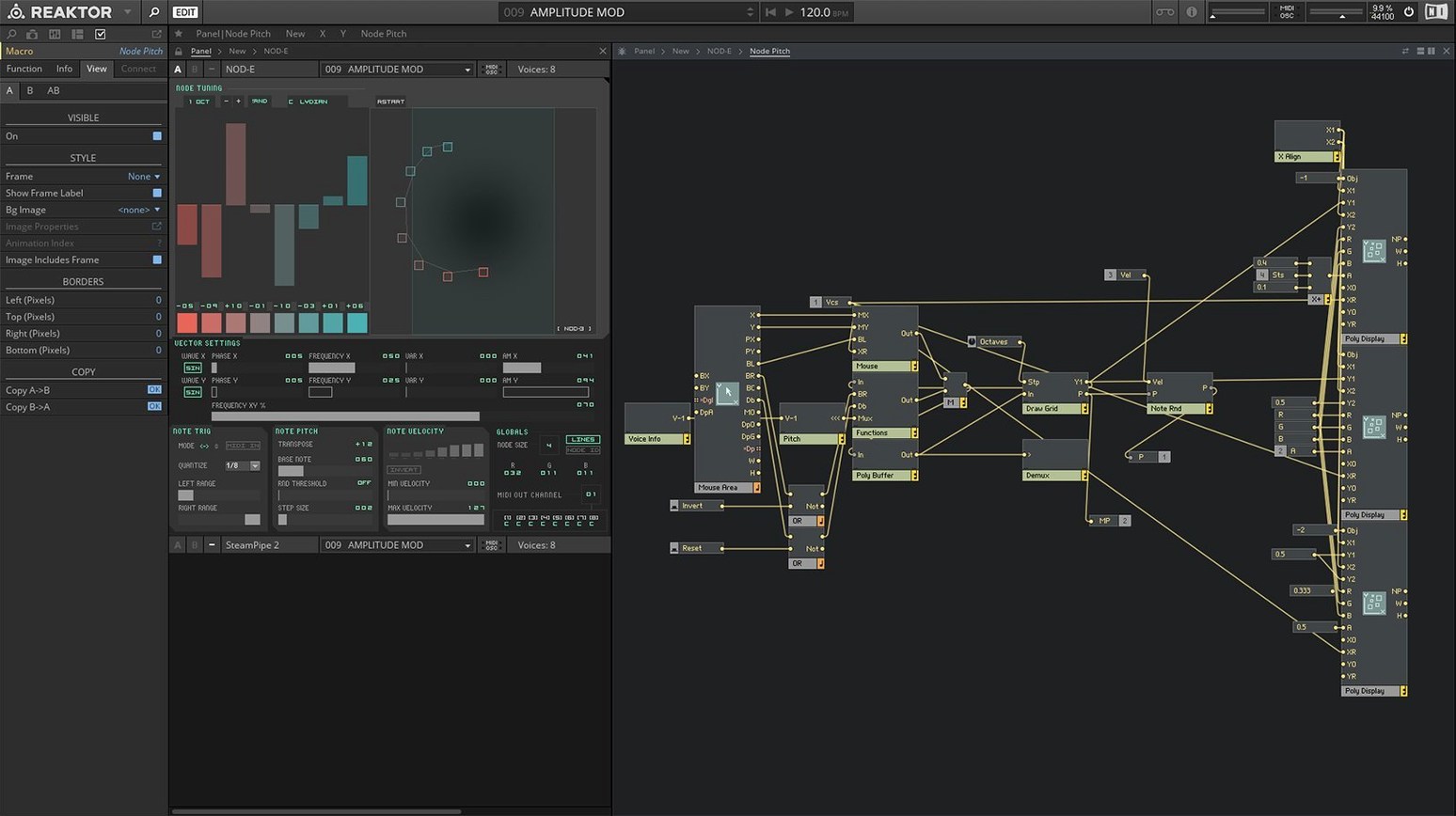
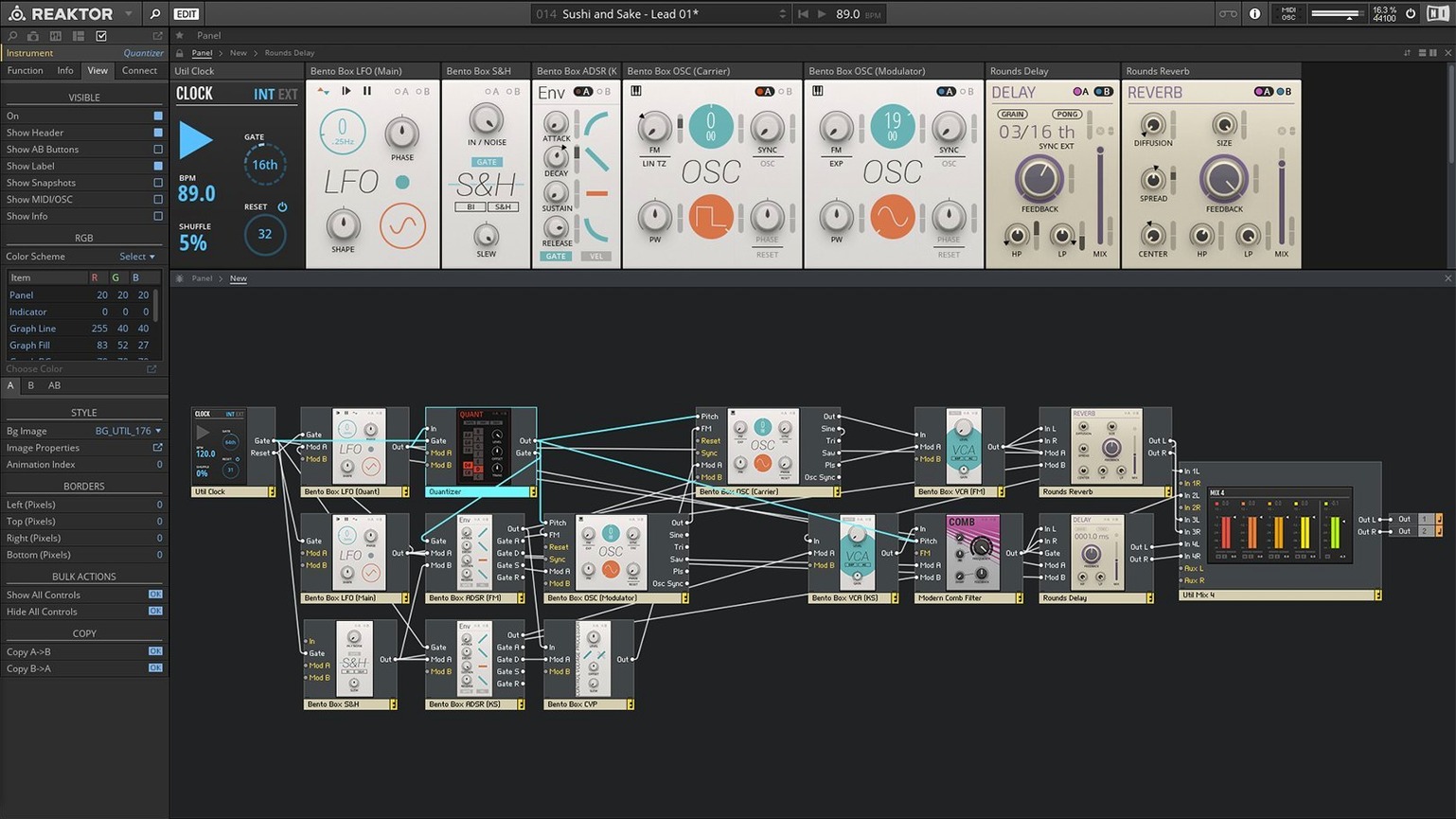
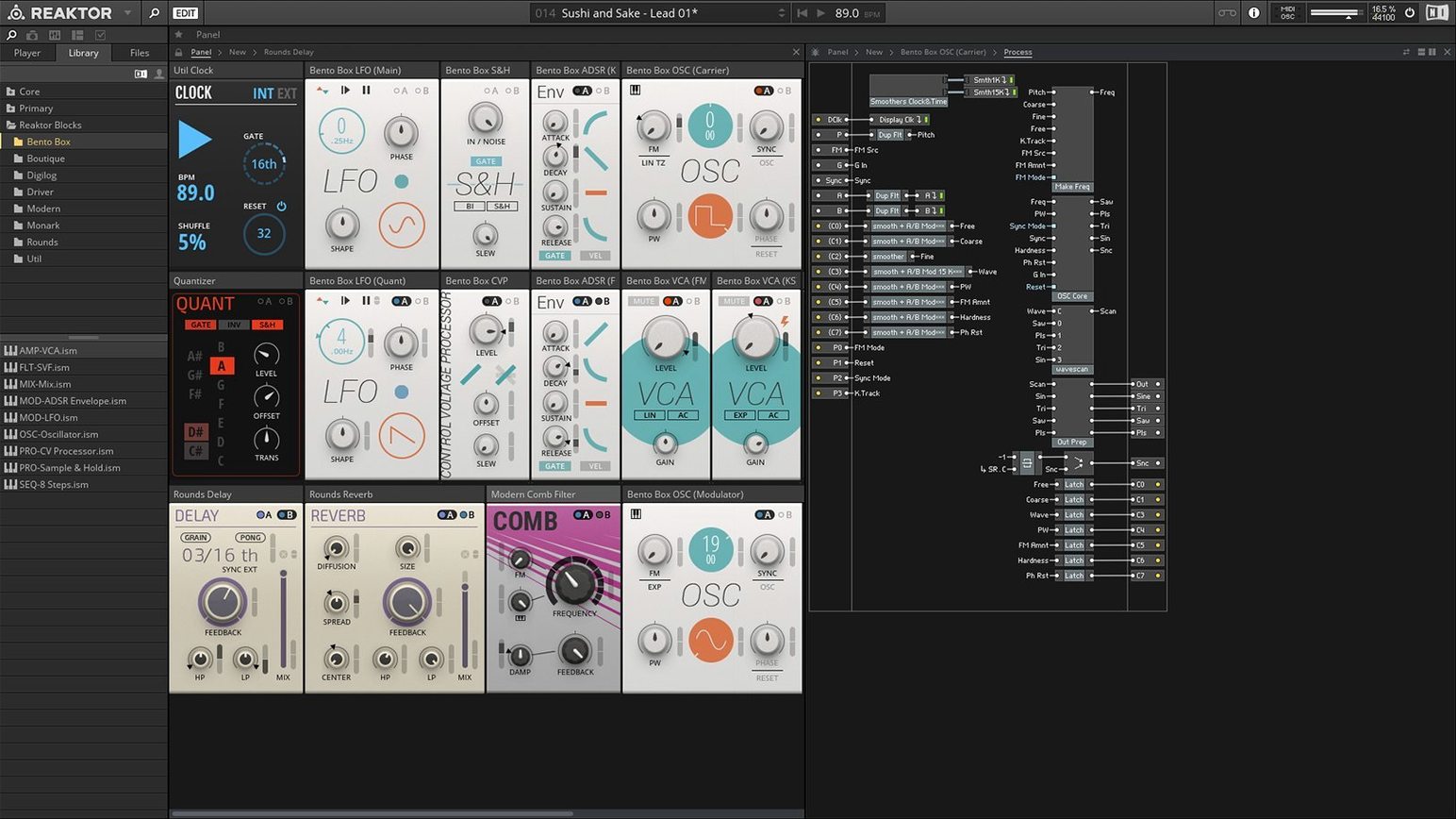
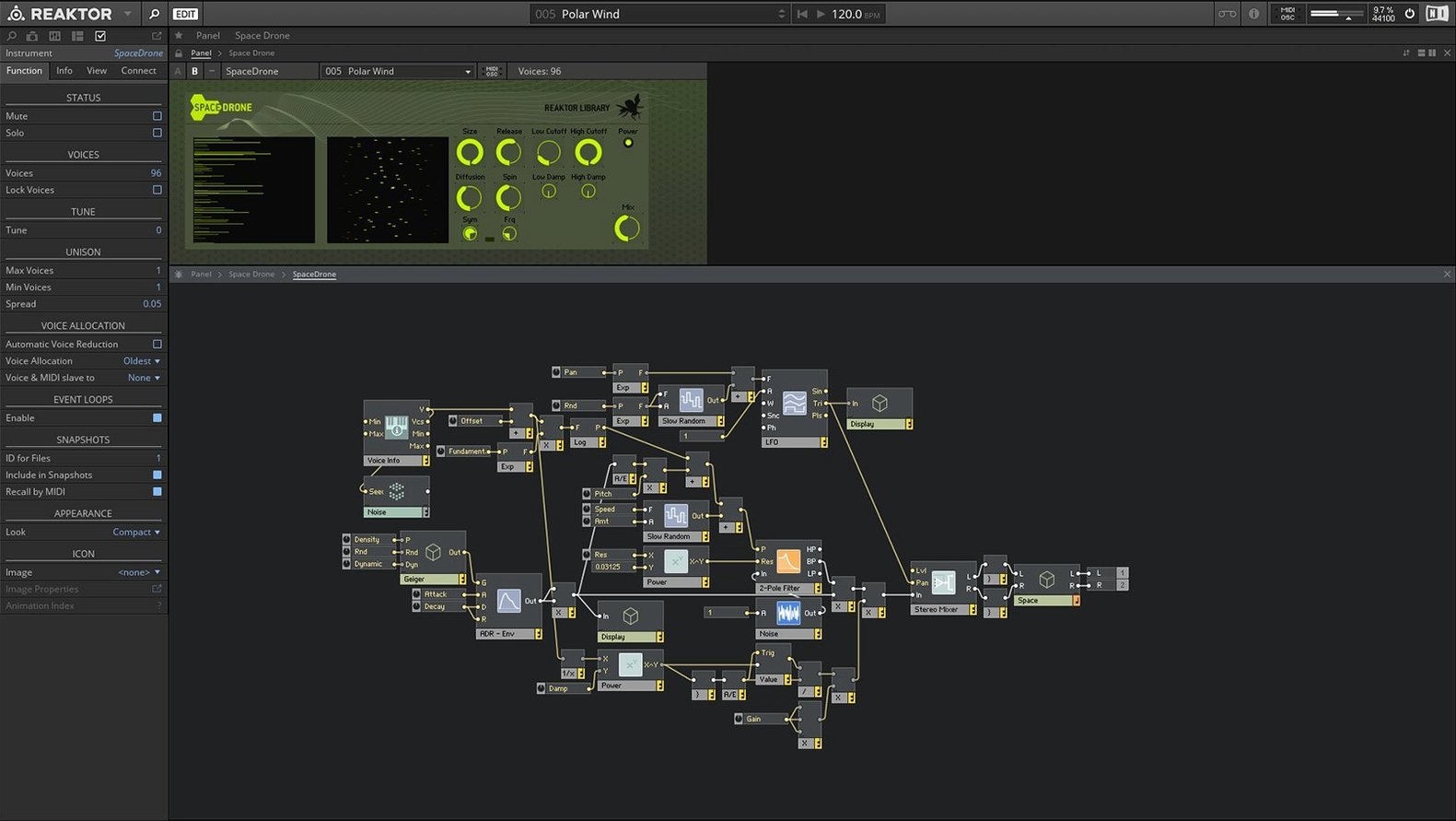
In the edit
The current version of Native Instruments Reaktor, 6.5.0 Rev2, keeps what made it a staple for sound designers and adds proper Apple Silicon support. You can run it natively on M-series Macs or through Rosetta 2 if you need to, and it works on Intel machines too. The big change from earlier versions is Reaktor Core Technology, introduced in version 6, which lets you build custom modules visually rather than writing code. Alongside that, the update includes 23 new instruments to play with right out of the box.
What hasn't changed is the modular approach that makes Reaktor what it is. You still get the standalone app and the plug-in version for your DAW, plus access to the REAKTOR user library where the community uploads instruments, effects and other devices. It integrates with Native Instruments KORE if that's part of your setup, and the system requirements now cover macOS 13, 14 and 15 with the latest update.
For anyone working on electronic music, experimental soundscapes or just wanting to dig into modular synthesis without buying hardware, Reaktor 6 on a Mac is a solid tool. The Core Technology addition opens up deeper customisation, and the new instruments give you fresh starting points for a session.
For the tinkerers who open synth presets to see how envelopes shape filters
Sound designers and electronic music producers are the obvious fit, but Reaktor 6 also rewards people who like to take things apart. If you have ever opened a synth preset and wondered exactly how the envelope shapes the filter, this is the software for you. The open architecture means you can peek inside any instrument and see what makes it tick, then change it or build something new from the parts.
Mac users who work across multiple DAWs will appreciate that Reaktor runs as a plug-in as well as a standalone app. You can design a sound in the standalone mode, save it, then load the same instrument inside Logic, Ableton Live or whatever you use without bouncing audio first. For anyone teaching or learning synthesis, the visual approach in Reaktor Core Technology makes signal flow easier to follow than patching virtual cables on a screen that hides the routing.
People who already own other Native Instruments gear get extra value from the KORE integration, but even without that, the REAKTOR user library is a big draw. Thousands of free instruments and effects made by the community mean you rarely need to start from scratch. You can grab a ready-made reverb, tweak it, and move on.
The blank screen fix: OpenGL 2.1 and the activation check
The most frequent hiccup with Reaktor 6 on macOS is the initial activation. An internet connection and a graphics card supporting OpenGL 2.1 or above are needed for product download and activation. If you see a blank screen or a graphics glitch on first launch, check that your Mac meets the OpenGL requirement. Most Intel Macs from 2012 onwards are fine, and all Apple Silicon Macs handle it natively or via Rosetta 2.
Another common issue is the user library not showing up in the browser. This usually happens when the folder path gets changed during a system migration or a clean install. Make sure the REAKTOR user library folder is in the location where the app expects it. If you moved it, point the browser back to it from within Reaktor's settings.
Plug-in scanning can also trip people up. If your DAW doesn't see Reaktor after installation, check that you copied the component and VST files into the correct system folders. On a Mac, the Audio Units version goes in /Library/Audio/Plug-Ins/Components and the VST version in /Library/Audio/Plug-Ins/VST. A rescan in your DAW usually picks them up.
Catalina to macOS 15: how Reaktor runs on Apple Silicon and Intel Macs
Reaktor 6.5.0 Rev2 runs on macOS 10.15 and later, covering everything from Catalina through to the latest macOS 15 release. Both Apple Silicon and Intel 64-bit Macs are supported, so you can install it on an M2 MacBook Pro or a 2019 Intel iMac without worrying about compatibility. Native Instruments recommends the latest macOS update for the smoothest experience, but the app itself is not locked to a single version.
The interface is in English only, which is worth knowing if you prefer a localised UI. The download and activation steps require an internet connection, but after that you can use the software offline. Opening the disk image, moving the program onto the Applications shortcut folder, and starting it from Launchpad makes installation simple.
Musicians seeking deep sound design will find Reaktor 6 Mac a powerful modular synthesis and sampling environment. It is a mature release that keeps the modular core intact while adding the visual building tools that Core Technology introduced.
New this release
- Reaktor Core Technology for visual module creation
- 23 new instruments included
- Native Apple Silicon support
Mac it needs
- macOS 10.15 or later
- Intel or Apple Silicon Mac
Questions I actually get
Does Reaktor 6 run on Apple Silicon Macs?
Yes, version 6.5.0 Rev2 supports Apple Silicon Macs in native mode and also works using Rosetta 2.
What is Reaktor Core Technology?
It is a visual environment introduced in version 6 that lets you create custom modules without writing code, making deeper sound design more accessible.
Can I use Reaktor 6 as a plug-in?
Yes, it runs as a standalone application and as a plug-in inside your DAW.
Installing on a Mac
- Open the downloaded disk image.
- Drag the app into the Applications folder alias.
- Once copying finishes, launch the app from Launchpad.
Notes from photographers
Sign in or create your account to leave a comment.
No notes from photographers yet. If you have used this on a real folder, say which camera and which Mac.
Similar apps
Next to it in Mac Apps
All Mac Apps picks
m’s HalfTone
1.5.3
 Motionvfx - mTitle Cinematic
 MotionVFX mModules
 motionVFX mLogo POP
 MotionVFX mKBHD
