Get it for my Mac (115 MB)
 iStat Menus
7.50
iStat Menus
7.50

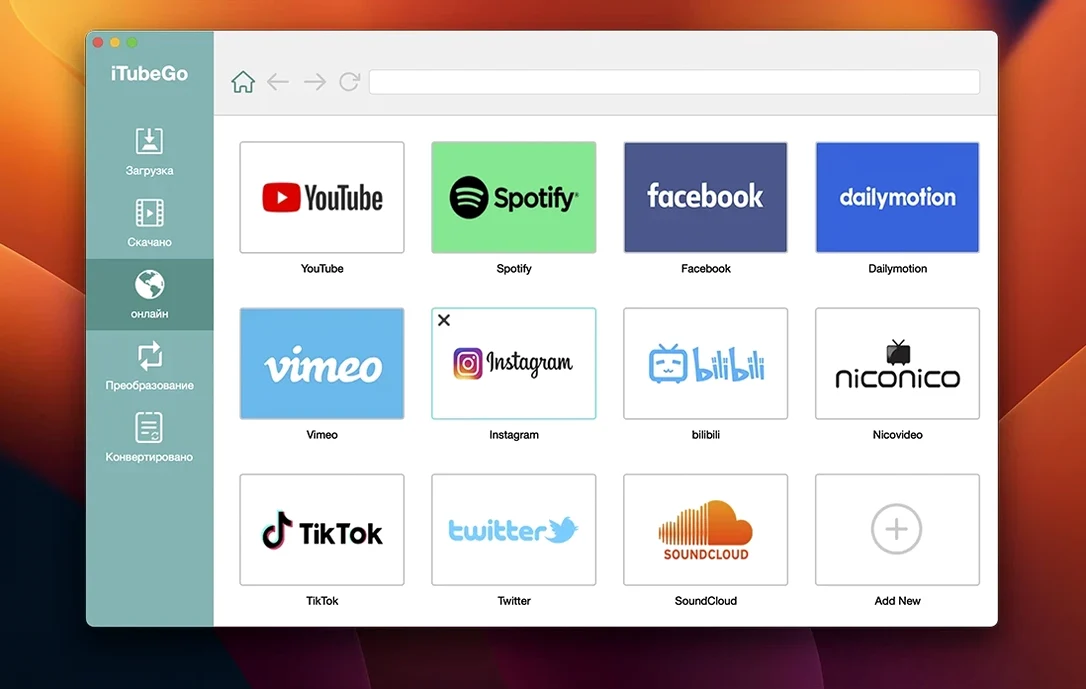
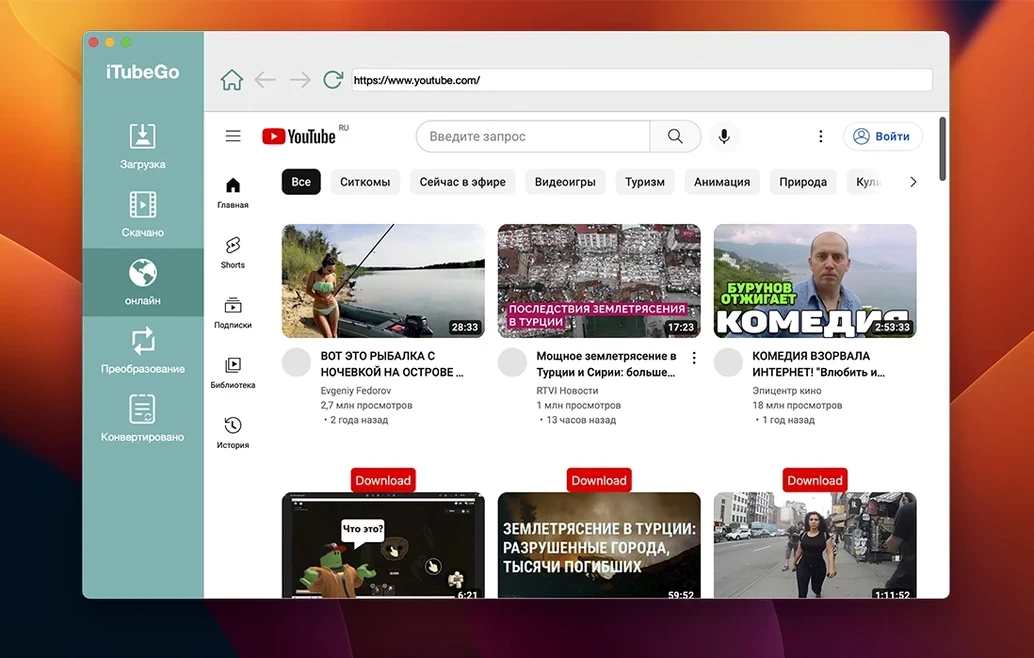
iTubeGo is for anyone who regularly grabs video or audio from the web — journalists, researchers, or just someone building a local media library. It handles YouTube and more than 10,000 other sites, so you're not locked into one platform.
You can choose from 480p all the way up to 8K, including Full HD and 4K in between. That range covers everything from quick previews to archival-quality downloads.
Yes. The app converts YouTube content to MP4, MP3, and other common formats, which saves you running a separate converter afterwards.
iTubeGo claims up to 10x faster bulk downloads. If you queue multiple videos, the speed gain is noticeable — useful after a long day of collecting links.
If you've looked at Mac video downloaders before, you've probably come across a few names. Downie is a popular choice — it's clean, supports a wide range of sites, and updates frequently to keep up with site changes. But Downie doesn't include a built-in browser, so you're either copying URLs from your web browser or using its browser extension. iTubeGo's built-in browser means you can browse and download without switching windows, which saves a step if you're grabbing several videos in one session.
Another common alternative is 4K Video Downloader. It's straightforward and reliable, and it handles playlists and subtitles well. iTubeGo doesn't impose those kinds of limits — you pick the quality from 480p to 8K from the start. 4K Video Downloader also doesn't include a built-in browser, so like Downie, you're pasting links rather than browsing inside the app.
Then there's Folx, which is more of a general download manager with some video support. It handles YouTube and a few other sites, but its site coverage is narrower. iTubeGo covers more than 10,000 sites, including adult platforms like Pornhub and xHamster, which Folx doesn't touch. If you're downloading from a mix of mainstream and niche sites, iTubeGo's wider net matters more than Folx's torrent support or scheduling features.
A few things trip people up when they first use iTubeGo. Here are the ones I see most often and what to do about them.
The install steps mention running a Gatekeeper-friendly opener and pressing Enter in Terminal. If you skip that, the app won't launch. Go back, mount the disk image, run the opener, and follow the Terminal step — it takes ten seconds.
Downloads fail or stall mid-way. This can happen when a site changes its video player or encryption. iTubeGo's developer pushes updates to fix this, so check you're on the latest version. Also, some sites require you to log in before you can download certain content. The built-in browser handles this — just log in through it rather than copying a URL from your main browser.
Audio extraction gives lower quality than expected. iTubeGo can extract audio at up to 320 kbps MP3. If your downloads come out at a lower bitrate, make sure you've selected MP3 and the highest quality option before you start the download. The default settings sometimes default to a lower bitrate to save space.
The app doesn't detect videos on a specific site. Not every one of the 10,000+ sites works perfectly at all times. Some sites use dynamic content that loads after the page renders. Try refreshing the page in the built-in browser, or paste the URL directly into the download field instead of browsing. If it still doesn't work, the site might have changed its structure — check for an update to iTubeGo.
Version 10.15.0 brought a few refinements that affect how the app feels day to day. The download engine was updated to handle more site changes, which means fewer broken links on popular platforms like YouTube and Vimeo. The built-in browser also got a stability pass — it loads pages a bit more reliably when you're navigating through search results or playlists.
The interface languages were expanded, so if you work in German, Vietnamese, or Indonesian, the app now speaks your language. That's a small change but it makes a difference if English isn't your first choice. The Korean, Portuguese, and Japanese localisations were also refreshed, which suggests the developer is paying attention to feedback from those regions.
Nothing in 10.15.0 changes the core workflow — you still browse, paste, or search, then download. But the updates under the hood mean you spend less time troubleshooting failed downloads and more time building your library. For anyone who grabs a lot of 4K or 8K content, the engine tweaks are the most useful part: larger files are less likely to stall.
iTubeGo is a broad tool, but some users benefit more than others. Video editors who collect reference footage from YouTube, Vimeo, and Dailymotion will appreciate the quality range up to 8K. Being able to grab the exact resolution you need — rather than settling for whatever the site streams — means your source clips match your timeline settings from the start.
Music collectors and podcasters who extract audio will find the 320 kbps MP3 extraction useful. If you're pulling tracks for offline listening or sampling, you don't want compressed audio. The bulk download speed also matters here: grabbing a whole playlist or album in one go at 10x speed beats downloading tracks one by one.
Researchers and journalists who archive video evidence or interviews from multiple platforms benefit from the wide site support. One app covers YouTube, Facebook, Instagram, and adult sites — no need to switch tools or keep separate workflows for different platforms. The built-in browser also helps if you need to log into accounts without exposing your main browser to third-party cookies.
Anyone running an older Mac — down to OS X 10.10 — gets a modern downloader that still works on their system. Not many video tools support that far back, so if you're on a 2014 Mac or an older Intel machine, iTubeGo is one of the few options that doesn't leave you behind.
No, the current version is built for Intel (x86 64-bit) Macs only. It requires OS X 10.10 or later.
The interface is available in English, Russian, German, Spanish, French, Italian, Portuguese, Japanese, Korean, Traditional and Simplified Chinese, Indonesian, and Vietnamese.
Yes, iTubeGo lets you download audio from YouTube and other sites, converting it straight to MP3 or other formats.
Sign in or create your account to leave a comment.
No notes from photographers yet. If you have used this on a real folder, say which camera and which Mac.