Get it for my Mac (9 MB)
 Haptyk
2.0.4
Haptyk
2.0.4

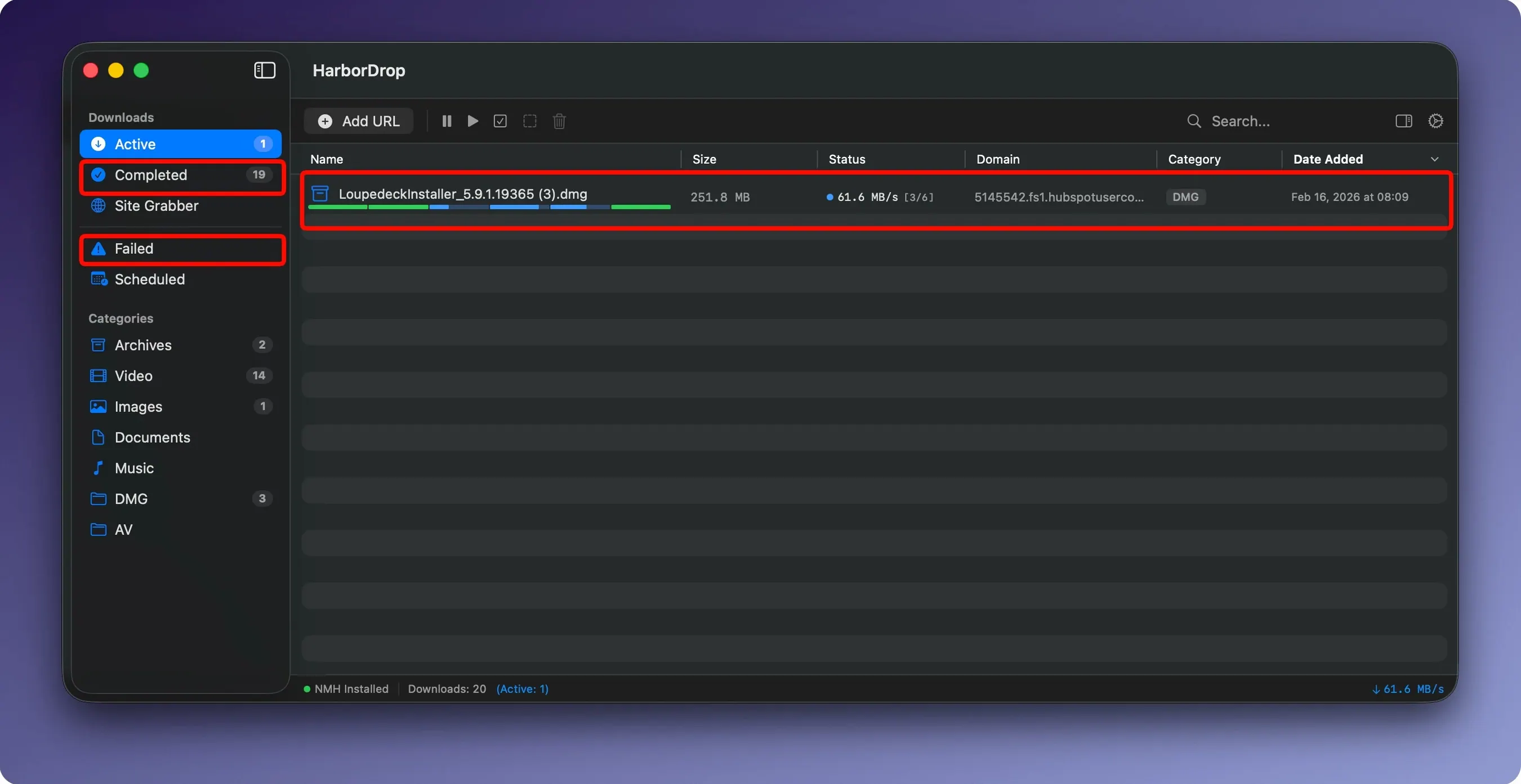
HarborDrop works on any Mac running macOS 12 or later — both Intel and Apple Silicon — so whether you're on an older Intel iMac or a new M3 MacBook Pro, it's ready to go. It's a download manager that goes beyond what Safari or Chrome can do, and it's especially good for people who handle a lot of files or want more control over the process.
HarborDrop 1.4 refines the download process without changing the core workflow. The segmented download engine still uses up to 6 parts by default, but you can now adjust that number more easily if you want to throttle a connection or push it harder. The Site Grabber got attention too — you can set a crawl depth when collecting links from a page, which means you can pull files from a gallery or a resource directory without visiting every subpage by hand.
For people who capture HLS streams regularly, the m3u8 handling in this version feels more predictable. It recognises playlists that change their structure slightly between requests, so you're less likely to get a broken file at the end. And the post-download automation — AppleScript, Shell scripts, JavaScript — still works the same way, but the triggers seem to fire more consistently when multiple downloads finish in quick succession.
Browser extensions have been updated across Chrome, Edge, Brave, Arc and Firefox. The right-click menu now shows both file links and media links in a cleaner list, so you don't have to guess which entry is the video and which is the page itself.
One thing that comes up a lot is whether HarborDrop replaces the browser's own download manager or just supplements it. It does both: once the extension is installed, it intercepts file links automatically, but you can still use your browser's built-in download for small files if you prefer. The app sits in the background and only takes over when you click a link that matches your download rules.
Another common question is about the segmented downloads. People wonder if splitting a file into parts puts extra strain on the server. In practice, most modern servers handle parallel requests fine — it's the same kind of connection a video player or a torrent client makes. You can lower the segment count if you notice issues with a particular site.
There's also curiosity about the Site Grabber. It's not a web scraper in the full sense — it collects downloadable links from a page up to a crawl depth you set. If you point it at a directory listing or a page of assets, it finds every link that points to a file. It won't render JavaScript-heavy pages, but for straightforward link collections it saves a lot of clicking.
And yes, it works offline after the download finishes. Once you save an HLS stream or a file, it's yours to play or move without an internet connection.
Imagine you're following a series of tutorial videos hosted on a platform that streams HLS. Each lesson is a separate page with an m3u8 playlist. With HarborDrop, you open the first lesson, send the stream to the app, and while it downloads, you tab over to the next lesson. The extension catches the media link, the app queues it, and by the time you've opened five tabs, the first video is already done and sitting in a folder sorted by domain name. The post-download script could even move it into a course folder automatically. You don't have to watch the progress bar — you just keep browsing.
HarborDrop suits people who regularly download more than a few files a day. That includes photographers pulling raw image sets from clients, video editors collecting stock footage or reference clips, and developers grabbing SDKs or disk images from multiple sources. The automatic sorting by site domain or file type keeps the Downloads folder from turning into a mess, and the post-download actions — especially the Shell script runner — let you build your own pipeline for renaming, compressing or moving files.
It's also a good fit for anyone who watches a lot of video on the web and wants a local copy for offline use. The HLS and m3u8 support is the main draw there, and the browser extensions for Chrome, Firefox, Edge, Brave and Arc mean you don't have to change how you browse. If you're on an older Intel Mac, the segmented downloads can make a real difference on slower connections, and if you're on Apple Silicon, the app runs natively without translation overhead.
In short, it's for the person who finds the browser's download manager too basic but doesn't want a bloated suite with features they'll never touch. Harbor Drop on Mac does the job and stays out of the way until you need it.
Yes, it supports HLS streams and m3u8 playlists, so you can download non-DRM video from supported websites for offline viewing.
The browser extension works with Brave and other Chromium-based browsers.
Sign in or create your account to leave a comment.
No notes from photographers yet. If you have used this on a real folder, say which camera and which Mac.