Get it for my Mac (131 MB)
 Garden Planner
3.8.86
Garden Planner
3.8.86
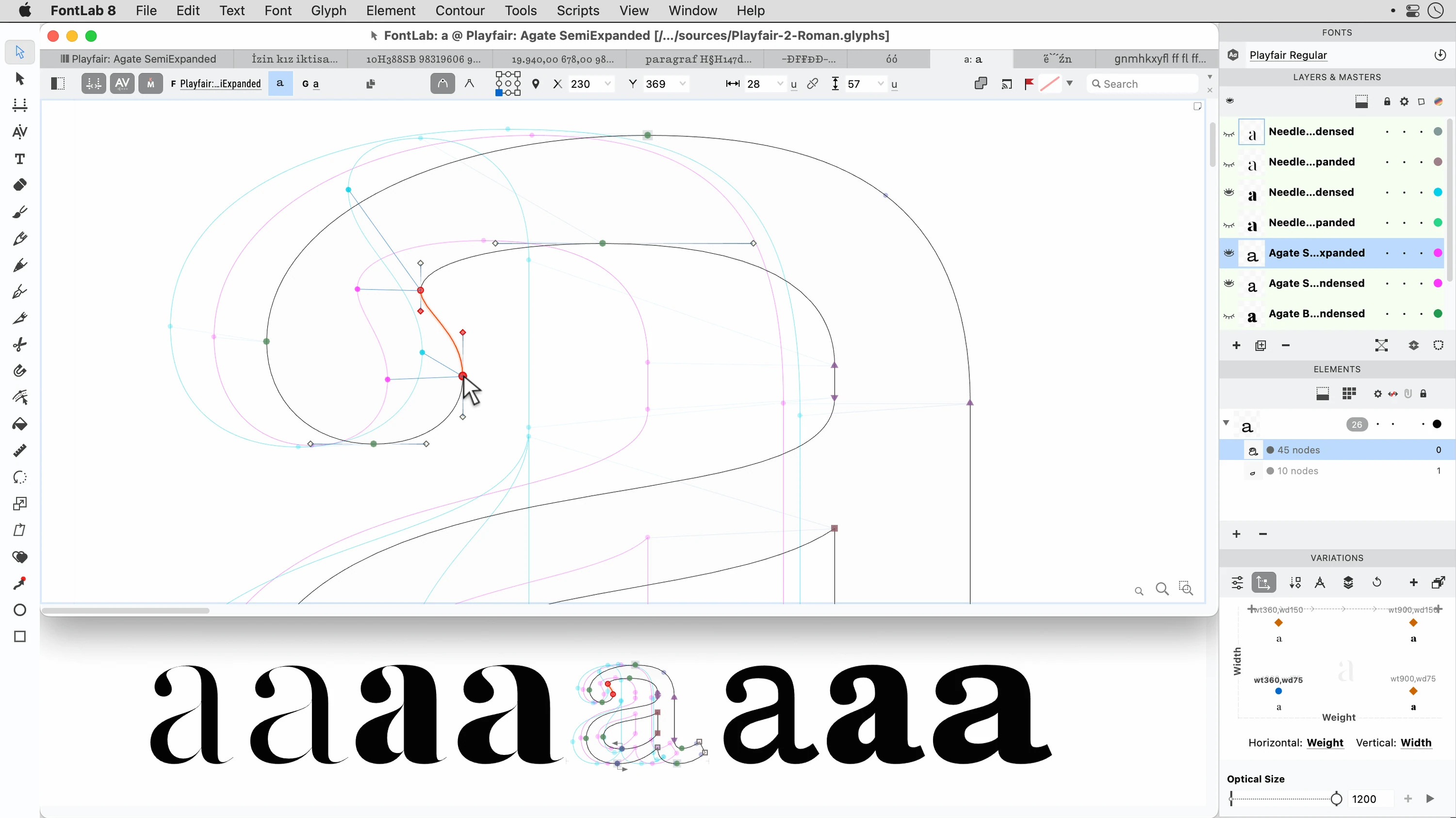
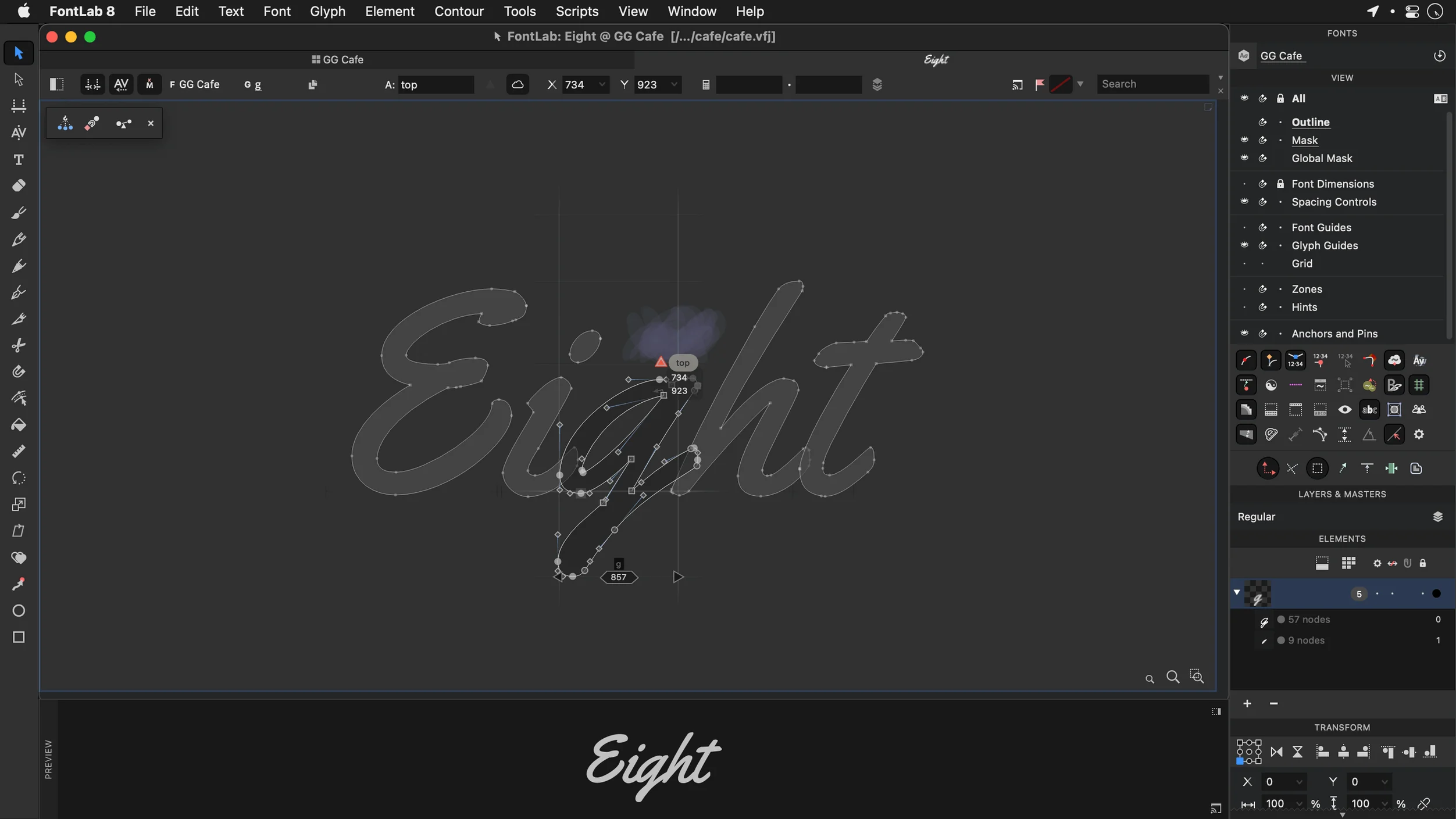
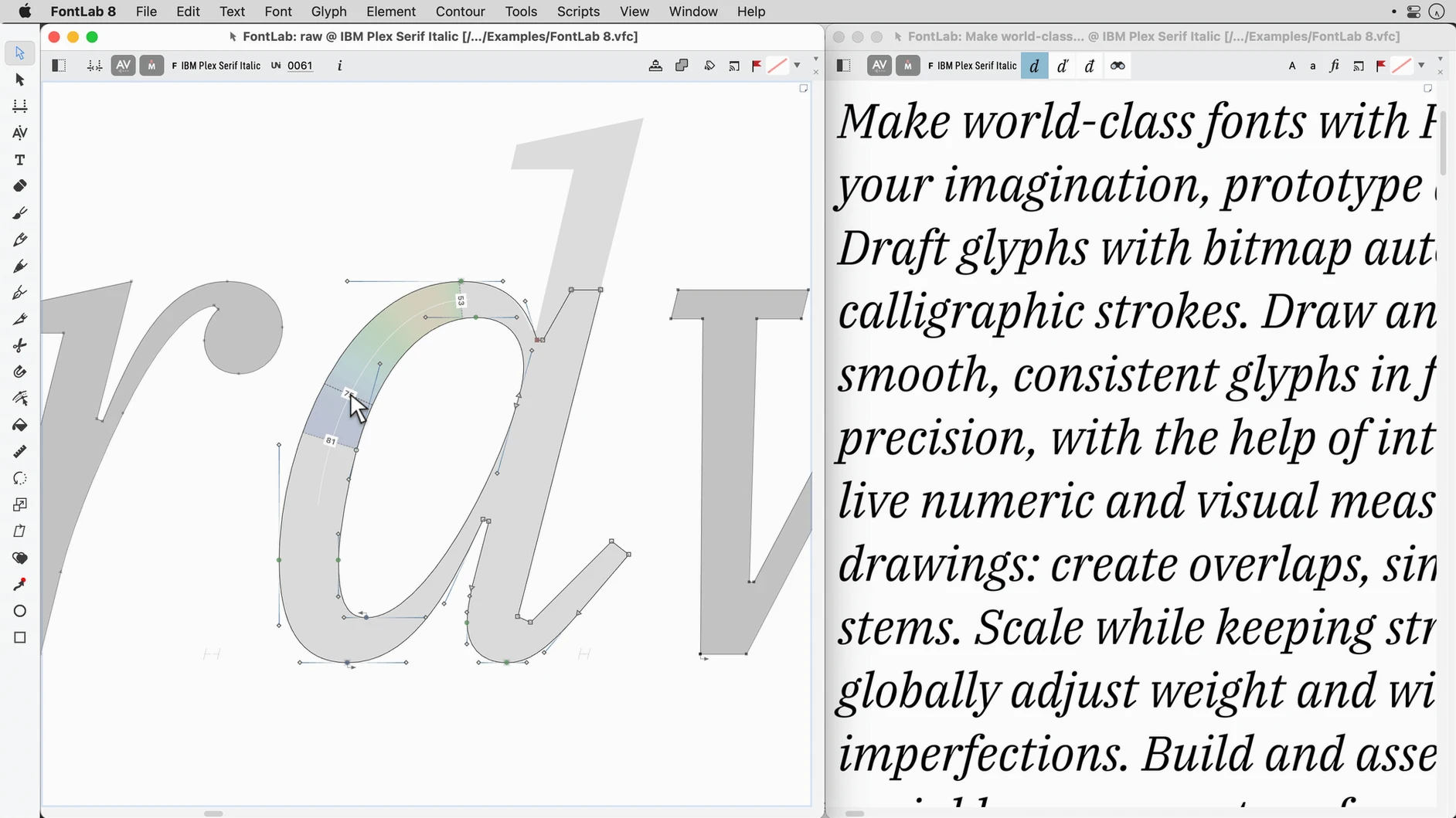
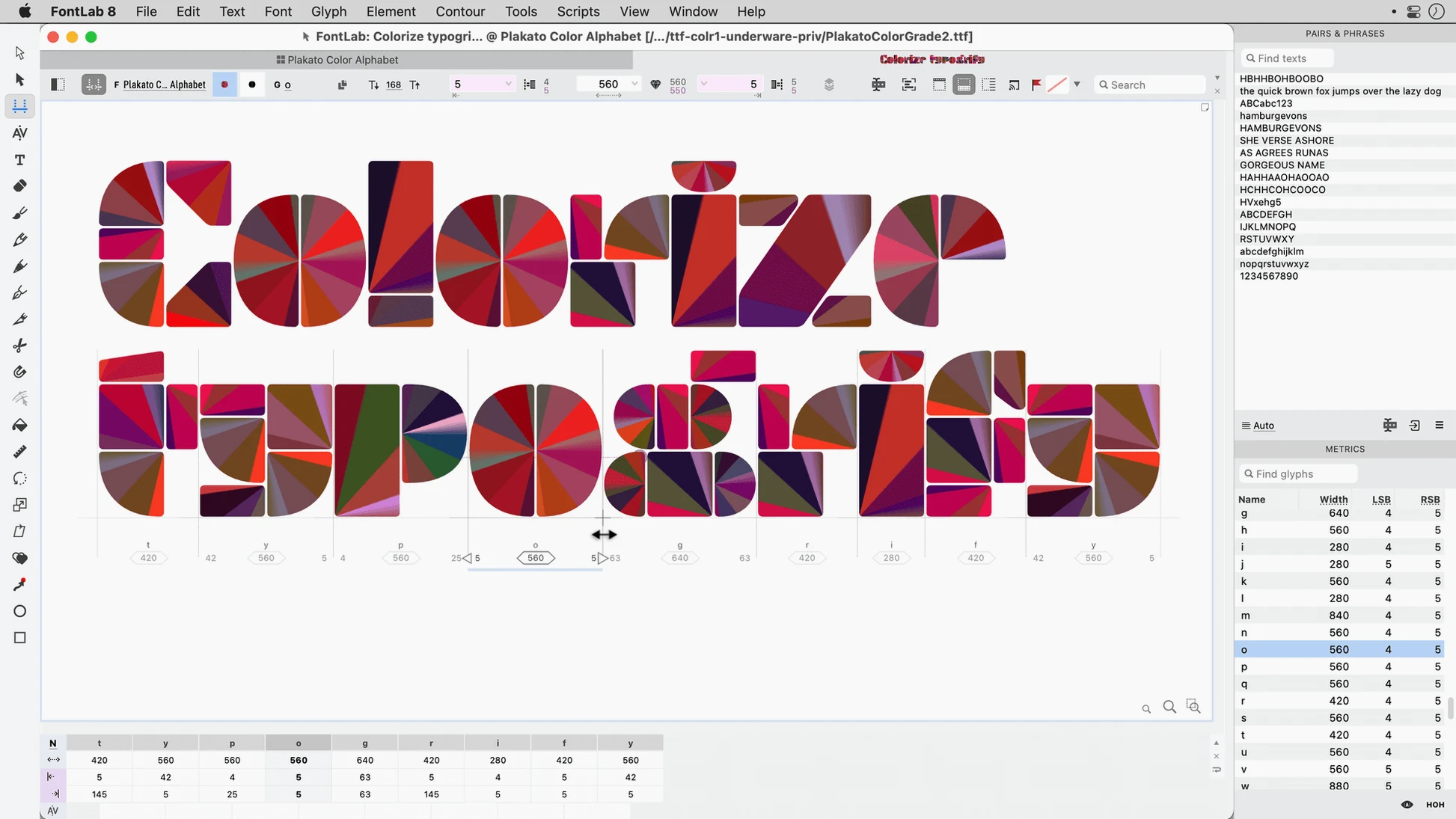
FontLab 8.4 is out, and it packs over 500 improvements since version 8 — 900 if you’re jumping from FontLab 7. That’s a lot of polish for a tool that already set the standard for professional type design on macOS and Windows.
Start with the vector drawing tools. You can sketch a new character directly in the glyph window, using the pen and shape tools that feel natural if you’ve worked in Illustrator. Drag-and-drop glyph placement makes it quick to adjust spacing without digging into metrics panels.
With full Unicode support, including Arabic, Hebrew, and TrueType AAT and Mac TrueType formats, you can build a typeface that works across languages. The built-in font viewer lets you scroll through your character set and spot missing glyphs before export.
When the design is ready, FontLab handles the output. You get a clean, high-quality font file that’s ready for testing or release. For anyone serious about type, this is the editor that gets out of your way and lets you work.
FontLab 8.4 is built for people who think in curves, counters and kerning pairs. If you design typefaces for a living — whether that’s a full family with italics and small caps or a single custom logotype — this editor gives you the depth you need. Graphic studios producing bespoke fonts for brand work get the batch transformation tools and programmable transformations, which save hours when you need to adjust an entire glyph set at once. Type production teams handling OpenType and TrueType output will appreciate the editable code pages and encodings, especially when delivering fonts that need to work across different operating systems. Even hobbyists who love lettering as a craft will find the 200-plus undo levels a safety net worth having.
New users often jump straight into drawing without setting up their font’s Unicode encoding first. That leads to mismatched characters later, when a glyph doesn’t map to the right code point. It’s worth checking the encoding table before you start. Another trap is neglecting spacing until the very end. Beginners tend to perfect a single letter, then realise the whole word looks uneven. FontLab’s drag-and-drop glyph placement makes spacing adjustments fast, so it pays to rough in the side bearings early. A third mistake is ignoring the batch transformation panel. Hand-editing every glyph in a 200-character set is tedious, but the programmable tools can apply changes across the board in seconds. Spend ten minutes learning that panel, and you’ll save yourself days.
FontLab 8.4.3.8984 runs on macOS 10.14 or later and is built for Intel architecture. That means it will work on older Macs still running Mojave, as well as newer machines. The app installs from a standard disk image — open it, drag the app into your Applications folder alias, and open it from Launchpad when the copy finishes. The interface is in English, and the installer is straightforward. There’s no complex licensing setup to navigate. Once it’s on your drive, you can import AI, EPS, TIFF and BMP files directly, so existing artwork from other design tools can become the starting point for a new typeface. FontLab 8.4 also handles both TrueType and PostScript outlines, which means you can work on fonts destined for print, screen or both without converting formats first.
FontLab 8 runs on macOS 10.14 or later, on Intel Macs.
Yes, it supports Unicode, Arabic and Hebrew, plus TrueType AAT fonts.
FontLab 8 is the successor to FontLab Studio 5, with a modern interface and many new features.
Sign in or create your account to leave a comment.
No notes from photographers yet. If you have used this on a real folder, say which camera and which Mac.