Get it for my Mac (159 MB)
 BricsCAD
24.2.04-05-1
BricsCAD
24.2.04-05-1
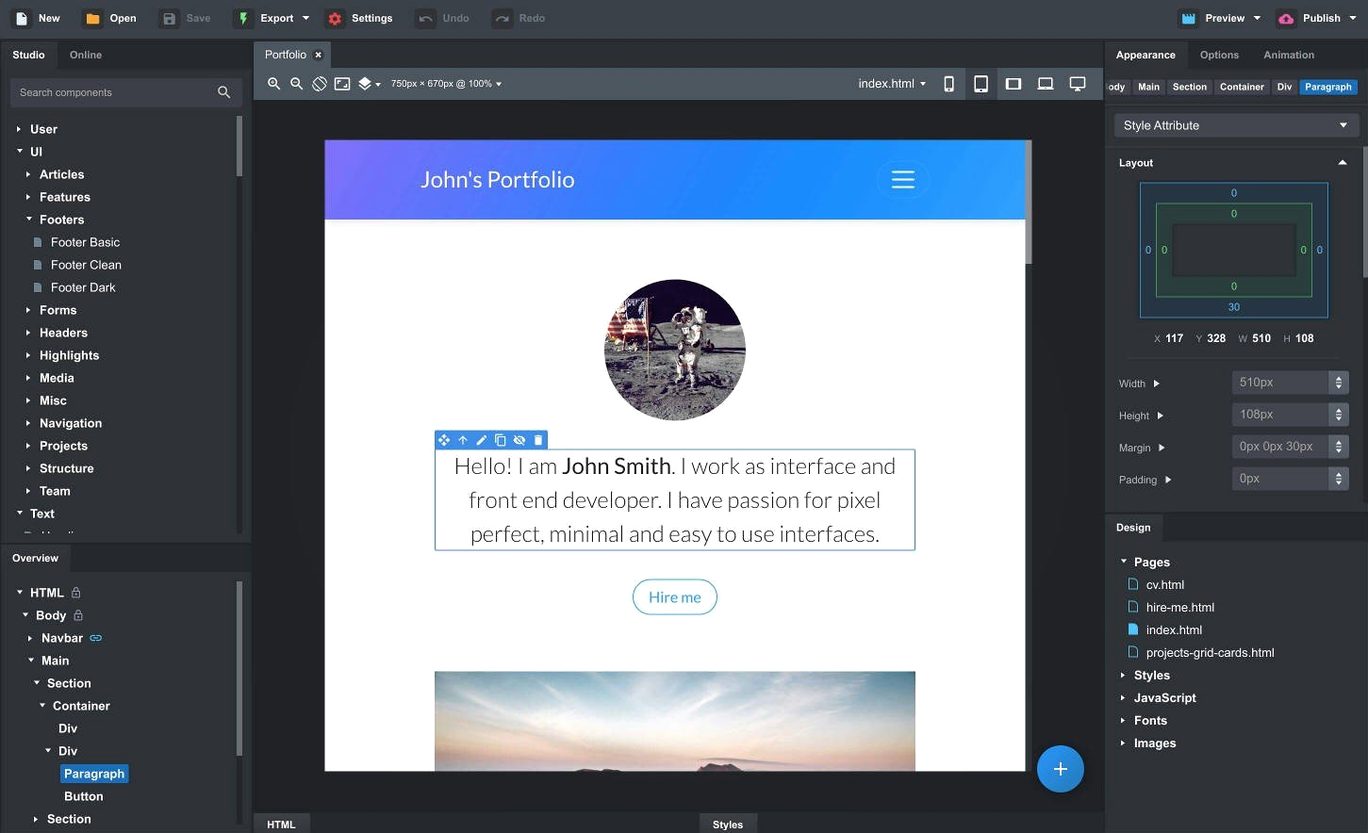
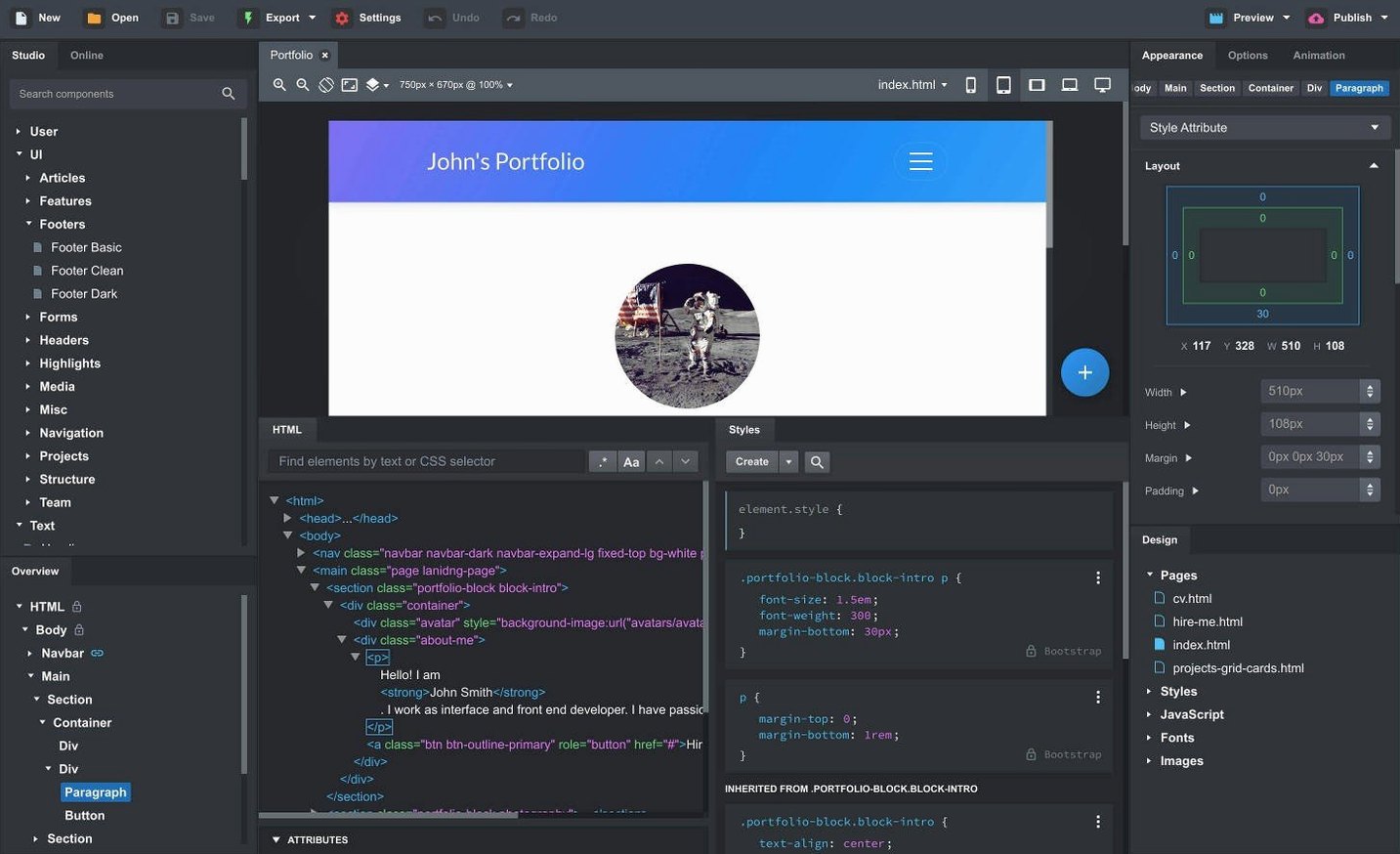
Putting together a responsive site with Bootstrap usually means juggling code, browser tabs, and a lot of manual tweaking. Bootstrap Studio gives you a desktop workspace where you drag, drop, and edit components that stay in sync across pages — no need to rebuild the same header or footer every time you make a change.
Bootstrap Studio works on macOS 10.13 and later, and it runs on both Intel and Apple Silicon Macs. The interface is in English. If your Mac is from around 2017 or newer, you are probably fine. No special hardware requirements beyond what a standard MacBook or iMac offers.
The app includes built-in components like headers, footers, galleries, slideshows, and spacers. You can also turn any part of a design into a custom component. It supports linked components that update automatically across your project. The live preview lets you see your site in multiple browsers and device sizes at once. When you export, the HTML is clean and semantic. The latest release adds a Sticky On option for sticky navbars, a Click Outside to Close option for Bootstrap modals, and two new AI models in the AI Assistant: gpt-4o-mini and gpt-4o. There is also a fix for the OpenAI API key dialog and the Icon Dialog now shows icon counts per set.
Before you start your first project, open the preferences and set the Bootstrap version you intend to use. Bootstrap Studio supports 3.4, 4.6 and 5.3 — picking the right one early saves you from migrating components later. If you work with SCSS, enable the full SCSS editor from the same panel so you can override variables directly rather than patching the compiled CSS afterwards. I also toggle on the option to keep the live preview synced to the active page; that way, every click in the design view updates the browser preview without extra steps. The AI Assistant needs an OpenAI API key if you plan to use it, so paste that in before you need it mid-session.
Say you are building a portfolio site for a photographer friend. You start Bootstrap Studio and create a new project, choosing Bootstrap 5.3 because it is the version you know best. The blank canvas shows a single div and a sidebar full of components. You drag a navbar from the components panel onto the page, then use the Sticky On option to keep it pinned at the top when the visitor scrolls. That option appeared in version 6.7.3 and it saves you writing custom CSS for a behaviour that used to require a few lines of code.
Next, you add a gallery component and populate it with placeholder images. The Icon Dialog now lists how many icons each set contains, so you pick the Font Awesome set that has the social media icons you need for the footer. You create a linked component for the footer — edit it once and every page that uses it updates automatically. That is the kind of feature that makes sense when the site has five or six pages and the client inevitably asks for the phone number to change.
You switch to the live preview to check how the gallery looks on a phone screen. The preview shows multiple device widths side by side, so you adjust the column breakpoints in the component settings until the layout works at 375 pixels wide. You also add a modal for the contact form and set it to close when the visitor clicks outside it — the new Click Outside to Close option, no JavaScript required. Exporting produces clean HTML that you can drop onto any server.
Version 6.7.3 is not a rewrite, but a few changes affect how you work day to day. The Sticky On option for navbars means you no longer need to add a utility class or a custom CSS rule for a common layout request. The Click Outside to Close option for modals is another small time-saver — previously you had to wire that up yourself or rely on Bootstrap’s default behaviour. The AI Assistant now offers gpt-4o-mini and gpt-4o alongside the existing models, which gives you more options if you use the AI to generate copy or component suggestions. The fix for the OpenAI API key entry dialog is minor but relevant if you ever had trouble pasting a key into that field. And the Icon Dialog showing icon counts per set is a detail that helps when you are choosing between icon packs and want to know which one has the icons you need.
Yes, it runs on both Intel and Apple Silicon Macs with macOS 10.13 or later.
Sign in or create your account to leave a comment.
No notes from photographers yet. If you have used this on a real folder, say which camera and which Mac.