
 Get it for my Mac (2.4 GB)
 Passpartout 2: The Lost Artist
15.11.2024
- Version
- 1.1.0.0.6
- Developer
- Pinokl Games, Kverta, Hologryph
- Interface in
- Russian, English, German, Spanish, Chinese (Simplified), Korean, Portuguese, French, Japanese
- Licence on file
- Not required
- Chip support
- Intel 64-bit
- Edited with it on
- macOS Sequoia, MacBook Air (M1. 2020)
- Out on
- 25.10.2018
- Voices in
- English
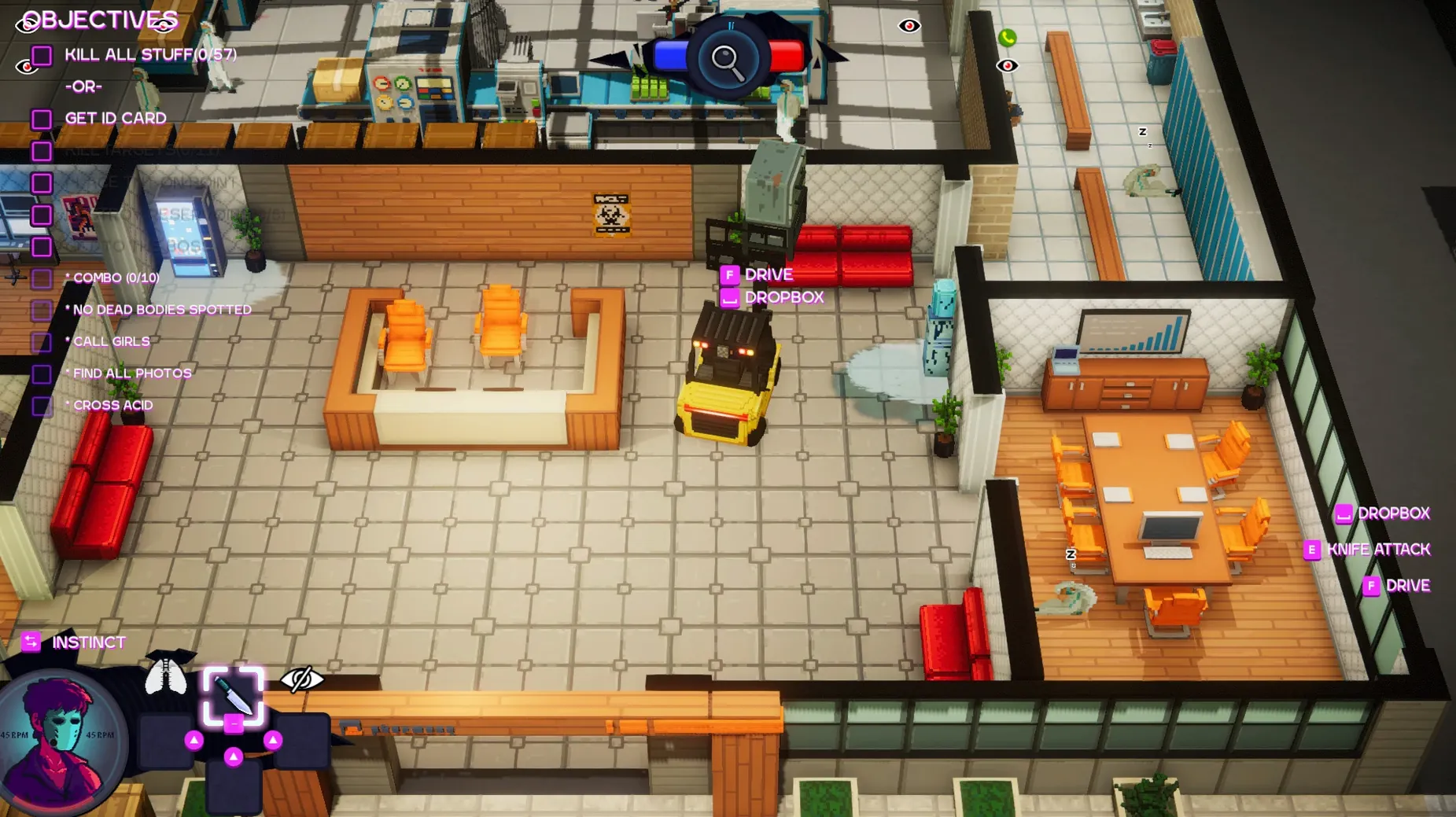
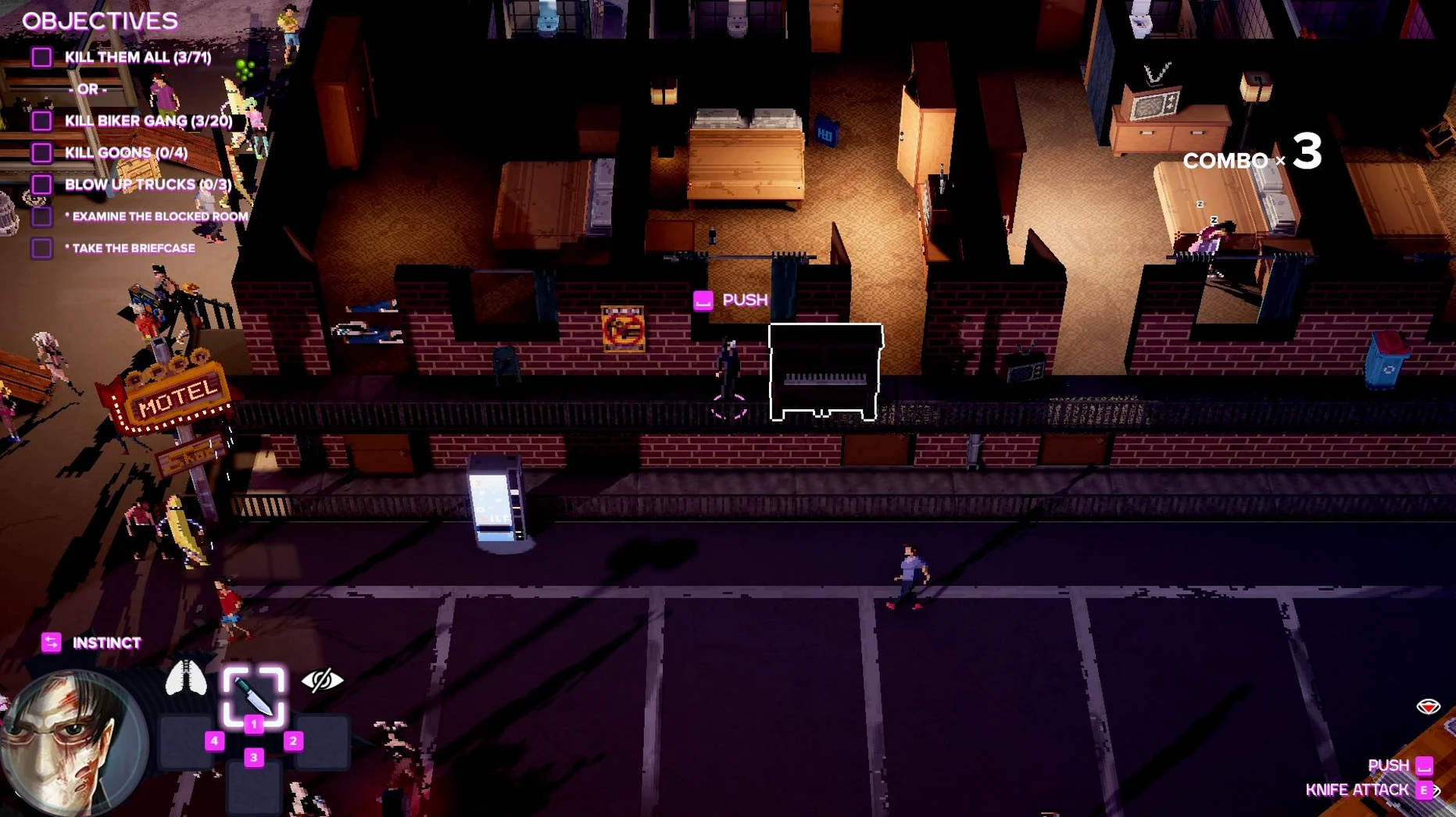
In the edit
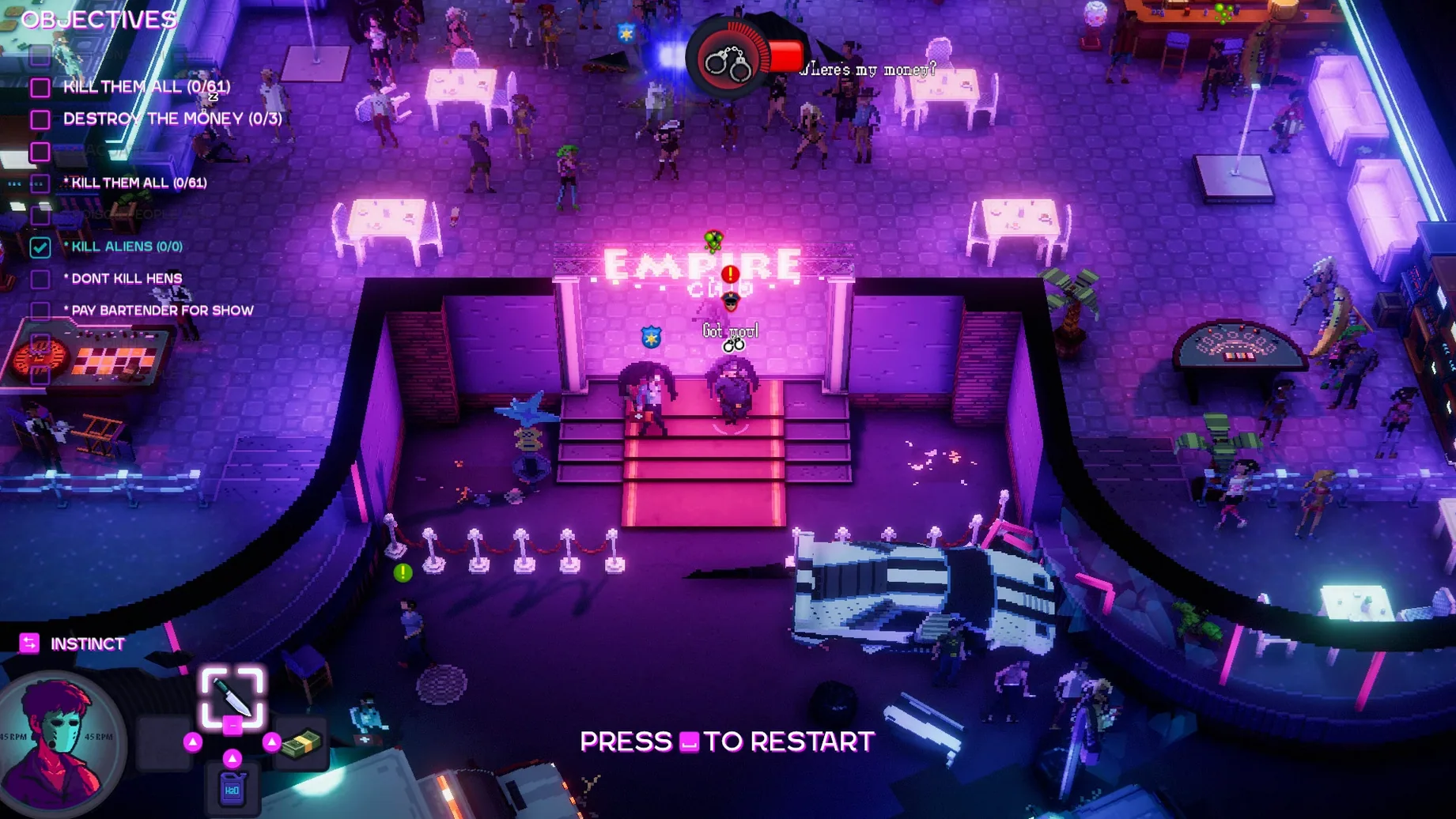
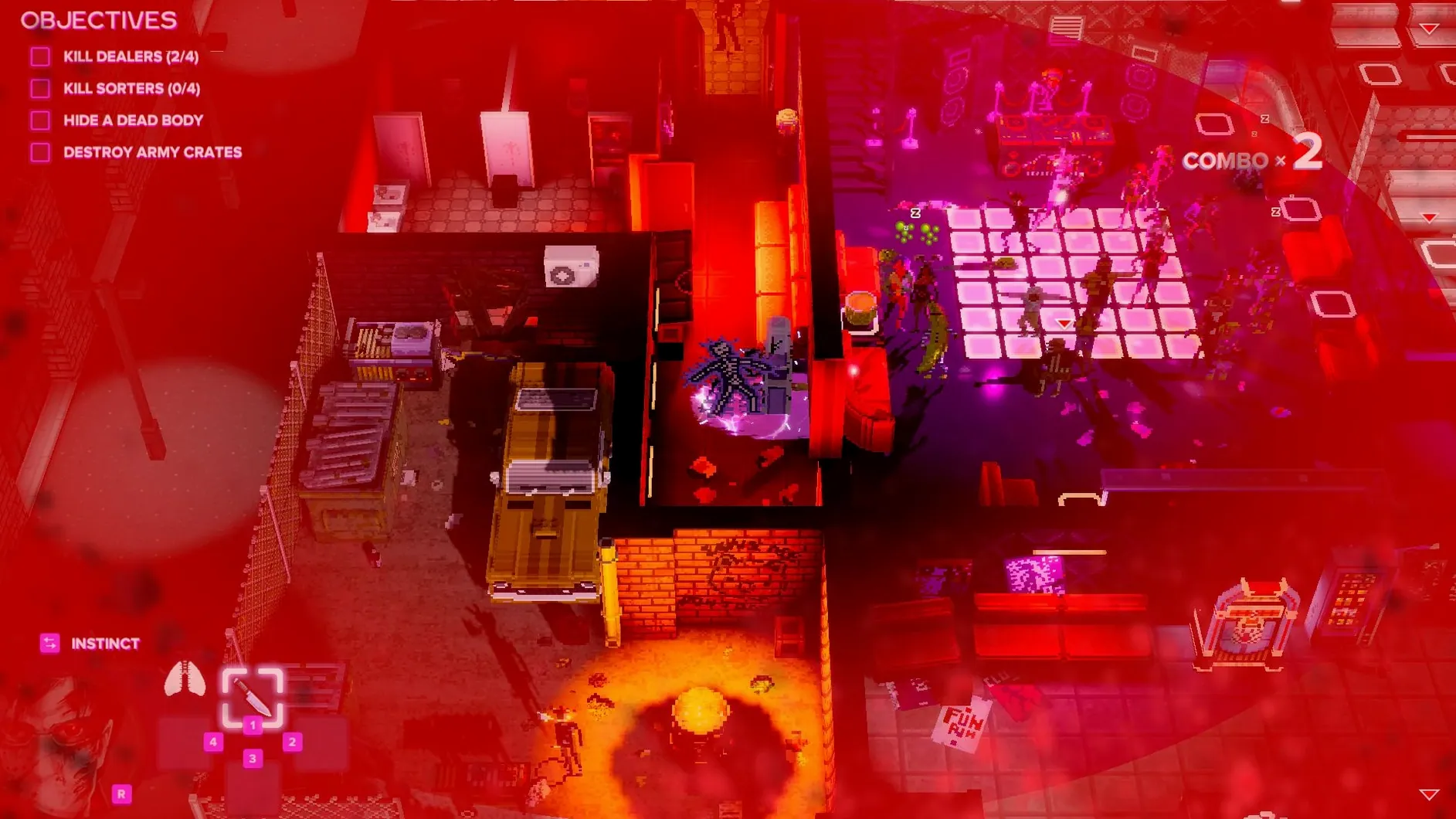
If you know the original Party Hard, you already have a sense of the tone. This sequel takes the same premise — you are someone who really, really wants a party to end — and builds on it with new 3D graphics, a crafting system, and the return of Twitch integration. But it is not for everyone.
Fans of the original who want Multi-Kill and local co-op
- Anyone who enjoyed the first game and wants more of the same, with extra abilities like Multi-Kill and more traps.
- People who play with a friend: local multiplayer is back.
Not for those who dislike chaotic jank and dark humour
The game is deliberately chaotic and the humour is dark. If you prefer polished, triple-A stealth titles where failure feels fair, the jank here might frustrate. The x86 build runs on Intel Macs and was tested on macOS Sequoia with an M1 via Rosetta, but performance on older hardware is not guaranteed. It is a niche title, best approached with the right expectations.
Intel Macs with a dedicated GPU run it best
If you are running an Intel Mac with a dedicated GPU, that is the sweet spot. The x86 build was made for that architecture, and it shows in how the 3D scenes handle multiple characters and environmental traps. Owners of older MacBook Pros from 2015 onwards tend to see the game at its most stable, as long as the system is kept clear of background tasks. M-series Macs work through Rosetta 2 — the build was tested on an M1 Air — but you will want to make sure the Rosetta environment is installed before you start. The audience here is not the hardware enthusiast, though. It is the person who enjoyed the first game on a Mac and wants the sequel without switching platforms, or the co-op player who needs a second controller and a friend on the sofa.
Nine interface languages and Party Vision you might overlook
- The language selection covers nine interfaces, including Russian and Korean, which is wider than many indie stealth games offer. You can change it before starting a session, so no need to dig into config files.
- Party Vision highlights traps and items in the environment. That sounds like a tutorial gimmick, but it saves time when you are trying to figure out which objects can be turned into weapons during a crafting run.
- The crafting system itself is straightforward: combine found items into traps without needing a menu-heavy interface. It keeps the pace up when things get loud.
- Twitch integration is back, which means viewers can influence the game. If you stream, that is a small but genuine draw for keeping chat engaged.
Game won't launch? Make sure the disk image is fully mounted
The most frequent issue people report on Mac is the game not launching after copying it to Applications. That usually happens when the disk image is not fully mounted before the drag operation. Make sure the image finishes loading — wait for it to appear on the desktop — then drag the app over. If it still does not open, check that Gatekeeper is not blocking the unsigned binary. Go to System Settings > Privacy & Security and look for a message about the app being blocked; you can allow it from there.
Since this is an Intel build, running it on an M-series Mac via Rosetta adds a translation layer that can strain the GPU. Closing other apps, especially browsers with many tabs, helps. If you are on an Intel Mac with integrated graphics, lowering the display resolution in the game's settings — if the menu lets you — can keep things playable.
Local multiplayer can be fiddly to set up. The game expects controllers to be connected before launch, not after. If you plug in a second pad mid-session, it may not register. Restart the game with both controllers already paired and it should pick them up.
New this release
- Dozens of new traps and combinations added.
- Four characters included, with two more to unlock.
- Local multiplayer returns.
- Twitch integration returns.
Mac it needs
- macOS (version not specified by the developer)
- Intel processor (x86 64-bit)
Installing on a Mac
- Mount the downloaded disk image.
- Drag the app into the Applications folder alias.
- After copying finishes, launch the app from Launchpad.
- If errors occur, follow the included instructions.
Notes from photographers
Sign in or create your account to leave a comment.
No notes from photographers yet. If you have used this on a real folder, say which camera and which Mac.
Similar apps
Next to it in Games
All Games picks
Passpartout 2: The Lost Artist
15.11.2024
 Palworld
1.0.5
 Penelope Pendrick and the Art of Deceit
1.13.4
 Perennial Order
1.0.4
 Overland
build 882
 OPUS: Echo of Starsong - Full Bloom Edition
2.5.6
 Only Up: LIZARDS MUST FALL
1.0.2
 Oddmar+
1.6
