
 Get it for my Mac (101 MB)
 Keyboard Maestro
11.0.4
- Version
- 2.14
- Developer
- Electronic Team
- Interface in
- English, German, Spanish, French, Japanese
- Licence on file
- K'ed by TNT team
- macOS it runs on
- macOS 10.12 or later
- Chip support
- Apple Silicon, Intel 64-bit
In the edit
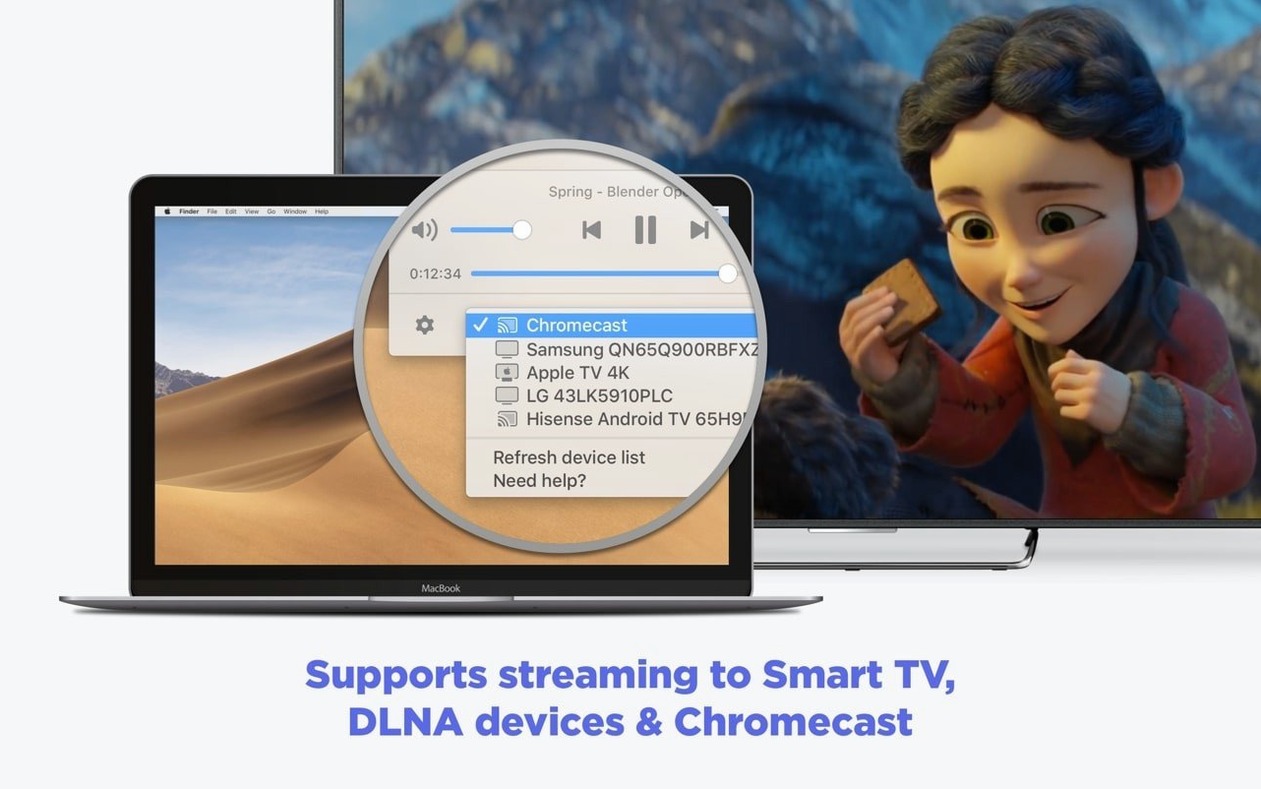
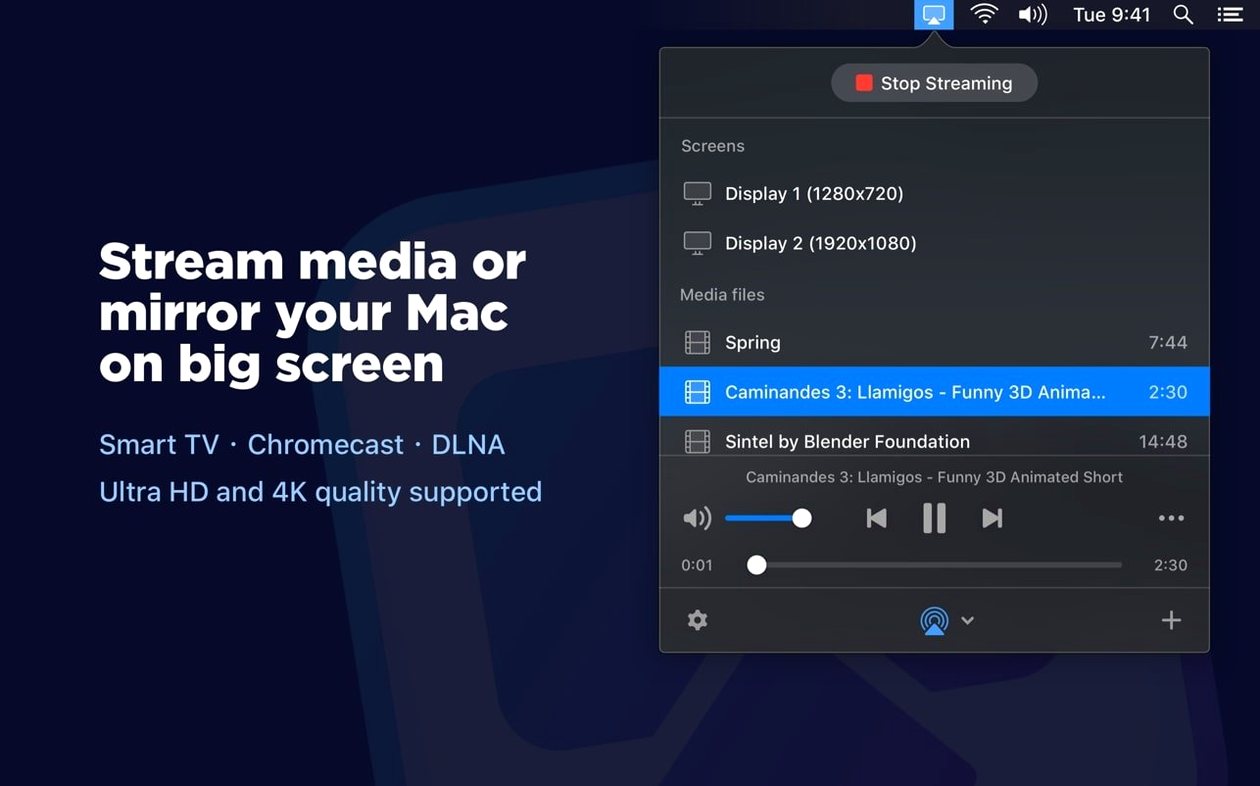
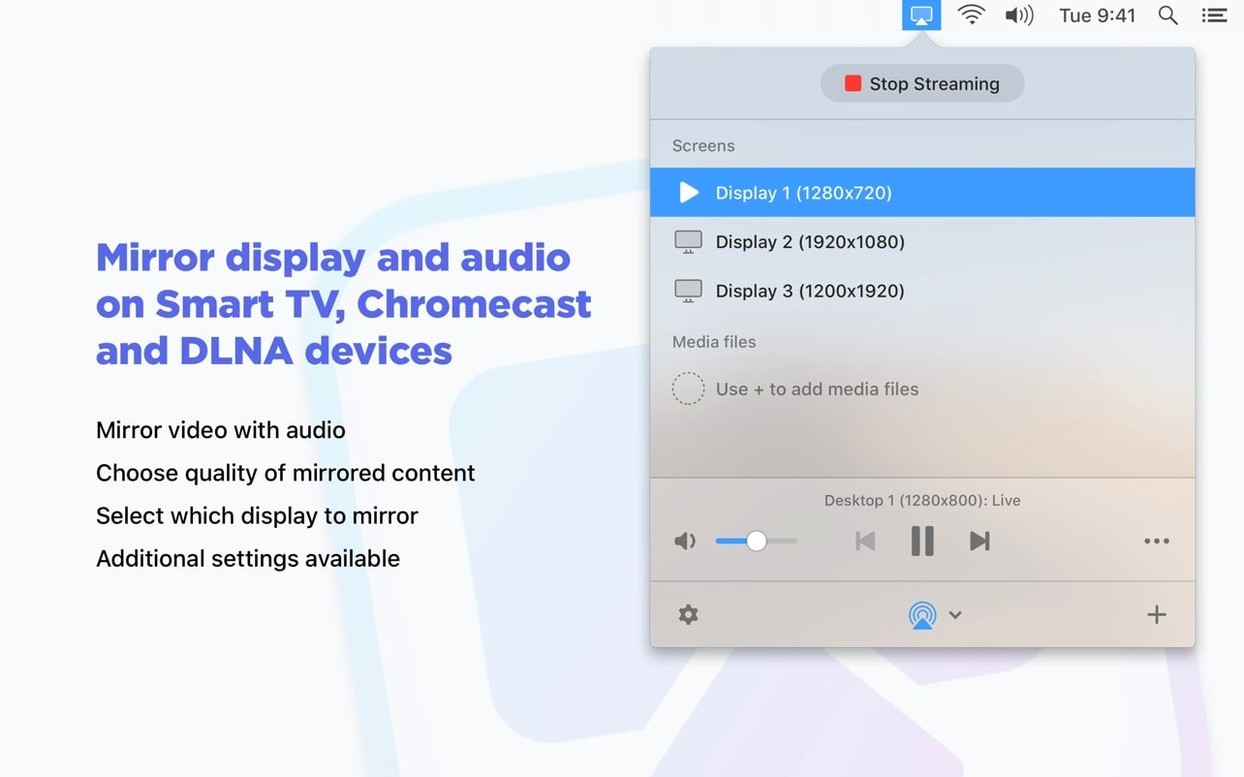
You have a video on your Mac that deserves the big screen, but the cable is missing, the file format is awkward, or the TV just will not play ball. JustStream PRO sits in the menu bar and handles the handshake for you — mirroring your display or streaming local media to a Smart TV, Apple TV, Chromecast, Roku, or any DLNA device.
Mirrors your whole screen or streams files without converting
- Mirroring the whole Mac screen or just one connected monitor to a TV
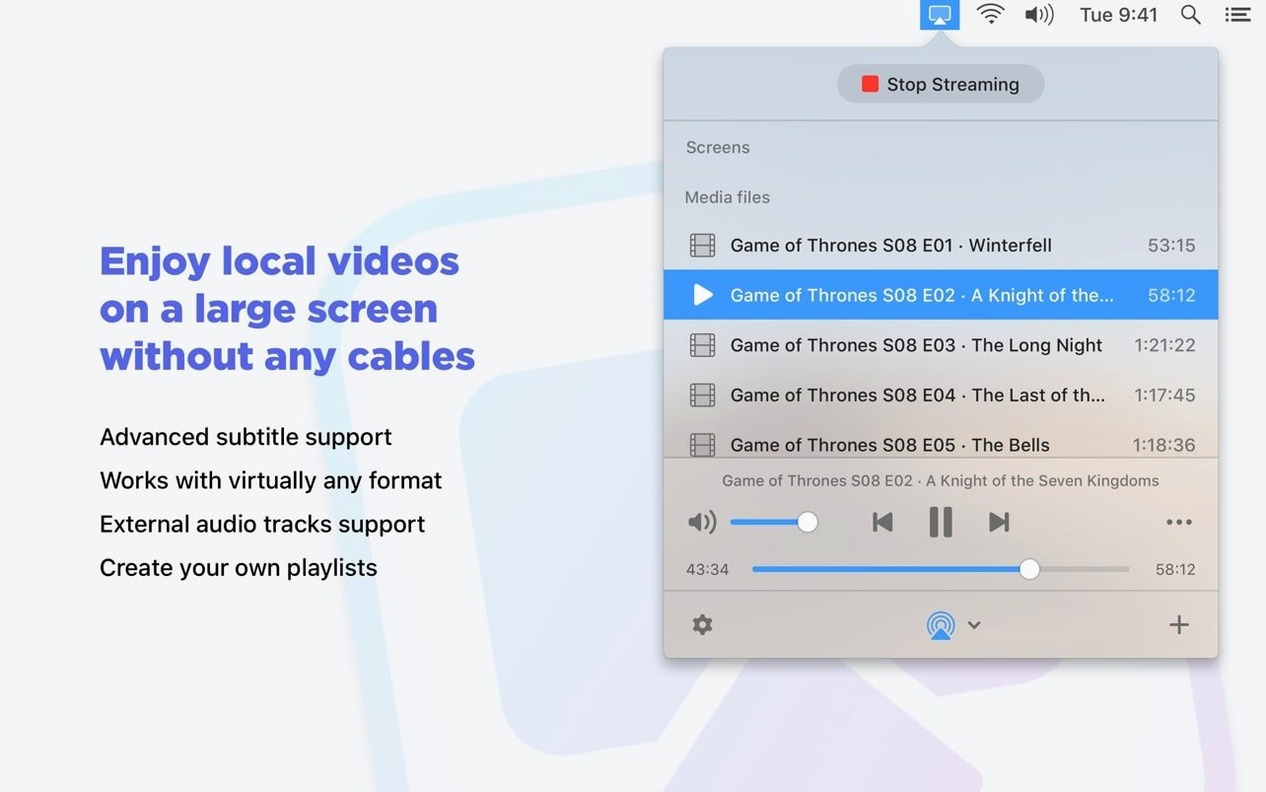
- Streaming local video files (AVI, FLV, MP4, MKV, MOV, WMV, MP3, WAV) without converting them first — the app does real-time transcoding on the fly
- Fitting the video to the TV’s screen size so you do not get black bars or a cropped picture
- Keeping subtitles visible, whether they are embedded in the file or sitting next to it as an external track
- Catching the mouse cursor movement on screen so your audience sees where you click
Pick quality to match your network and keeps the menu bar tidy
- Output quality can be set to Auto, Full HD 1080p, or HD 720p — pick the one that matches your network
- The app stays in the menu bar until you need it, so it does not clutter the dock
- It works on Intel and Apple Silicon Macs running macOS 10.12 or later
- Supported streaming devices include Smart TVs, Apple TV, Chromecast, AirPlay 2, DLNA receivers, and Roku
Expects the TV to appear before the network is ready
The first trip-up is expecting the app to find the TV before the network is ready. If your Mac and the streaming device are on different Wi-Fi bands or one is on a guest network, JustStream PRO will keep scanning and find nothing. Check that both devices sit on the same subnet before you open the app.
Another one: beginners try to stream a 4K file at Auto quality and wonder why playback stutters. The real-time transcoding does a lot of work, but it has limits. Dropping to HD 720p often fixes the judder without making the picture look bad on an older TV.
People also forget to stop the Mac from sleeping. The app has a setting that prevents sleep during streaming — newer versions improved it — but some users still walk away, the laptop goes dark, and the stream dies mid-film. Toggle that option early.
Subtitle timing trips people up too. If the embedded track does not match the video, they assume the app cannot handle subs. It can, but you might need the external subtitle file alongside the video rather than relying on a poorly synced internal one.
Photographers and editors review second-monitor work without cables
Photographers and video editors who review their work on a bigger screen find JustStream PRO useful because it mirrors the second monitor without cables. You can keep the timeline on the Mac display and show the full preview on the TV, which saves running HDMI across the room.
Anyone who collects media in varied formats — MKV from one source, MOV from another, AVI from something older — gets value from the real-time transcoding. The app saves the step of running files through a converter before you can watch them on a lounge TV.
People who give presentations or teach from a Mac also benefit. The mouse cursor capture and click visibility mean your audience sees exactly where you are pointing, which makes a difference when you walk through slides or demonstrate software.
And if you already have a Chromecast or a Roku but no Apple TV, the app fills the gap. You do not need to buy extra hardware or switch ecosystem — it streams from macOS straight to the device you already own.
New this release
- Compatibility with macOS 26 improved
- Preventing Mac from sleeping while streaming improved
- Streaming to certain devices fixed
- Errors when opening the list of streaming devices fixed
- Issues with streaming some videos to Chromecast fixed
- An issue where pause might not work during streaming fixed
Mac it needs
- macOS 10.12 or later
- Intel or Apple Silicon
Questions I actually get
Can JustStream PRO stream video to a Chromecast?
Yes, it supports Chromecast devices, and the latest version fixed issues with streaming some videos to Chromecast.
Does it work with subtitles?
Yes, it supports both embedded and external subtitle files, so you can watch foreign films or keep captions visible.
Installing on a Mac
- Mount the disk image and run Open Gatekeeper friendly.
- Press Enter in Terminal to bypass Gatekeeper.
- Drag the app to the Applications folder.
- The app is ready to use.
Notes from photographers
Sign in or create your account to leave a comment.
No notes from photographers yet. If you have used this on a real folder, say which camera and which Mac.
Similar apps
Next to it in Utilities
All Utilities picks
Keyboard Maestro
11.0.4
 iTubeGo
10.15.0
 LanScan
8.2.17
 iStat Menus
7.50
 iMazing
3.6.5
 Little Snitch
6.5
 iExplorer
4.6.0
 iDownerGo
10.15.0
