Get it for my Mac (7 MB)
 Nook X
2026.10.24
Nook X
2026.10.24

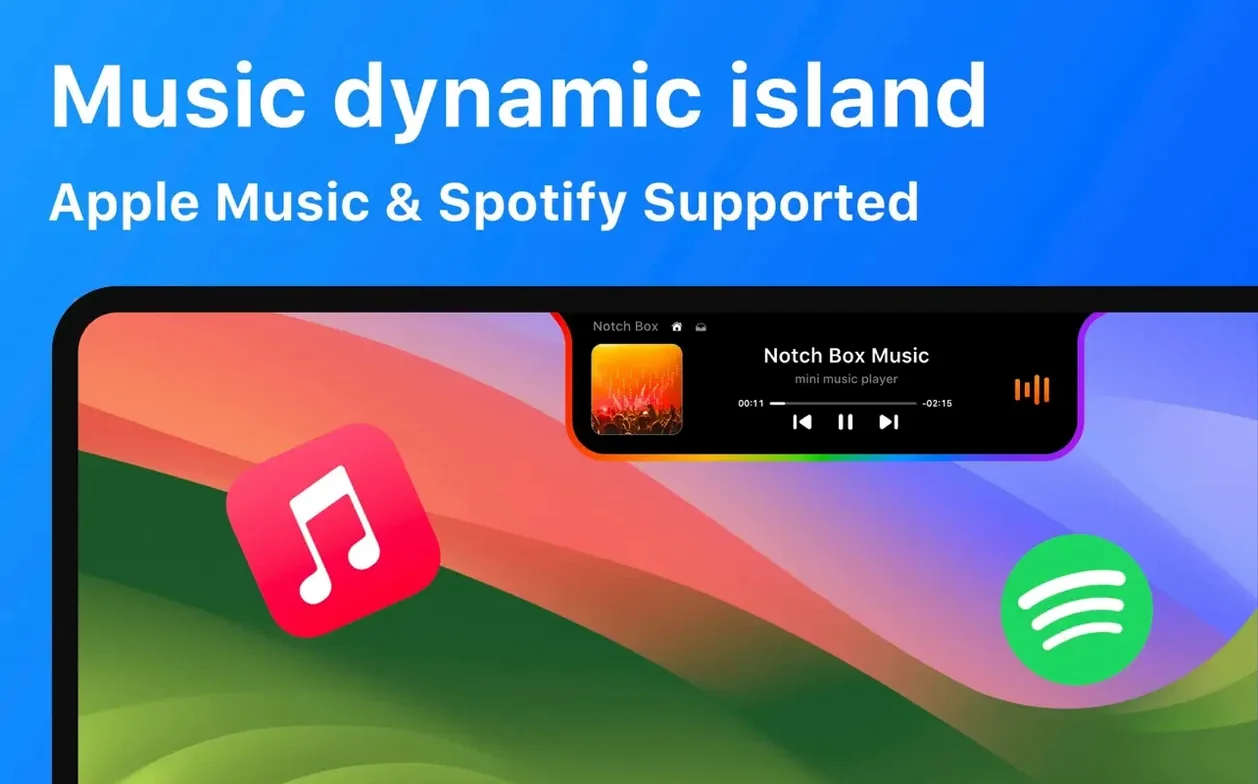
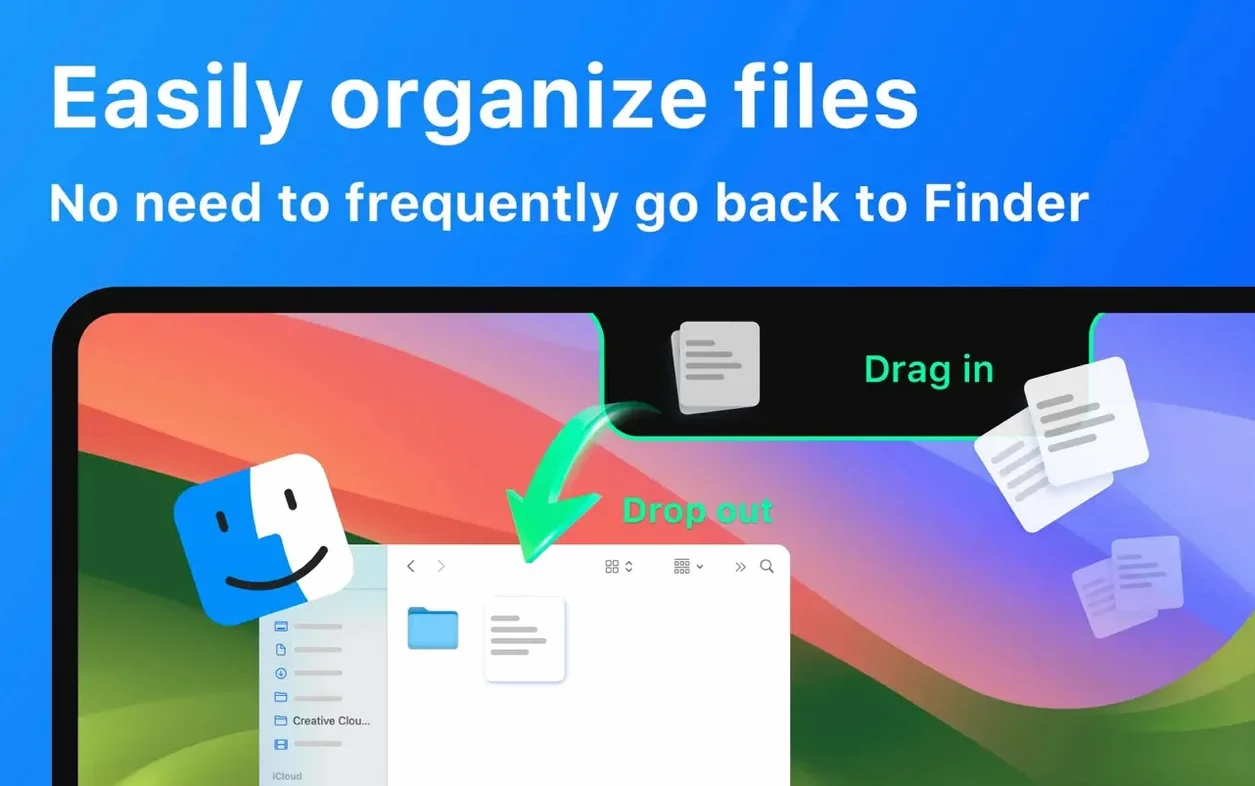

Open the camera mirror view, and NotchBox puts your Mac’s notch to work as a live preview. That alone is handy for a quick check before a video call, but the utility keeps going. You get calendar events and upcoming meetings right there, plus the current date and time, and even your Wi‑Fi network speed and signal strength. For music, it hooks into Spotify so you can skip tracks without switching apps.
AirDrop file sharing works by drag and drop — grab a file, drop it onto the notch area, and off it goes. It’s a set of Dynamic Island-style functions that extend what the notch can do, all tucked into one small utility. NotchBox runs on macOS 13 and later, and speaks a long list of languages including English, German, French, Spanish, and Japanese.
If you spend your day moving files between people or devices, NotchBox turns a dead spot on your screen into a drop zone. Designers sending assets to a colleague, editors passing off video clips, or anyone who uses AirDrop more than once a morning will feel the difference. The notch becomes a visual target — you don't need to open Finder, locate the AirDrop window, or wait for it to scan. Drag, drop, done.
Music listeners who keep Apple Music or Spotify running in the background get a second screen for track control without leaving the app in front. That helps when you're full-screened in a photo editor or a browser and just want to skip a song or see what's playing. The calendar and clipboard history features lean toward the same crowd: people who switch contexts often and want key info visible without extra clicks.
Anyone with a notch-equipped MacBook who misses the Dynamic Island from recent iPhones will find this familiar. It's not a copy — it's a reinterpretation for the Mac, where the notch has sat mostly unused since it appeared. NotchBox gives it a job.
After you drag NotchBox into the Applications folder and open it from Launchpad, the first thing to do is decide what appears in the notch. The utility packs a lot of features — camera mirror, music controls, clipboard, calendar, timer, network stats — and you likely won't need all of them at once. Turn off the ones that don't fit your day so the notch stays clean and the things you actually use are one click away.
If you handle files often, enable the file drag-and-drop storage option early. That lets you stash a file in the notch temporarily before moving it elsewhere. It's a holding area that lives on your menu bar, not another window to manage. For music listeners, connect either Apple Music or Spotify from the preferences so the controls show up when a track plays.
The countdown timer is worth a look if you track work sessions or cooking breaks. Set it once and it lives in the notch, visible without opening anything else. The same goes for the clipboard history — turn it on and your recent copies stay accessible, which saves digging through notes or pasting blindly to remember what you copied two steps ago.
NotchBox runs on macOS 13 or later, which covers Ventura and everything after. It works on both Apple Silicon and Intel 64-bit Macs, so whether you're on an M-series MacBook Pro or an older Intel model, it will open without issue. The download arrives as a disk image — you open it, drag the app to your Applications folder, then open it from Launchpad. No extra steps, no background installers.
The interface language adapts to your system or your preference. NotchBox supports Russian, English, German, Arabic, Vietnamese, Indonesian, Spanish, Italian, Traditional Chinese, Korean, Portuguese, Thai, Turkish, French, Hindi, and Japanese. That's a broad set for a utility this focused.
Once running, it lives quietly in the notch and the menu bar area. It doesn't demand permissions it doesn't need, and it doesn't clutter your dock unless you choose to keep it there. For a utility that watches clipboard history and network stats, it stays out of the way until you need it.
Say you're on a train back from a shoot, culling selects in Lightroom on a MacBook with a notch. You've got Spotify running through some over-ears, and you want to keep both hands on the keyboard. With NotchBox, you glance at the notch to see the track name, skip the one that doesn't fit the mood, and get back to rating photos. No alt-tab, no reaching for the touch bar, no stopping your flow.
Later, a colleague messages asking for a few RAW files. You drag them from the Finder window onto the notch, and NotchBox fires up the AirDrop sheet. A second later, the transfer starts. The files never touch the desktop, never sit in a temp folder, and you don't break your editing rhythm to open a sharing menu. The notch, which used to be a dark cutout, becomes a launch point for the things you do most.
That's the idea behind NotchBox free download mac — a small utility that makes the notch useful without getting in your way. If you've been ignoring the space above your screen, notchbox download mac is worth the few seconds it takes to set up.
Yes, you can share files by dragging and dropping them onto the notch area.
Sign in or create your account to leave a comment.
No notes from photographers yet. If you have used this on a real folder, say which camera and which Mac.