
 Get it for my Mac (37 MB)
 Bogren Digital Ampknob BDH 66o6 Plus
1.2.118
Bogren Digital Ampknob BDH 66o6 Plus
1.2.118
- Version
- 1.1
- Developer
- CableGuys
- Interface in
- English
- Licence on file
- k'ed by GUISEPPE
- macOS it runs on
- macOS 10.13 or later
- Chip support
- Apple Silicon, Intel 64-bit
In the edit
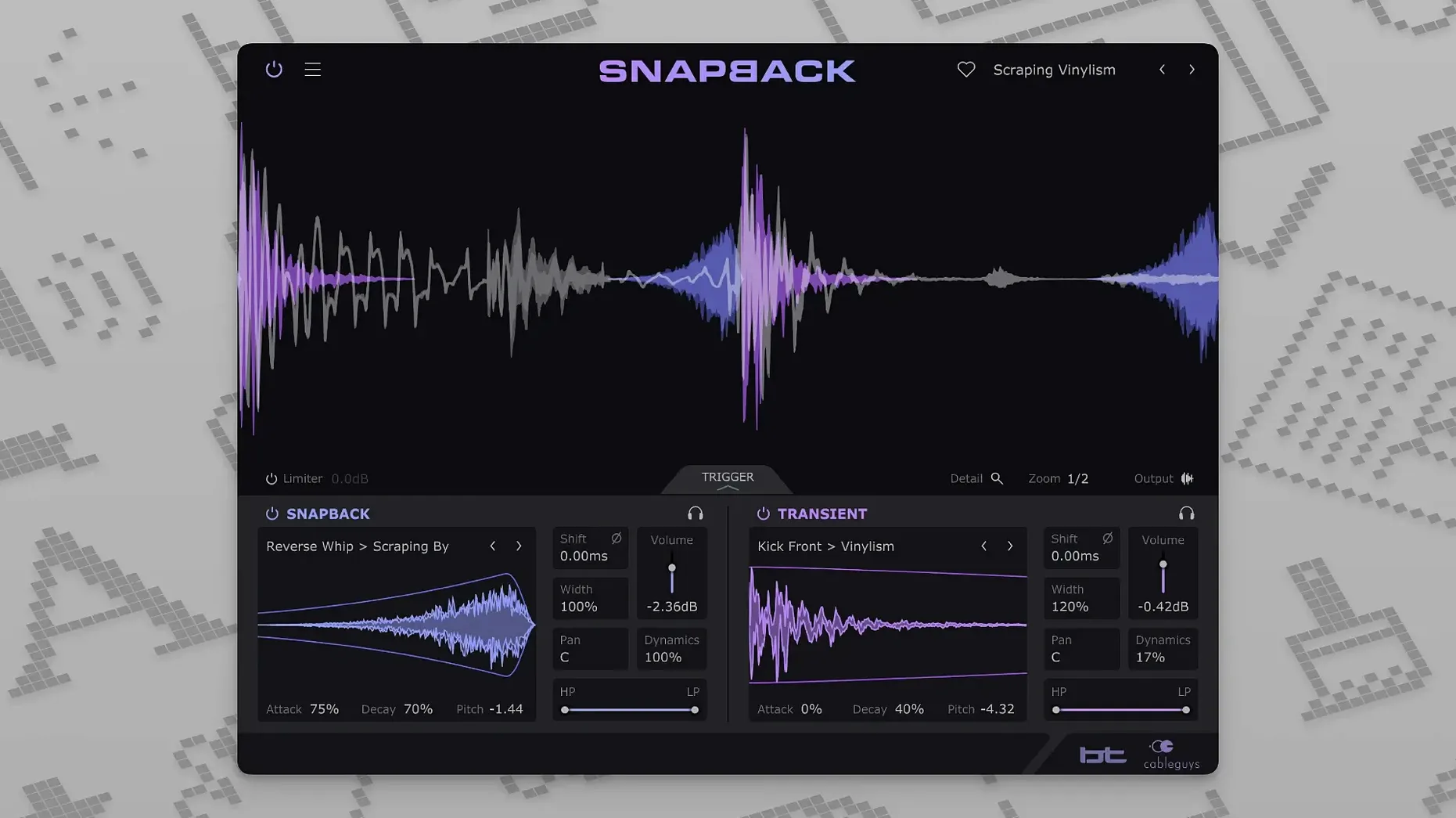
You've got a kick that needs more weight, or a snare that could use some extra crack. Instead of spending minutes nudging samples on the timeline, you load Snapback on the track. It listens to the incoming audio, detects each drum hit, and lines up your chosen sample perfectly with the transient. The sample follows the groove, not the other way around.
- Insert Snapback on the drum track or bus. The plugin sees the audio passing through it, whether that's a single kick or a full loop.
- Pick or import a sample. You can use the built-in sounds or bring in your own WAV files. The waveform visualiser shows you what you're layering.
- Tune and shape. Adjust the pitch so the sample sits in key with the rest of the mix. The envelope controls let you shape the attack and release, so the layer blends instead of clashing.
- Listen and tweak. The automatic alignment means you can audition different samples quickly without fixing timing by hand. If you want a reversed swell before the hit, the new Reverse button in version 1.1 does that.
Because Snapback works on the track or bus level, it's suited for layering individual hits or reinforcing an entire drum loop. It handles kicks, snares, and percussion the same way: detect, align, blend. The collaboration with BT shows in the attention to transient detail. For a working producer, it saves the repetitive part of drum layering and leaves more time for the creative decisions.
Tame the eager detection with a simple threshold fix
The first time you load Snapback, the detection might feel a bit eager — it can grab a hi-hat ghost note when you meant to layer only the kick. The fix is straightforward: adjust the detection threshold in the plugin's input section. Turning it up a little tells Snapback to ignore quieter hits and focus on the main accents. If the sample still sounds slightly early or late, the phase adjustment is your friend. A small nudge there can lock the layer into the pocket without messing with the track's timing.
Another thing people hit is the sample sounding too dry or too dominant. That's usually the envelope at work. Shorten the attack on the envelope to let the original drum hit punch through first, then let the sample fill the body. If the layer feels disconnected from the original hit, try bringing the filter in. A low-pass on the sample can glue it to a kick, while a high-pass works for adding sizzle to a snare without muddying the low end.
When importing your own samples, keep an eye on the waveform visualiser. If the imported file has a long silence before the transient, Snapback might misread the start point. Trimming the sample to a tight transient in your DAW before importing solves it cleanly.
Plug into almost every Mac host from Ableton to REAPER
Snapback is a plugin, so it sits inside whatever host you already use. It works as VST 2, VST 3, AU, or AAX, which covers Ableton Live, Logic Pro, Pro Tools, Cubase, Bitwig Studio, FL Studio, and REAPER. If you run Logic, the AU version slots into the channel strip the same way a stock plugin would. For Pro Tools users, the AAX version means no bridging layer to worry about.
On the macOS side, Snapback is native on both Apple Silicon and Intel Macs, so it runs without Rosetta on an M-series machine. The installer follows the standard macOS route — drag, drop, authorise in your host. No extra drivers or background processes. If you use multiple DAWs, the plugin scans into each one independently, so you don't need to reinstall when switching between Cubase and Ableton, for example.
The expanded MIDI port support in version 1.1 — up to 256 ports — matters more than it sounds. If you run a template with drum racks and multiple MIDI tracks routed to different outputs, Snapback can receive on its own port without conflicting with other instruments. It keeps the routing tidy.
Cycle through 200+ kicks in seconds with auto-alignment
The built-in sample library of over 200 sounds is the obvious starting point, but the real time-saver is how quickly you can cycle through them. Because the alignment happens automatically, you can click through a dozen kicks in seconds and hear each one locked to the transient. No stop-and-nudge workflow.
The Reverse button added in 1.1 is subtle but useful. It flips the sample so it plays backwards, which works well as a riser before the hit. Layer a reversed cymbal or snare on a kick and you get a slight build that resolves into the main hit. It's one button, but it changes the character of the layer without extra processing.
Pitch and phase controls are straightforward, but they're worth checking even on samples that sound close. A few cents of pitch correction can make the difference between a layer that sits in the mix and one that fights it. And if you're layering multiple hits in the same track — say, a kick and a percussion hit — the phase knob lets you align the two so they don't cancel each other out at the low end.
New this release
- Reverse button added in version 1.1.
- Number of addressable MIDI ports expanded from 16 to 256.
Mac it needs
- macOS 10.13 or later
- Intel or Apple Silicon
- VST 2, VST 3, AU, or AAX host DAW
- Interface language: English
Questions I actually get
Which DAWs does Snapback work with?
It works with Ableton Live, Logic Pro, Pro Tools, Cubase, Bitwig Studio, FL Studio, and REAPER, and supports VST 2, VST 3, AU, and AAX formats.
Installing on a Mac
- Run the standard installer for your system.
- Follow the on-screen prompts to complete the setup.
Notes from photographers
Sign in or create your account to leave a comment.
No notes from photographers yet. If you have used this on a real folder, say which camera and which Mac.
Next to it in VST Plugins
All VST Plugins picks
Bogren Digital Ampknob BDH 66o6 Plus
1.2.118
 Blue Cat Audio Blue Cats PatchWork
2.7.5
Blue Cat Audio Blue Cats PatchWork
2.7.5
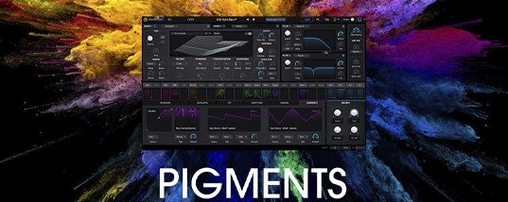 Arturia Pigments
7.0.1-6772
Arturia Pigments
7.0.1-6772
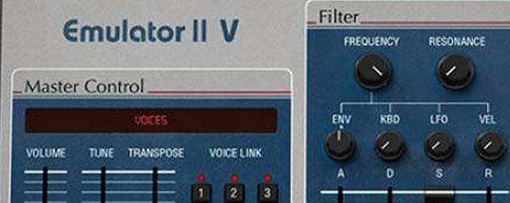 Arturia Emulator II V
1.6.2
Arturia Emulator II V
1.6.2
 Arturia Efx AMBIENT
1.0.0
Arturia Efx AMBIENT
1.0.0
 Arturia Analog Lab V
5.12.6
Arturia Analog Lab V
5.12.6
 Cymatics QUAKE
1.0.0
Cymatics QUAKE
1.0.0
 Cymatics VOXITY
1.0.0
Cymatics VOXITY
1.0.0
