Get it for my Mac (264 MB)
 iZotope RX
12.1.0
iZotope RX
12.1.0
- Version
- 3.0.0
- Developer
- iZotope
- Interface in
- English
- Licence on file
- K'ed by MORiA
- macOS it runs on
- macOS 13.4 or later
- Chip support
- Apple Silicon, Intel 64-bit
In the edit
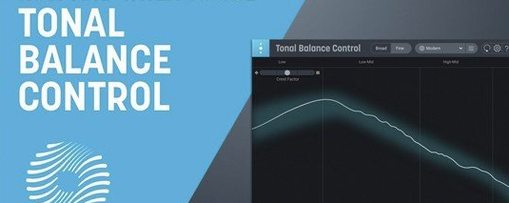
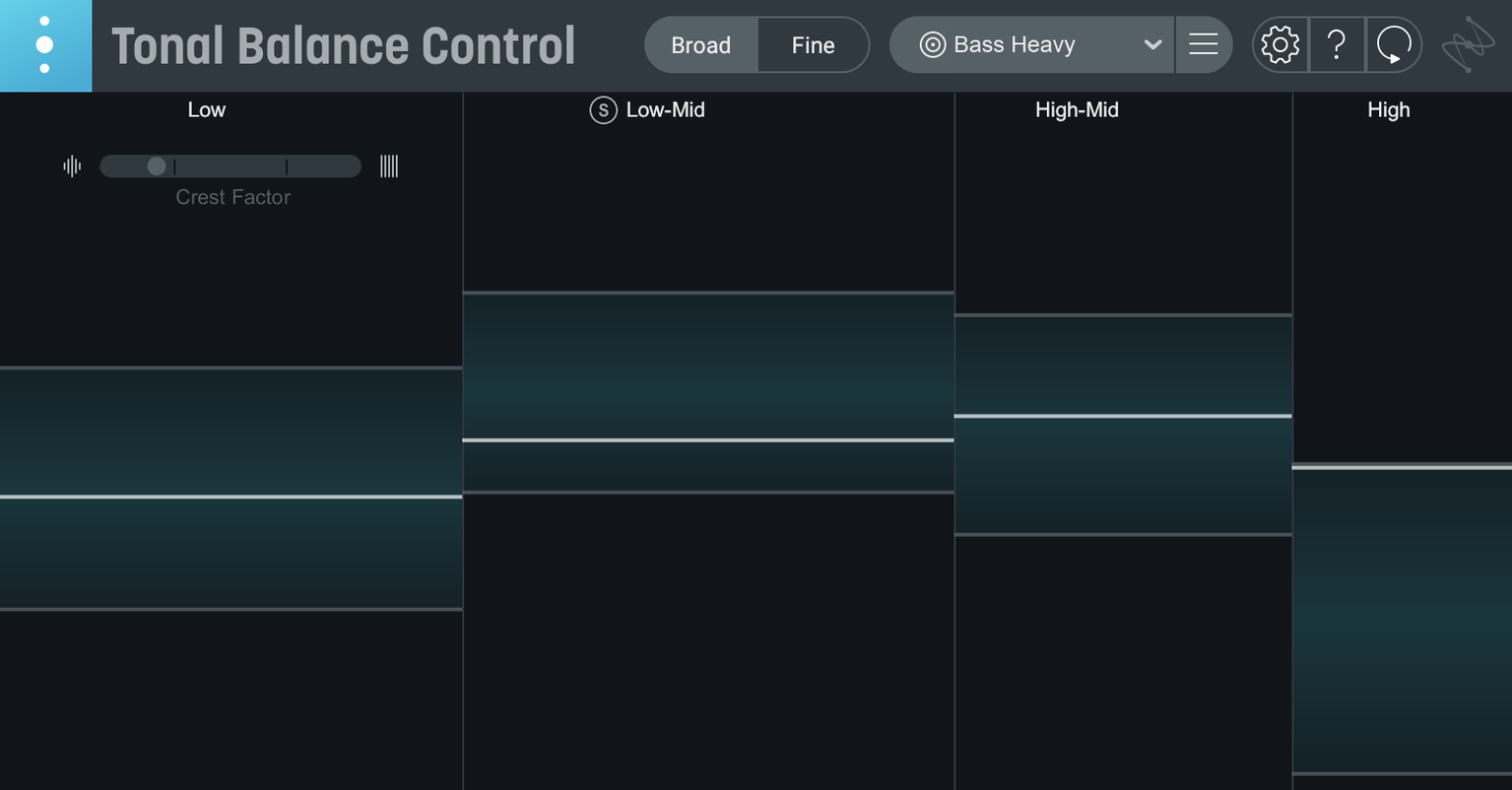
The big change in version 3 is that Tonal Balance Control is no longer just a plugin. There's now a standalone desktop app, so you can check your mix balance without firing up your DAW. But the plugin side got plenty of attention too.
Start with a reference curve
- Pick a target curve from the built-in presets, or load an audio file to create a custom one.
- Watch the real-time meter show where your mix sits against that curve — vocal balance, dynamics, stereo width are all tracked now.
- If something's off, use the new built-in hybrid EQ to adjust right inside the plugin, or let it open and control an Ozone or Neutron equalizer.
- Relay handles gain, pan, and stereo imaging adjustments across your session.
If you're moving from version 2, the quick import gets your old settings across. The plugin runs on Intel and Apple silicon Macs with macOS 13.4 or later, and the interface is in English. It's a solid metering companion for anyone who works with tonal balance day in, day out.
Reference curves won't tell you exactly what to fix
Most people who pick this up for the first time expect it to tell them exactly what to fix. That's not quite how it works. The reference curves show where your mix sits compared to a genre average, but they don't replace your ears. A mix that follows the curve perfectly can still sound dull or harsh if you've ignored the room or the arrangement.
Another mistake is relying on the default genre curves without thinking about the actual song. A jazz reference curve won't help a modern pop track, and vice versa. Load a track you trust, or use the custom curve from an audio file, and the meter becomes far more useful.
Beginners also tend to forget that the meters measure the whole mix, not individual elements. If your kick drum is too loud and your bass is too quiet, the low-end reading might look fine but the balance is still wrong. Listen first, then check the meter.
Snags people run into and how to sort them
The plugin won't show up in the DAW
This usually comes down to the install path. Make sure you've followed the included installation instructions and that your DAW is scanning the right folder. On a Mac, if you're running both Intel and Apple silicon versions of your DAW, you might need to install the plugin twice — one for each architecture.
Relay isn't communicating with the plugin
Relay needs to be inserted on the tracks you want to control, and Tonal Balance Control needs to see it on the same session. Check that both are running and that the plugin is looking for Relay. If you've moved tracks around in the session, reinsert Relay on the relevant channels.
The curve looks way off from what you're hearing
If the meter shows a big deviation but the mix sounds balanced, check your monitoring setup. A coloured room or headphones with a wonky frequency response can trick your ears. The plugin is measuring the signal, not your listening environment. Trust the meters for a second opinion, but always cross-check on different systems.
Runs on macOS 13.4 and newer, Intel and Apple silicon
Tonal Balance Control 3 runs on macOS 13.4 and newer, including Sonoma 14.7, Sequoia 15.4 and Tahoe 26.1. It supports both Intel and Apple silicon M-series Macs, and the architecture can be ARM or x86 64-bit. The interface is in English, and installation and activation steps are included with the package.
Because it's a metering plugin, it doesn't generate much overhead in terms of processing. It analyses the signal and displays it — no heavy DSP unless you're using the built-in hybrid EQ or controlling an Ozone or Neutron equalizer. On a typical session, you'll have it on the master bus and maybe one or two Relay instances across your groups.
Elena uses it as a second opinion on every mastering job
Elena masters electronic music in a small London studio. She's got a pair of monitors she trusts and years of experience, but she still brings up Tonal Balance Control on every job. She loads a reference track from the same genre — usually a recent release from the same label — and lets the plugin generate a custom curve. Then she watches the vocal balance and stereo width meters while she adjusts the EQ.
The hybrid EQ inside the plugin means she can make small cuts without leaving the window. If she needs more control, she opens an Ozone equalizer from the same interface. The standalone app gets used in the quieter hours, when she wants to check a bounce before committing to the master. It's not a replacement for her ears, but it catches the things that slip past after a long session.
New this release
- Initial major release of Tonal Balance Control 3
- Added standalone desktop app
- Added extra meters for vocal balance, dynamics, and stereo width
- Added a built-in hybrid EQ
Mac it needs
- macOS 13.4 or later
- Intel or Apple Silicon (M-series) Mac
- Compatible host DAW (AAX, AU, VST3)
Installing on a Mac
- Use the included installation and activation instructions that come with the download.
- Install the plugin using those provided instructions.
- Complete activation as described in the instructions.
Notes from photographers
Sign in or create your account to leave a comment.
No notes from photographers yet. If you have used this on a real folder, say which camera and which Mac.