
 Get it for my Mac (97 MB)
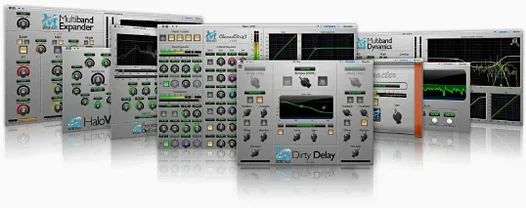 Metric Halo Production Bundle
2025.05
Metric Halo Production Bundle
2025.05
- Version
- 5.4.2.006
- Developer
- Celemony
- Interface in
- English
- Licence on file
- K'ed by MORiA
- macOS it runs on
- macOS 10.12 or later
- Chip support
- Apple Silicon, Intel 64-bit
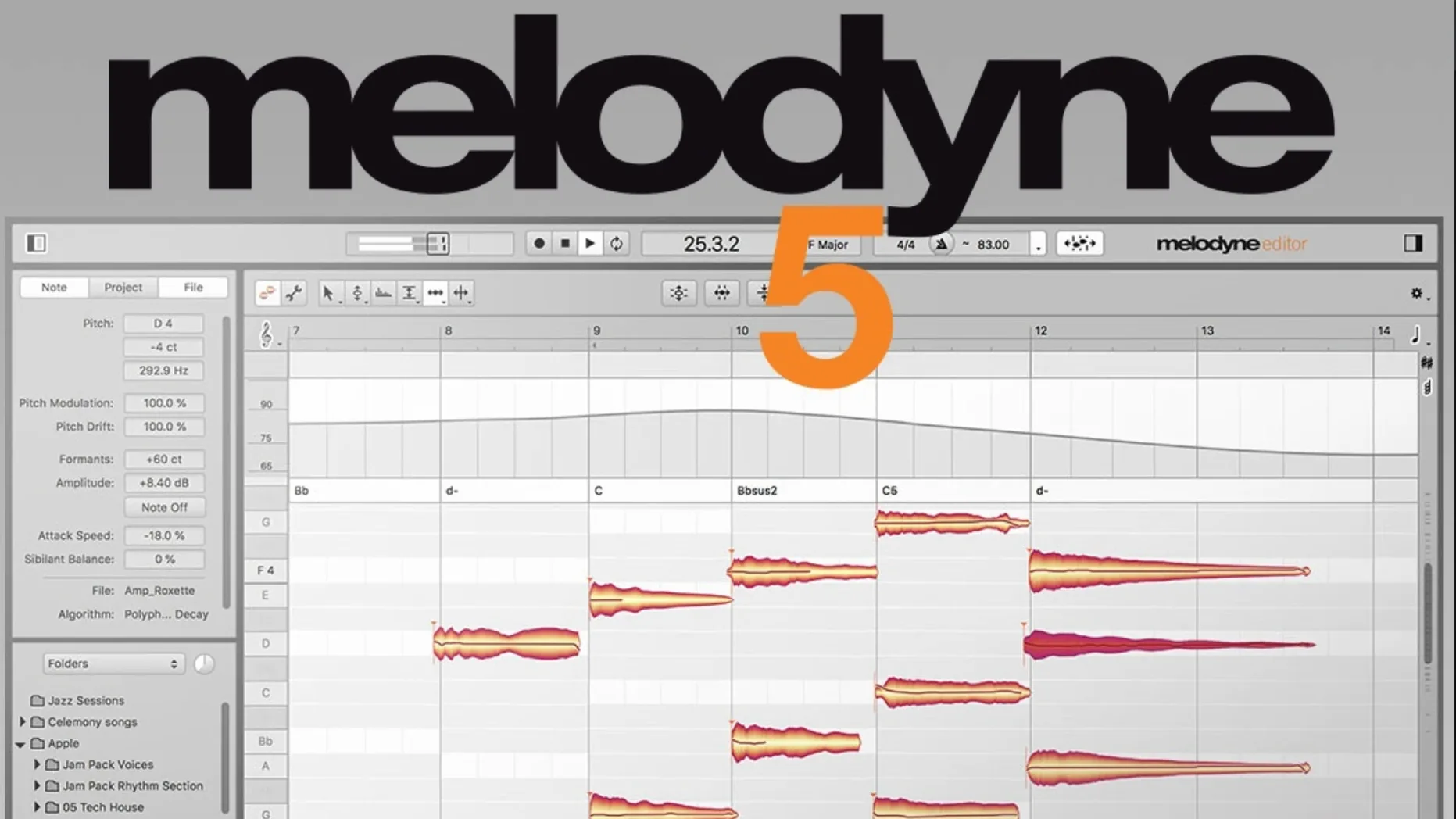
In the edit
The latest Melodyne 5.4.2 update focuses on polish: trackpad scrolling is smoother, macOS Sequoia is fully supported, and a crash that sometimes hit ARA or plug-in sessions is sorted. Small things that matter when you're deep in a mix.
What does note-based editing actually let you do?
Melodyne analyses audio note by note — chords, single lines, anything. You can grab a note and shift its pitch, timing, vibrato, length, or formant. It even detects sounds inside a chord so you can tweak one voice without touching the others.
Can you adjust volume per note or syllable?
Yes. The Fade Tool and Leveling Macro let you fade individual notes or balance levels across a performance. Handy for tightening a vocal take or smoothing a bass line without automation lanes.
How does it work inside a DAW?
Melodyne runs as a plug-in and supports ARA mode, which means it shares audio data directly with the DAW for faster, non-destructive editing. The interface stays in English, works on both Intel and Apple Silicon Macs, and runs from macOS 10.12 upwards.
First days with Melodyne: practical tips
When you first open Melodyne after installing, take a moment to let it analyse a short vocal take. It helps to hear what the software hears before you start moving things around. Listen for how it separates notes, how it draws the pitch curve, and whether it catches breaths as separate blobs or lumps them into the vowel.
Try the Percussive Pitched algorithm on something like a muted guitar line or a cajón recording. That algorithm isn't the default for everything, and it's easy to forget it exists. It treats short, percussive sounds differently from sustained notes, so you get useful results on material that would confuse a standard polyphonic analysis.
Open a simple melody, zoom right in on a single note, and adjust the formant control. Formant shifts change the character without moving the pitch — useful for making a vocal sound slightly darker or brighter before you decide on EQ. It's a quick way to learn what the tool can do that a pitch shifter can't.
If you're coming from an older version, check the trackpad scrolling early on. The 5.4.2 update made it noticeably more responsive, especially when you're scrubbing through long audio files. Two-finger scroll now feels like it belongs on a modern Mac.
Walk through a vocal fix for drifting notes and rushing phrases
I'll walk through a session that happens often enough. A producer sends over a vocal take recorded on location — good performance, but a few notes drift flat and one phrase rushes. The track is already in Logic, and Melodyne is inserted as an ARA plug-in on the vocal channel.
The first thing I do is let Melodyne analyse the whole take. ARA makes this instant because the audio is already in the session; no rendering, no export. The blobs appear on screen, each one a note, with the pitch curve drawn underneath. I can see at a glance where the pitch drifts — the blobs sit slightly below the grid lines on the flat notes.
I zoom in with the trackpad. The scrolling is smooth now, so I can move through the take quickly. I click on the first flat note, drag it up to the nearest semitone line. The pitch snaps, but the vibrato and the natural wobble at the end of the note stay intact. That's the note-based approach working: you're not flattening the whole performance, just correcting the target.
Next, the rushed phrase. I switch to timing mode. The blobs now show note start positions relative to the grid. I select the three notes that come in early and nudge them to the right, aligning them with the beat. The gaps between notes adjust automatically, so the phrasing still feels human, just tighter.
One syllable has too much breath noise. I select that blob and pull the volume down using the Fade Tool. No need to automate a fader or cut the region — it's just a quick drag on the note itself. The Leveling Macro comes next: I select the whole verse, apply a gentle levelling, and the loudest notes come down by a few dB. The performance still breathes, but it sits more evenly in the mix.
Finally, I check the chords. There's a backing vocal layer with a harmony that clashes slightly on the third chord. Melodyne detects the notes inside the chord, so I can isolate the offending note and adjust its pitch without affecting the rest. The whole correction takes maybe four minutes. Then I close the plug-in and the session plays back with the edits in place.
How Melodyne differs from Auto-Tune's real-time snap
Melodyne is often compared to other pitch tools, but each approaches the problem differently.
Antares Auto-Tune. Auto-Tune is built for real-time tracking and classic tuning effects. It's excellent when you want the vocal to snap instantly to pitch, either subtly or as a deliberate effect. Melodyne, by contrast, works offline and note-by-note. You don't hear the result until you play back, but you have far more control over individual notes, timing, vibrato and formant. If you're doing detailed surgery on a vocal, Melodyne gives you more tools for the job. If you need a live tuning effect during tracking, Auto-Tune is the more natural choice.
Waves Tune Real-Time. This one is lighter and faster, designed for quick pitch correction without deep editing. It works well for broadcast and podcast work where you just want to catch the odd flat note. Melodyne goes deeper: you can edit sibilants, adjust timing per note, and work with polyphonic material. Waves Tune Real-Time is a time-saver for simple fixes; Melodyne is for when you want to reshape the performance.
Celemony Melodyne vs the built-in pitch tools in DAWs. Logic and Cubase both include pitch correction features now. They're capable for basic tuning, but they don't offer the same level of note-based editing or chord detection. If you're working on complex vocal arrangements or polyphonic instruments, the extra depth in Melodyne is noticeable. For a quick tune on a single track, the DAW's own tool might be enough. For restructure, rearrangement, and detailed control, Melodyne is a different category entirely.
Fixing a cello's wavering intonation in a film cue
A composer working on a film cue has a recorded cello performance. The player delivered an emotional take, but the room was cold and the intonation wavers in a couple of long notes. The composer opens Melodyne in the DAW via ARA and analyses the cello track. The Percussive Pitched algorithm isn't needed here — the default polyphonic analysis picks up the cello's rich overtones well.
The two long notes that drift are easy to spot: the pitch curve slopes down over the sustain. The composer selects each note and drags the centre pitch up to the correct semitone. The vibrato stays natural because the correction applies only to the target, not the modulation. One note is slightly louder than the others, breaking the line's dynamic curve. The Leveling Macro balances the passage in one pass.
The composer also notices a faint chair creak in the silence between phrases. Instead of cutting the region, they select the silence blobs — Melodyne separates noise from pitched material — and fade them out with the Fade Tool. The cello line is clean, tuned, and still sounds like a real player. The whole edit takes less time than re-recording the part.
Trackpad scrolling now feels smooth in dense arrangements
- Trackpad scrolling. If you use a MacBook or Magic Trackpad, the difference is immediate. Scrolling through a dense arrangement of blobs used to feel slightly laggy or jumpy. Now it tracks your finger movement more naturally, especially when you're zoomed in on a single phrase.
- macOS Sequoia support. The update ensures Melodyne runs on the latest macOS without quirks. If you've updated your system and found plug-ins breaking, this is the version that brings it back to normal.
- Crash fix for ARA and plug-in use. A small but significant fix. Some users reported that opening Melodyne in certain DAWs could cause a crash, usually at the moment the plug-in window appeared. The 5.4.2 update addresses that specific case. If you've been avoiding ARA mode because of instability, it's worth trying again.
None of these changes reinvent the software. They're refinements that make a busy session less frustrating. If you're already on version 5.4, the update is straightforward and worth the install.
New this release
- Optimisations and bug fixes
- macOS Sequoia adaptations
- Improved trackpad scrolling
- Fixed a crash when opening Melodyne in ARA and plug-in use cases
Mac it needs
- macOS 10.12 or later
- Intel or Apple Silicon
- Interface language: English
Questions I actually get
Which editions of Melodyne are available?
Melodyne comes in four editions: Essential, Assistant, Editor, and Studio. The higher editions add more detailed editing and polyphonic capabilities.
Does Melodyne recognise chords and keys automatically?
Yes. It detects chords, keys, tunings, and tempos from your audio, which helps you make edits that stay musically correct.
Installing on a Mac
- Mount the downloaded disk image.
- Run the standard installation procedure.
Notes from photographers
Sign in or create your account to leave a comment.
No notes from photographers yet. If you have used this on a real folder, say which camera and which Mac.
Next to it in VST Plugins
All VST Plugins picks
Metric Halo Production Bundle
2025.05
 MiniMeters
1.0.30.358
MiniMeters
1.0.30.358
 Minuit Solstice
1.2.0
Minuit Solstice
1.2.0
 LFOTool
1.768
LFOTool
1.768
 Native Instruments Massive X
1.7.1
Native Instruments Massive X
1.7.1
 KORG TRITON
1.4.7
KORG TRITON
1.4.7
 Neural DSP Archetype Rabea X
1.0.1
Neural DSP Archetype Rabea X
1.0.1
 Komplete Kontrol
3.5.4
Komplete Kontrol
3.5.4
