Get it for my Mac (16 MB)
 Melodyne
5.4.2

- Version
- 1.0.2
- Developer
- Magika (Elektra)
- Interface in
- English
- Licence on file
- K'ed by MORiA
- macOS it runs on
- macOS 10.14 or later
- Chip support
- Apple Silicon, Intel 64-bit
In the edit
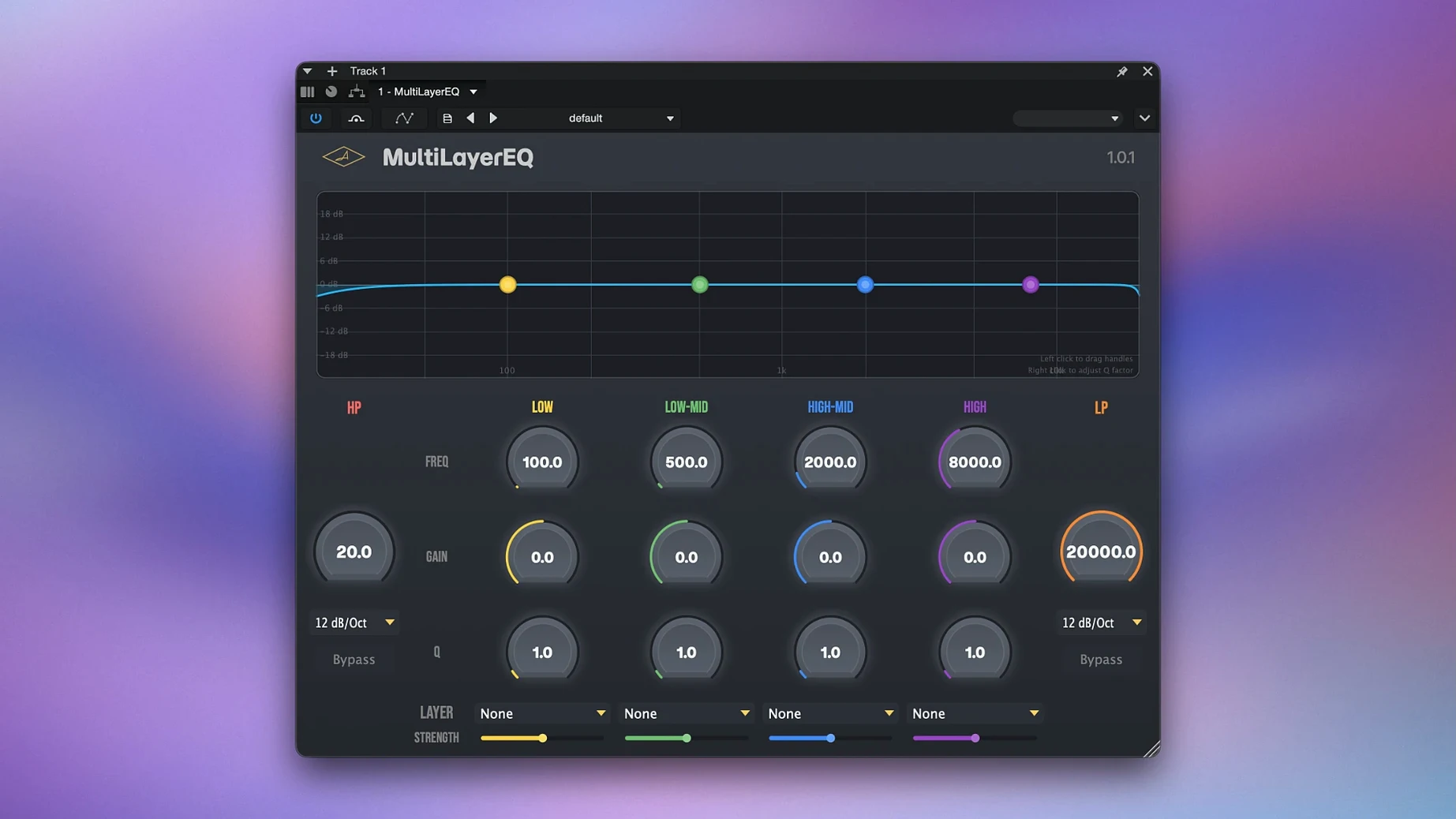
Magika MultiLayerEQ is a parametric EQ plugin that shapes tone across multiple frequency layers, built for detailed correction of individual tracks or final polishing of a full composition.
Runs on macOS 10.14 and later with any major DAW
MultiLayerEQ runs on macOS 10.14 and later, with native support for both Apple Silicon and Intel 64-bit Macs. The installer works with any major DAW that accepts standard plugin formats.
How does the multi-layer approach work?
Instead of a single EQ curve, MultiLayerEQ uses musical interval-based band layers. This lets you control different frequency ranges independently — reduce muddiness in the mids while keeping the highs bright, or make bass stronger without affecting vocals.
Who is this plugin for?
It suits anyone doing serious mixing or mastering on a Mac: producers, recording engineers, and home-studio mixers who want precise tonal control without losing the musical feel of the track.
Solves kick and bass low-end conflict without thinning either
Picture this: you are mixing a pop track where the kick drum and the bass guitar share the same low-end space. On a standard EQ, pulling out the mud from the kick often thins out the bass. With MultiLayerEQ, you adjust the low-frequency band layer to tighten the kick's thump, then independently shape the upper bass region so the bass guitar still carries weight. The vocal stays untouched because the mid layer is set to a different range entirely. By the time you finish, the low end is controlled without a single compromise on the vocal presence.
Needs a DAW host like Logic Pro, Ableton Live, or Pro Tools
One question that comes up is whether MultiLayerEQ works as a standalone application. It does not — it is a plugin that loads inside your DAW, so you need a host like Logic Pro, Ableton Live, or Pro Tools to use it.
Another common point is compatibility with older Macs. The plugin requires macOS 10.14 or later, and it runs on both Intel and Apple Silicon Macs. If your system meets that, you should be able to install it without trouble. The package includes a setup and activation guide, so the process is straightforward.
People also ask if the multi-layer design is hard to learn. It is different from a standard EQ, but the interface is laid out clearly: each layer corresponds to a frequency range, and the musical interval-based bands make it intuitive once you start moving the controls. If you already understand parametric EQ, you will pick it up quickly.
Stability fix: improved preset recall and smoother parameter changes
The latest release focuses on stability and compatibility. The changes are not dramatic, but they matter for everyday use:
- Improved handling of preset recall across sessions
- Refined parameter smoothing to reduce clicks when adjusting bands during playback
- Better GUI responsiveness on high-resolution displays
- Minor bug fixes for DAW-specific behaviours
None of these alter the core workflow, but they make the plugin feel more solid during long mixing sessions.
Fixes boxy mids and harsh highs on a dense master bus
You open a session with a dense arrangement — electric guitar, synth pads, vocals, and a drum bus. The mix feels boxy in the mids and a little harsh on top. You load MultiLayerEQ on the master bus and start by isolating the low-mid layer. A small cut there reduces the boxiness without pulling energy out of the kick. Next, you move to the high layer and gently shape the top end so the cymbals and vocal air come through without the harsh edge.
Because each layer works independently, you can go back later and adjust the low layer to add a bit of weight to the bass without undoing the work on the mids. The whole process takes a few minutes, and you can hear the difference immediately. The final mix sounds clearer, but it still feels musical — nothing sounds carved out or artificial.
For a track that needs more surgical work, you might use MultiLayerEQ on individual channels. A muddy acoustic guitar gets a narrow cut in the mid layer, while the same plugin on the vocal bus gets a gentle high-shelf boost. The band layers keep these adjustments from bleeding into each other, so you spend less time chasing fixes across the mix.
That is the kind of session where MultiLayerEQ earns its place in the plugin folder. It does not replace your favourite EQ, but it gives you a different way to think about frequency balance — one that can save time and preserve the natural character of your tracks.
Mac it needs
- macOS 10.14 or later
- Apple Silicon or Intel 64-bit processor
- Compatible DAW
Questions I actually get
What Macs are supported?
MultiLayerEQ works on macOS 10.14 or later and supports both Apple Silicon and Intel 64-bit Macs.
Installing on a Mac
- Open the included installation and activation instructions that come with your download.
- Follow the provided steps to install the plugin on your Mac.
- Follow the provided steps to activate the plugin.
- Tip: keep the instructions handy — you will need them during activation.
Notes from photographers
Sign in or create your account to leave a comment.
No notes from photographers yet. If you have used this on a real folder, say which camera and which Mac.