
 Get it for my Mac (26 MB)
 Plugin Alliance Shadow Hills OptoMax
1.0.0
- Version
- 1.13.1
- Developer
- Plugin Alliance
- Interface in
- English
- Licence on file
- K'ed by TEAM HCiSO
- macOS it runs on
- macOS 11 or later
- Chip support
- Apple Silicon, Intel 64-bit
In the edit
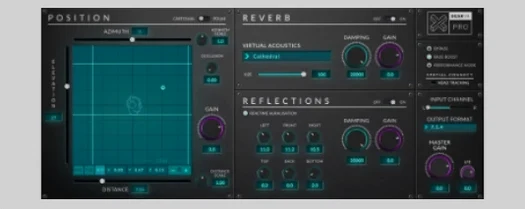
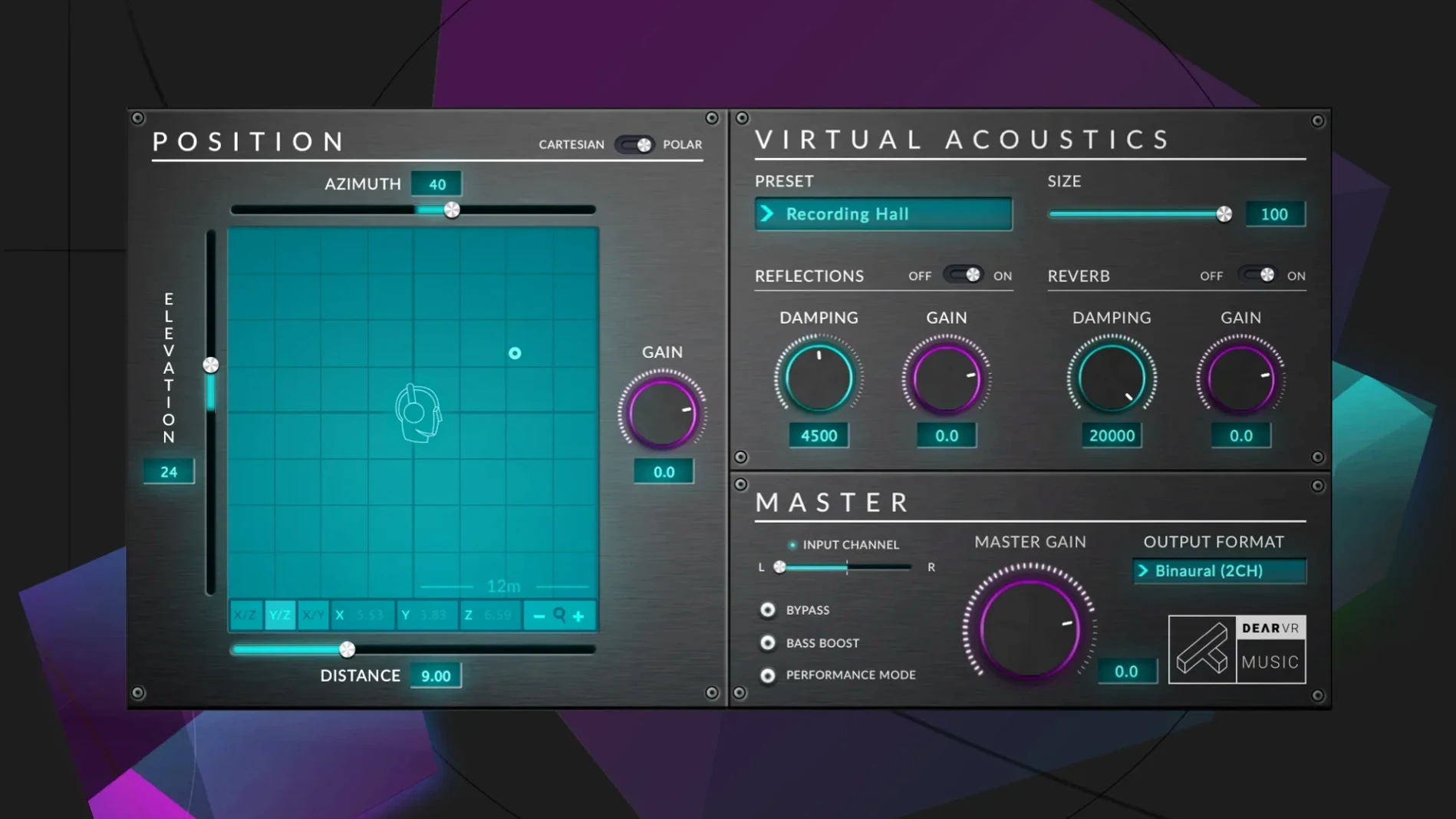
Dear Reality dearVR music handles up to 128 input channels and can be used as a stereo reverb or a full 3D spatializer. It fits on individual tracks, buses or the master, with each instance calling its own virtual acoustic environment independently.
- Azimuth, elevation and distance controls let you place a sound anywhere in the virtual space.
- The XYZ panel gives you a drag-and-drop way to move a track within that space.
- It outputs first-order Ambisonics in either AmbiX or FuMA format.
- A patented Clarity algorithm keeps the sound clean even when you push elements to the edges.
- It runs as a sibling to dearVR PRO, sharing the same core engine but tuned for music production.
On a busy mix, it saves you from routing through multiple reverb sends just to get a sense of depth. One instance per track, dial in the position, and the space comes with it.
Building a mix in 3D from the ground up
Start with a dry stereo track — a vocal, a synth pad, or a guitar part. Insert dearVR music on the channel and leave the virtual environment at the default hall for now. The first move is setting the azimuth: drag the dot in the XYZ panel to, say, 45 degrees left. Then nudge the elevation up a few degrees so the sound feels like it's coming from slightly above ear level. Pull the distance back to around 2 or 3 metres. Already the part sits in its own pocket without any EQ carving.
Now add the same plugin on a second track — a percussion loop or a bassline. Place it on the opposite side, azimuth 315, elevation at zero, distance closer, maybe 1 metre. The contrast between the two placements creates width without stereo widening tricks. If the arrangement feels too separated, adjust the reverb controls: increase the size parameter a little and bring the early reflections up until the two tracks share a believable room tone.
For the final polish, route your main reverb return through another instance of dearVR music set to a different environment, like a small chamber, and position it behind the listener. That gives the whole mix a front-to-back depth that stereo panning alone cannot reach.
Start with one instrument and cycle through 18 virtual environments
Start with one instrument you know well. Insert dearVR music, cycle through the 18 virtual environments and listen to how each one changes the character of that sound. Some rooms add a natural tail, others stay tight and dry. Make a mental note of which environments suit pads, which suit drums, and which work best for vocals.
Try the stereo reverb mode early. Set the plugin to full wet and turn off any spatial positioning — you get a clean reverb that can replace a dedicated reverb plugin on certain tracks. The decay and diffuse reverb balance controls are worth tweaking here because they behave differently from a conventional reverb's parameters.
Finally, build one session from scratch using only dearVR music for all your depth and space needs. No sends, no auxiliary returns. One instance per track, each with its own position and room. It forces you to learn the controls quickly and reveals how much weight the plugin can carry in a mix.
Works with stereo tracks and 128-channel immersive setups
Does it work with stereo tracks or only multichannel?
It handles both. You can insert it on a plain stereo channel and get full spatial control. The 128-channel support is there for larger immersive setups, but most music producers will use it on stereo tracks day to day.
Can I use it alongside my usual reverb plugins?
Yes. Many people keep their favourite reverb for long tails and use dearVR music for positioning and early reflections. The two approaches complement each other well.
Is the Ambisonics output useful for normal music mixing?
It becomes relevant if you deliver mixes for binaural headphone playback or for immersive formats like Dolby Atmos. The binaural output alone gives you a convincing headphone experience, but the Ambisonics option adds flexibility if the project needs to be decoded for different speaker layouts later.
Do I need dearVR PRO to use this?
No. dearVR music works on its own. It shares technology with dearVR PRO but is designed specifically for music production, with a different set of presets and a workflow that fits inside a typical DAW session.
Mac it needs
- macOS 11 or later
- Intel or Apple Silicon
- English interface language
Questions I actually get
Can dearVR music be used as a simple reverb?
Yes, it can function as a stereo reverb without using the spatial positioning controls.
What formats does it support for Ambisonics output?
It supports first-order Ambisonics output in both AmbiX and FuMA formats.
What are the minimum system requirements on Mac?
It requires macOS 11 or later and runs on both Intel and Apple Silicon Macs.
Installing on a Mac
- Mount the downloaded disk image.
- Run the standard installation procedure.
Notes from photographers
Sign in or create your account to leave a comment.
No notes from photographers yet. If you have used this on a real folder, say which camera and which Mac.
Next to it in VST Plugins
All VST Plugins picks
Plugin Alliance Shadow Hills OptoMax
1.0.0
 Plugin Alliance Brainworx Bundle
2025.06.16
 Plugin Alliance SPL Vitalizer MK3-T
1.0.0
 Pulsar Audio IPA
1.0.9
 Output Portal
1.2.1
 Revoice Pro
5.1.30
 Omnisphere
3.0.2c
 RipX DAW Pro
8.0.3
