Get it for my Mac (12 MB)



 MotionVFX mInfographics

- Version
- 1.10.8
- Developer
- Mimestream
- Interface in
- Russian, English, German, Spanish, Italian, Chinese (Simplified), Dutch, French, Czech, Japanese
- Licence on file
- Included
- macOS it runs on
- macOS 12 or later
- Chip support
- Apple Silicon, Intel 64-bit
In the edit
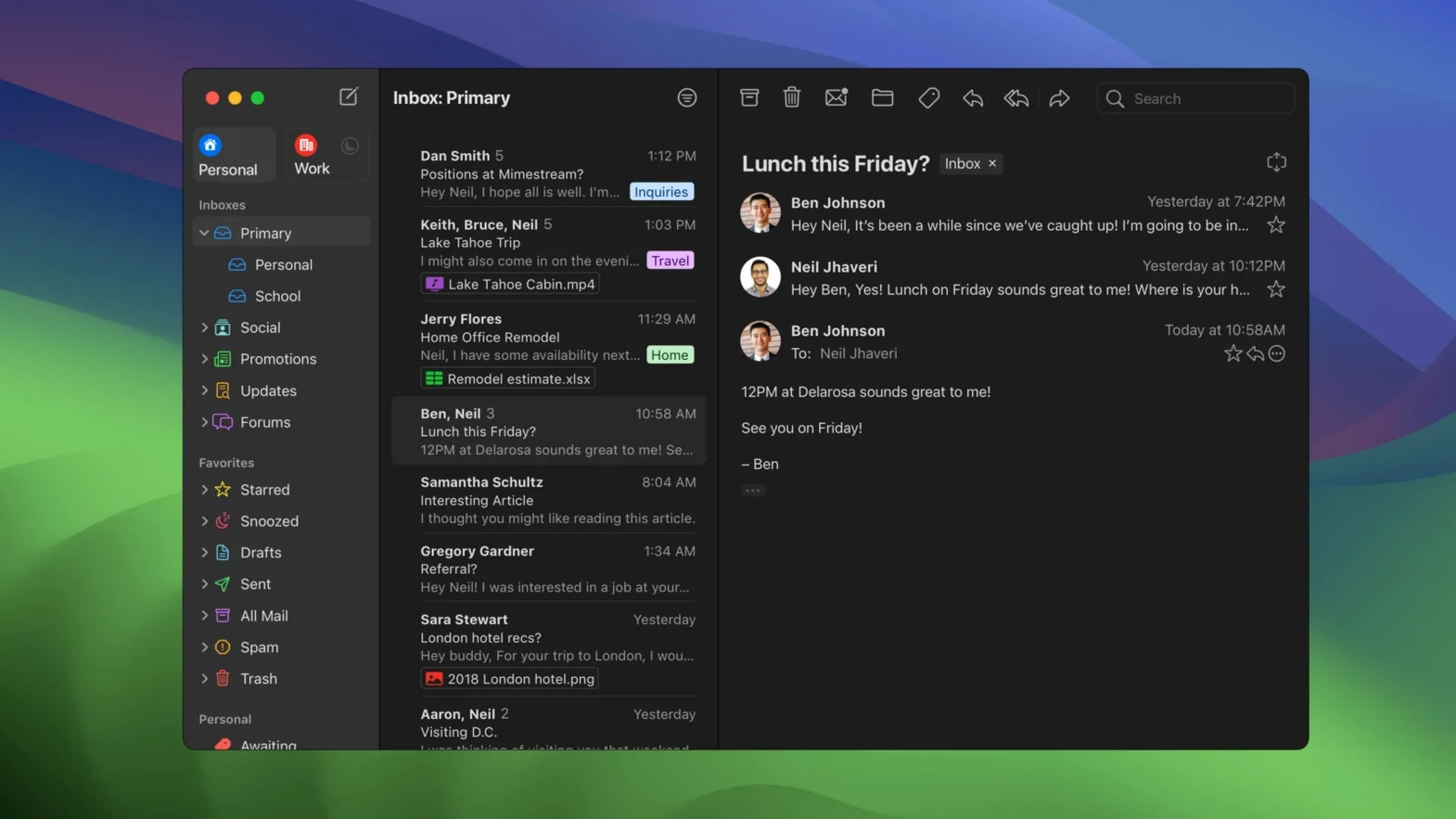
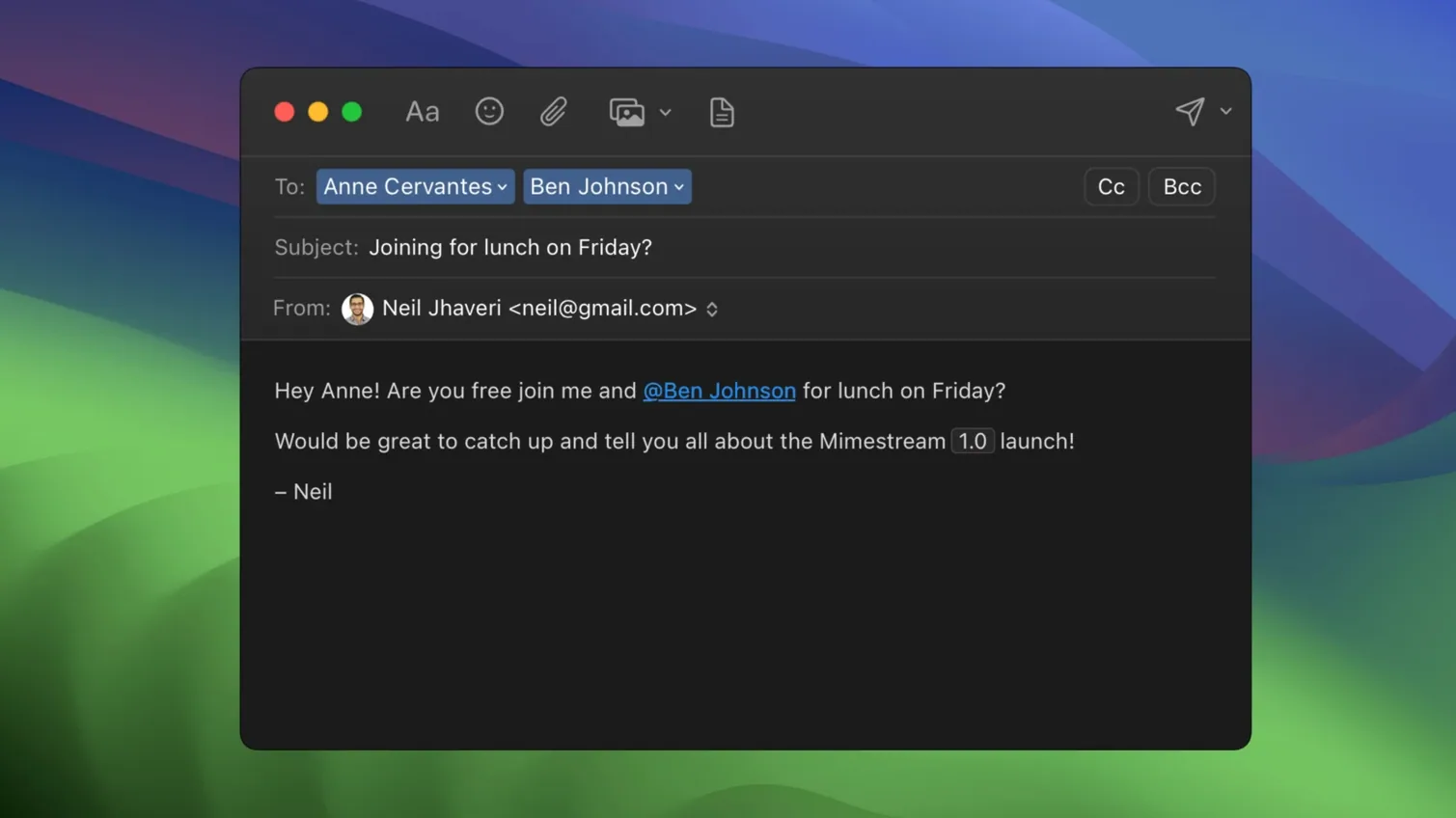
Mimestream works with the Gmail API rather than IMAP, which means it talks to Google in a language Gmail actually understands. Search queries, labels, and even your Gmail signatures sync automatically, so the desktop app feels like the web interface without the browser tab. It only supports Google accounts, which sounds limiting until you remember that's the point: one job, done properly.
One realistic task: clearing a flooded inbox
Imagine a Tuesday morning after a long weekend. You open Mimestream and there are 40 unread messages. The keyboard shortcuts kick in straight away — you can use the Gmail set or the Apple Mail set, whichever your muscle memory prefers. You fly through newsletters with the archive shortcut, star the ones needing a reply later, and use Gmail search queries to pull up that thread about the venue deposit. Tracking pixels from more than 50 services get blocked silently, so you're not being watched while you tidy up. Notifications arrive as native macOS banners, and on Apple Silicon the whole thing feels instant.
Minimal cache saves your MacBook's disk space
Mimestream stores minimal cache for recent messages, so it doesn't hog your MacBook Pro's disk. It runs natively on both Apple Silicon and Intel Macs, and it's built for macOS 12 Monterey or later. It's a desktop mail client that respects the Gmail way of doing things, not a generic IMAP tool awkwardly bolted onto Google's servers. If you live in Gmail and want a native Mac app that doesn't get in the way, this is it.
Natural fit for juggling multiple Gmail accounts
If you manage multiple Gmail accounts and switch between them throughout the day, Mimestream is a natural fit. The Gmail API handles alias and signature syncing without you touching a settings panel, so each account looks and behaves like it does in the browser. Freelancers who run a business address alongside a personal one will appreciate not having to maintain duplicate signature files or remember which alias sends from where.
For people who process email in bursts rather than reading each one as it arrives, the offline search support is a quiet lifesaver. You can be on a train or in a spot with flaky Wi-Fi and still pull up an old thread by typing the same query you would use in Gmail's search bar. It works because the cache holds recent messages, and the search logic runs locally.
Keyboard-driven users are well served here. The choice between Gmail and Apple Mail shortcut sets means you don't have to retrain your fingers. If you came from Mail.app, the familiar keys are there; if you came from Gmail's web interface, those shortcuts work too. No half-implemented mapping, no guessing which modifier key does what.
System notifications that actually show the right sender
Mimestream sends macOS system notifications for new messages, which sounds basic until you realise how many email clients either miss this or implement it badly. The notifications arrive with the right sender name, the right subject line, and they respect your Mac's Focus modes.
Swipe gestures on the trackpad work for sorting and archiving. A quick swipe left to archive a newsletter, a swipe right to flag something for later. It's the same gesture set you already use in Finder or Safari, applied to email.
Tracking pixel blocking is enabled by default and covers more than 50 tracking services. You do not have to configure a list or remember to turn it on. It just stops remote images that try to log your open time and location.
Version 1.10 brought an optional All profile, which shows messages from every account in one unified inbox. The release notes also mention configurable notification actions and an address display for unknown senders, both small touches that reduce friction when you're moving fast.
Requires macOS 12 now, will need macOS 14 later
Mimestream runs on macOS 12 Monterey or newer, and it works natively on Apple Silicon and Intel Macs. The current stable version is 1.10.8. Future versions will require macOS 14 or later, so if you are still on Monterey or Ventura, you can use 1.10.8 without worry for now.
The app is written in Swift, which means it behaves like a proper macOS citizen rather than an Electron wrapper. It uses minimal disk space for caching recent messages, so your storage stays free for the files you actually need. Installation follows the standard drag-and-drop pattern: open the disk image, drag Mimestream to the Applications folder alias, then launch it from Launchpad.
It is available in ten languages, including English, German, French, Spanish, Italian, Dutch, Czech, Russian, Japanese and simplified Chinese. The interface is clean and stays out of your way. Mimestream download mac gives Gmail users a native desktop email client that feels familiar.
New this release
- Private Push notifications are now enabled by default on macOS 26 and later.
- Version 1.10 adds an optional All profile and addresses for unknown senders.
- Notification actions are now configurable.
- 1.10.8 is the latest stable release.
Mac it needs
- macOS 12 Monterey or later
- Apple Silicon or Intel Mac
- Google account required
Installing on a Mac
- Open the downloaded disk image.
- Drag the app into the Applications folder alias.
- Launch Mimestream from Launchpad once the copy finishes.
Notes from photographers
Sign in or create your account to leave a comment.
No notes from photographers yet. If you have used this on a real folder, say which camera and which Mac.