Get it for my Mac (88 MB)




 MotionVFX mInfographics

- Version
- 26.08.3.0
- Developer
- Moneyspire Inc.
- Interface in
- English, German, Spanish, Italian, Portuguese, French
- Licence on file
- k'ed by BTCR
- macOS it runs on
- macOS 10.15 or later
- Chip support
- Apple Silicon, Intel 64-bit
In the edit
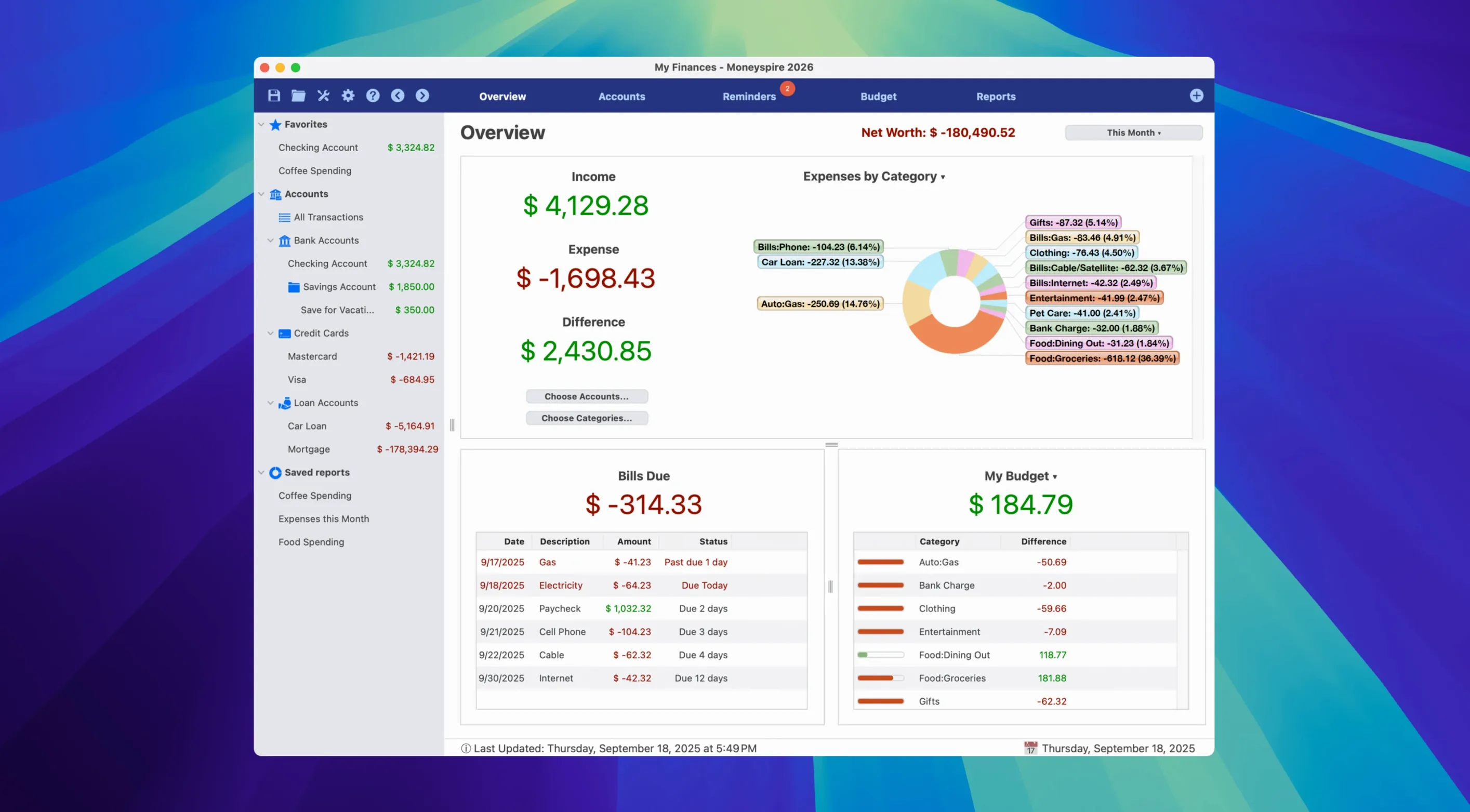
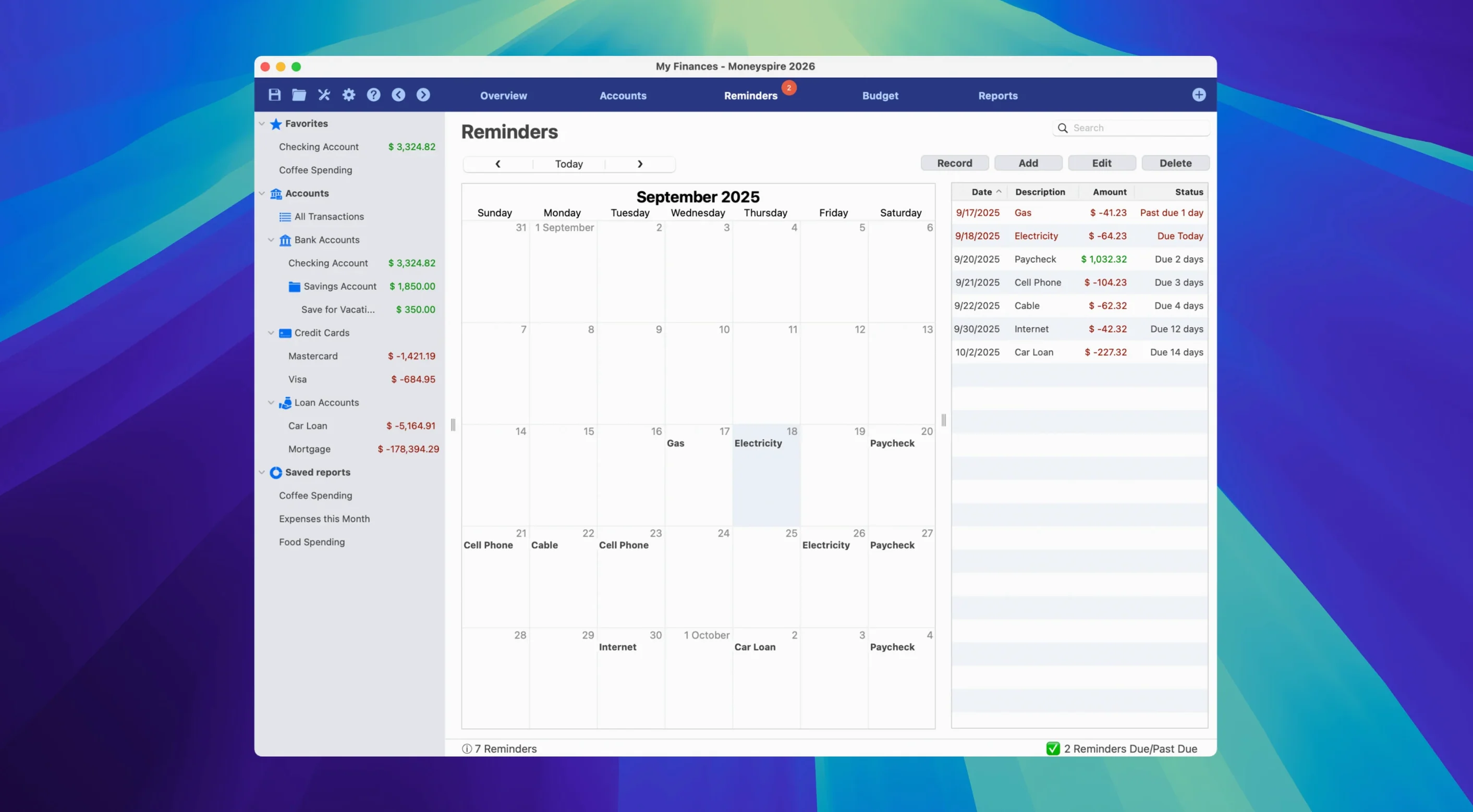
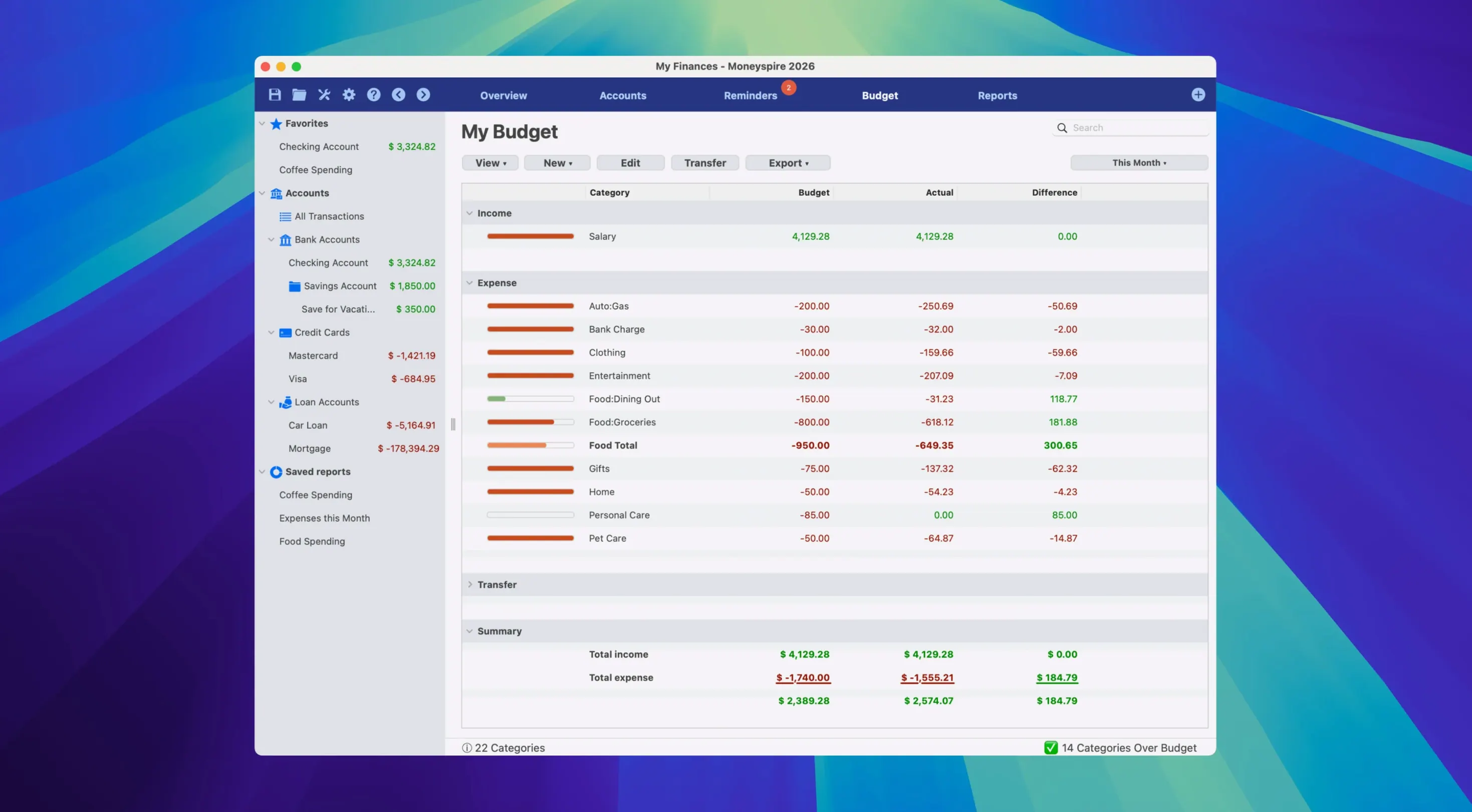
Anyone who has outgrown a spreadsheet for their personal finances knows the feeling: you want something that handles accounts, budgets, bills, income, and expenses without turning life into a data-entry job. Moneyspire is built for that person — the one who tracks investments alongside day-to-day spending, juggles multiple currencies, and expects the same app on their desktop and phone.
| Detail | Value |
|---|---|
| Version | 26.08.3.0 (2026) |
| Architecture | ARM & x86 64-bit |
| macOS | 10.15 or later |
| Interface languages | English, German, Spanish, Italian, Portuguese, French |
| Cloud sync | Yes (Moneyspire Mobile companion app) |
What sets the 2026 release apart for experienced users is the small stuff that adds up. Transaction flagging now supports custom colours and notes, so you can tag a recurring expense or flag an unusual charge without digging through reports. Dark Mode has been reworked to be easier on the eyes during late-night sessions. And the cloud sync — handled through Moneyspire Mobile — means you can log an expense on your phone and see it reflected on your Mac before you close the app. Moneyspire Inc. has been refining this since 2007, and it shows in the polish of the reports and the way the budget view actually matches how people spend money.
Cleaner interface and smoother daily navigation
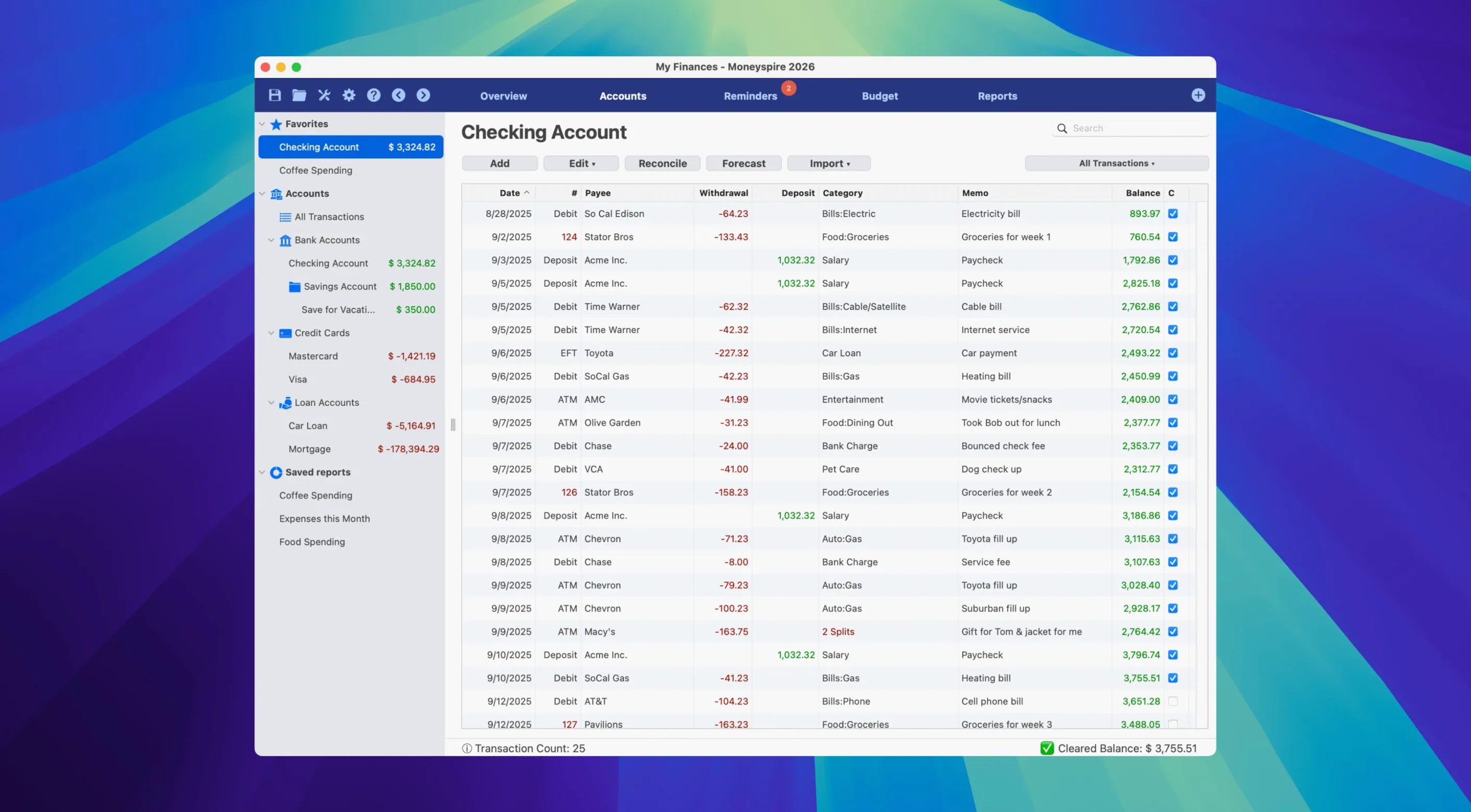
The version 26 release, announced in September 2026, brings several practical improvements that affect how you move through the app day to day. The most visible change is the interface: it feels cleaner, with better spacing and clearer labels, but the real time-savers are underneath. A new Cleared Balance column lets you see at a glance which transactions have settled against your bank — handy when you're reconciling at the end of the month and don't want to flip between views.
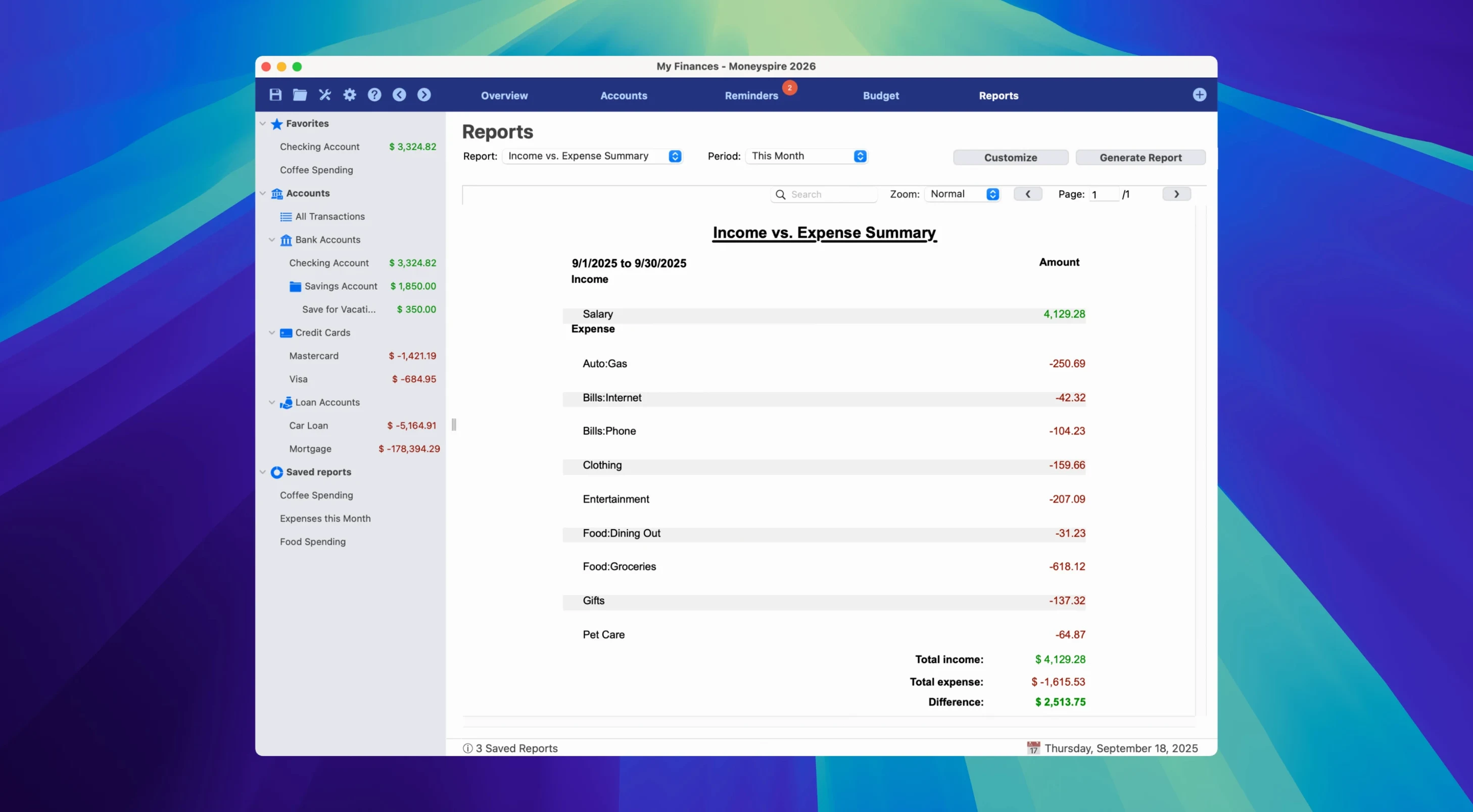
The Income vs. Expense Trend Bar Chart is another addition that makes sense for anyone reviewing their finances quarterly. It replaces the old static report with something that updates as you enter data, so you can spot a spending creep before it becomes a habit. And the ability to show or hide individual columns in the register means you can trim the view to only what you need — useful if you track different things for a business account versus a personal one.
Imports from Quicken and Microsoft Money without reformatting
Moneyspire works well alongside the tools you probably already use. If you've been managing finances in Quicken or Microsoft Money, the import feature brings that history over without reformatting everything manually. For anyone dealing with international clients or travel, the multi-currency support syncs rates through the app, so your euro and dollar accounts sit in the same dashboard.
On the Mac side, the app respects Dark Mode system-wide — switch it in macOS and Moneyspire follows along without you having to dig into preferences. The upgraded installer for 2026 also means the app runs natively on both Apple Silicon and Intel Macs, so there's no translation layer eating into performance. If you use the mobile companion, data flows through Moneyspire Cloud, which means a receipt entered on your phone while you're out shows up in your Mac's register by the time you get home.
Cloud sync avoids file conflicts between devices
One common question is whether you can share a single file between devices. Moneyspire handles this through its own cloud sync rather than iCloud or Dropbox, which keeps the data structure intact and avoids conflicts when two devices try to update the same transaction. The sync is optional — you can keep everything local if you prefer.
Another thing that comes up is language support. The app ships in English, German, Spanish, Italian, Portuguese, and French, so if you work with a second language or share the account with someone who doesn't use English menus, you can switch without losing your data. And for anyone wondering about the 2026 version's compatibility with older Macs: it runs on anything from macOS 10.15 Catalina upwards, covering both Intel and Apple Silicon machines, so you don't need a recent machine to get the latest features.
Mac it needs
- macOS 10.15 or later
- ARM or x86 64-bit processor
Questions I actually get
Does Moneyspire support multiple currencies?
Yes, the app handles multiple currencies, which is useful if you have accounts or expenses in different countries.
Can I sync data between my Mac and my phone?
Yes, Moneyspire includes cloud sync that works with the Moneyspire Mobile companion app, so your data stays up to date across devices.
What languages is the interface available in?
The interface is available in English, German, Spanish, Italian, Portuguese, and French.
Installing on a Mac
- Mount the downloaded disk image.
- Run the standard installer.
- Activate the app using the key generator.
Notes from photographers
Sign in or create your account to leave a comment.
No notes from photographers yet. If you have used this on a real folder, say which camera and which Mac.