
 Get it for my Mac (8 MB)






 A Highland Song
1.2.3

- Version
- 1.1.0.0f-15-16
- Developer
- Conor Petersen, Thunkspace
- Interface in
- English
- Licence on file
- Not required
- Chip support
- Intel 64-bit
- Edited with it on
- macOS Sonoma, MacBook Air (M1. 2020)
- Out on
- 22.07.2020
- Voices in
- Music only
In the edit
5D Chess With Multiverse Time Travel runs on Intel-based Macs, and it was tested on macOS Sonoma using an M1 MacBook Air from 2020 (via Rosetta 2, since it is a 64-bit Intel build). So if you are on an Apple Silicon machine, it works fine through translation.
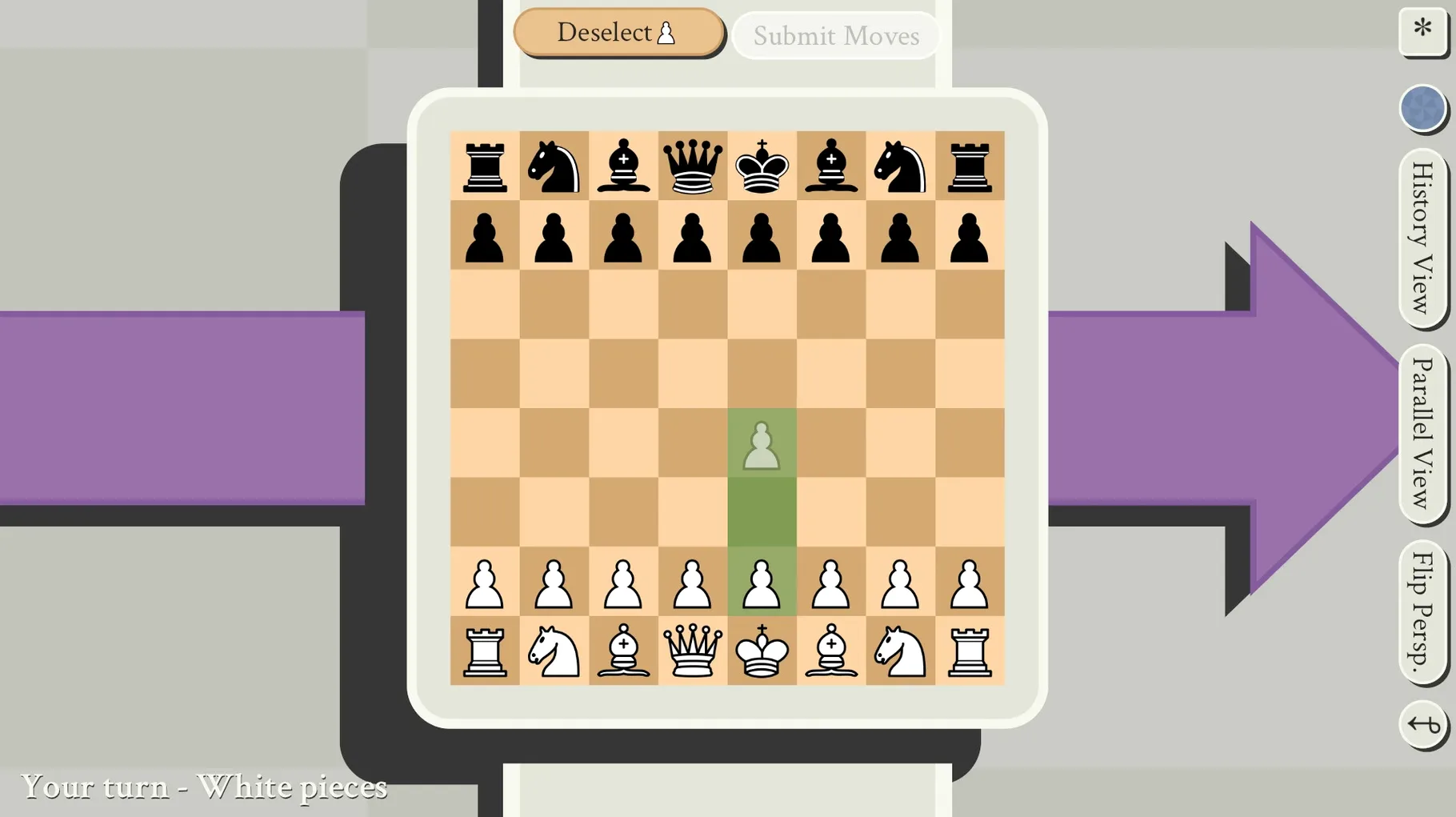
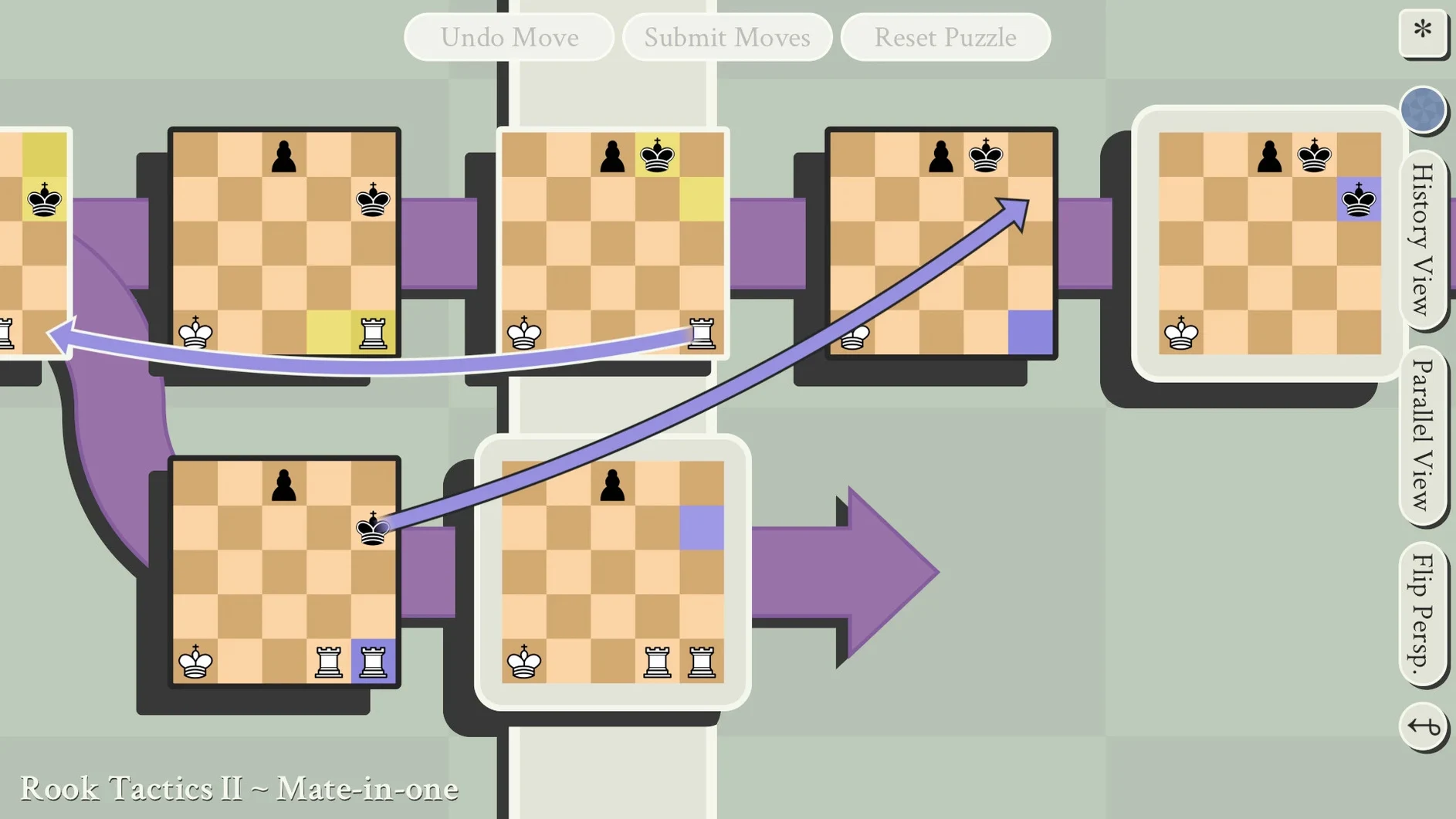
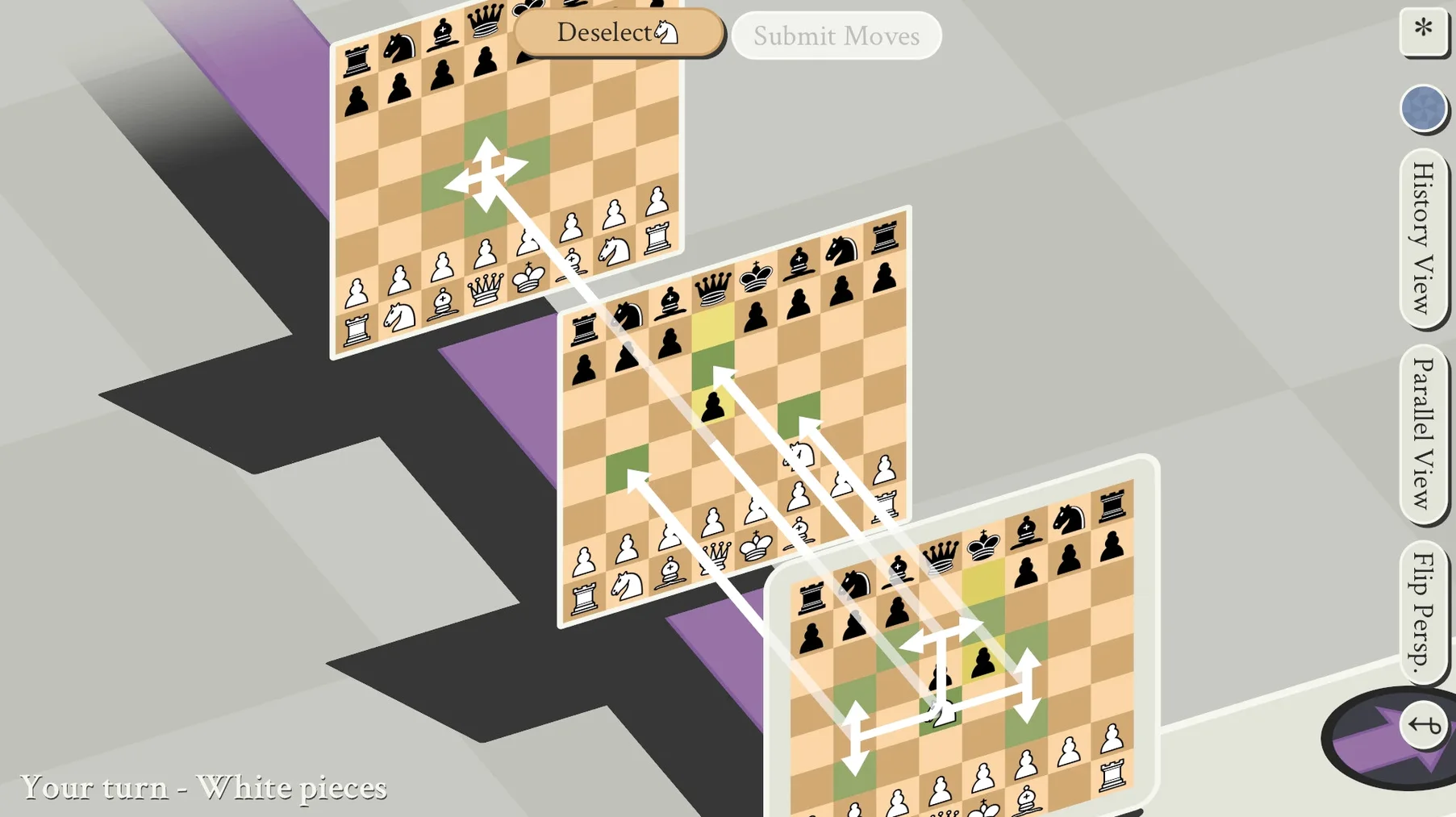
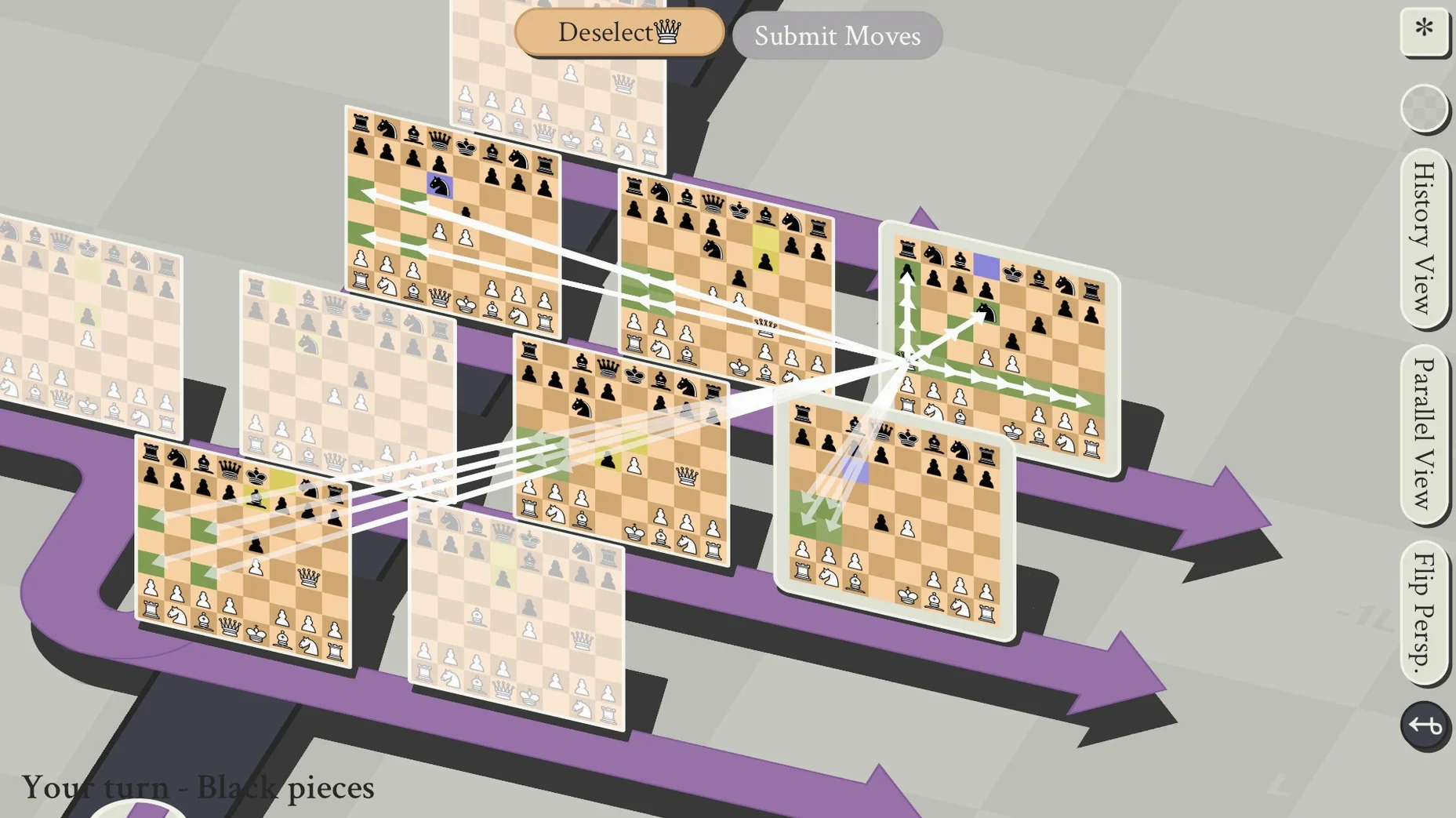
Minute to minute, you are playing chess — but not the chess you know. Your pieces can move back in time, landing on earlier turns to create a new parallel timeline. That move splits the board into a branching reality, and now you and your opponent are playing across two or more timelines at once. Each timeline has its own board, and a piece can cross from one to another if the geometry works. You are constantly tracking where a piece came from and where it might go next.
The game includes multiple starting positions and scenarios, plus four AI personalities with different strengths and styles. So you can practice against a calm, methodical opponent or a more aggressive one. The interface is in English, and the only audio is music. It is a proper brain-bender for anyone who enjoys abstract strategy and does not mind losing their sense of linear time.
Compatibility stretches from Sonoma back through several macOS versions
The game is a 64-bit Intel build, version 1.1.0.0f-15-16, released in July 2020. It was tested on macOS Sonoma running on an M1 MacBook Air, so compatibility stretches back through several macOS versions and forward to current releases. On Apple Silicon machines, Rosetta 2 handles the translation without any extra steps from you — just install and play.
The disk image install is straightforward. You open the downloaded .dmg, drag the app into the Applications folder shortcut, and after the copy finishes, launch it from Launchpad. No activation is required, so there is no account creation or online check to worry about. The interface is in English, and the only audio is background music. The game does not demand a constant internet connection once it is installed.
Because it is a chess variant with extra dimensions, the interface shows piece movement with diagrams and views that help you follow what is happening across timelines. The developer describes it as intuitive, which matters when you are trying to keep track of a piece that just moved back three turns and opened a new board.
Timeline-based play sets this apart from standard chess apps
If you already play chess on your Mac, you have probably tried Chess (the one built into macOS) or a third-party app like HIARCS Chess Explorer. Those are excellent for standard chess — opening databases, engine analysis, correspondence play. But they operate in a single timeline. A rook moves from e1 to e5 and that is the end of it. 5D Chess With Multiverse Time Travel asks you to think about where that rook might land if it goes back to turn three and creates a whole new board.
Lichess and Chess.com have variants — crazyhouse, three-check, king of the hill — but nothing that touches time travel or parallel dimensions. Those are web-based and free, but they are built for speed and community play. This game is a single-player puzzle experience with AI opponents, designed to stretch your understanding of what a chess move can be.
For pure puzzle games on Mac, something like The Witness or Baba Is You also messes with rules and logic, but neither uses chess as its foundation. If you enjoy abstract reasoning and rule-breaking, 5D Chess sits in a small category of its own. No other Mac game lets you checkmate an opponent on a board that existed three turns ago while a second board is still in progress.
You only need to know how pieces move to enjoy the timeline battles
Do I need to be good at chess to enjoy this? Not really. You need to know how the pieces move — that is the starting point. But the game quickly becomes about managing timelines and predicting where your opponent might place a piece from a different board. Standard chess tactics help, but spatial and temporal awareness matters more.
Can I play against another person? The game includes four AI personalities with different styles and strengths, so your opponent is the computer. There is no online multiplayer or local hot-seat mode mentioned in the current build. It is a single-player experience focused on puzzles and scenarios.
Will it run on an older Mac? It is a 64-bit Intel build, so it requires a Mac that can run 64-bit software — basically any Mac from 2012 or later, depending on your macOS version. It was tested on macOS Sonoma, so it should work on anything from High Sierra onward. If you are on an Apple Silicon Mac, Rosetta 2 is all you need.
How long does a typical game take? That depends entirely on how fast you can wrap your head around the branching timelines. A simple scenario might take ten minutes. A complex one with multiple timelines and aggressive AI can stretch much longer. There is no timer pushing you, so you can take as long as you need to trace the paths.
Mac it needs
- macOS ? (64-bit Intel build)
- Intel architecture (works on Apple Silicon via Rosetta 2)
Questions I actually get
How does time travel work in 5D Chess?
Pieces can move back in time to an earlier turn, which creates a new branching timeline. You then play on multiple boards at once, with pieces able to cross between timelines.
What kind of AI opponents are there?
The game includes four AI personalities, each with different strengths and play styles, so you can choose an opponent that matches your preferred challenge.
Can I play on an Apple Silicon Mac?
Yes, it works through Rosetta 2 since the game is a 64-bit Intel build. It was tested on macOS Sonoma on an M1 MacBook Air.
Installing on a Mac
- Open the downloaded disk image.
- Drag the app into the Applications folder shortcut.
- After copying finishes, launch the app from Launchpad.
Notes from photographers
Sign in or create your account to leave a comment.
No notes from photographers yet. If you have used this on a real folder, say which camera and which Mac.
