
 Get it for my Mac (193 MB)
 Permute
4.0.11
- Version
- 8.4.1 [MAS]
- Developer
- ImageTasks Inc
- Interface in
- English
- Licence on file
- K'ed by TNT team
- macOS it runs on
- macOS 11 or later
- Chip support
- Apple Silicon, Intel 64-bit
In the edit
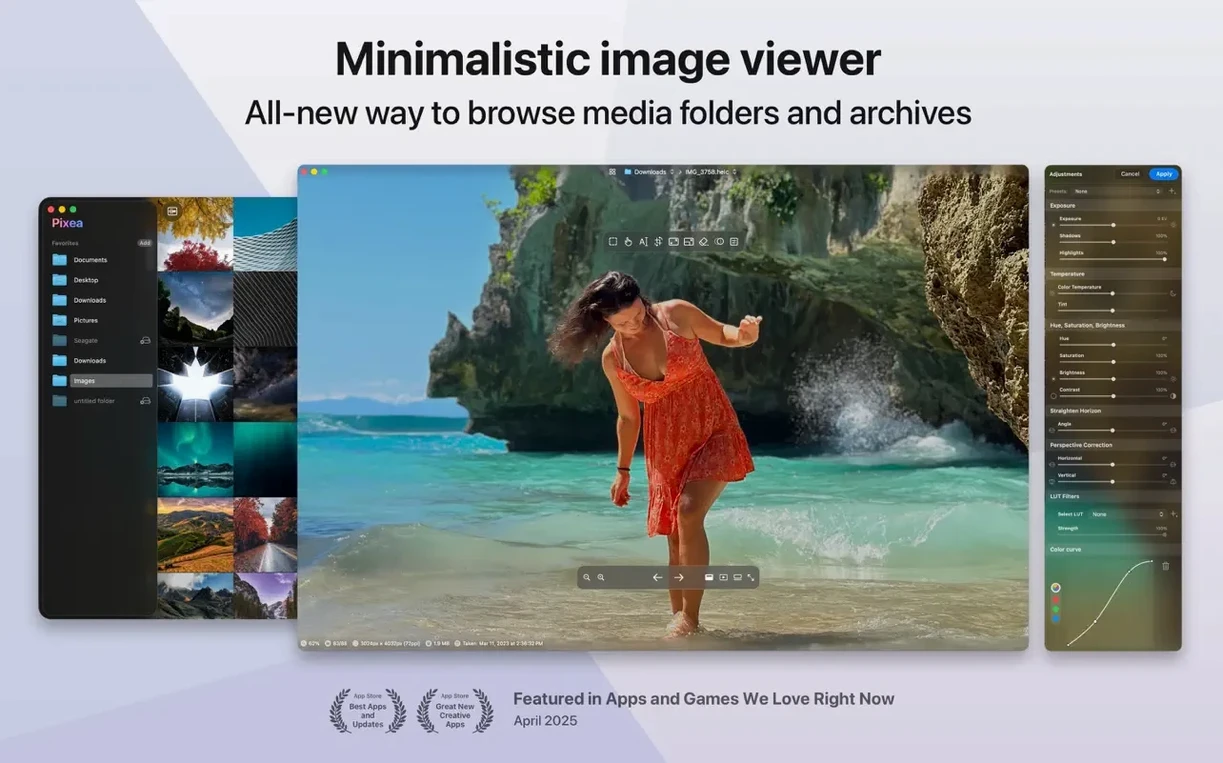
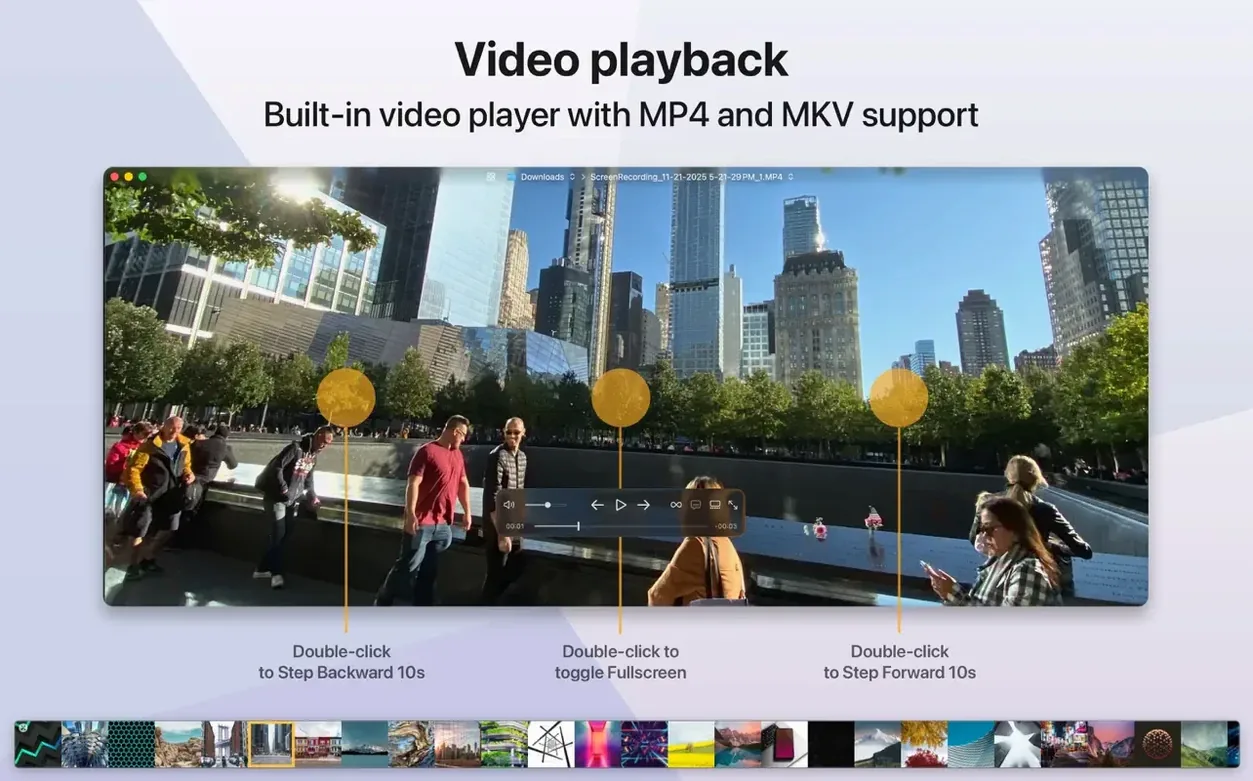
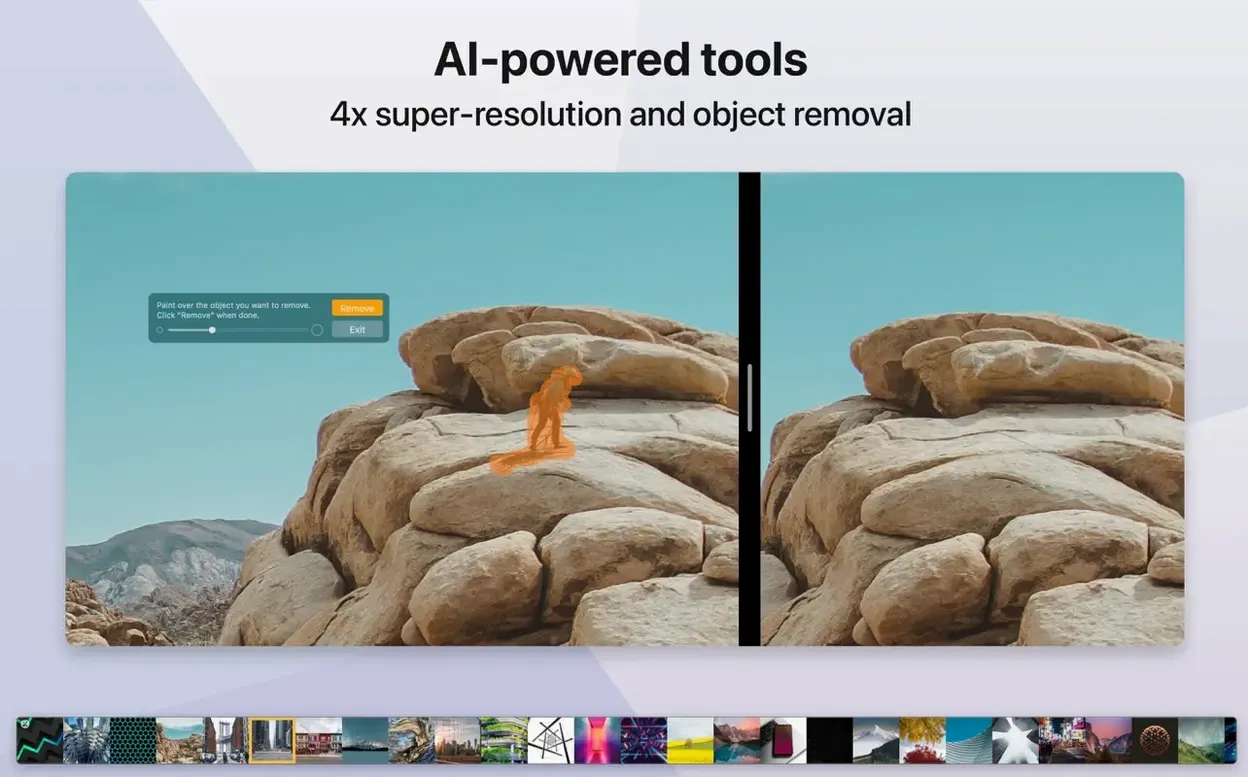
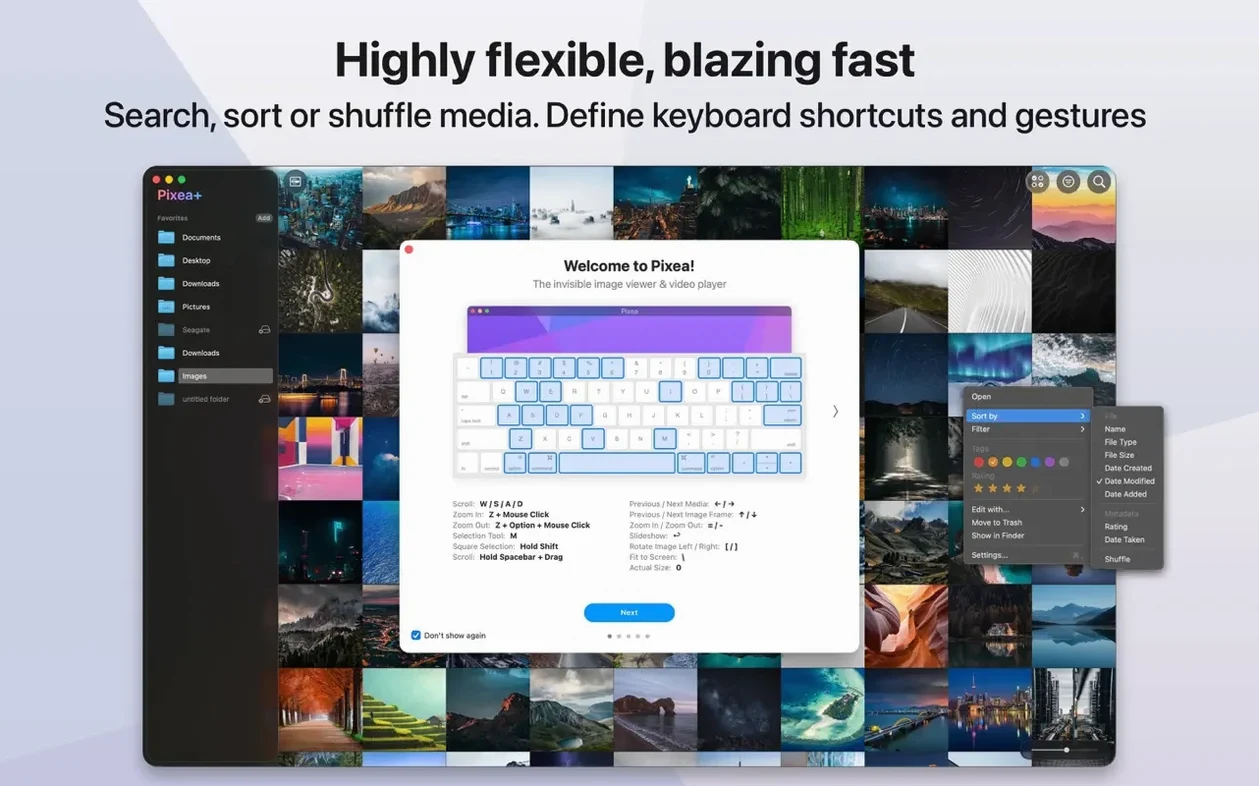
You pull a card full of RAWs off the camera, drop the folder into Pixea Plus, and flick through shots while the histogram and EXIF sit quietly in the corner. No library import, no waiting. It opens ZIP archives without extracting them and handles RAW files from Leica, Sony, Nikon, Canon, Fuji, Olympus, Minolta, and Hasselblad alongside common formats like JPEG, HEIC, PNG, TIFF, PSD, and Google WebP. The built-in editing tools cover the basics, and the minimal interface stays out of your way. For a working photographer who already keeps Lightroom or Capture One for heavy lifting, Pixea Plus is the lightweight viewer that sits between them and the finder.
Opens ZIP archives without unzipping first
The things you notice after a few weeks of daily use are the ones that don't appear in bold on the feature list. Pixea Plus opens ZIP archives without you having to unzip them first, which sounds minor until you're handed a compressed folder of selects from a second shooter. Double-click the archive and the files appear inside the viewer as if they were in any other folder.
Trackpad gestures and keyboard shortcuts are supported throughout, so you can move between images and zoom in without reaching for the mouse. The colour histogram and EXIF data are visible while you browse, which saves the extra click of opening a separate info panel every time you want to check an aperture or confirm a white balance setting. The interface language is English, and the whole thing runs on macOS 11 or later on both Intel and Apple Silicon Macs.
New masks let you adjust exposure, hue, and saturation in selected areas
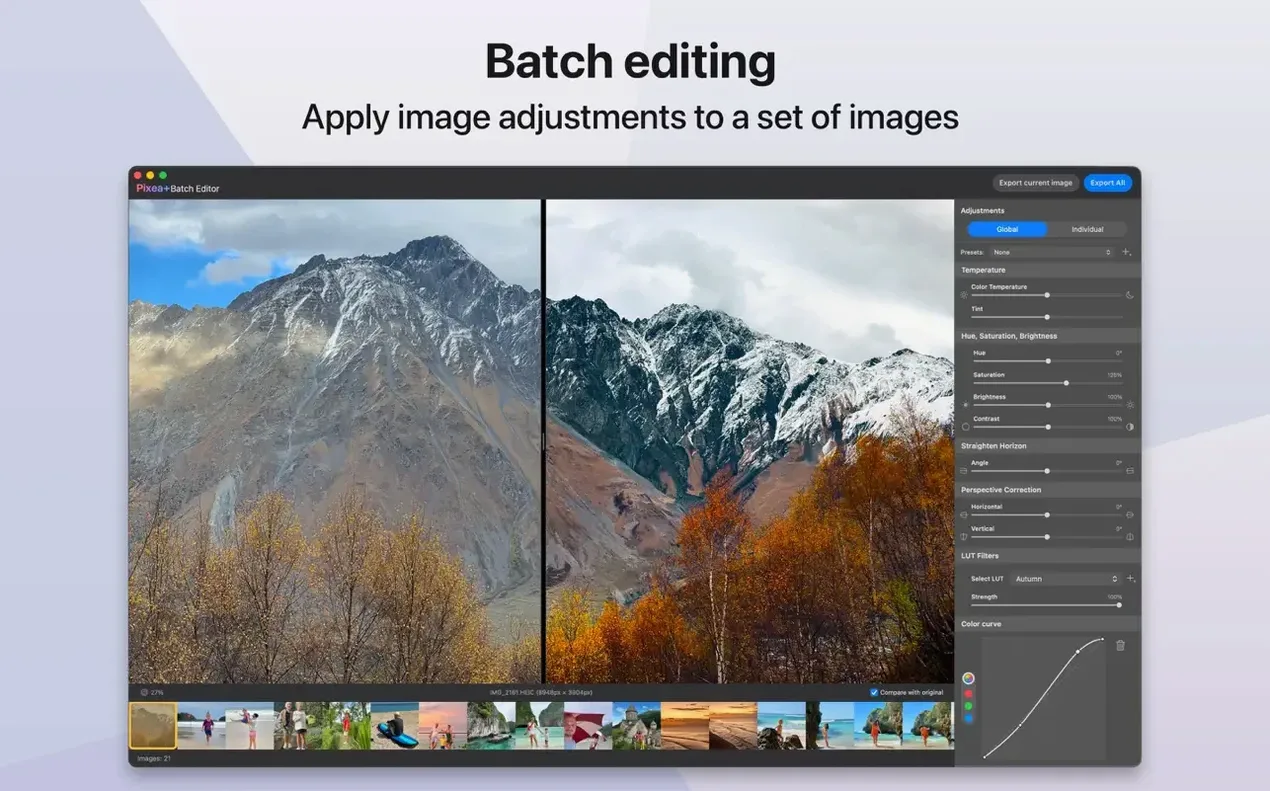
The latest version adds three things that shift how you work with the app day to day. Masks are now available, letting you create and adjust exposure, hue, and saturation in a selected region of the image. That is not the kind of tool you expect from a lightweight viewer, and it means you can make local corrections without opening a full editor.
Pixea Image format was introduced alongside masks. It saves masks, non-destructive adjustments, and any extra data you have added so you can come back later and continue editing where you left off. If you are working through a set of images over several sessions, that format keeps your changes intact without creating sidecar files or duplicating the original.
Undo and redo actions are now supported, which makes the editing tools feel less risky. You can try a mask adjustment, undo it, and try again without worrying about losing the original state of the image. Image loading and thumbnail generation have also been optimised, so the app feels quicker when you are flipping through a large folder of high-resolution RAWs.
Not a full replacement for Lightroom or Capture One
Here are the ones that come up most often.
Does Pixea Plus replace Lightroom or Capture One?
No. It is a viewer with basic editing tools, not a full library or raw processor. It opens the same files and lets you flip through them fast, but the heavy editing stays in your main application. Think of it as the gap between Finder thumbnails and a proper editor.
Can I open RAW files from my camera?
Yes, if you shoot with Leica, Sony, Olympus, Minolta, Nikon, Fuji, Canon, or Hasselblad. Those RAW formats are supported, along with JPEG, HEIC, PNG, GIF, TIFF, PSD, BMP, Radiance, and Google WebP. You can view them side by side with JPEGs in the same window.
Does it organise my photo library?
No. There is no import process, no albums, no database. You browse the files on your disk or inside a ZIP archive. If you want a library, you keep using your existing catalogue app. If you just want to look at files, Pixea Plus gets out of your way.
You can also press Enter in Terminal to bypass Gatekeeper. Drag the app to your Applications folder and open it when the copy finishes. It is a straightforward process that takes about a minute.
If your Mac is from 2020 or newer, you are fine. If you are on an older Intel Mac running Big Sur or later, you are also fine.
New this release
Pixea 8.4.1 lands with a proper set of image adjustment tools that make a difference when you're pulling shots into shape. The new Reshape tool lets you tweak local geometry without warping the whole frame — handy for fixing lens distortion along the edges of a wide ceremony shot. Spatial dehaze uses depth-based adjustments to cut through haze where it actually matters, and Clarity adds crispness without the halos you get from over-sharpening. Brilliance gets a refinement pass too, and the printing dialog now handles auto-rotate, scaling, and images-per-sheet options sensibly. A small but clever addition: Copy to Clipboard now offers maximise compatibility alongside an option to preserve HDR statistics and headroom. Usual round of UI polish and bug fixes rounds it off.
Mac it needs
- macOS 11 or later
- Apple Silicon and Intel 64-bit Macs
Questions I actually get
Does Pixea Plus support RAW files?
Yes, it supports RAW files from Leica, Sony, Olympus, Minolta, Nikon, Fuji, Canon, and Hasselblad cameras.
Can I open compressed archives without extracting them?
Yes, Pixea Plus can open ZIP archives directly without needing to extract them first.
Installing on a Mac
- Mount the disk image and run Open Gatekeeper friendly.
- Press Enter in Terminal to bypass Gatekeeper.
- Drag the app to the Applications folder.
- Open the app when installation is complete.
Notes from photographers
Sign in or create your account to leave a comment.
No notes from photographers yet. If you have used this on a real folder, say which camera and which Mac.
