
 Get it for my Mac (15 MB)
 Tenorshare UltData
9.5.0
- Version
- 2.105
- Developer
- Tunabelly Software
- Interface in
- English
- Licence on file
- K'ed by TNT team
- macOS it runs on
- macOS 10.13 or later
- Chip support
- Intel 64-bit
In the edit
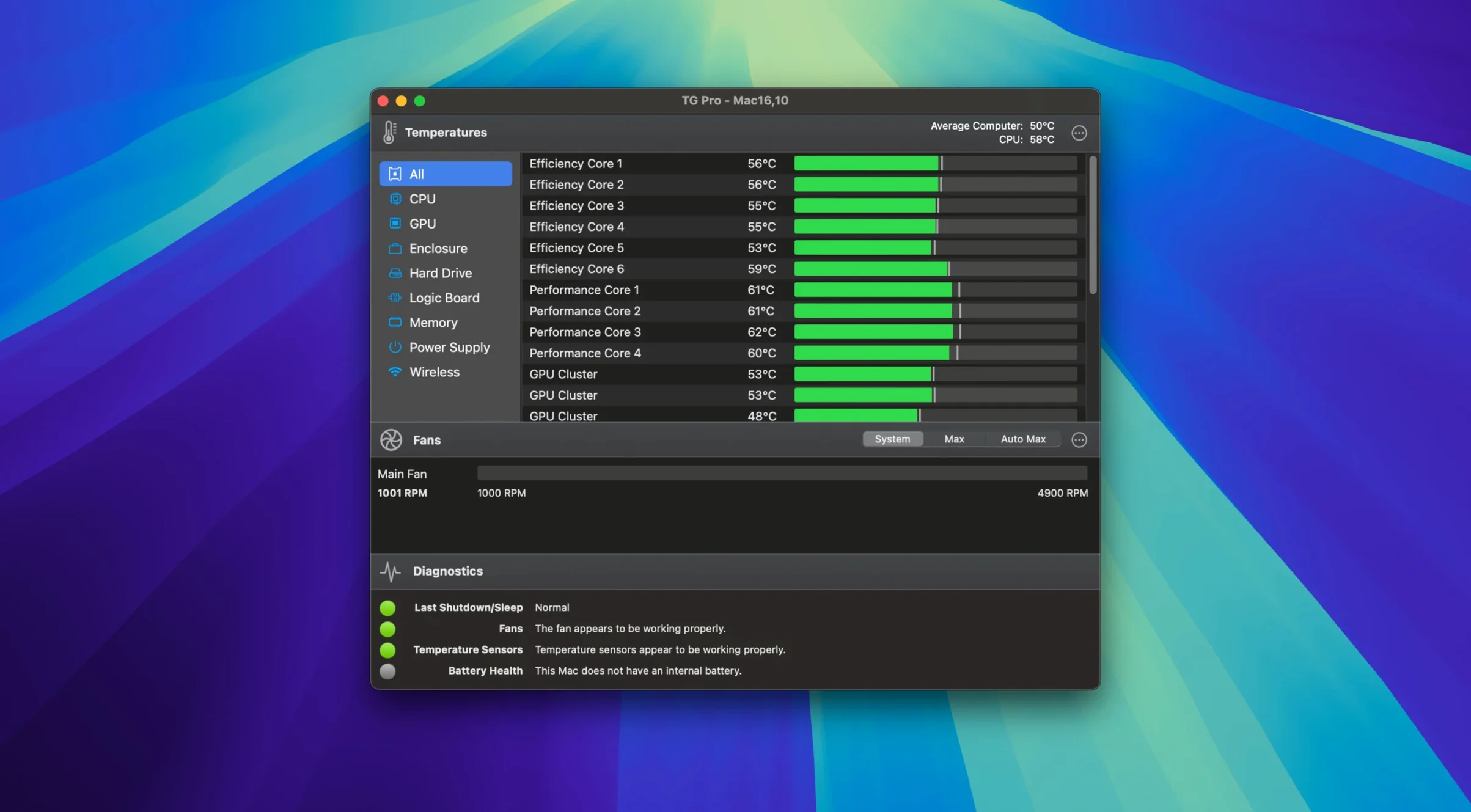
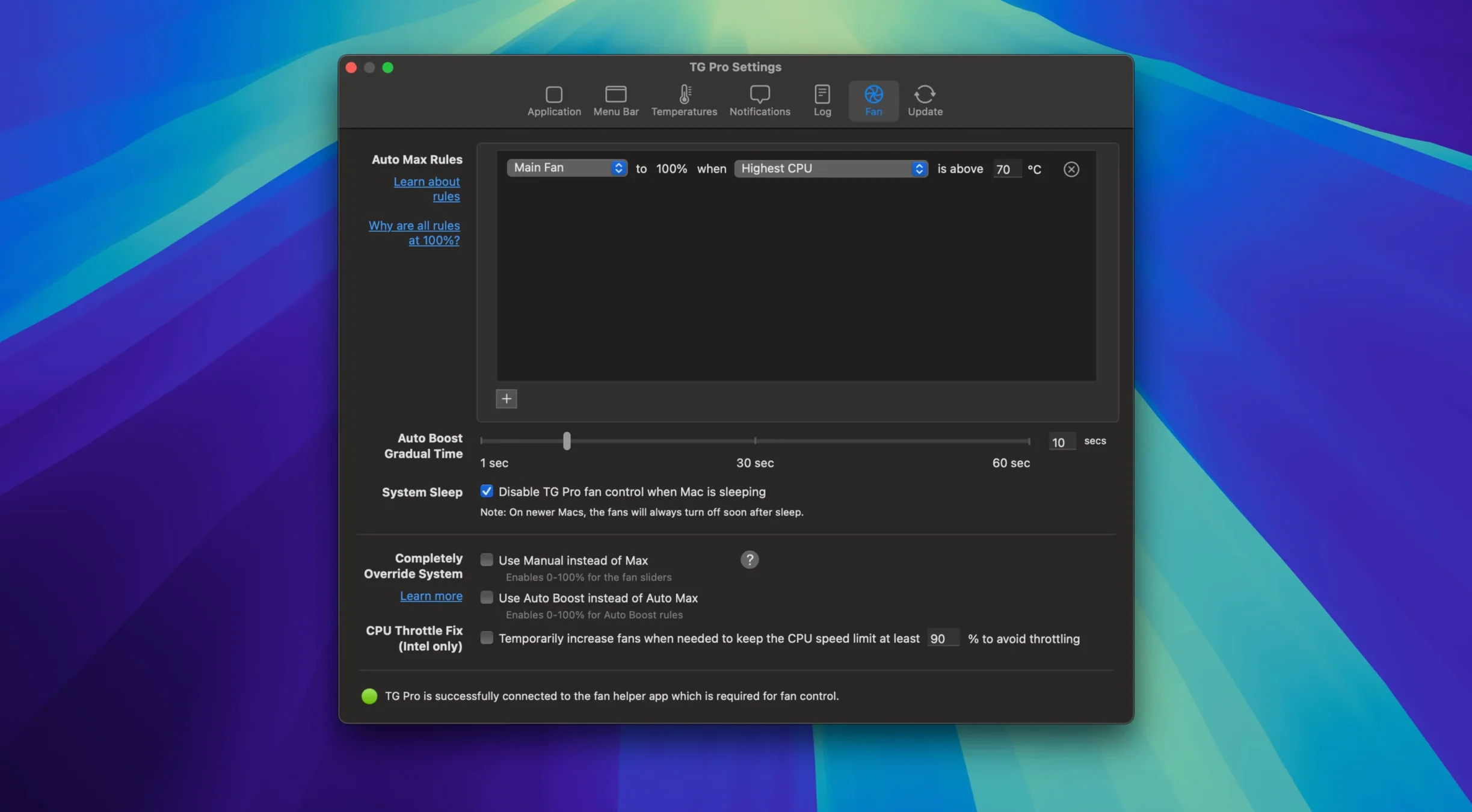
Custom fan rules based on temperature sensors – that is where TG Pro shows its real depth. The app uses almost no CPU while it watches, and version 2.103 restored fan control after Siri or voice dictation finished, which is a nice polish for anyone who talks to their Mac.
Switch fan control from manual to automatic on the fly
- Switch between manual and automatic speed adjustment on the fly.
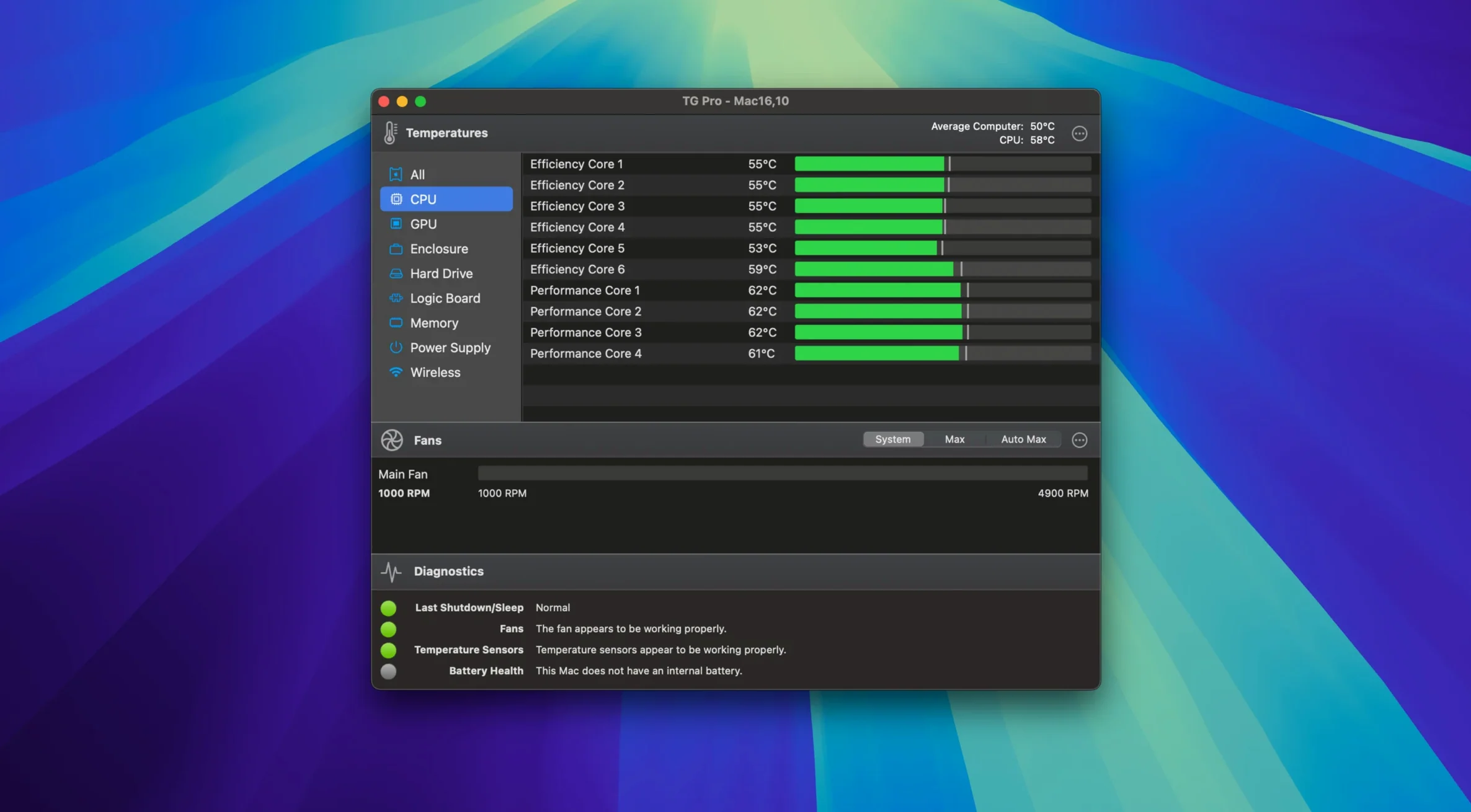
- Monitor temperatures for all major components in one clean window.
- Full support for M4, M4 Pro, and M4 Max Macs, plus everything back to High Sierra.
Low overhead, high control
TG Pro sits in the menu bar and stays out of your way. The interface is English only, but the sensor labels are clear enough that language barely matters. Whether you are running a 2017 iMac or a new M4 MacBook Pro, the same custom rules and real-time monitoring work the same way. That consistency across architectures is what makes it a utility you install once and forget – until a hot render needs a nudge.
Quick glance at fan speed and temperature from the menu bar
A few details in TG Pro do not shout for attention but they save time once you spot them. The menu bar icon shows current fan speed and temperature data without opening the full window – a quick glance tells you if something is running warmer than usual. If you keep the app running in the background, it logs temperature events automatically, so you can check later what happened during a long export or an overnight batch.
Another quiet feature is the diagnostic test option. It runs checks on your hardware and reports back on component health. Not something you use every day, but useful when a machine starts acting up and you want a second opinion before opening the case. The alerts are configurable too, so you can set a threshold for CPU temperature and get a notification when it passes that mark. No need to watch the graph constantly.
For video editors, photographers, and music producers who push their Mac hard
TG Pro suits anyone who pushes their Mac hard enough to notice the fans. That includes video editors exporting long timelines, photographers running batch edits in Capture One or Lightroom, and music producers with heavy plugin chains.
Laptop users benefit especially. The custom fan rules let you tie fan speed to a specific sensor – say, the GPU temperature – rather than waiting for the system to decide. Hackintosh users also get a toggle in preferences that makes the app work on non-Apple hardware, which broadens its reach considerably.
Drag TG Pro into Applications from the disk image, not directly
- Open the disk image and drag TG Pro into the Applications folder alias as shown in the installer. Do not launch it from the disk image directly.
- After copying finishes, launch the app from Launchpad. The improved startup flow in version 2.103 makes the first run straightforward.
- Spend a few minutes looking at the sensor list. Note which components run warm on your Mac – often the CPU or GPU – and consider setting a custom rule that increases fan speed when that sensor passes a comfortable level.
- Enable logging if you want to track temperature trends over a few days. It helps you spot patterns, like the machine heating up during specific tasks.
- Keep the app running in the background. It uses almost no CPU and the menu bar readout becomes a handy habit.
A tip for the first week: try manual fan control once or twice to see how the fans respond. It builds confidence before you rely on automatic rules.
Fan control stops after Siri? Version 2.103 fixes that
One frequent issue is fan control stopping after using Siri or voice dictation. Version 2.103 fixed that – after voice input finishes, TG Pro restores fan control and speeds automatically. If you still see a problem, check that you are running the latest version.
Another snag involves Auto Boost rules failing when switching between power sources, like unplugging a laptop from the charger. This was also patched in the current release. If your custom rule does not kick in after a power change, verify the rule is set to respond to the correct sensor and that Auto Boost is enabled in the preferences.
Some users report that the app does not show fan speed for certain Macs at first. This usually happens because the system needs a moment to initialise the sensor data. Quit and relaunch TG Pro once. If that does not help, check that your macOS is 10.13 or later – older versions are not supported.
For Hackintosh setups, the app includes a preference toggle that enables compatibility. If TG Pro does not detect sensors on a Hackintosh, open Preferences and switch that option on. It is a small setting that makes a big difference for non-Apple hardware.
New this release
The temperature gauge gets a quiet refresh with version 2.105, now on the shelf. No new switches to flip or menus to learn — just the steady maintenance that keeps fan control and sensor readings reliable through a long editing day.
Mac it needs
- macOS 10.13 or newer
- Intel 64-bit processor
Questions I actually get
Can TG Pro control fans on M4 Macs?
Yes, version 2.103 added complete fan control for M4, M4 Pro, and M4 Max Macs.
Installing on a Mac
- Open the downloaded disk image.
- Drag the app into the Applications folder alias.
- After copying finishes, launch the app from Launchpad.
Tip: Launchpad indexes the app automatically once it is in the Applications folder.
Notes from photographers
Sign in or create your account to leave a comment.
No notes from photographers yet. If you have used this on a real folder, say which camera and which Mac.
Similar apps
Next to it in Utilities
All Utilities picks
Tenorshare UltData
9.5.0
 Techtool Pro
20.1.7
 TechSmith Snagit
2027.0.1
 SwitchResX
4.14.2
 SuperDuper!
4.0.7
 ToAnything
1.2
 Transmit
5.11.7
 SoundSource
6.1.5
