Get it for my Mac (34 MB)
 TunesKit iPhone Unlocker
2.7.0.16
TunesKit iPhone Unlocker
2.7.0.16

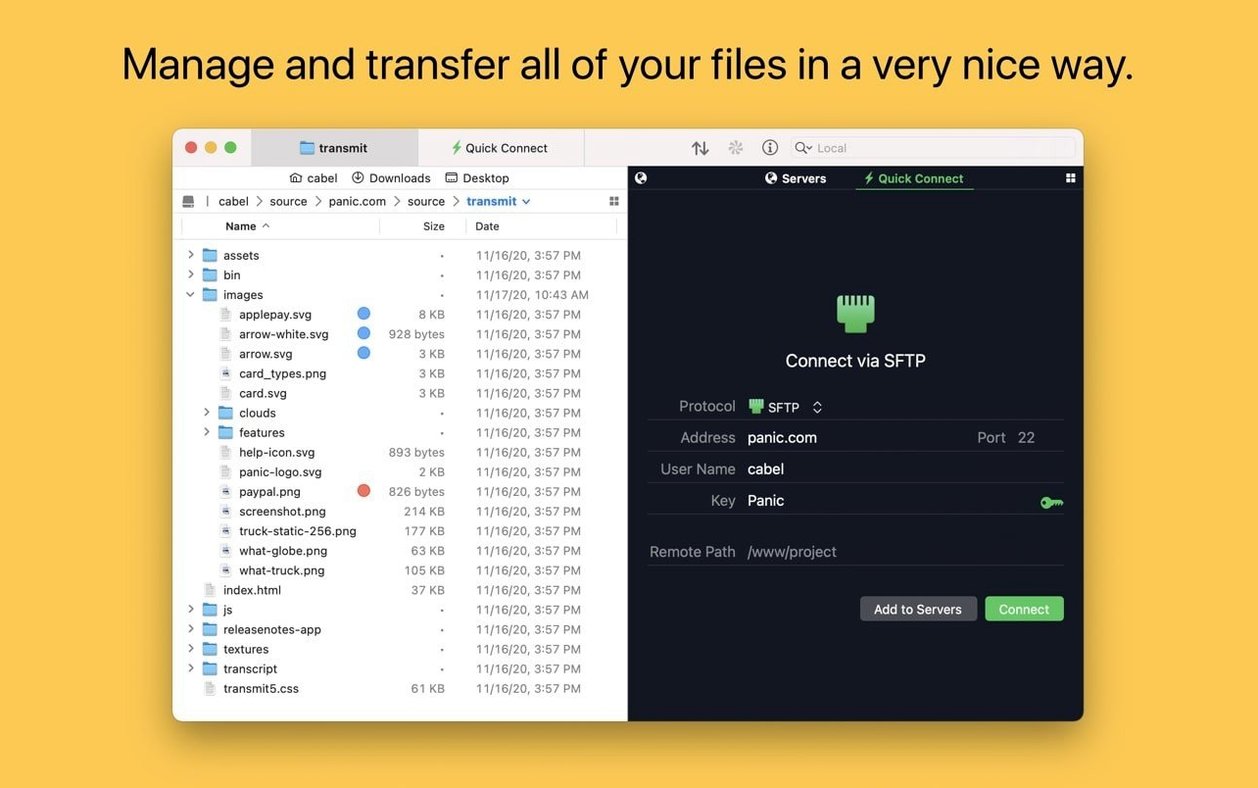
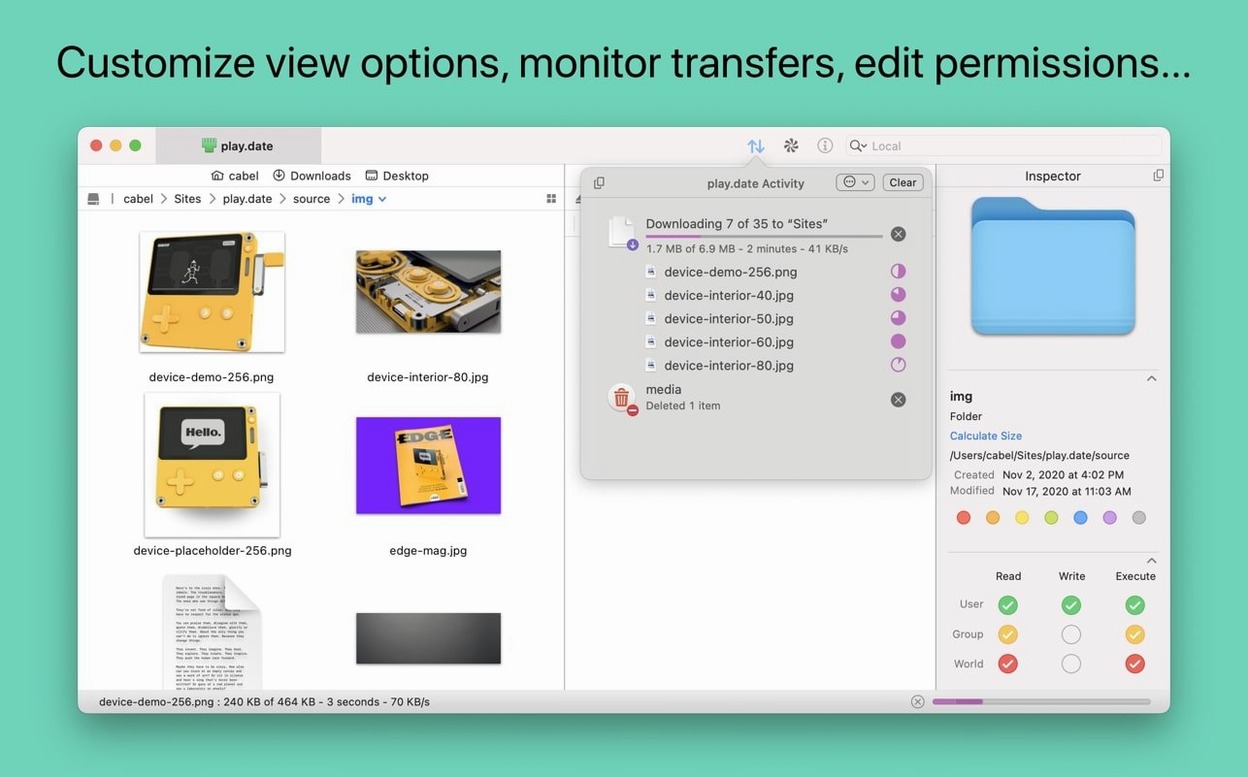
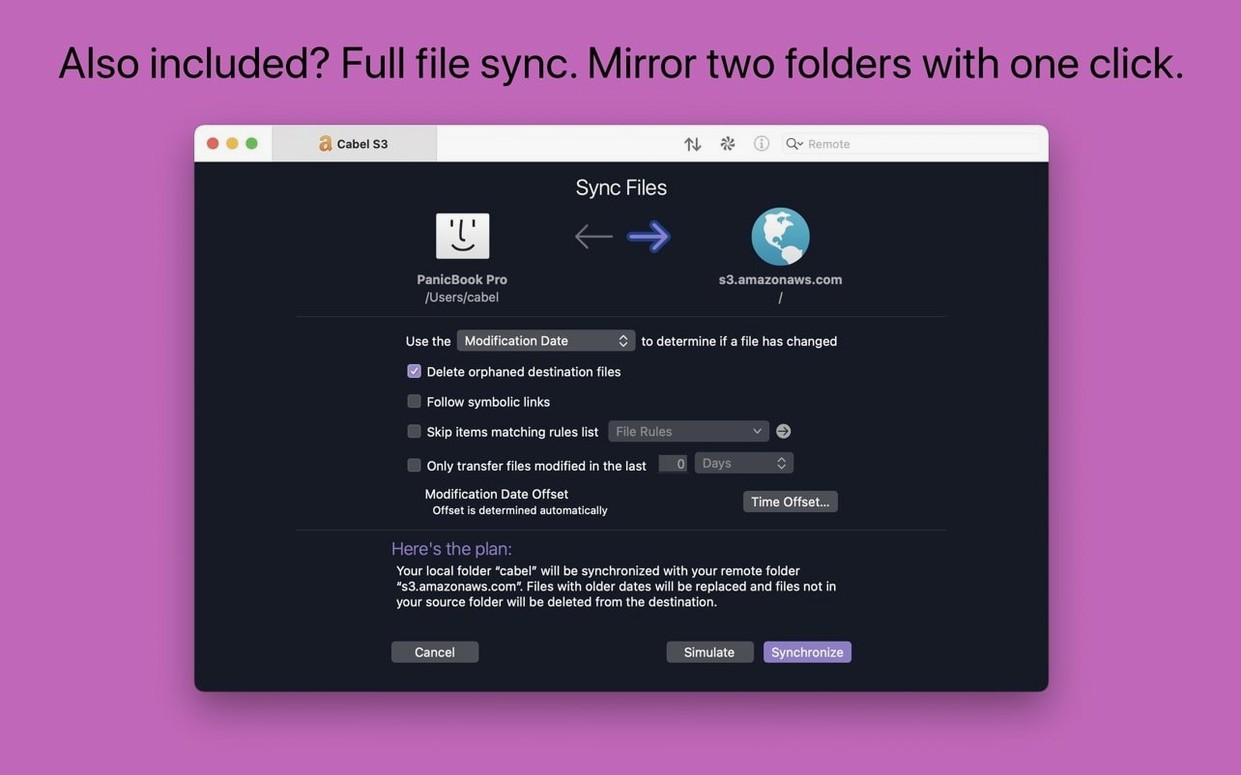
You're in the middle of editing a large batch of wedding photos and need to upload final galleries to an S3 bucket. Or you're updating a client's site via SFTP from a cafe in Soho. For jobs like these, you reach for Transmit.
Transmit is a macOS file transfer client from Panic. It handles FTP, SFTP, S3, and WebDAV — the usual protocols for moving files between your Mac and a server. You upload, download, rename, or delete files over the internet, and the interface feels more like the Finder than a clunky FTP tool.
Anyone who regularly sends files to a server: web developers, designers, photographers uploading galleries, or system admins. It's also handy if you manage sites on different protocols — you can keep everything in one window instead of juggling separate apps.
Transmit can open the current location in Terminal, which saves a few clicks when you need to run a command. Panic Sync keeps your sites and bookmarks in sync across Macs. And the Get Info toolbar button now works straight after launch, so you can check file details without waiting.
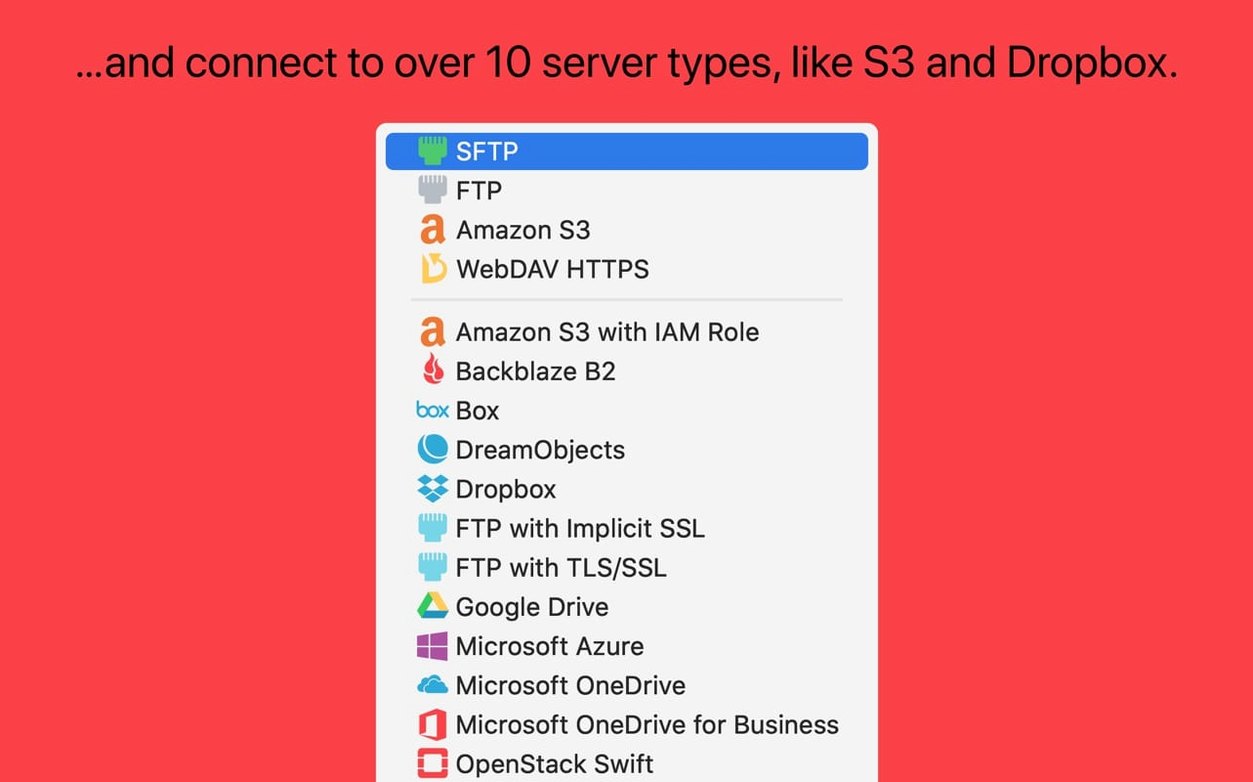
A few things come up often when someone's about to try Transmit for the first time. One is whether it works with Apple Silicon or Intel Macs. Transmit runs natively on both architectures, so it doesn't matter if you're on an M-series chip or an older Intel machine — it behaves the same either way. Another common question is whether it handles cloud storage beyond the big names. Transmit connects to Backblaze B2, Box, Google Drive, DreamObjects, Dropbox, Microsoft Azure, and Rackspace Cloud Files, so you're not limited to just Amazon S3. People also ask about two-factor login support, and yes, that's built in. If your server or cloud provider requires a second authentication step, Transmit can handle it.
Imagine you run a small web design agency with three Macs in the studio and occasionally work from home. You have a dozen client sites hosted on different servers — some on a shared host via SFTP, others on S3 or DigitalOcean Spaces. Every week you upload new builds, swap out images, or pull down log files. Before Transmit, you had bookmarks saved in three different FTP clients and a browser tab for S3. Now you keep everything in one app: your favourite folders are in the Places Bar, Panic Sync keeps your site list identical on the studio iMac and your MacBook, and you don't have to remember which credential belongs to which host. The batch renaming tool comes in handy when a client sends you a folder of unhelpfully named assets and you need them to match your naming convention before uploading. You don't think about Transmit much — it just sits in the Dock and works.
A few details in Transmit don't get much attention but make daily use nicer. As you browse, the information sidebar displays details about the chosen file or folder, allowing you to view file sizes or modification dates without opening any item. The Places Bar gives you one-click access to folders you use often, which is faster than navigating through the whole directory tree each time. Within the app, Transmit is able to create and oversee secure keys, removing the requirement to launch Terminal solely for generating an SSH key pair. And if you're dealing with very large files on Amazon S3, Transmit handles those without extra configuration. The tags feature works the same way as Finder tags, so you can colour-code servers or folders you're watching closely.
When you first open Transmit, a few settings are worth a quick visit. If you connect to the same servers every day, set up Panic Sync early so your sites stay consistent across all your Macs — it saves rebuilding your list when you switch machines. Check the preferences for default transfer behaviour: you can choose whether Transmit always downloads into the same folder or asks each time. If you work with S3 a lot, look at the S3 settings to confirm your preferred bucket region and encryption options. And if you're coming from another client, take a minute to organise your sites into folders inside the Transmit sidebar — it keeps things tidy when the list gets long. None of these are essential, but they make the first week smoother.
Transmit supports FTP, SFTP, S3, and WebDAV — enough for most web and cloud workflows.
Yes, Transmit includes Panic Sync, which synchronises your sites and bookmarks between Macs.
Sign in or create your account to leave a comment.
No notes from photographers yet. If you have used this on a real folder, say which camera and which Mac.