Get it for my Mac (111 MB)
 Slate Digital Fresh Air
1.0.9
- Version
- 3.6.1
- Developer
- CableGuys
- Interface in
- English
- Licence on file
- k'ed by Team V.R
- macOS it runs on
- macOS 10.15 or later
- Chip support
- Apple Silicon, Intel 64-bit
In the edit
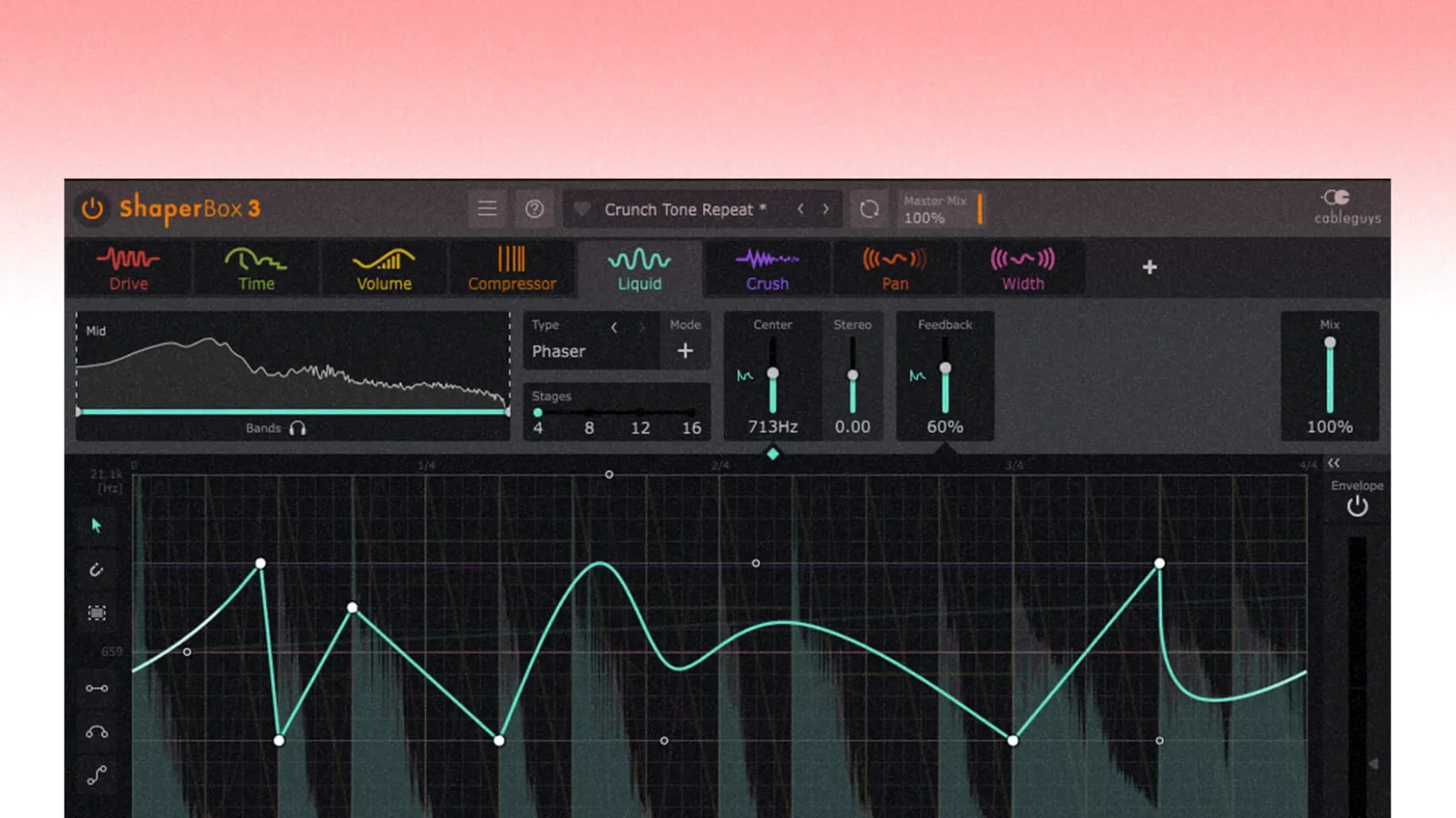
ShaperBox is a modular multi-effect plugin that shapes audio with rhythm-driven effects, from gating and filtering to pitch shifting and modulation.
Add movement to static pads with the multi-effect chain
- Adding movement to static pads or held chords with the multi-effect chain.
- Sidechain-style pumping on a bus without the compression artefacts — the sidechain visual display helps you dial it in.
- Separating low, mid and high frequencies with multiband processing for per-band shaping.
- Flanger, phaser and other modulated textures through the LiquidShaper effect.
- Quick sound design from the built-in browser of 600 presets.
ShaperBox runs as a single plugin with multiple modules
- ShaperBox runs as a single plugin with multiple Shaper modules, not as separate insert effects.
- Version 3.6.1 fixes a Logic Pro cursor issue after dragging a control and adds automation parameters for PitchShaper’s Formant Link, Density and Grain Size.
- It is developed by CableGuys, the team behind the Shaper series of plugins.
Audio drop-out when a MIDI note or Audio Trigger starts
ShaperBox is straightforward once you get the hang of it, but a few things catch people out when they start. The most frequent one I hear about is the audio drop-out that happens when a MIDI note or Audio Trigger fires while the input is silent. That was a genuine bug, and version 3.6.1 fixed it properly. If you are on an older build and hear a glitchy cut when triggering from silence, updating to 3.6.1 should sort it.
Another snag shows up in Logic Pro: you drag a control to tweak a Shaper module and the cursor vanishes. It is still there, just invisible, and it can stop you in your tracks mid-session. The 3.6.1 update fixed that one too, so again, keeping current helps.
VolumeShaper users sometimes see the oscilloscope drawing look wrong when they combine MIDI or Audio Triggering with Anti-Click Trigger Smoothing. The display might not match what you hear. That was another 3.6.1 fix, so if your scope has been lying to you, check your version number.
If you load a preset and the effect sounds nothing like you expected, check your multiband splits. It is easy to forget you have the low band soloed or the mid band bypassed, and then the whole shape changes. The sidechain visual display helps here — look at what each band is actually doing before you start tweaking.
Overcomplicating the chain with too many Shaper modules
The biggest one is overcomplicating the chain. ShaperBox lets you stack multiple Shaper modules, and it is tempting to load up a TimeShaper, a FilterShaper, a VolumeShaper and a PitchShaper all on one track. Before long you cannot tell which module is doing what, and the sound turns into a mess. Start with one module, get that right, then add another only if the part needs it. Less is genuinely more with this plugin.
Beginners also forget about beat-synced timing modes. The default is usually straight, but your part might need triplets or a dotted feel. If the rhythm of the effect does not sit right with the track, switch through the timing options before you start nudging the LFO manually. The free mode is there for when you really need it, but nine times out of ten one of the sync modes will do the job faster.
Another mistake is ignoring the Audio Trigger functions. You can enable them alongside the beat sync for any sound, which means a kick drum can start the filter sweep or a snare can reset the volume shape. New users stick to the LFO and forget the trigger is there, but it opens up responsive, playable effects that lock to your performance, not just the grid.
Works inside Logic Pro, Ableton Live, FL Studio or Cubase
ShaperBox is a plugin, so it lives inside your DAW. It works the same way whether you are in Logic Pro, Ableton Live, FL Studio or Cubase — you load it on a track or a bus, and the Shaper modules process whatever audio comes through. Because it handles low, mid and high frequencies separately with multiband processing, you can use it on a drum bus to shape the kick in the low band while leaving the hi-hats in the high band untouched. That kind of per-band control is rare in a single plugin.
On the macOS side, ShaperBox runs natively on both Apple Silicon and Intel Macs, so you do not need Rosetta if you are on an M-series machine. The installer is the standard disk image affair — open it, run the installer, then open the VR.nfo file for the activation instructions. No extra hoops.
If you use other CableGuys plugins like TimeShaper or VolumeShaper as standalone units, ShaperBox bundles them all into one modular interface. That can clean up your plugin chain considerably. Instead of three separate instances on one track, you run one ShaperBox with the modules you need. It is the same engines underneath, just in a more organised wrapper.
PitchShaper's Formant Link, Density and Grain Size are now automatable
Three things stand out in this update. First, PitchShaper’s Formant Link, Density and Grain Size are now automation parameters. If you automate pitch effects in your mix, you can now ride those specific controls without workarounds. It makes a difference if you like to automate formant shifts over a chorus or change the grain texture during a build.
Second, the audio artifact on silent-input triggering is gone. If you ever had a pop or click when a MIDI note started the effect on a quiet part, that was the culprit. The fix means you can use Audio Trigger and MIDI triggering more freely without worrying about unwanted noise.
Third, the Logic Pro cursor bug after dragging a control is fixed. That one was a minor annoyance that added up over a long session — you drag a knob, the cursor vanishes, you have to click again to get it back. Not a dealbreaker, but the kind of thing that makes you appreciate a clean update. Same goes for the VolumeShaper oscilloscope drawing fix when using Anti-Click Trigger Smoothing. The scope now shows what the audio is actually doing, which makes dialling in the smoothing much more reliable.
If you already have ShaperBox installed, the 3.6.1 update is worth the time for the Logic Pro and triggering fixes alone. The PitchShaper automation is the cherry on top for anyone who works with pitched effects regularly.
New this release
- PitchShaper’s Formant Link, Density and Grain Size can now be automated.
- An audio artifact on silent-input MIDI or Audio Trigger events has been fixed.
- The Logic Pro cursor no longer disappears after dragging a control.
Mac it needs
- macOS 10.15 or later
- Intel or Apple Silicon
Questions I actually get
Does ShaperBox support Apple Silicon Macs?
Yes, ShaperBox 3.6.1 runs on both Intel and Apple Silicon Macs, with macOS 10.15 or later.
Installing on a Mac
- Open the downloaded disk image.
- Run the standard installation procedure.
- Open the included VR.nfo instruction file.
Notes from photographers
Sign in or create your account to leave a comment.
No notes from photographers yet. If you have used this on a real folder, say which camera and which Mac.