Get it for my Mac (95 MB)
 Typora
1.14.15
Typora
1.14.15

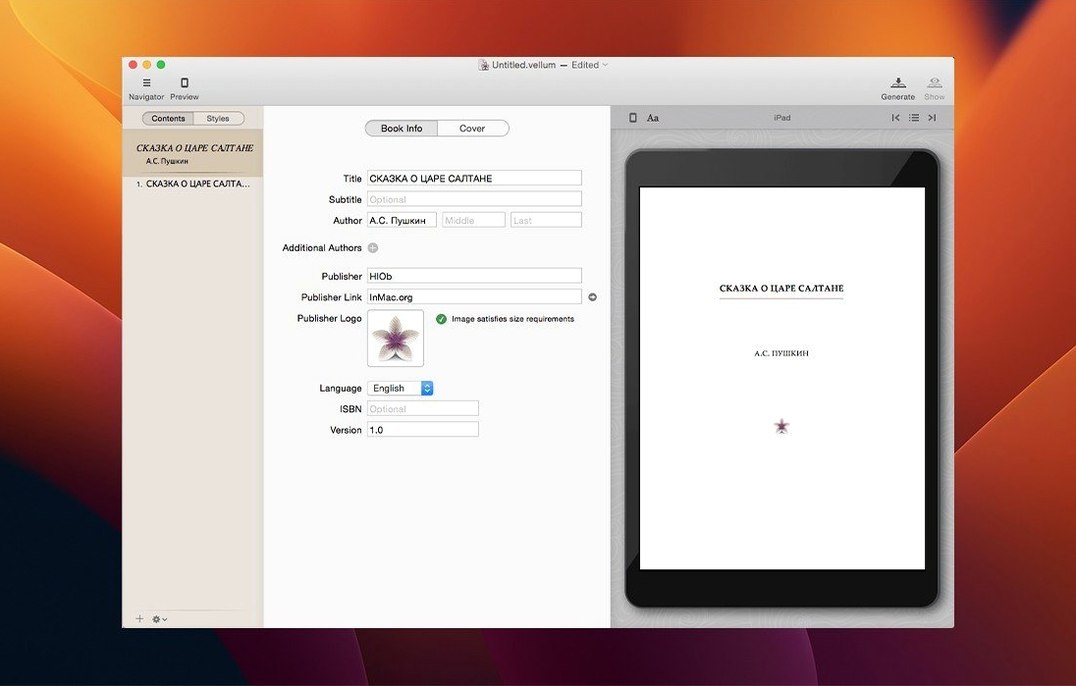
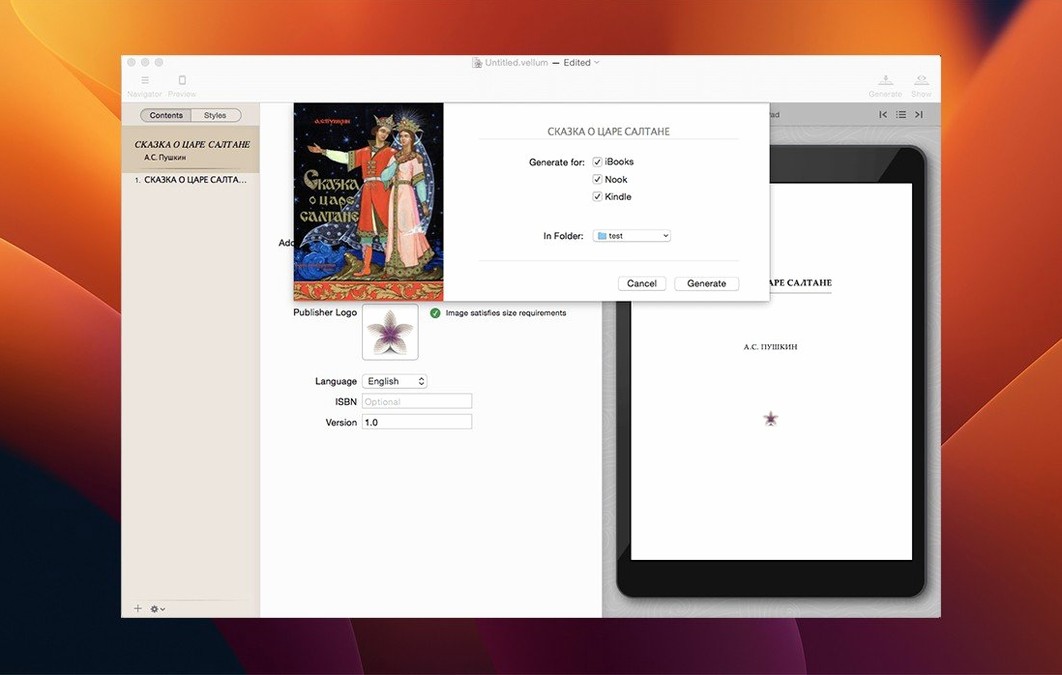
Vellum 4.1.5 is out, and it stays focused on what it does best: turning a manuscript into a properly formatted ebook or print edition without the usual fuss. You import your text, pick a trim size, and the app handles margins, page numbers, headers and footers automatically. It also takes care of widows and spread balancing, so the final output looks clean whether you are reading on a Kindle or holding a proof copy.
It is a native Mac app that requires macOS 11 or later, and it works on both Intel and Apple Silicon machines. If you publish your own work or format books for clients, Vellum saves the back-and-forth with layout tools that were not built for book production.
A friend of mine writes cosy crime novels, three a year. She used to send manuscripts to a formatter, wait three days, get back a PDF with a dozen things to fix, send it again — you know the cycle. With Vellum, she imports the finished Word file, picks her usual trim size, and the table of contents and title page appear before she has finished making tea. She edits the copyright page inside the app (she likes to thank her local indie bookshop by name each time) and then generates the Kindle and paperback files in one go. The part that surprised her most was the boxed set feature: when she bundled her first three books together, Vellum kept the chapter styles and page numbering consistent across all three without her touching a single style sheet. She now handles the whole production side herself in about an afternoon per book.
Vellum is straightforward, but a few things trip people up when they start.
Your manuscript has inconsistent heading styles.
Vellum builds the table of contents from heading levels in your document. If some chapters use Heading 1 and others use Heading 2 or just bold text, the TOC will look patchy. The fix is to clean up the manuscript before importing: make sure every chapter title uses the same heading style. It takes five minutes in Word or Pages and saves a lot of faff later.
Images in the ebook look small or misaligned.
Vellum handles images, but it resizes them to fit the chosen trim size. If you have a map or a detailed illustration, check the preview on a few device views (the app lets you switch between phone, tablet and e-reader displays). For print, make sure your original image is at least 300 dpi at the size you want it to appear on the page. A low-res web image will look soft in a proof copy.
Page numbers start from the wrong number.
Print books often need front matter numbered with roman numerals and the main text starting from page 1. Vellum handles this automatically when you set the front matter section correctly. If the numbers look off, check that your copyright and dedication pages are placed in the front matter section, not in the body. The app distinguishes between the two, and once you move a page to the right section, the numbering falls into line.
You want to update an ebook after publishing.
You can edit the Vellum file, make your changes, and regenerate the output. The trick is to keep the same ISBN and metadata when you upload the new file to the distributor. Vellum does not manage ISBNs itself, so you just export the updated file and replace the old one on KDP or Draft2Digital. The new previews reflect your edits instantly, so you can spot any slip before re-uploading.
Say you have a finished manuscript in a Word document and you want a print-ready PDF for IngramSpark or KDP. Here is how it goes in Vellum.
If you also want an ebook version, you generate it from the same project. No need to reformat anything.
Vellum does not try to be a writing tool. You write in Word, Scrivener, Pages, or Google Docs, and import the finished manuscript. That division of labour works well: your writing app handles the creative side, Vellum handles the production side, and you never have to fight with page breaks in a word processor.
On macOS, Vellum behaves like a native app. It supports Dark Mode if you prefer it, and the preview windows work with Mission Control and full-screen spaces, so you can keep your manuscript on one space and the Vellum preview on another. The app also respects standard macOS file management: you save your project file wherever you like, and you can use Time Machine or iCloud Drive to back it up. For sharing drafts with a proofreader, you can export a PDF from Vellum directly, without leaving the app.
If you use Calibre for metadata management or for converting between formats, Vellum exports clean files that Calibre reads without issues. Similarly, if you send the generated EPUB to Apple Books for a final check on an iPad or iPhone, the formatting holds up because Vellum targets Apple Books output specifically. It is one of those tools that fits into your existing setup without asking you to change how you work.
Vellum generates files for Kindle, Kobo, Apple Books, and other platforms from the same manuscript.
Yes, Vellum can generate print and ebook editions together from one project, saving you from formatting the same book twice.
Vellum requires macOS 11 or later and runs on both Intel and Apple Silicon Macs.
Sign in or create your account to leave a comment.
No notes from photographers yet. If you have used this on a real folder, say which camera and which Mac.