Get it for my Mac (779 MB)
 Adobe XD
59.0.12
Adobe XD
59.0.12
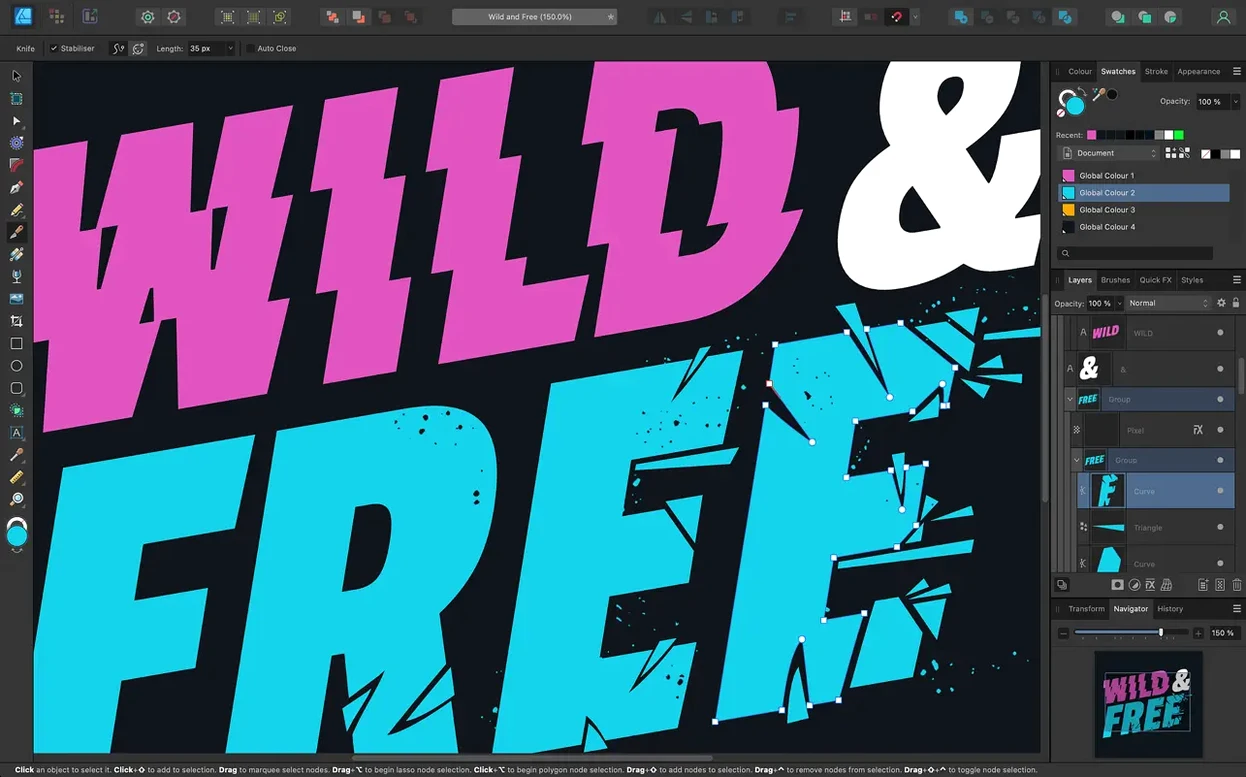
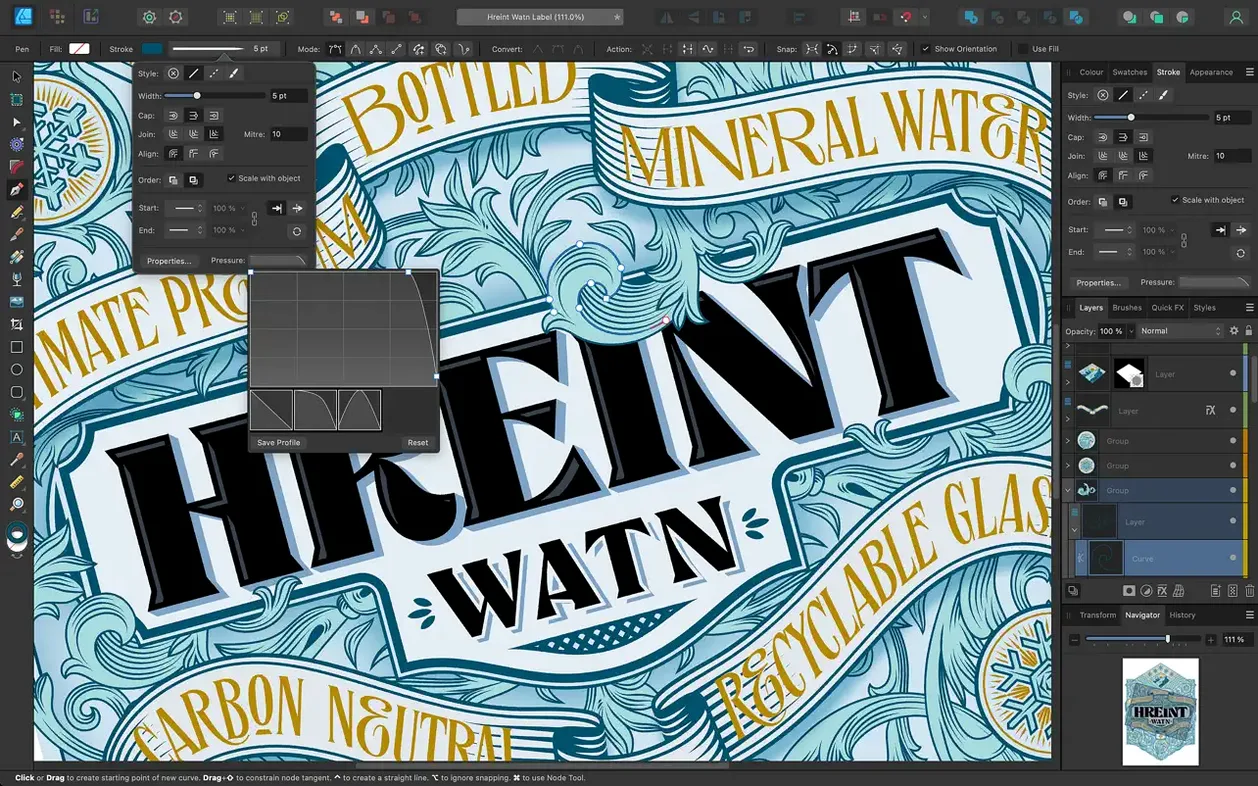
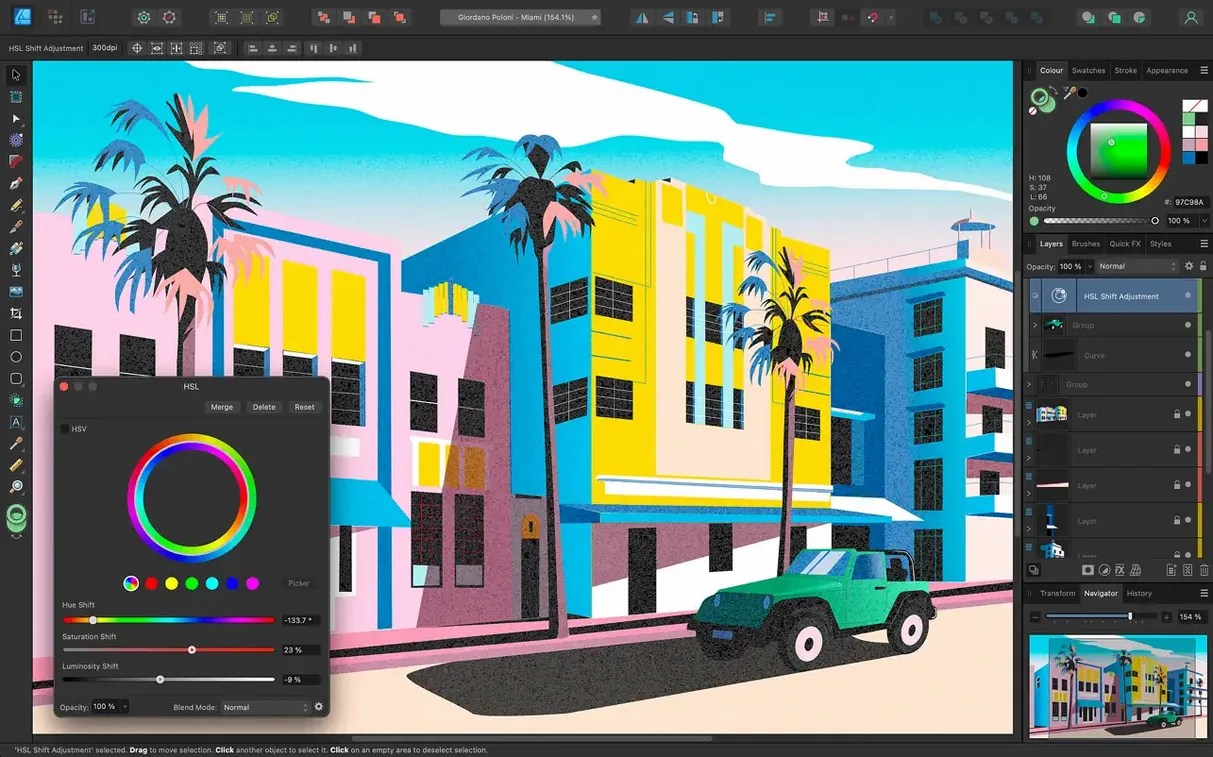
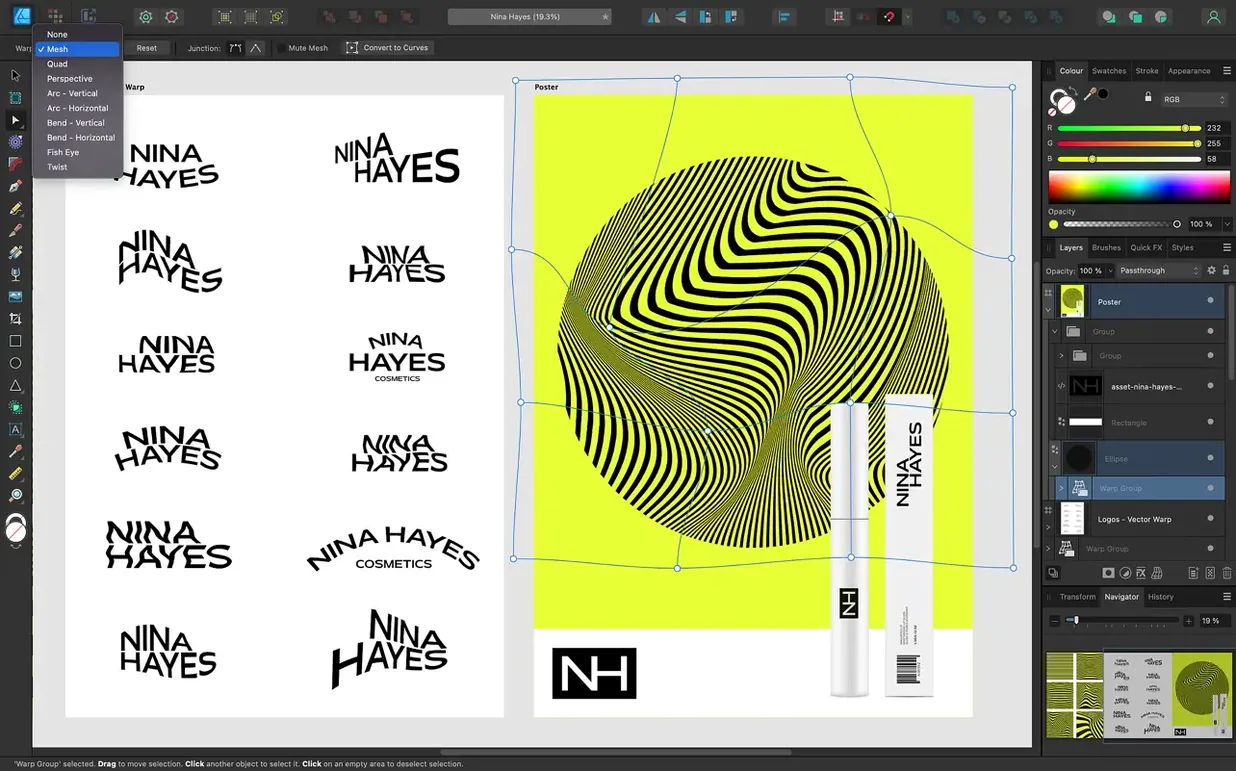
The Pencil tool got better in 2.6, but that’s just the headline. For anyone who’s spent serious time in Affinity Designer, the deeper story is the Stroke Width Tool profiling improvements and the new Reset Profile option. Those are the kind of refinements that save you from re-drawing a path because the taper didn’t land right.
Good for: batch work on multi-artboard projects where you need to keep colour consistent across CMYK, RGB, LAB or grayscale spaces. ICC management and 16-bit per channel editing mean you can prep assets that stay true through print or screen. The Pen tool, Node tool and curve editing give you the control vector work demands, and text along a path plus OpenType support cover layout-heavy briefs without switching apps.
Keep in mind: it’s not a raster editor first, though you can switch workspaces if you need a quick bitmap touch-up. The Command or Ctrl toggle for marquee select intersection behaviour (new in 2.6) is one of those small changes that speeds up complex selections once you’re used to it. Runs on Intel and Apple Silicon, supports Metal and OpenGL, and speaks eight interface languages if your team or clients work in different locales.
Logo designers and brand identity people will appreciate the unlimited artboards for iterating concepts side by side. You can keep one artboard at a tight logo lockup and another at a full stationery mockup, all in the same document. Print designers working with CMYK or spot colour briefs get the colour engine they need, and the PSD and AI import means client files from other ecosystems land without a full rebuild. UI designers who sketch icons or interface elements in vector benefit from the 60 fps pan and zoom – it sounds like a nice-to-have until you’re zoomed in on a 24-pixel icon at 800 per cent, nudging nodes.
Illustrators who draw freehand rather than with rigid geometric shapes should spend time with the Pencil tool improvements from 2.6. The brush and pencil stabilisation smooths out the shakiness that comes from drawing on a glass trackpad or a non-textured screen, and the stroke width profiling lets you control how a line tapers from thick to thin without switching to a different tool. If you draw with a stylus on a Mac that supports Force Touch, the pressure sensitivity integrates naturally here.
Photographers who occasionally need vector overlays – think logo placement on a wedding album spread or a save-the-date card – will find the raster-to-vector workspace switch handy for quick edits without opening a second app. But this is really a tool for people whose primary output is vector, not someone who lives in Lightroom.
If you are new to the app, open the preferences panel and check the colour format. The default might be RGB, but if your final output is going to a printer, switch to CMYK and set your ICC profile early. Changing it mid-project reinterprets the colours you have already placed.
The stabilisation settings on the Pencil and Brush tools are worth adjusting before you draw anything serious. Dial it in on a test stroke before you start a multi-artboard project.
Enable the marquee select intersection toggle with the Command or Ctrl key if you frequently select overlapping objects. The 2.6 update added that behaviour, and it changes how quickly you can grab the element you actually want when several paths sit on top of each other.
The Touch Bar support is not something every Mac user will need, but if you work on a MacBook Pro with one, it gives you quick access to tool options without looking at the main interface. Same goes for Force Touch trackpads – a firmer press can do things like preview a colour or peek at a layer mask, depending on your context.
Text along a path is one of those features that sounds niche until you need it for a logo lockup or a circular badge design. It lives inside the text tools, not hidden behind a menu, and once you have drawn the path, the text follows it naturally. OpenType support means ligatures, stylistic alternates and swashes work as expected, so typographic detail does not get lost.
The ability to open and export EXR files is less common in vector apps. If your workflow touches 3D rendering or compositing pipelines that use OpenEXR format, having that support in the same tool where you build vector overlays saves a conversion step.
Next to Adobe Illustrator, the most obvious difference is the approach to updates. The interface language support (eight languages out of the box) is broader than what some competitors offer without extra locale packs. Both apps handle CMYK, spot colours and multi-artboard layouts, but Affinity Designer keeps the raster workspace inside the same app rather than requiring a separate program for bitmap touch-ups.
Compared to CorelDRAW, which has a long history on Windows and a more recent Mac presence, Affinity Designer feels tighter on macOS-specific technologies. Metal, OpenGL, Grand Central Dispatch and Core Graphics are all part of how the app renders and performs. CorelDRAW has its own strengths in print-heavy workflows and legacy file formats, but Affinity Designer’s support for PSD, AI, PDF, EPS and SVG covers the file types that most vector designers encounter daily.
For anyone coming from a free or open-source option like Inkscape, the jump in interface polish and performance is significant. Inkscape is capable, but Affinity Designer’s unlimited artboards, 16-bit colour and GPU-accelerated viewport make it feel like a professional tool rather than a hobbyist one. The stabilisation on brush and pencil strokes alone is a reason to switch if you draw freehand regularly.
Sign in or create your account to leave a comment.
No notes from photographers yet. If you have used this on a real folder, say which camera and which Mac.