
 Get it for my Mac (293 MB)





 CorelDRAW
27.2.0

- Version
- 2022.5 Build 22.3.1.4090
- Developer
- Corel Corporation
- Interface in
- Russian, English, German, Spanish, Italian, Chinese (Traditional), Chinese (Simplified), Korean, Polish, Portuguese, Turkish, French, Czech, Japanese
- Licence on file
- K'ed by TEAM HCiSO
- macOS it runs on
- macOS 10.14 or later
- Chip support
- Apple Silicon, Intel 64-bit
In the edit
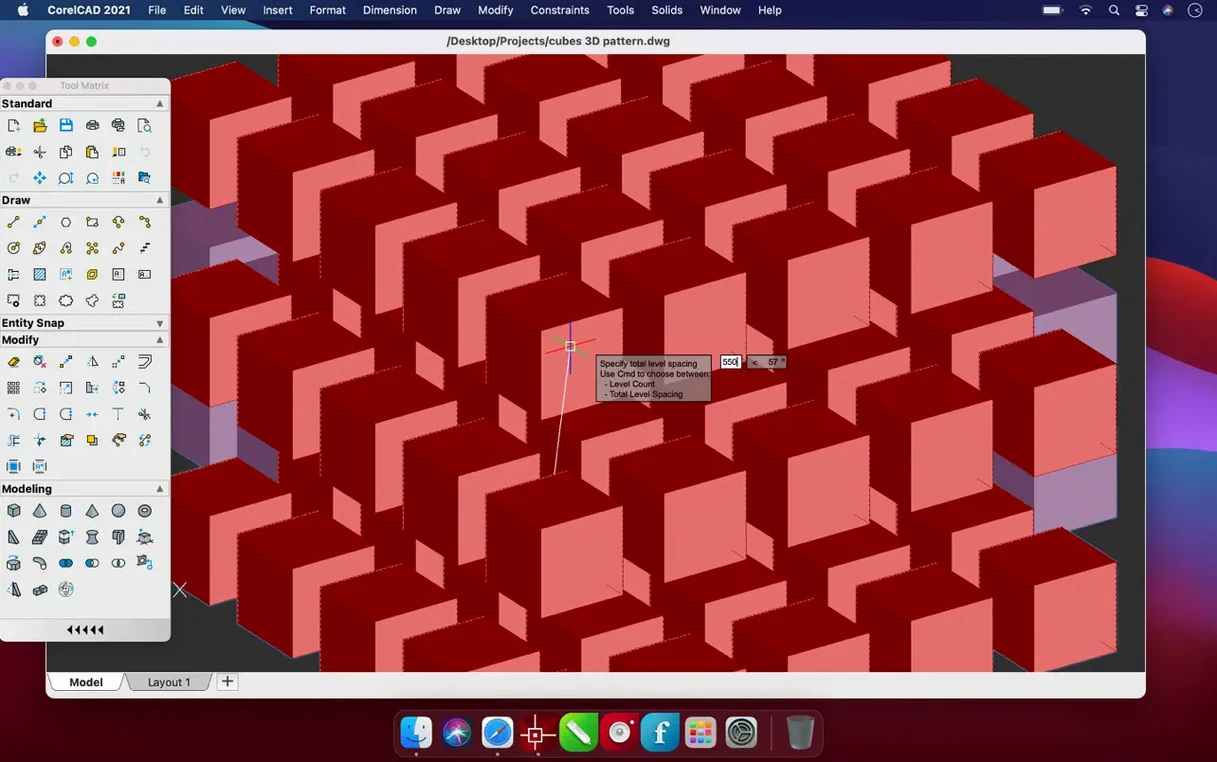
CorelCAD for Mac runs on both Intel and Apple Silicon Macs, so whether you're on an M-series machine or an older Intel model, you're covered. It needs macOS 10.14 or later, which means most Macs from 2018 onwards should handle it fine. The current release is version 2022.5, build 22.3.1.4090, and it includes a handful of performance and stability improvements over earlier builds.
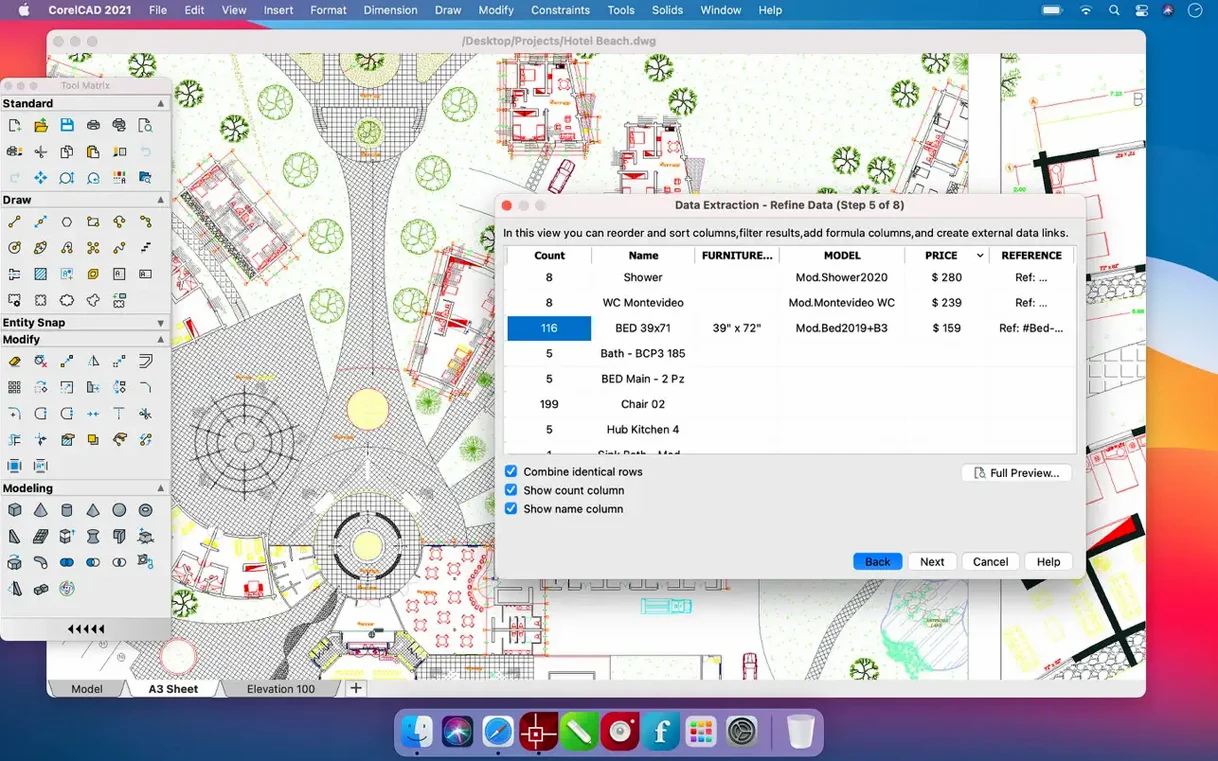
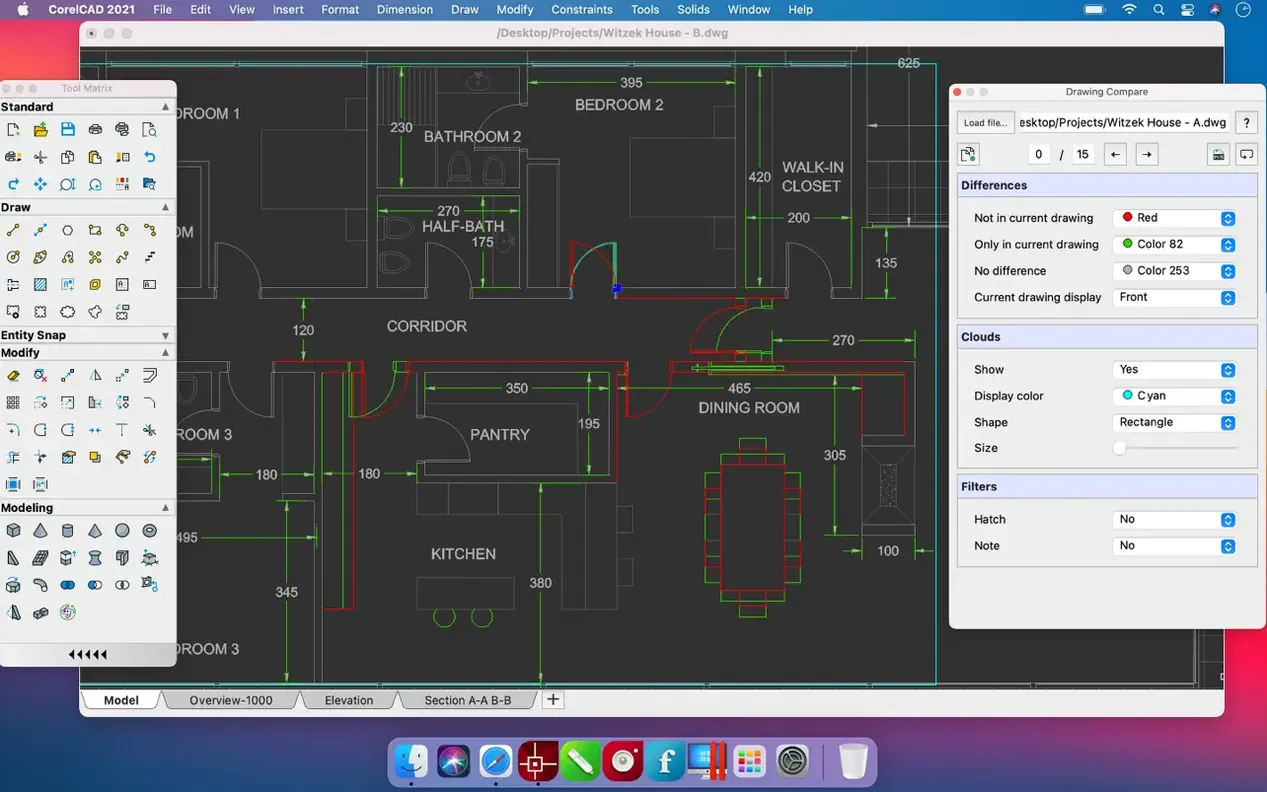
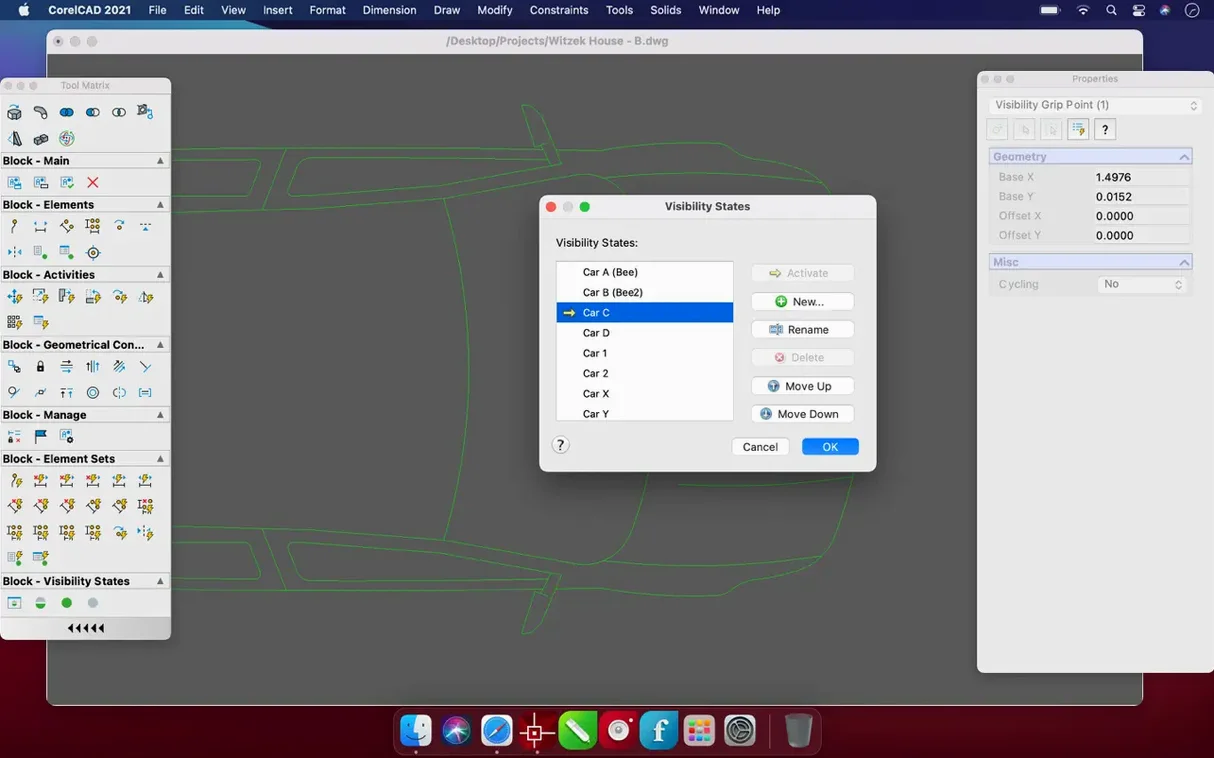
This is proper CAD software for the Mac — it supports the native AutoCAD DWG format natively, so exchanging files with colleagues or clients using AutoCAD is straightforward. You get a full set of 2D drafting tools alongside 3D modelling capabilities, and converting a 2D drawing into a 3D graphic only takes a few clicks. It also covers planning, editing, layouts and concepts, plus automation and collaboration features for when you're working in a team.
Interface languages cover English, German, French, Spanish, Italian, Portuguese, Turkish, Polish, Czech, Russian, Japanese, Korean, Simplified Chinese and Traditional Chinese. So it's well suited to a multilingual studio or freelance setup.
First things after installation
Once you've dragged CorelCAD into Applications and launched it from Launchpad, there's no need to rush into a project straight away. Spend a few minutes getting familiar with the workspace layout — the ribbon, the tool palettes and the command line at the bottom. If you've used AutoCAD before, the muscle memory translates fairly well, but CorelCAD has its own defaults worth adjusting early on.
Open a sample DWG file or start a blank drawing to test the basics: draw a line, add a dimension, try a hatch. This quick warm-up confirms that your graphics driver and system settings play nicely together. It also lets you check that your language preference stuck — CorelCAD respects the system language but can be switched in Preferences if you work in a bilingual office.
Make day-to-day work less fussy by adjusting these preferences
A few settings make day-to-day work noticeably less fussy. Head into Preferences (it's under the CorelCAD menu) and look for these:
- Cursor and crosshair size. If you're coming from other CAD tools, you might want a larger crosshair that extends across the full drawing area. It helps with alignment when snapping to geometry.
- CorelCAD already handles crashes reasonably well, but AutoSave is your safety net during long drafting sessions.
- Default template. Pick a template that matches your typical project scale and units — architectural millimetres, engineering decimal, whatever you use most. It saves resetting units and layers every time you start a new drawing.
- Right-click customisation. By default, right-click brings up a context menu. Some people prefer it to repeat the last command. That toggle lives in Preferences and is worth testing for five minutes.
These aren't flashy changes, but they remove small frictions that add up across a full working day.
CorelCAD handles older AutoCAD DWG files without compatibility issues
You might be wondering how CorelCAD handles files from older AutoCAD versions. The answer is straightforward: CorelCAD reads and writes the native DWG format, so version compatibility is rarely an issue. If a colleague sends you a drawing saved in AutoCAD 2018, it opens without conversion steps. The same goes for DXF, DWF and DWS files.
Another common question is whether this version works on Apple Silicon without Rosetta. Yes — CorelCAD 2022.5 runs natively on both ARM and 64-bit Intel architectures, so on an M-series Mac it launches as a native app. No translation layer needed, no performance penalty from emulation.
People also ask about file export for 3D printing. CorelCAD supports STL export, so you can model a part in 3D and send it straight to a slicer or printer. The workflow is simple: model your geometry, use the STL export option, and import the file into your printer's software. It's not a dedicated 3D modeller like Blender or Fusion 360, but for technical parts and mechanical components it does the job.
And yes, you can install it on more than one Mac if you work between a studio desktop and a laptop. The licence handling for this release allows that kind of flexibility, though you'll want to keep the same user profile for preferences and custom tool palettes to stay consistent between machines.
For anyone searching, corelcad mac and corelcad torrent are common starting points, but what matters more than how you find it is whether the tool fits your workflow. For 2D drafting and straightforward 3D work on a Mac, it's a solid fit.
New this release
- Build 22.3.1.4090 includes several enhancements and performance and stability improvements.
Mac it needs
- macOS 10.14 or later
- Intel or Apple Silicon Mac
Questions I actually get
Does CorelCAD work on Apple Silicon Macs?
Yes, CorelCAD supports both ARM (Apple Silicon) and 64-bit x86 architectures, so it runs natively on M1, M2 and M3 Macs as well as Intel models.
Can I open AutoCAD DWG files in CorelCAD?
Yes, CorelCAD supports the native AutoCAD DWG format, so you can open, edit and save DWG files without conversion.
Installing on a Mac
- Open the downloaded disk image.
- Drag the app to the Applications folder.
- Launch the app from Launchpad after the copy finishes.
- Tip: wait for the copy to complete before opening the app.
Notes from photographers
Sign in or create your account to leave a comment.
No notes from photographers yet. If you have used this on a real folder, say which camera and which Mac.
