
 Get it for my Mac (1.2 GB)
 Sid Meier’s Civilization VII
1.5.0
- Version
- 1.2.2
- Developer
- EA - Maxis, Aspyr, Electronic Arts
- Interface in
- English, German, Danish, Spanish, Italian, Dutch, French, Swedish
- Licence on file
- Not required
- Chip support
- Intel 64-bit
- Edited with it on
- macOS Sequoia, MacBook Air (M1. 2020)
- Out on
- 22.09.2003
- Voices in
- Music only

In the edit
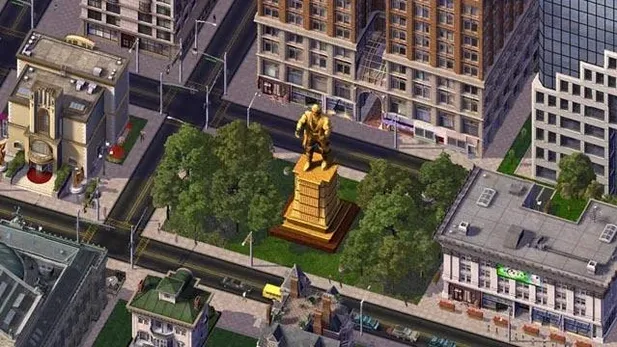
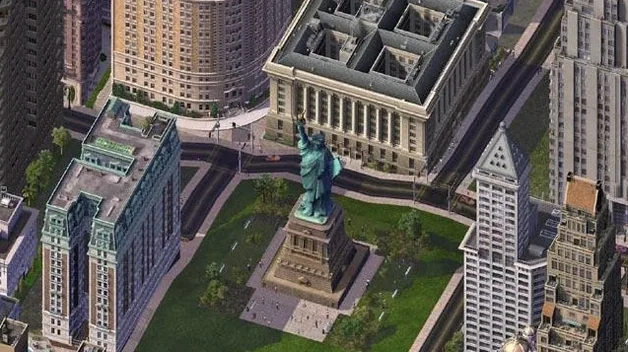
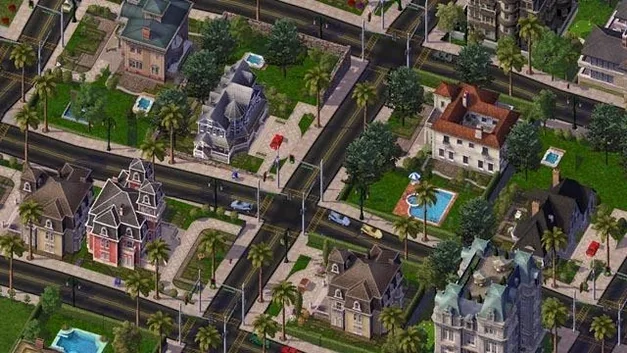
Think of SimCity 4 as the opposite of a camera: instead of capturing a moment, you build the whole frame from scratch. The Deluxe Edition bundles the Rush Hour expansion, so you get the full toolbox from the start.
- Pick your patch of land. You can build a single city or a whole region of connected cities, each one affecting its neighbours. Start with a flat plot and some cash.
- Lay down the basics. Zone residential, commercial and industrial areas, then connect them with roads, power lines and water pipes. Watch the Sims move in and start paying taxes.
- Balance the budget. Raise or lower tax rates, build schools and hospitals, and keep the power grid humming. Too much debt and the city stalls.
- Deal with disasters. Rush Hour adds UFO attacks and Autosaurus Wrecks on top of the usual fires and tornadoes. Sometimes you cause them, sometimes they happen.
- Tweak and expand. Add airports, seaports, subways, landmarks. Tear down what doesn't work. Let the region grow.
That loop — zone, connect, budget, survive — is what fills an evening. The game runs on Intel and Apple Silicon Macs, and the interface is in English, German, Danish, Spanish, Italian, Dutch, French or Swedish.
Avoiding ghost towns by zoning slower
Most new mayors hit the same walls. The first is zoning too much too fast. Laying down huge residential and commercial blocks without matching jobs or services creates ghost towns — buildings that never fill and tax revenue that never comes. A better approach is to start small, let a few blocks develop, then expand as demand rises.
The second mistake is ignoring the region. If you build a city in complete isolation, you miss out on the way neighbouring cities share resources, workers and shoppers. A city with no industry nearby might grow slowly because its residents have nowhere to work. Connecting to the region early makes each city stronger.
Transport is another trap. A single road connecting everything works for a while, but as population grows, traffic jams kill commute times and businesses leave. Adding one-way roads, avenues, subways or the Rush Hour expansion's extra transit options early enough saves you from tearing half the city down later. The game gives you the tools, but it doesn't tell you when to use them.
And the classic beginner move: spending all the starting cash on landmarks and fancy plazas before the basics are covered. A police station and a power plant beat a mayor's house every time.
The deluxe edition that skips separate installs
Version 1.2.2 is the Deluxe Edition — the one that bundles Rush Hour from the start. For everyday play, that means you never have to install a separate expansion or worry about save-file compatibility between versions. The extra disasters (UFO attacks, Autosaurus Wrecks) are available immediately, and the expanded transport options are part of the same toolbar, not an afterthought.
You download, drag to Applications, and launch from Launchpad. No serial numbers, no logins, no disc checks. On a modern Mac running macOS 10.14.6 or later, the game runs in 64-bit mode, which keeps it working on systems that dropped 32-bit support. The disk image install is straightforward, and the game sits alongside other apps without needing a separate launcher.
For anyone who remembers the original disc version, the biggest change is simply that it works on current hardware without workarounds. No virtual machines, no legacy mode tweaks — just the same city-building loop on an Apple Silicon or Intel Mac.
How SimCity 4 fits with other apps and macOS features
SimCity 4 is a standalone game, so it doesn't plug into photo or design software the way a plugin would. But on a working Mac, it fits naturally into the downtime between creative work. The game runs from Launchpad like any other app, and because it doesn't require an always-on internet connection, you can play it on a train or in a cafe without hunting for Wi-Fi.
If you use your Mac for photo editing or design, SimCity 4 sits in a separate space — it doesn't share files or shortcuts with Capture One, Photoshop or Affinity. But the same Mac that handles a wedding edit session can run the game during a break. The system requirements are modest (4 GB RAM, 2 GB storage), so it doesn't compete for resources the way a modern 3D title would.
For players who like to document their cities, macOS screen capture tools (Command-Shift-4, QuickTime Player's screen recording) work fine to grab screenshots or timelapses of a growing region. And because the game saves its files locally, you can back up your regions alongside your photo catalogs using Time Machine or a manual copy to an external drive.
New this release
- Version 1.2.2 of the Deluxe Edition.
- Includes the Rush Hour expansion from the start.
Mac it needs
- macOS 10.14.6 or later
- Intel or Apple Silicon processor (64-bit)
- 4 GB RAM
- 2 GB available storage
Questions I actually get
Can I play SimCity 4 on an Apple Silicon Mac?
Yes, the game supports both Intel and Apple Silicon architectures, so it runs on M-series chips.
What languages are available in the interface?
English, German, Danish, Spanish, Italian, Dutch, French and Swedish.
Does this version include the Rush Hour expansion?
Yes, it is the Deluxe Edition, which bundles the Rush Hour expansion with extra disasters like UFO attacks and Autosaurus Wrecks.
Installing on a Mac
- Open the downloaded disk image.
- Drag the app to the Applications folder alias.
- Launch the game from Launchpad once the copy finishes.
Notes from photographers
Sign in or create your account to leave a comment.
No notes from photographers yet. If you have used this on a real folder, say which camera and which Mac.
Similar apps
Next to it in Games
All Games picks
Sid Meier’s Civilization VII
1.5.0
 Sleeping Dogs
1.1
 Sniper Elite 4
1.2.2
 Software Inc
1.8.41
 ScourgeBringer
1.61.0
 Spaceflight Simulator
1.6.00
 Saviorless
rv.1.1.0.p10
 Stardew Valley
1.6.15
