
 Get it for my Mac (63 MB)





 Ark Reader
3.0.0
- Version
- 2.1.2 [MAS]
- Developer
- 3Planesoft
- Interface in
- Russian, English, German, Spanish, Italian, French
- Licence on file
- K'ed by TNT team
- macOS it runs on
- macOS 10.13 or later
- Chip support
- Intel 64-bit
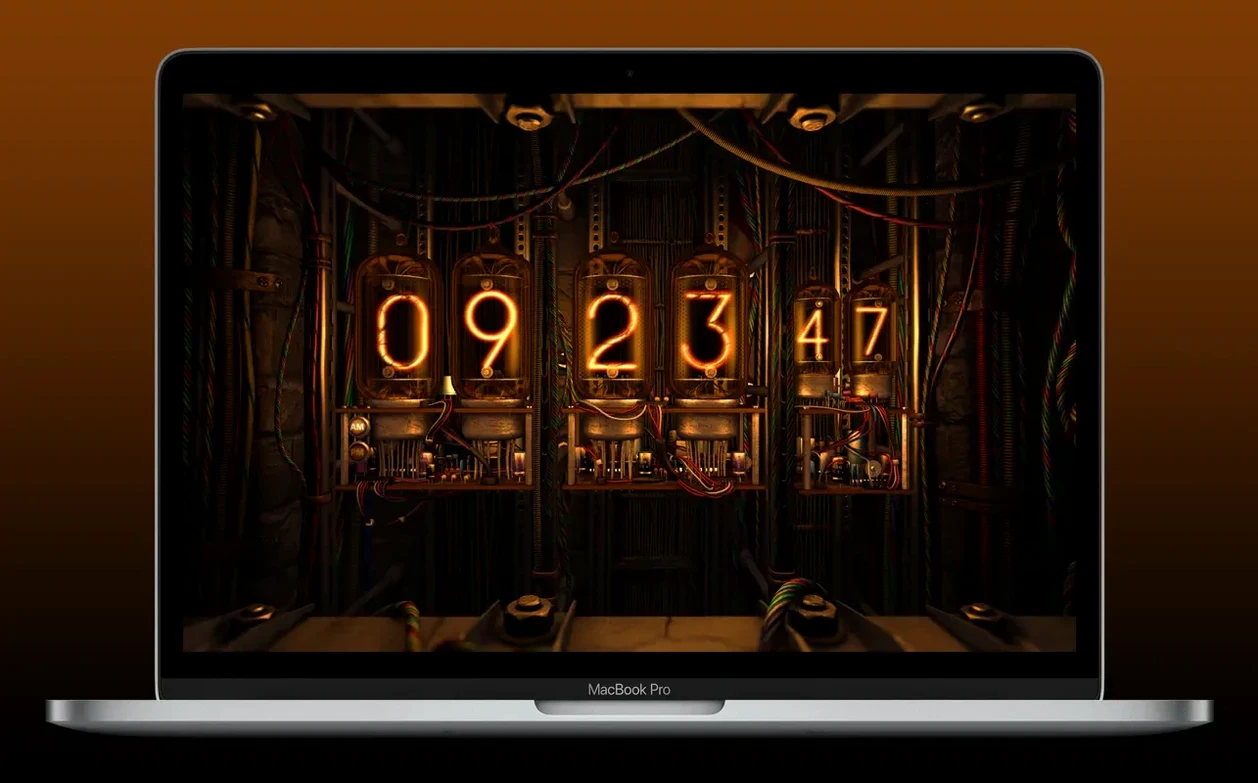
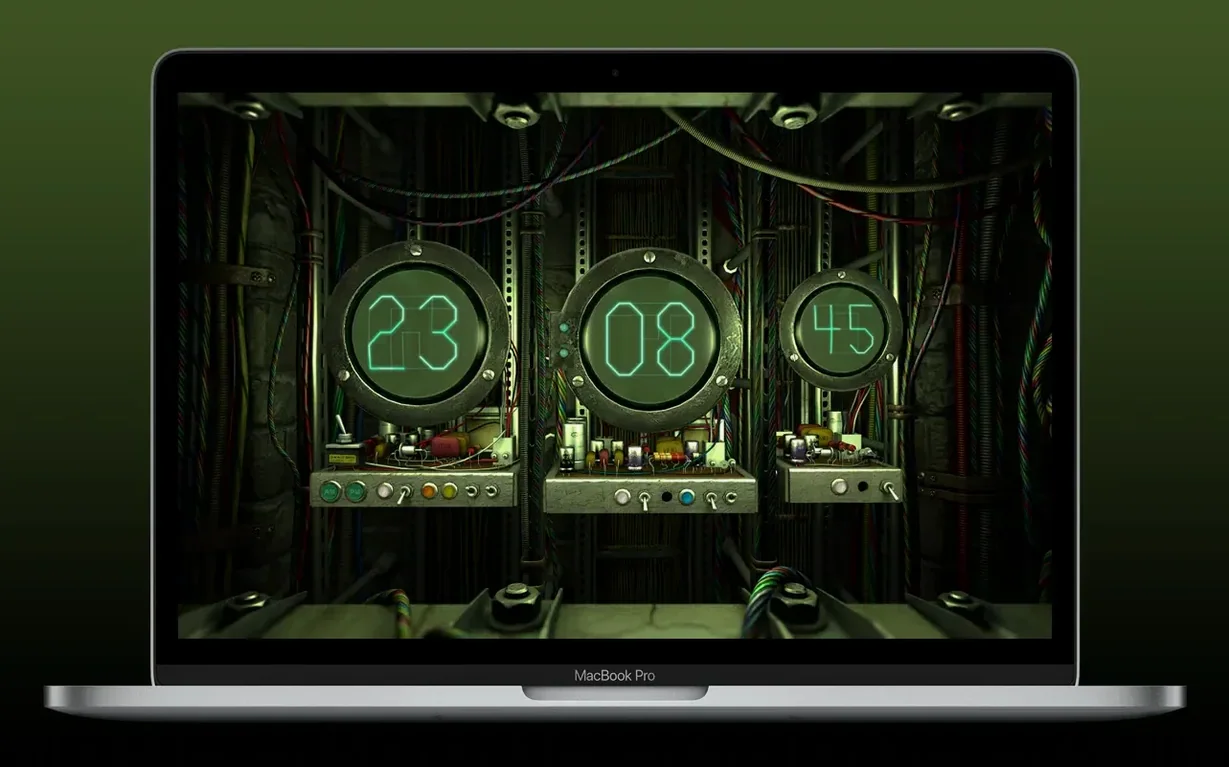
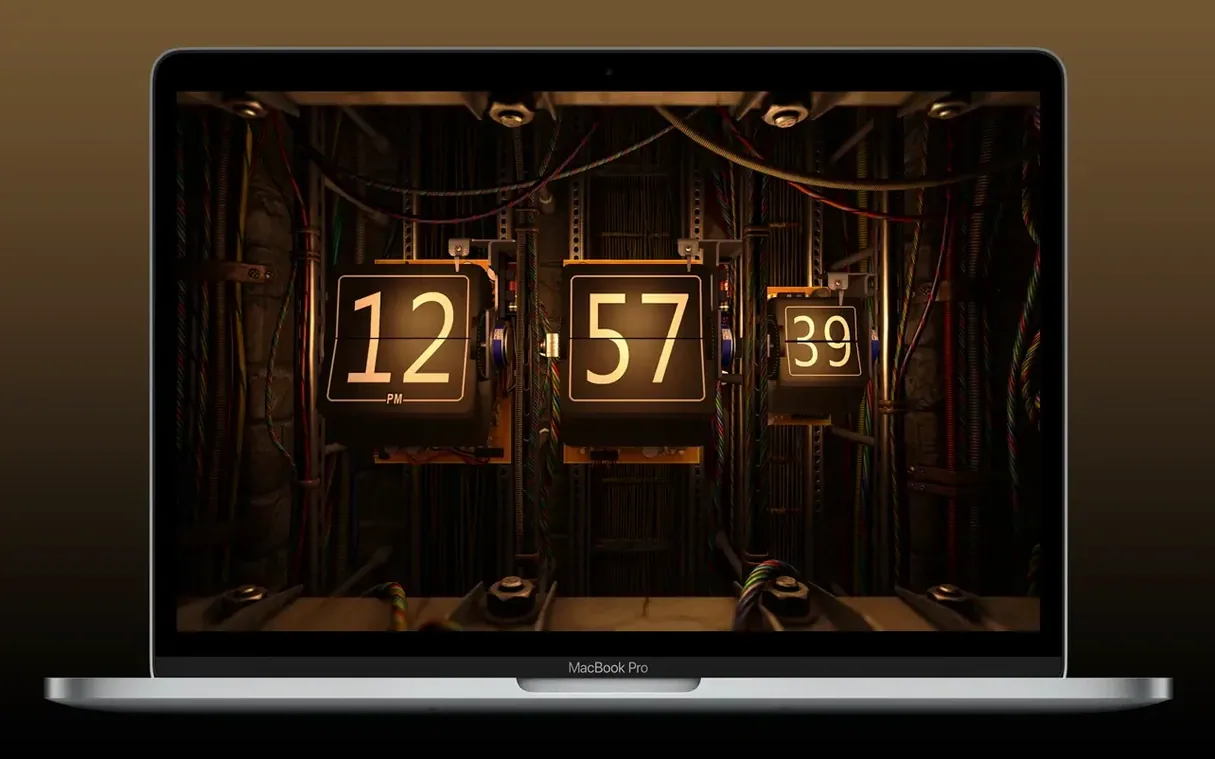
In the edit
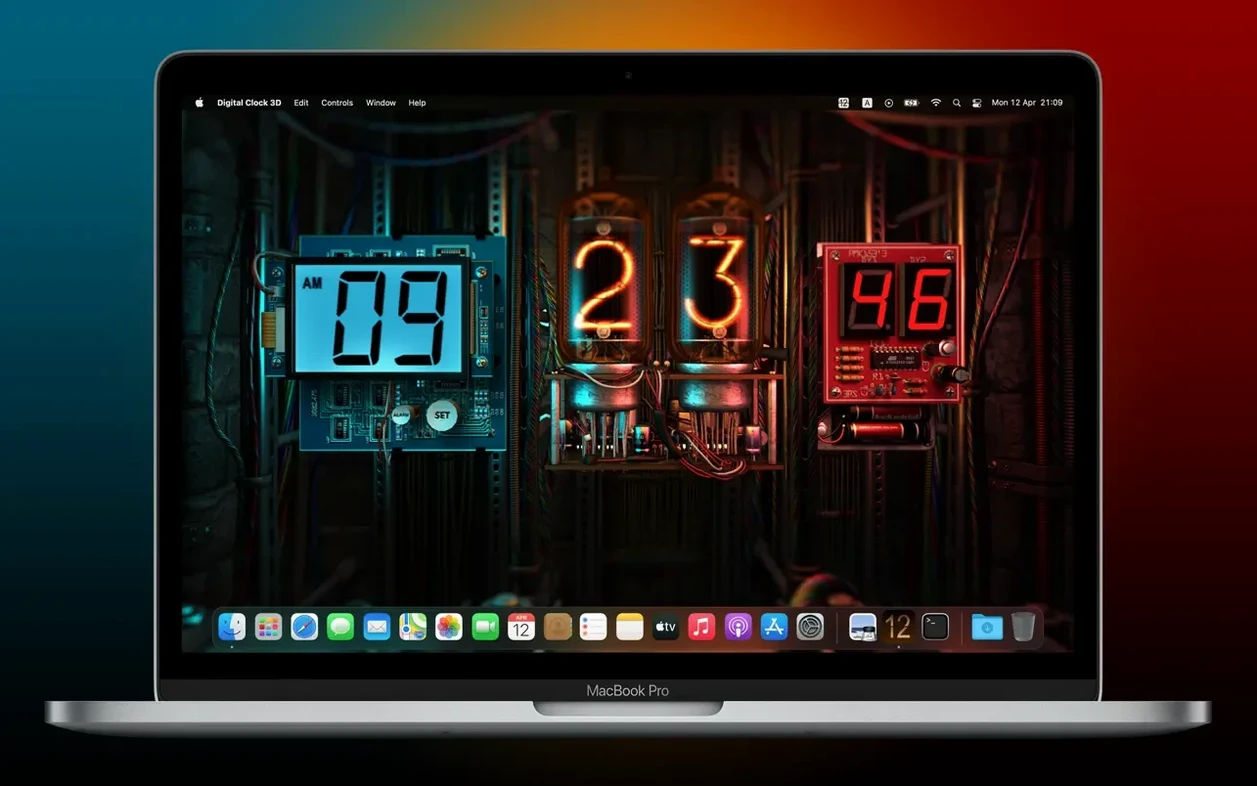
You already know the feeling: your Mac’s desktop is a workspace, but when you walk away, it becomes something else — a screen saver, a bit of personality, maybe even a conversation starter. Digital Clock 3D turns that idle moment into a polished digital clock display that works as both a live wallpaper and a screen saver. It’s the sort of thing that makes you glance over and actually check the time, which is more than most wallpapers can claim.
The clock styles are rendered in 3D, and they look crisp on Retina 5K displays. There’s an original soundtrack that plays along, so the whole thing feels more like a mood than a utility. And if you’re using it as a screen saver, password protection is built in — no need to set it separately in System Preferences.
It runs on macOS 10.13 or later, and the current version is 2.1.2. Interface languages include English, Russian, German, Spanish, Italian, and French. The listed architecture is 64-bit Intel, so if you’re on Apple Silicon, it’ll run through Rosetta 2 without issue.
Runs as a native Intel binary on your mac
Because Digital Clock 3D lists support for 64-bit Intel architecture and macOS 10.13 or later, it’s a native Intel binary. On Intel Macs it runs without translation. On Apple Silicon machines — M1, M2, M3 — it runs through Rosetta 2, which the developer doesn’t mention but works fine for a live wallpaper.
The installer comes as a disk image. You mount it, run a quick Terminal command to satisfy Gatekeeper, then drag the app to Applications. The team behind this build is TNT, which means the activation is already handled — you don’t need to enter a licence key or sign into anything. The app hides its Dock icon if you prefer, so it stays out of the way when you’re working.
If you run multiple monitors, Digital Clock 3D handles full multi-monitor setups. Each screen gets its own clock display, and the 3D rendering scales properly across Retina 5K panels. That’s rare for a screen saver; most just mirror or stretch.
The screen saver password doesn't lock your whole system
New users sometimes assume the password protection works like a macOS login lock. It doesn’t. It’s a screen saver password — it locks the screen saver, not the whole system. If you walk away and the screen saver activates, you’ll need that password to dismiss it and get back to the desktop. But it doesn’t replace your user account password or encrypt anything.
Another common trip-up: people drag the app file straight from the disk image without running the Gatekeeper bypass first. The app won’t open. You have to press Enter in Terminal after mounting the image — it’s a one-line step that takes ten seconds. Miss it, and the app stays grayed out.
It doesn’t dim automatically. If you’re on a laptop and want to save juice, you might want to set the screen saver mode to trigger only when plugged in, or use the password feature to prevent accidental wake-ups. And a few people try to set it as their login wallpaper — that’s not how it works. It’s a live wallpaper for the desktop, not a login screen replacement.
Mac it needs
- macOS 10.13 or later
- 64-bit Intel processor (works on Apple Silicon via Rosetta 2)
Questions I actually get
Does Digital Clock 3D work on macOS Ventura or later?
Yes, the listed compatibility is macOS 10.13 and later, so it should run on Ventura, Sonoma, and later versions.
Can I use it as a screen saver with password protection?
Yes, the screen saver mode includes password protection, so your Mac stays locked when the screen saver is active.
Does it support Retina or 5K displays?
Yes, it supports Retina 5K displays, so the 3D clock styles look sharp on high-resolution screens.
Installing on a Mac
- Mount the disk image and run Open Gatekeeper friendly.
- Press Enter in Terminal to bypass Gatekeeper.
- Drag the app to the Applications folder.
- Open the app when installation is complete.
Tip: if Gatekeeper gives you trouble, the Terminal step is quick — just press Enter after the command appears.
Notes from photographers
Sign in or create your account to leave a comment.
No notes from photographers yet. If you have used this on a real folder, say which camera and which Mac.
