Get it for my Mac (92 MB)
 LFOTool
1.768

- Version
- 2025.05
- Developer
- Linear Sounds
- Interface in
- English
- Licence on file
- K'ed by ARTiC
- macOS it runs on
- macOS 11 or later
- Chip support
- Apple Silicon
In the edit
Every photographer knows that moment when you drop a subtle reverb on a voiceover or stretch a guitar tail into something atmospheric. That’s where the Linear Sounds Bundle fits. It’s a small collection of audio plugins built around reverb and delay, designed to sit on tracks or buses without getting in the way.
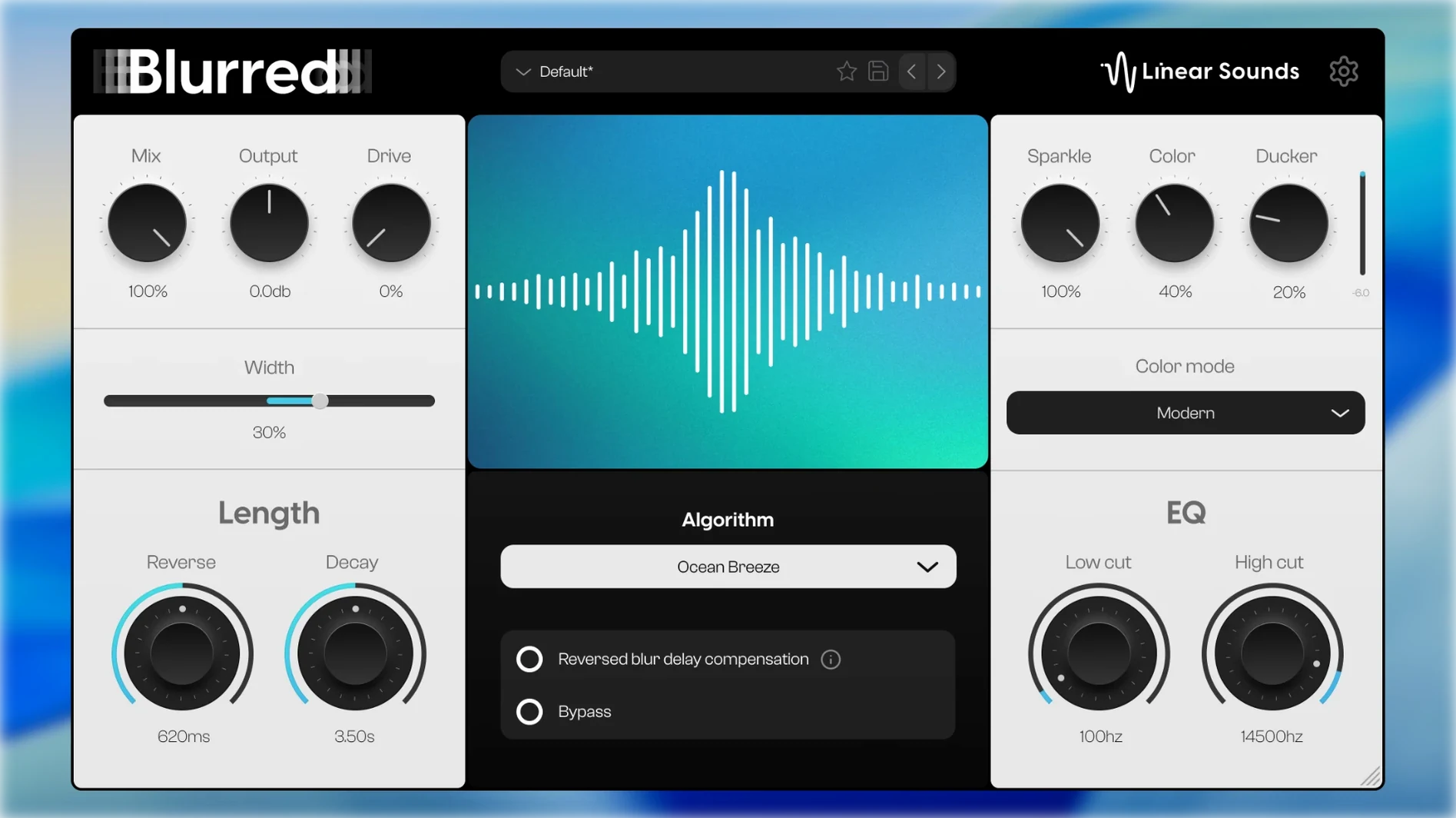
Blurred's reverse reverb builds tension before a chorus
Blurred gives you five reverb algorithms, including a reverse reverb that works well for those build-up moments before a chorus or a spoken word hit. It handles mono and stereo tracks, so you can dial in depth on a single voice or spread a room sound across a stereo bus.
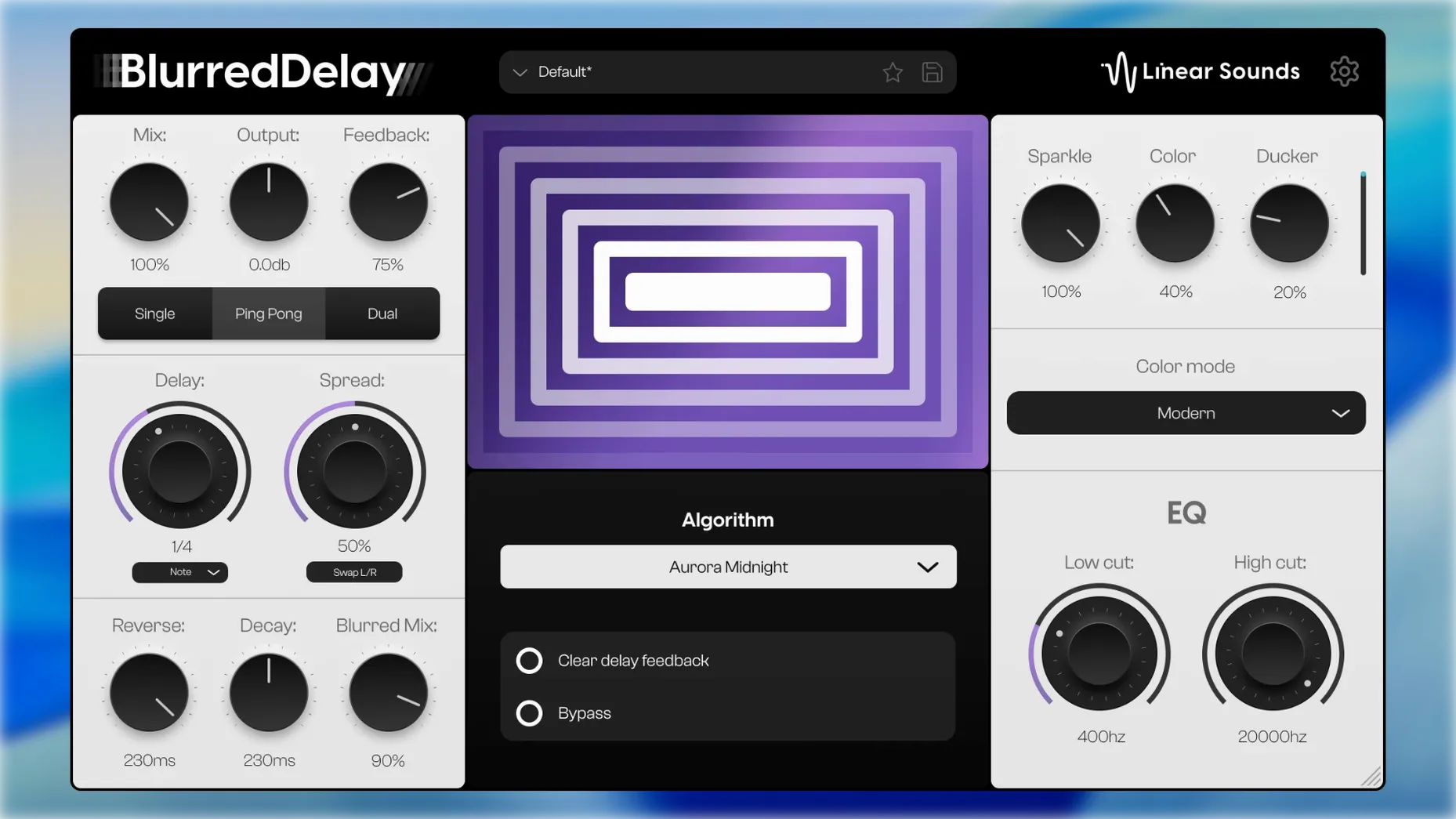
On a bus: BlurredDelay
BlurredDelay shares the same engine as Blurred but focuses on delay lines. It lives nicely on an aux send, adding echo or a longer decay without eating up CPU on every channel. The interface stays simple, which is exactly what you want when you’re in the middle of a mix.
On a texture layer: Glitter
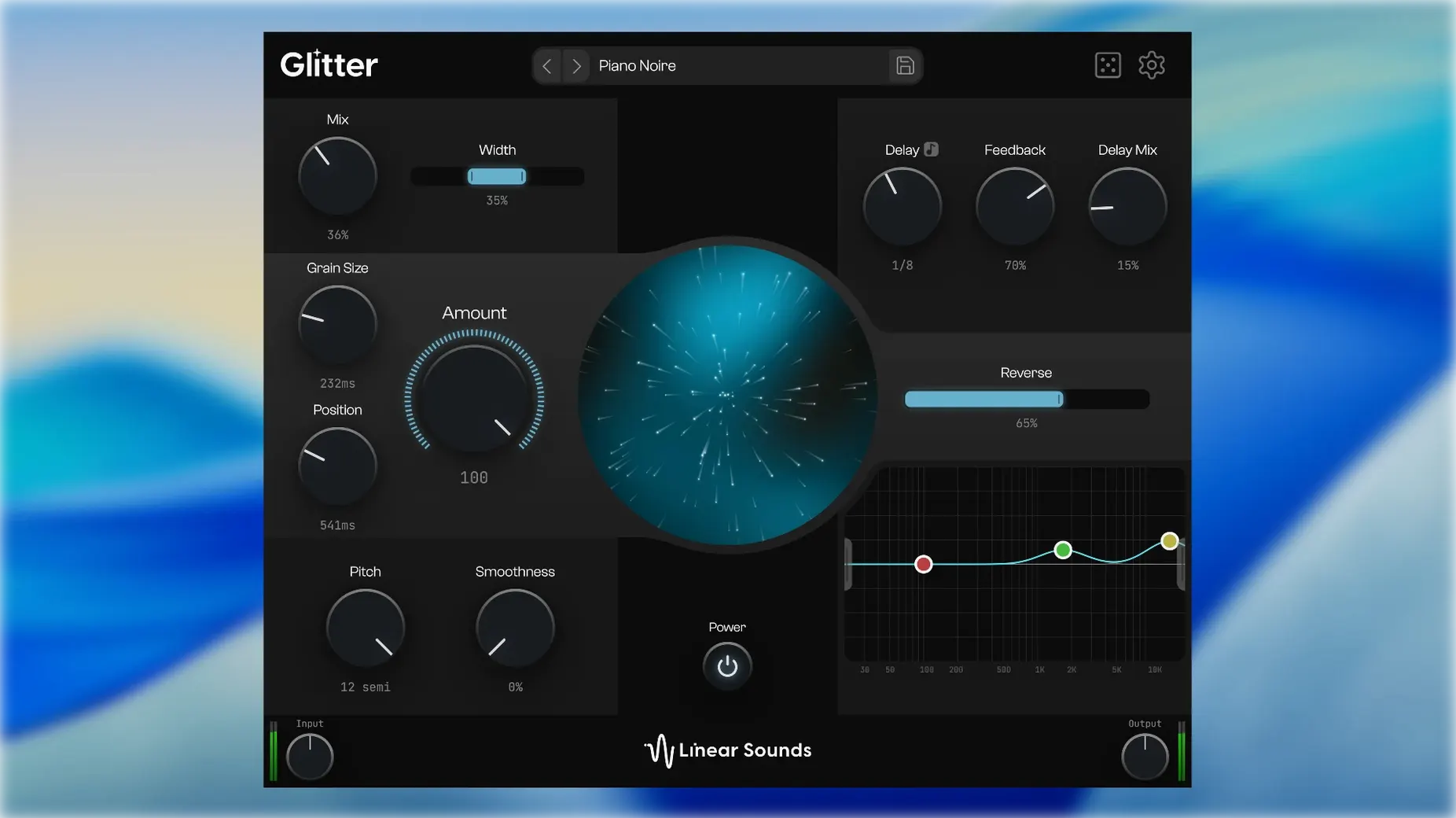
Glitter takes a different route. It uses a granular engine that chops audio into microscopic grains and rearranges them in real time. There’s also an AI name feature that listens to the result and suggests a title and description — useful if you’re building a sound library or just want to label a weird pad you made.
Avoid drowning your mix by setting dry/wet before decay
The most common mistake I see with the Linear Sounds Bundle is throwing Blurred onto a track and cranking the decay before setting the dry/wet balance. A huge reverb tail can swallow a vocal or guitar whole, especially with the reverse section engaged. Start with the mix knob low and bring it up until you hear the space, not the plugin.
Another one is treating BlurredDelay like a standard delay and ignoring the Blurred Engine side of it. The reversed effect on each repeat is the whole point — if you dial it out, you’re just using half the plugin. Let the repeats wash into each other for those ambient tails that hang in the background without cluttering the front of the mix.
With Glitter, people often hit the randomize button and call it done. Random is fun, but it’s better as a starting point. Tweak the grain size and the delay mix after you randomise, or use the five-band EQ to carve out the low end so the texture doesn’t fight the kick and bass.
Turn a piano chord into a pad with Glitter's delay and grain controls
Say you have a piano chord recorded as a stereo audio clip. Duplicate the clip onto a new track and insert Glitter first. Turn the delay mix to about half and adjust the grain size until the chord starts to smear into a sustained texture. Use the EQ to roll off everything below 200 Hz and above 8 kHz — you want a wash, not a full-range sound.
Send the output of that track to an aux bus with Blurred inserted. Choose one of the five reverb algorithms that leans toward a hall or plate setting. Keep the decay moderate and bring the reverse section up slowly until the tail starts to swell before the chord hits. Adjust the dry/wet on the bus so the reverb sits underneath the original piano, not on top of it.
If the pad needs movement, add BlurredDelay on a second aux send and feed a small amount of the Glitter track into it. The reversed repeats will create a rippling effect that shifts over time. Automate the send level up during a breakdown or bridge, then pull it back when the arrangement needs to tighten up.
Export the whole thing as a stereo stem and you have a pad that moves and breathes without a dozen layers. You can also drag the waveform from Blurred’s display straight into your DAW if you want to capture just the reverb tail as its own clip.
New this release
- Adds Blurred, BlurredDelay, and Glitter as the initial plugin lineup. - Blurred and BlurredDelay are grouped together as BlurredBundle.Mac it needs
- macOS 11 or later
- Apple Silicon
Questions I actually get
Does Blurred support mono and stereo tracks?
Yes, Blurred handles both mono and stereo tracks, so it works on a single vocal or a full stereo bus.
Installing on a Mac
1. Run the included installer on your Mac. 2. Follow the activation instructions that come with the software.Notes from photographers
Sign in or create your account to leave a comment.
No notes from photographers yet. If you have used this on a real folder, say which camera and which Mac.