Get it for my Mac (76 MB)
 MiniMeters
1.0.30
- Version
- 1.1.3r3
- Developer
- Minimal Audio
- Interface in
- English
- Licence on file
- Included
- macOS it runs on
- OS X 10.9 or later
In the edit
Electronic producers and sound designers who want more from an EQ than static curves will find a lot to like in Minimal Audio Morph EQ. It lets you draw your own filter paths and morph through them with a single knob, combining up to seven filter types along the way. That makes it less of a traditional equaliser and more of a movement tool for shaping tone over time.
Formats, hosts and system support
Morph EQ is available in AU, VST, VST3 and AAX formats, so it slots into just about any modern DAW on macOS — Logic, Ableton Live, Cubase, Pro Tools, you name it. The plugin runs on both Intel and Apple Silicon Macs natively, and it only requires OS X 10.9 or later, which covers machines going back years. The interface is in English.
How the sound works
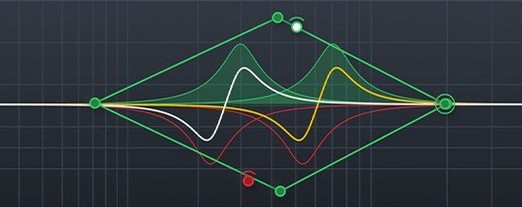
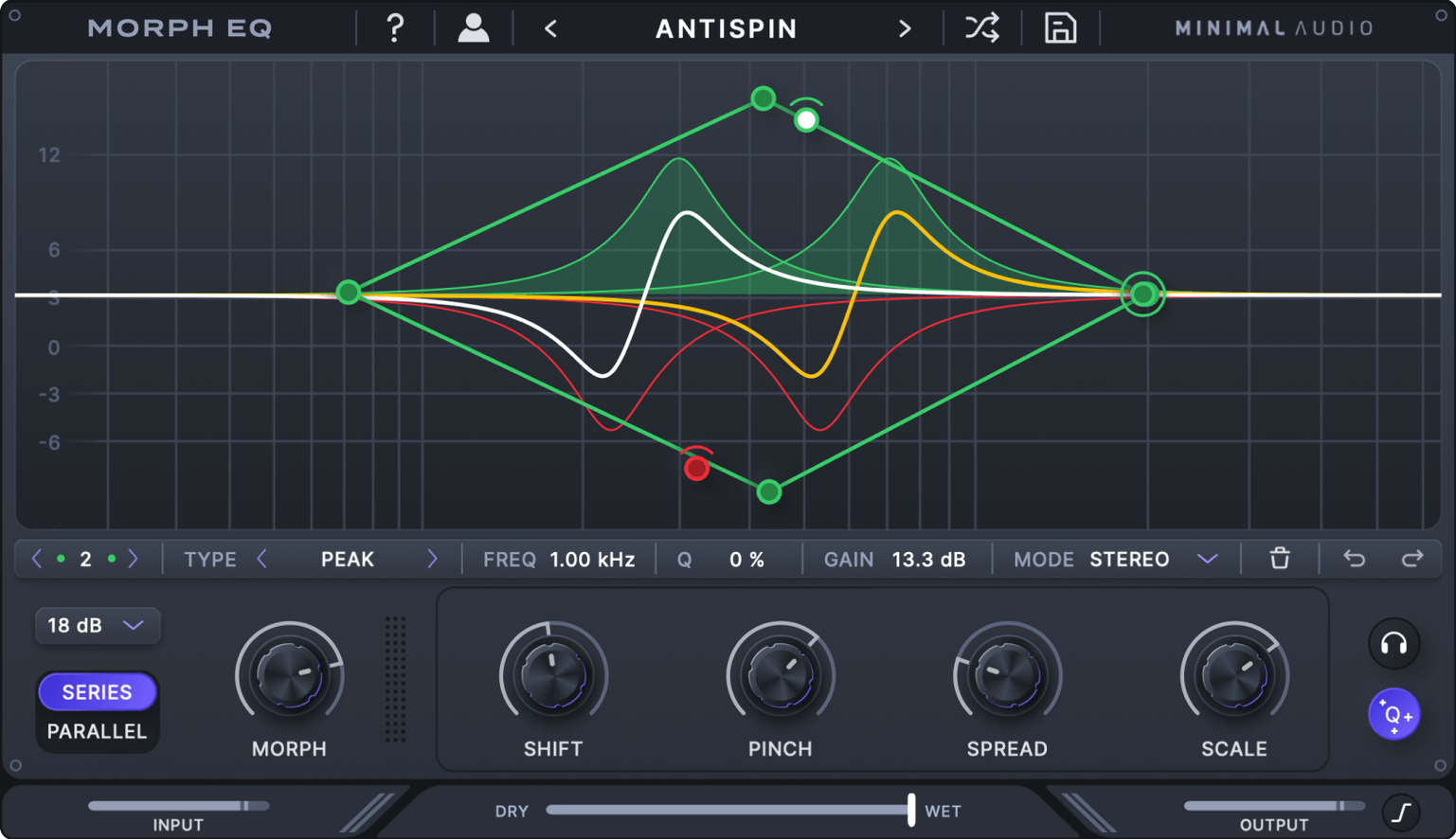
At its core, this is an audio equaliser with a real-time analyser built in. The standout feature is the curve editor: you draw a filter path, then move through it smoothly with a control, letting the EQ evolve as the track plays. With seven filter types to combine, you can go from a gentle shelf to a sharp notch and back again without automation lanes. It is a plugin built for creative, hands-on shaping rather than surgical correction.
Installation and routing hiccups with Morph EQ
Most of the hiccups people run into with Morph EQ come from the installation or the way the plugin handles routing. The installer includes a readme with activation steps — follow that exactly. If the plugin doesn't appear in your DAW after installing, check that you placed the correct format (AU, VST, VST3 or AAX) in the right component folder. On macOS, AU files go in /Library/Audio/Plug-Ins/Components, VST in /Library/Audio/Plug-Ins/VST, and VST3 in the VST3 folder. AAX goes to the Pro Tools plugin directory.
Another common issue: the morph knob seems to do nothing. That usually means the curve editor hasn't been drawn with enough variation between points. The filter path needs distinct peaks and dips along its length for the morph to feel like movement. Draw a few different shapes at different positions on the curve, then sweep the knob again.
If the real-time analyser isn't showing audio, make sure the plugin is placed after the source track in your signal chain — it needs an incoming signal to analyse. Also check that your DAW isn't muting the track or bypassing the plugin slot.
For those who want to find the tool quickly: a search for minimal audio morph eq mac free download will point you to the right place. The installer itself is straightforward once you know the format your DAW expects.
Lightweight performance on Intel and Apple Silicon Macs
Morph EQ is a lightweight plugin by modern standards. It requires macOS OS X 10.9 or later, which means it runs on anything from a 2013 Mac Pro to the latest M-series laptops. Both Intel and Apple Silicon architectures are supported natively, so there is no Rosetta translation overhead. The installer package contains everything you need, including the activation instructions, and the plugin occupies a modest amount of disk space. No additional frameworks or background services are required — it is a straightforward plugin drop.
The interface is English only, which is worth noting if you work in a multilingual studio environment. For most producers in London or elsewhere, that is not an issue. The plugin formats cover all major DAWs, so you will not be left hunting for a bridge or wrapper.
A workflow for drawing and morphing a filter path
Say you have a synth pad that stays static across a 16-bar loop. You want it to open up gradually, then close again, without writing automation for a dozen parameters. Here is how you would do it with Morph EQ.
- Insert the plugin on the synth track in your DAW. Pick the AU or VST3 format depending on your host.
- Open the curve editor and draw a path that starts flat, rises to a peak around bar 8, then falls back to flat at bar 16. The shape is up to you — try a smooth hill or a sharp climb and gentle descent.
- Set the morph control to the start of the path. The EQ will be flat.
- Play the loop and slowly turn the morph knob toward the middle of its range. You will hear the filter move through the peak you drew, adding presence and brightness.
- Continue turning the knob past the peak toward the end. The sound returns to its original tone.
- Adjust the macro controls to change the overall filter shape — you can widen or narrow the entire path without redrawing it.
That is the whole idea: one knob, one drawn curve, and the pad evolves across the arrangement. If you want more complexity, combine two or three different filter types along the same path — a low-pass at the start, a band-pass in the middle, a high-shelf at the end. The morph moves through all of them.
Mac it needs
- macOS OS X 10.9 or later
- Intel or Apple Silicon
- Audio Units, VST, VST3 or AAX host
Installing on a Mac
- Open the downloaded package and follow the installation and activation instructions included inside.
- Use the steps provided in the package to complete the setup in your DAW.
Notes from photographers
Sign in or create your account to leave a comment.
No notes from photographers yet. If you have used this on a real folder, say which camera and which Mac.