
 Get it for my Mac (158 MB)
 Steinberg SpectraLayers Pro
13.0.20-All-in-One
Steinberg SpectraLayers Pro
13.0.20-All-in-One
- Version
- 1.5.19
- Developer
- Reveal Sound
- Interface in
- English
- Licence on file
- K'ed by MORiA
- macOS it runs on
- macOS 10.13 or later
- Chip support
- Apple Silicon, Intel 64-bit
In the edit
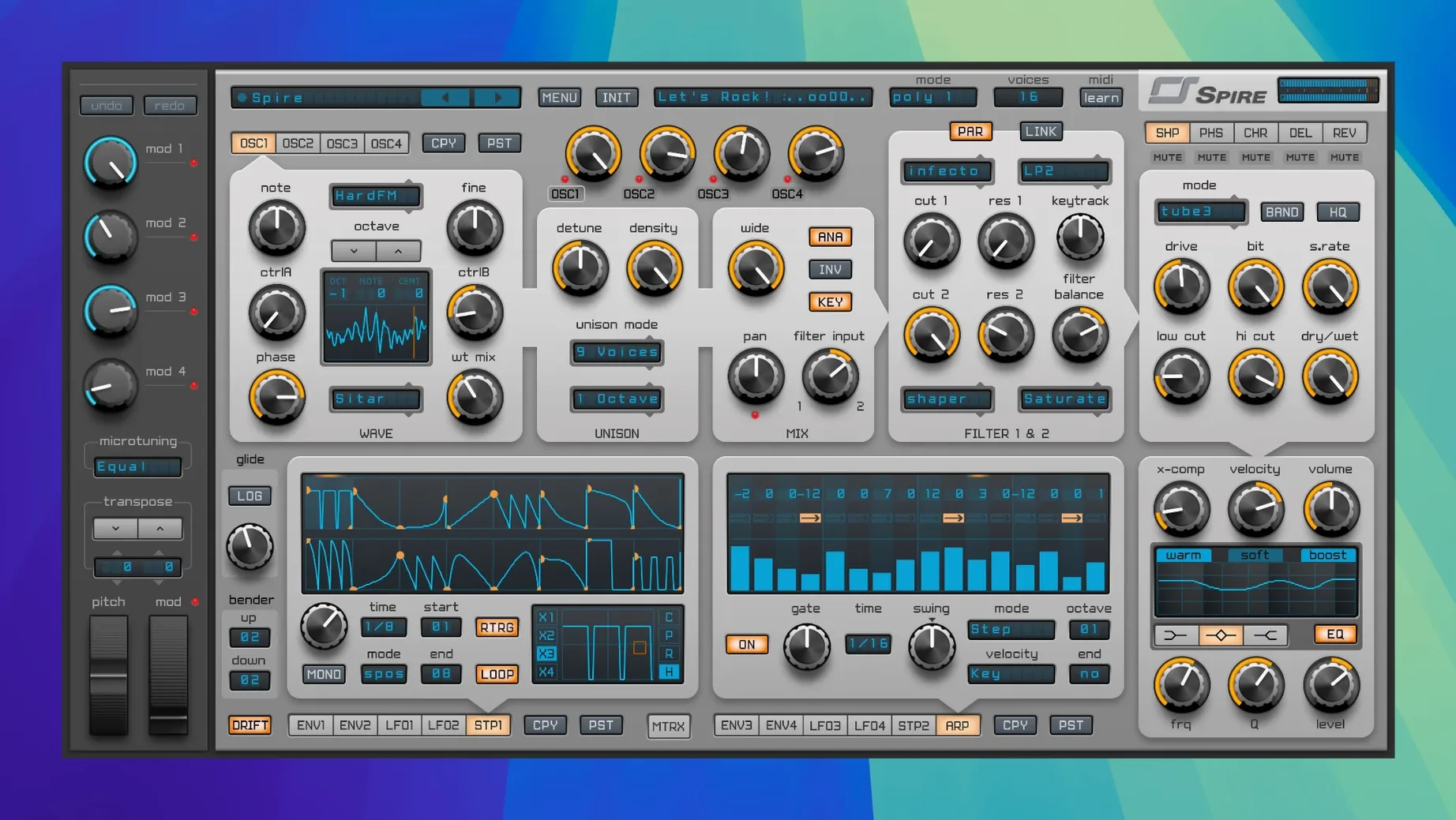
You drop Spire on a MIDI track and start dialling in a lead for a house drop, or layer a pad across a trance breakdown. It handles those jobs without much fuss.
Shaping leads and basses with the multimode filter
Lead and bass tracks — the multimode filter with LP, HP, BP and notch, plus 12/24 dB slopes, shapes the tone for leads, basses and plucks.
Pad and chord tracks — two LFOs and two ADSR envelopes give enough movement for evolving pads or rhythmic stabs.
Arpeggiated and sequenced parts — the built-in arpeggiator and step sequencer cover patterns without extra routing.
Effects return or bus — delay, reverb, distortion, phaser and EQ mean you can process internally or feed the output into your mix bus.
Four wavetable-ready oscillators for faster tonal variety
Spire has a few details tucked away that don't get mentioned in the feature list but make a difference when you're working fast. The four oscillators accept wavetable waveforms alongside the standard shapes, which gives you more tonal variety without loading a separate sampler. Each oscillator also has its own pitch and fine-tune controls, so detuning two against each other for a thicker lead is a quick turn of a knob.
The modulation matrix is worth a closer look. It is not just a long list of routings — it shows source and destination clearly, and you can set the amount per slot. That means one LFO can modulate filter cutoff on one oscillator while a second LFO nudges the pitch on another. No menu diving, just a grid you can scan at a glance.
The arpeggiator and step sequencer live in the same section, which saves screen space. You can switch between them without closing a panel or loading a new window. The step sequencer is particularly handy for gated effects or rhythmic filter patterns that would otherwise need a separate MIDI track.
Presets load quickly. With more than 1500 factory and user presets, the browser lets you scroll by category, so you are not hunting through a flat list. If you find a sound you like, you can tweak the filter or add delay and save it as a user preset without overwriting the original.
Building a pluck lead from a saw, a square, and a few cents
Start with an init patch. Set oscillator 1 to a saw wave and oscillator 2 to a square wave an octave higher. Pull the fine-tune on oscillator 2 up by a few cents so the two waves rub together slightly.
Route both oscillators through the multimode filter. Set the filter to low-pass at 12 dB slope, with cutoff around 200 Hz and a touch of resonance. This gives you the initial body without making the sound too round.
Now the envelope. Assign envelope 1 to the filter cutoff. That classic pluck shape — the filter opens and closes fast — comes from these four values. Adjust the envelope amount in the modulation matrix so the cutoff jumps high enough on each note hit.
Add the arpeggiator. Set it to a simple up pattern at sixteenth notes. Play a chord in your DAW, and the arpeggiator turns it into a rolling sequence. If you want more movement, draw a short step pattern in the step sequencer and route it to the filter cutoff or oscillator pitch.
Finish with a short reverb from the internal effects. Keep the decay under one second so the pluck stays tight. A little delay on a separate send can widen the stereo image without washing out the attack.
A scenario from an electronic music producer
Nina produces tech house and uses Spire for most of her synth work. She starts a track with a bassline, then layers a few percussive stabs and a filtered pad. Her typical session has three or four Spire instances running at once. The clean interface means she can see all the controls without scrolling, and the modulation matrix lets her give each part its own movement without adding more plugins.
When she needs a new sound fast, she scrolls the preset browser by genre, picks something close, and tweaks the filter and envelope to fit the track. She says the arpeggiator saves her from drawing MIDI patterns by hand, especially during the early writing stage when she is just sketching ideas. The step sequencer also gets used for filter sweeps that change over a bar or two, adding variation without duplicating the whole channel.
For mixdown, she routes each Spire output to its own channel in the DAW. The internal EQ and distortion handle the shaping before the signal hits her bus compression, which keeps the plugin count low and the CPU lighter.
Switching the filter slope to 12 dB for gentler pads and leads
When you open Spire for the first time, a few adjustments can save you time later. The default filter slope is 24 dB, which sounds aggressive on pads and soft leads. Switching to 12 dB gives a gentler roll-off that sits better in a busy mix.
The arpeggiator syncs to your DAW tempo by default, which is fine for most work. But if you want a looser feel, you can turn off sync and set the rate manually. This works well for dubstep or experimental patterns where rigid timing feels wrong.
The effects section has a global wet/dry control per effect. Keep the reverb and delay sends low while you build the patch, then raise them when you know how much space the part needs. Starting with too much reverb masks the oscillator and filter character.
The preset browser can be set to show user presets only, which is useful when you have built up a library of your own sounds. Switching between factory and user views keeps the list manageable and stops you scrolling past hundreds of patches you already know.
The modulation matrix lets you route LFOs and envelopes to multiple destinations, so one Spire instance can carry a whole chorus or break section.
New this release
- Version 1.5.19, build 5343, dated 2025-09-22.
Mac it needs
- macOS 10.13 or later
- Intel or Apple Silicon
Installing on a Mac
- Follow the installation instructions included in the download.
- Follow the activation instructions included in the download.
Notes from photographers
Sign in or create your account to leave a comment.
No notes from photographers yet. If you have used this on a real folder, say which camera and which Mac.
Next to it in VST Plugins
All VST Plugins picks
Steinberg SpectraLayers Pro
13.0.20-All-in-One
 Sonic Academy KICK
1.1.8
Sonic Academy KICK
1.1.8
 Slate Digital Storch Filter
1.0.6
Slate Digital Storch Filter
1.0.6
 Slate Digital Murda Melodies
1.1.1
Slate Digital Murda Melodies
1.1.1
 Slate Digital Fresh Air
1.0.9
Slate Digital Fresh Air
1.0.9
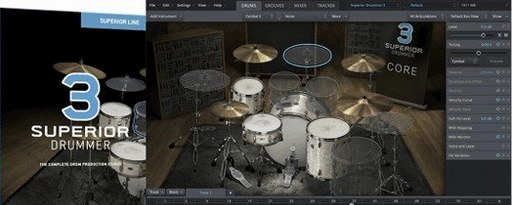 Superior Drummer
3.4.4
Superior Drummer
3.4.4
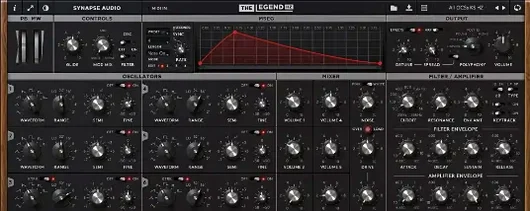 Synapse Audio The Legend HZ v2.0.2.R1
2.1
Synapse Audio The Legend HZ v2.0.2.R1
2.1
 Scaler 3
3.3.2
Scaler 3
3.3.2
