
 Get it for my Mac (2.3 GB)
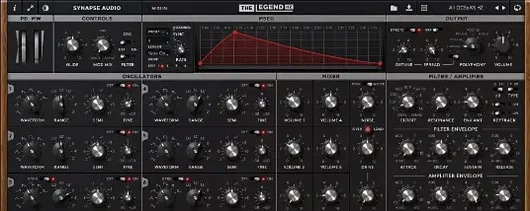 Synapse Audio The Legend HZ v2.0.2.R1
2.1
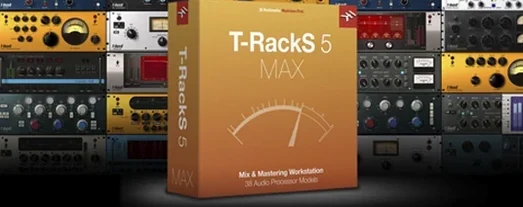
- Version
- 6.3.2
- Developer
- IK Multimedia
- Interface in
- English
- Licence on file
- K'ed by MORiA
- macOS it runs on
- macOS 10.15 or later
- Chip support
- Apple Silicon, Intel 64-bit
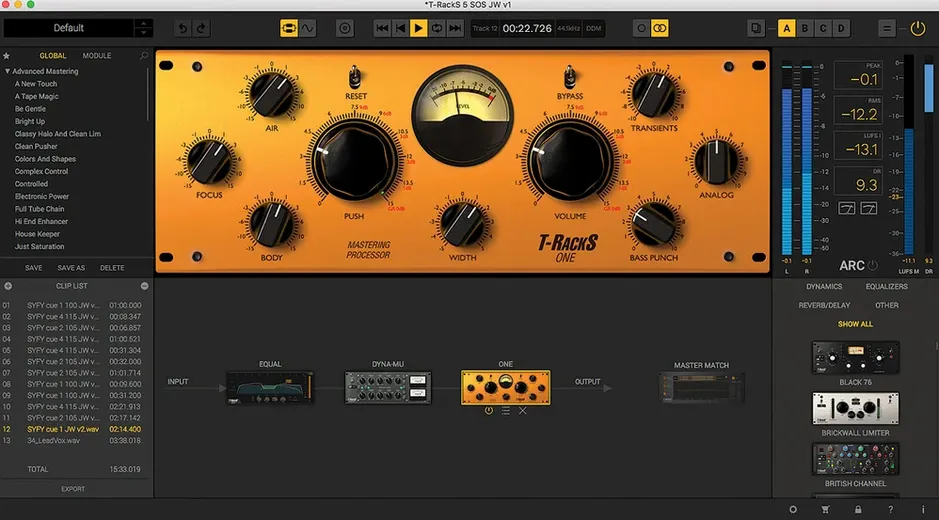
In the edit
If you already work with a DAW, T-RackS slots in like a familiar piece of the studio — individual plug-ins you can load on a channel, or the full standalone suite for a dedicated mastering session. It covers the ground from a quick EQ tweak to a full album assembly with sequencing and metadata embedding, all in one place.
Tailored for mastering engineers and mixing producers
- Mastering engineers who want a modular chain — load modules in any order, bypass, reorder, save as presets
- Mixing producers who need individual processors (EQ, compression, limiting, reverb) as Audio Units, VST 3 or AAX in their DAW
- Anyone putting together a release: the album assembly tool handles track sequencing and writes metadata, then exports multi-format files
- Working at high sample rates — floating-point processing up to 192 kHz and 32-bit is supported
System requirements and output stage options
- It runs on macOS 10.15 and later, both Intel and Apple Silicon Macs, 64-bit only
- You get four dithering options to choose from on the output stage
- The new Module Manager helps organise your processor collection without digging through folders
- Interface is in English
Start with the standalone console and Module Manager
Once the installer finishes, open the standalone Mastering Console first. Scan through the Module Manager — it's worth a quick look to see what's available and which processors are your go-to choices for different jobs. The Module Manager lets you hide what you do not use often, so you can keep the list lean during a busy session.
Load a track you know well — something you have mixed or mastered before. Insert a few processors in the modular chain: start with EQual for a broad tonal adjustment, then add Dyna-Mu for compression, and finish with Master Match if you want to compare your output against a reference. This gives you a feel for the signal flow and how the processors interact in the 16 serial or parallel slots.
Set your sample rate and bit depth in the standalone preferences before you do any serious work. The software supports up to 192 kHz and 32-bit floating-point processing, so match it to your project settings. If you export multi-format files later, the conversion happens at the end of the chain, not during processing.
Try the album assembly feature even if you only have one track to master. Sequence a couple of songs, add metadata, and export in a few formats. It takes five minutes and shows you how the whole pipeline works when you are finishing a release.
Works as a plug-in suite in Logic, Ableton, Pro Tools, and more
T-RackS works as a plug-in suite inside Logic, Ableton Live, Pro Tools, or any DAW that supports Audio Units, VST 3, or AAX. Load individual processors on individual tracks — put EQual on a vocal bus, Dyna-Mu on the drum group, Master Match on the master channel. The processors behave the same way whether you use them in the standalone or as plug-ins, so settings transfer between the two without surprises.
On macOS, the plug-in versions appear in your DAW's processor list after a standard installation. If you use Apple Silicon, the software runs natively without Rosetta translation, and the same installer works for Intel Macs too. The 64-bit architecture means it sits well with modern macOS versions from Catalina onward.
For a hybrid workflow, you can mix in your DAW, bounce a stereo mix, and open it in the standalone Mastering Console for the final mastering stage. The album assembly and metadata embedding are only available in the standalone, so that is where you finish a project. Export in multiple formats from one session — WAV, AIFF, FLAC, whatever your distribution needs — without bouncing each one separately.
Modular chain supports 16 slots with serial or parallel routing
The modular chain supports up to 16 slots, and you can switch between serial and parallel routing per slot. Parallel processing is useful when you want to blend a compressed signal with the dry signal without building a separate bus. It is not a hidden feature, but it is easy to overlook if you are used to a strictly linear chain.
Master Match X does more than match EQ curves. It analyses the spectral balance, dynamics, and stereo image of a reference track and applies adjustments across the processors in your chain. You can use it as a starting point and then tweak each module manually. It is part of the new processor set alongside Dyna-Mu, EQual, and ONE.
The four dithering options on the output stage let you choose the noise shaping that fits your material. Some sound cleaner on quiet passages, others work better with dense mixes. It is a small choice, but it affects the final file quality when you export at 16-bit for CD or streaming.
Match sample rate and bit depth in preferences before rendering
Open the preferences and look at the processing settings. Set the sample rate and bit depth to match your project — the software does not auto-detect, so this step saves you from rendering at the wrong resolution later. If you work at 44.1 kHz, set it there; if you work at higher rates, set it accordingly.
In the Module Manager, organise your processor list. Hide modules you never use — the list is shorter and you scroll less during a session. You can always unhide them later if a project needs something different.
For export, set your default output folder and file format in the preferences before you start mastering. It is a small thing, but when you are finishing an album at 2am, not having to browse for a folder every time makes a difference. The multi-format export lets you pick several formats at once, so you can walk away while the files render.
If you use the plug-in versions in your DAW, check that your DAW scans the correct plug-in folders after installation. Some DAWs need a manual rescan to pick up new Audio Units or VST 3 modules. Once they appear, save a default chain preset with your most-used processors so you can load it on any new session.
Mac it needs
- macOS 10.15 Catalina or later
- 64-bit CPU and 64-bit operating system
- Apple Silicon or Intel processor
Questions I actually get
Can I use T-RackS plug-ins inside Logic Pro or Pro Tools?
Yes. T-RackS supports Audio Units, VST 3 and AAX formats, so it works with most major DAWs on Mac.
Installing on a Mac
- Download the file and run the standard installation procedure.
- Tip: if you are moving from an older version, keep your preset folder handy before the new installer runs.
Notes from photographers
Sign in or create your account to leave a comment.
No notes from photographers yet. If you have used this on a real folder, say which camera and which Mac.
Next to it in VST Plugins
All VST Plugins picks
Synapse Audio The Legend HZ v2.0.2.R1
2.1
 Superior Drummer
3.4.4
 Styx Audio Portable Mono Speaker Check
1.1.4
 Steinberg SpectraLayers Pro
13.0.40
 Spire
1.5.19
 Sonic Academy KICK
1.1.8
 Tone Empire EDYN
1.0.2
 Toontrack EZkeys
2.1.5
