
 Get it for my Mac (5 MB)



 Audiobook Builder
2.2.9
- Version
- 3.0.7
- Developer
- Jake Fishman
- Interface in
- English
- Licence on file
- K'ed by TEAM HCiSO
- macOS it runs on
- macOS 10.15 or later
- Chip support
- Apple Silicon, Intel 64-bit
In the edit
AVTouchBar runs on any Mac with a Touch Bar and macOS 10.15 or later, Intel or Apple Silicon. It turns that thin strip of glass into a live audio visualiser, showing whatever sound is playing back or coming in through a mic.
Setting up your audio source
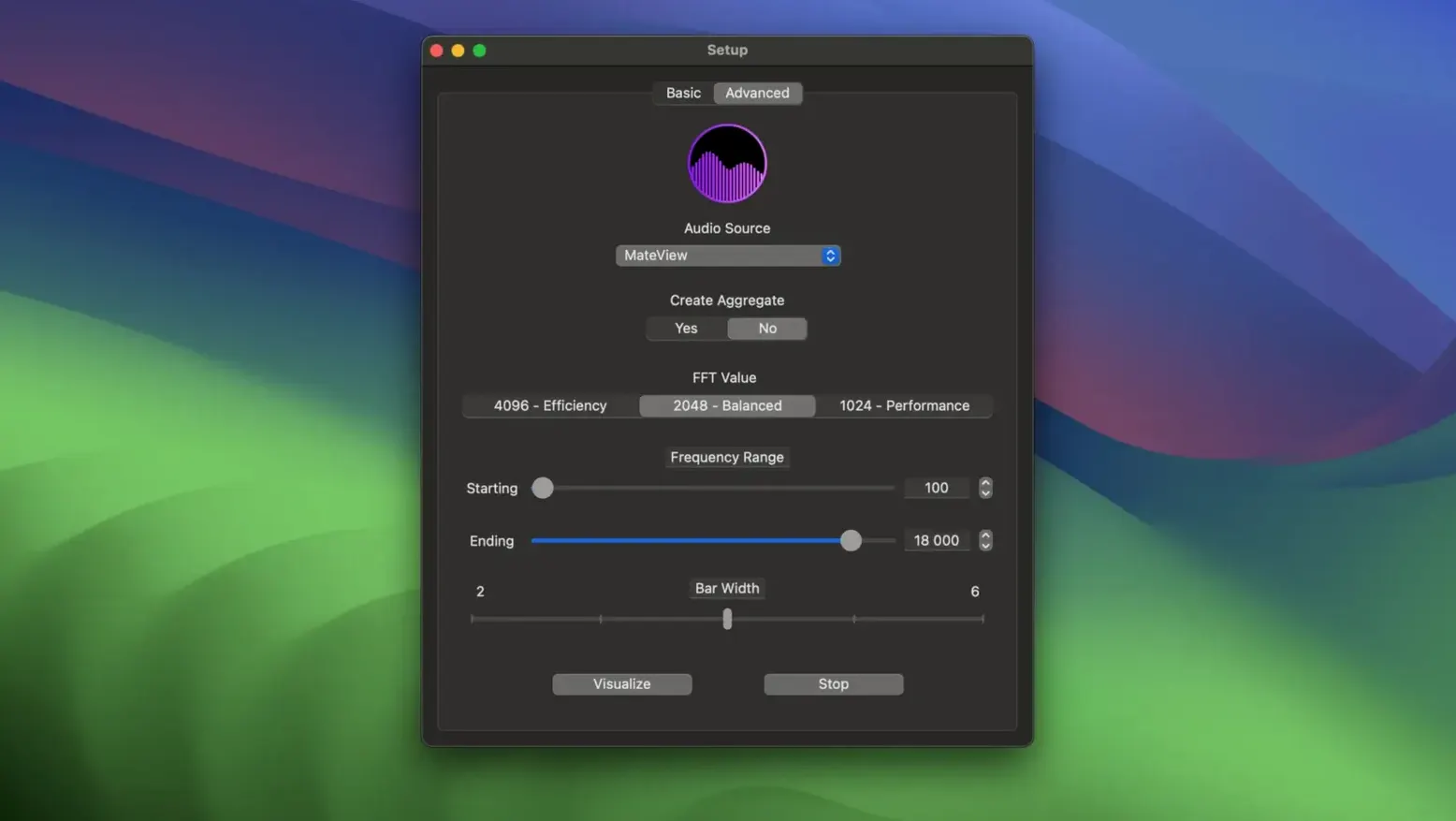
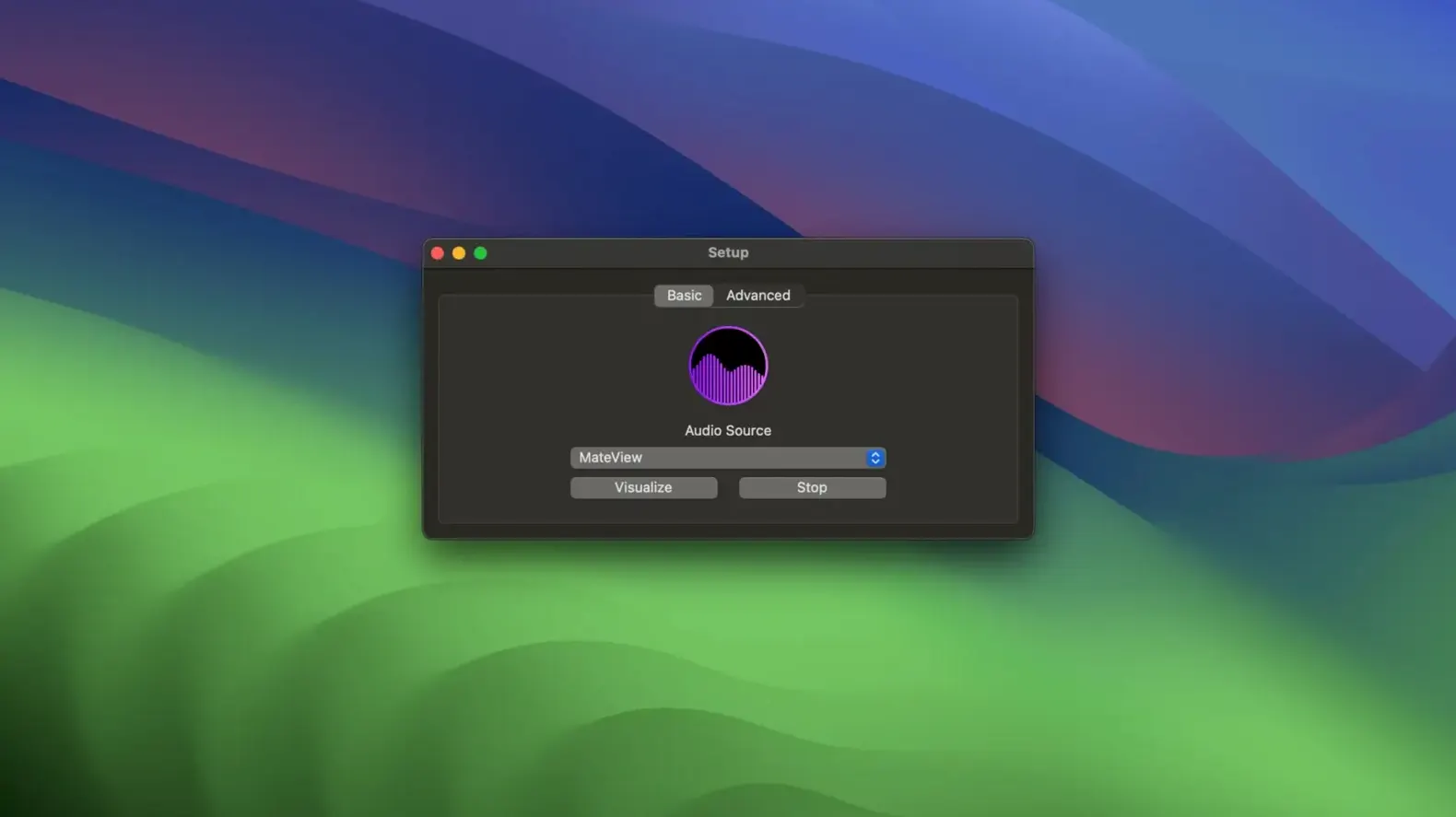
The app can use the internal microphone straight away, or you can feed it system audio if you install a third-party audio driver. When it needs to combine devices, it creates an aggregate device automatically — and removes it again when you close the app.
Controlling the display
A single tap with one finger changes the colour scheme. A one-finger long press switches into full-screen mode. It is a simple set of gestures that keep your eyes on the work, not on the Touch Bar.
Fixing what matters
Version 3.0.7 cleaned up a bug that could trip things up when gathering system input and output. The Touch Bar gesture actions can now be customised, which makes a difference if you prefer a specific tap to do something else.
Make the Touch Bar show system audio from Spotify or YouTube
The default setup works fine for a quick listen, but a couple of changes make it feel like yours. If you want the Touch Bar to show system audio from Spotify, YouTube or any other app, you need a third-party audio driver installed before AVTouchBar can see it. The app will then handle the rest — it builds an aggregate device when it needs one and tears it down when you quit.
Head to the advanced mode if the basic mode feels too limited. That is where you can build your own colour gradients using the colour manager, save them, import a friend's preset or share one you made. The gradient you choose becomes the visual character of every beat and swell. It is worth spending a few minutes here because the default colours might not match your mood or your studio lighting.
Works with your USB mic or Focusrite interface
Most people run it all day without thinking about power.
Will it work with my external audio interface? If your interface appears as an audio input or output device in macOS, AVTouchBar can see it. That includes USB mics, Focusrite Scarlett units and built-in line inputs. The same third-party driver rule applies if you want to capture audio that is already playing rather than live mic input.
No settings are lost.
Do I need to keep the app window open? Not at all. AVTouchBar runs from the menu bar. You can close the window and still have the visualiser active on the Touch Bar, changing colours with a tap and adjusting volume with a swipe.
Switched to system audio in my first minute of using it
Friday afternoon, light editing queue, coffee at hand. I mounted the disk image, dragged AVTouchBar into Applications and launched it from Launchpad. The first thing I did was switch the audio source from the internal mic to system audio — I already had the third-party driver installed from a previous project — and the Touch Bar lit up with a gentle waveform that matched the lo-fi playlist I had running.
A one-finger swipe turned the volume down when a notification interrupted the flow. A tap changed the gradient from cool blues to warm ambers, which suited the late sunlight coming through the window. I did not need to look down; the gestures are that fast.
Later I opened the colour manager from the menu bar and built a gradient that matched my client's brand palette, saved it and shared it with another photographer who runs the same setup. When I closed the laptop to leave, the aggregate device vanished on its own. Next session, everything was exactly where I left it.
New this release
- Touch Bar gesture actions can be customised.
- A bug in system input and output gathering was fixed.
Mac it needs
- macOS 10.15 or later
- Mac with a Touch Bar
- Intel or Apple Silicon
Questions I actually get
Do I need extra software to capture system audio?
Yes, AVTouchBar requires a third-party audio driver for system audio capture. The internal microphone works without any extra setup.
Installing on a Mac
- Mount the downloaded disk image.
- Drag the app into the Applications folder alias.
- Launch the app from Launchpad after copying finishes.
- If errors occur, follow the included instructions.
Notes from photographers
Sign in or create your account to leave a comment.
No notes from photographers yet. If you have used this on a real folder, say which camera and which Mac.
