Get it for my Mac (584 MB)
 Bitwig Studio
6.1
Bitwig Studio
6.1

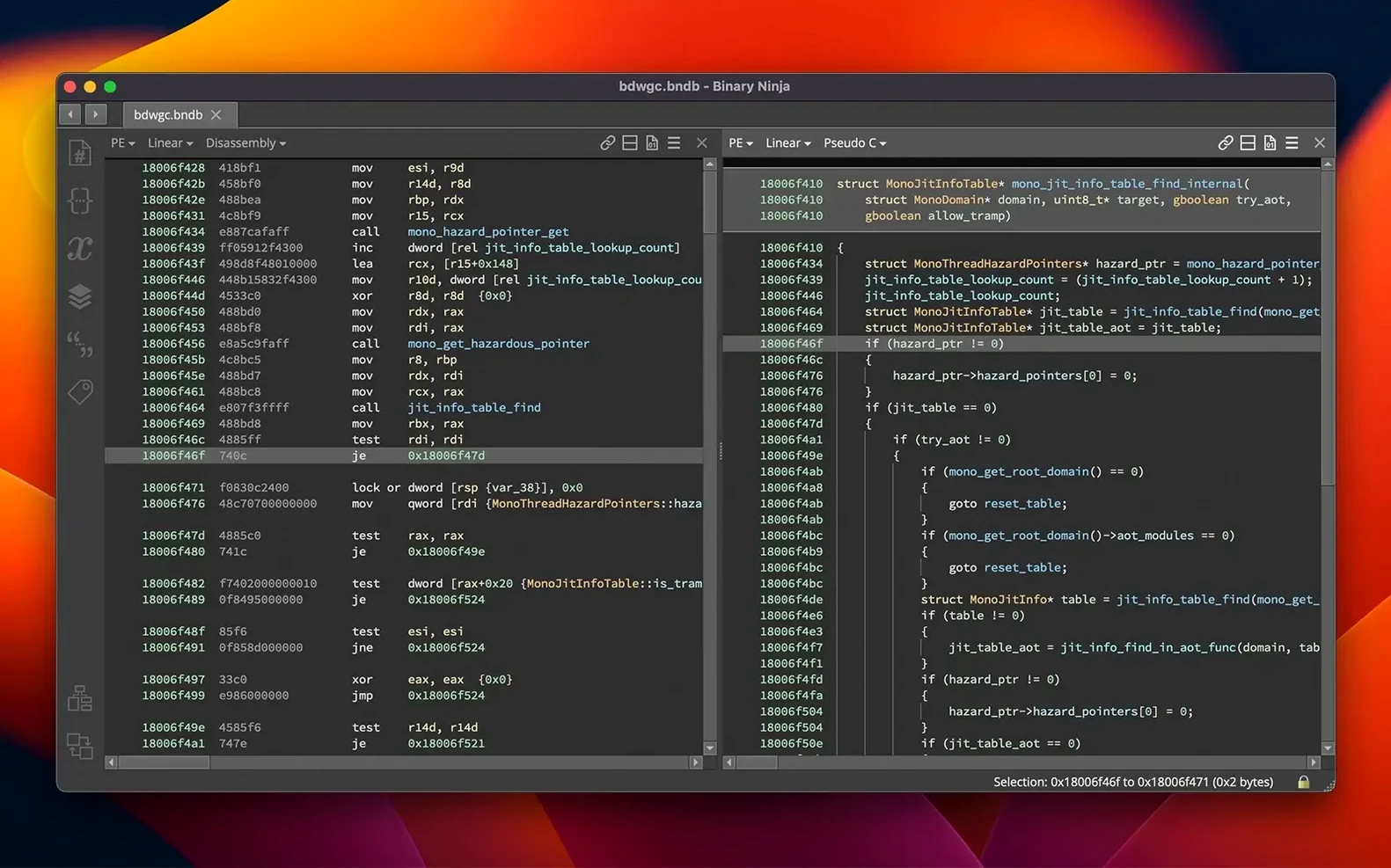
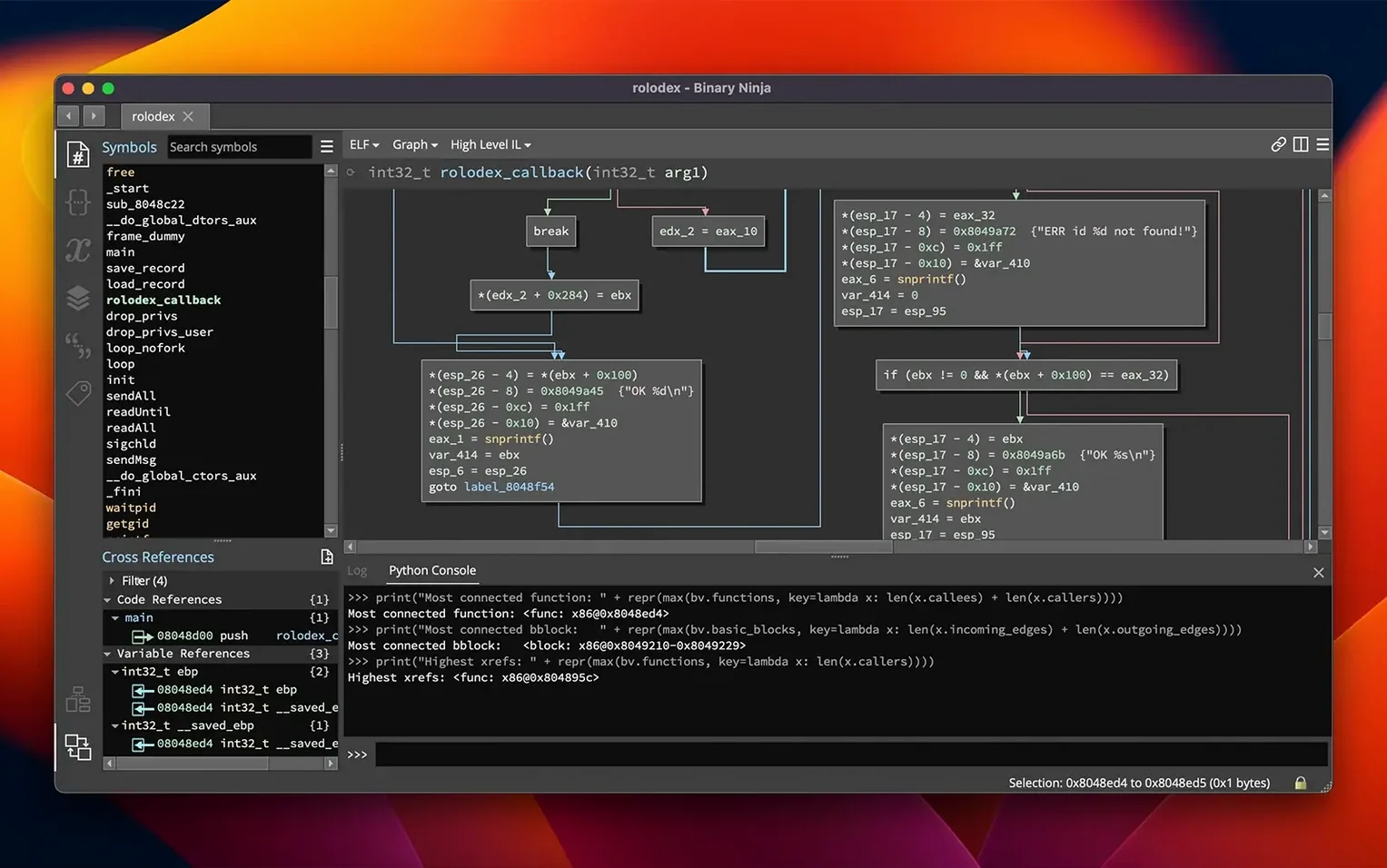
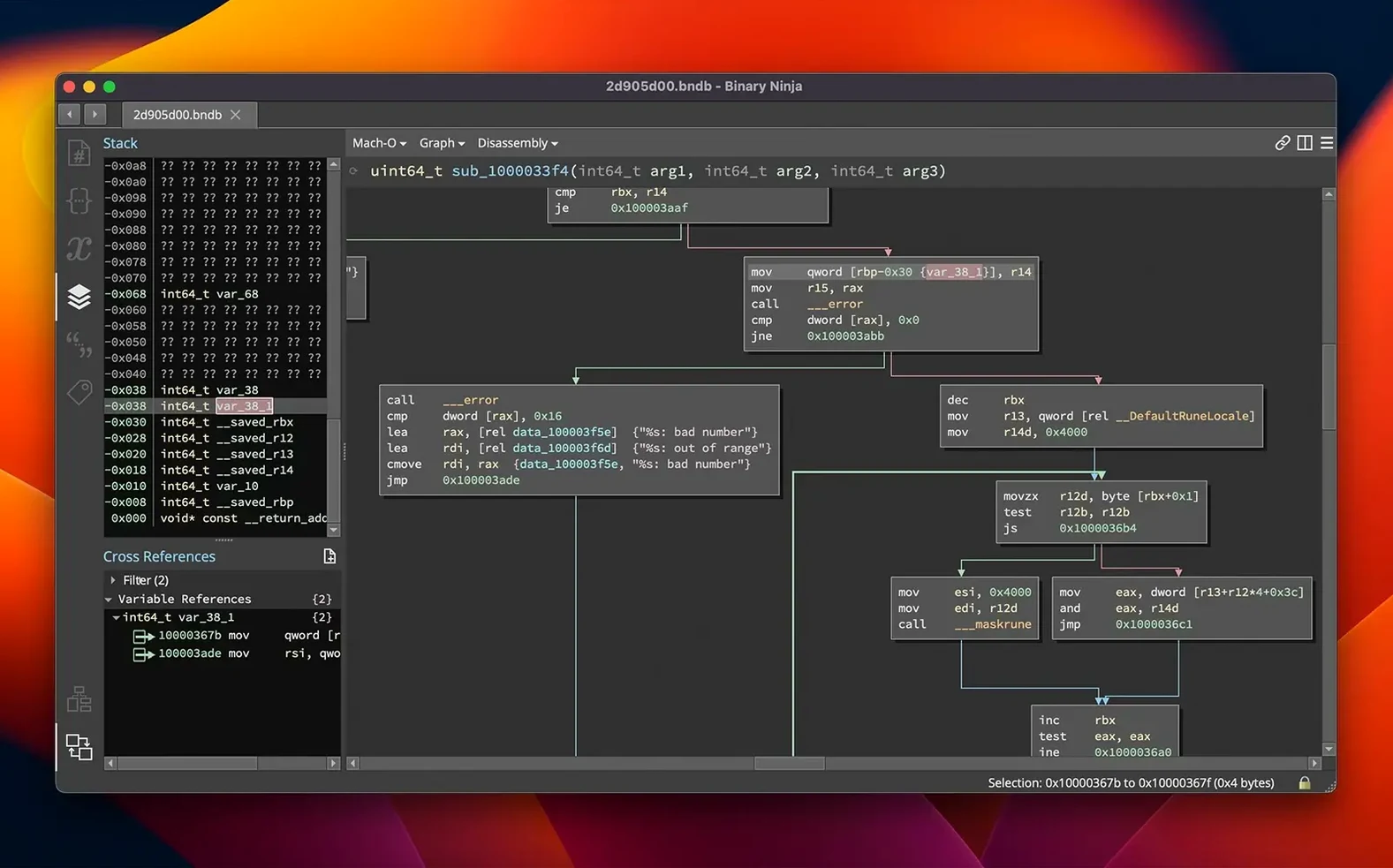
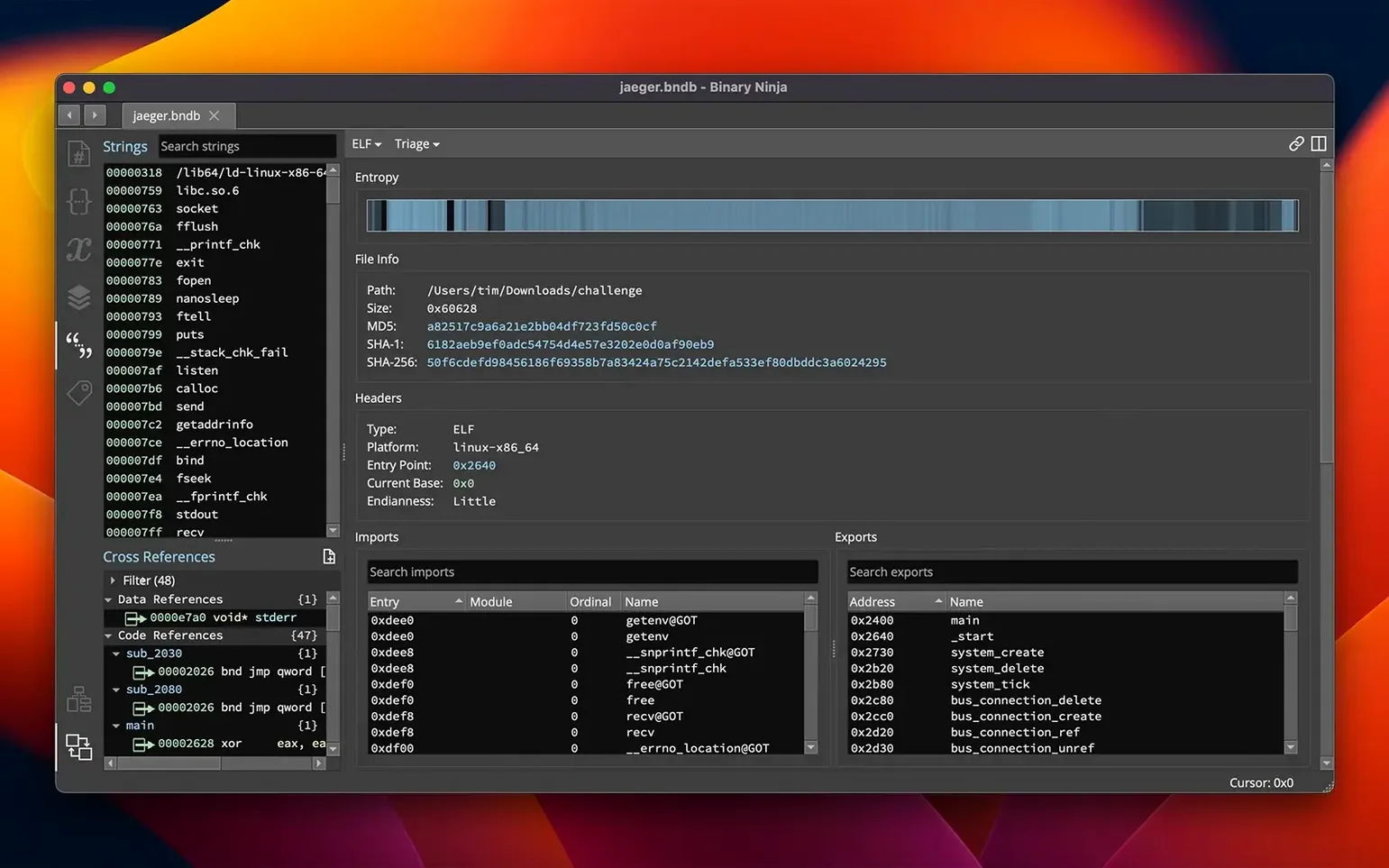
If you’ve spent any time with a debugger or a disassembler, you know the feeling of wanting more context — cross-references that actually help, a decompiler that doesn’t get in the way, and something that handles more than just x86. Binary Ninja is that tool for a lot of us.
Binary Ninja runs on macOS 10.15 and later, works on both Intel and Apple Silicon, and includes an extension manager for plugins. The current 6.0 release adds a Binary Similarity feature, a new MCP server, and TMS320C6x architecture support. Activation instructions come inside the package.
Most people hit the same few bumps when they start. The analysis sometimes stalls on a packed binary — the entropy graph is your friend here. Switch to the graph view, look for high-entropy regions, and flag them for unpacking before the main disassembly pass.
Another one: cross-references don’t show up the way you expect. That usually means the base address is wrong or the loader picked the wrong architecture. Double-check the file format in the load dialogue and, if needed, reload with the correct architecture selected. It saves the kind of head-scratching that eats an afternoon.
If the decompiled C output looks odd — variables assigned to the wrong registers, or loops that don’t parse cleanly — it’s often because types haven’t been applied yet. Drop a few structure definitions in and the decompiler re-evaluates the whole function. The same goes for calling conventions: if a function call looks mangled, check the convention refactoring that came with version 6.0.
The biggest one is jumping straight to the decompiled view without exploring the assembly first. The decompiler is good, but it can hide details that matter — instruction-level quirks, jump tables, or inlined functions. Spend a few minutes in the disassembly graph before you hit the C button.
Another mistake: ignoring the naming system. A function called sub_401000 tells you nothing. Rename it as soon as you have a clue what it does, and do the same for global variables and data sections. The analysis builds on those names, so a little annotation early on saves re-reading the same function three times later.
Beginners also tend to skip the batch processing feature. If you have a folder of firmware samples or a collection of suspicious ELF files, running them one by one is slow. Set up a batch job, let it disassemble everything overnight, and come back to a set of analysis databases ready for review.
Malware analysts working through macOS samples will appreciate how naturally Binary Ninja handles Mach-O binaries — you can jump from the loader to the entry point and start annotating without fighting the tool. The same applies if you deal with cross-platform firmware: one environment for PE, ELF, and Mach-O means fewer context switches.
Vulnerability researchers who spend their days hunting through binary diffs will want the new Binary Similarity feature in 6.0. It compares functions across two binaries and highlights the parts that changed, which is exactly what you need when a patch drops and you want to find the fix quickly.
Software developers who occasionally need to reverse a library or understand a proprietary protocol will find the Python and Rust APIs useful. You can script the whole analysis, extract data structures, and even patch the binary using the built-in SCC compiler — all without leaving the terminal if you prefer headless mode. For a deep-dive, the BNIL intermediate language gives you a clean representation to work with.
And if you’re the sort who keeps a copy of binary ninja torrent bookmarked because you switch machines often, the portable workflow (drag a binary in, do the analysis, save the database) makes it easy to pick up where you left off on another Mac.
It supports PE, Mach-O, and ELF loaders, so you can open executables and libraries from Windows, macOS, and Linux.
Yes, it runs natively on both Intel and Apple Silicon Macs. The only requirement is macOS 10.15 or later.
Sign in or create your account to leave a comment.
No notes from photographers yet. If you have used this on a real folder, say which camera and which Mac.