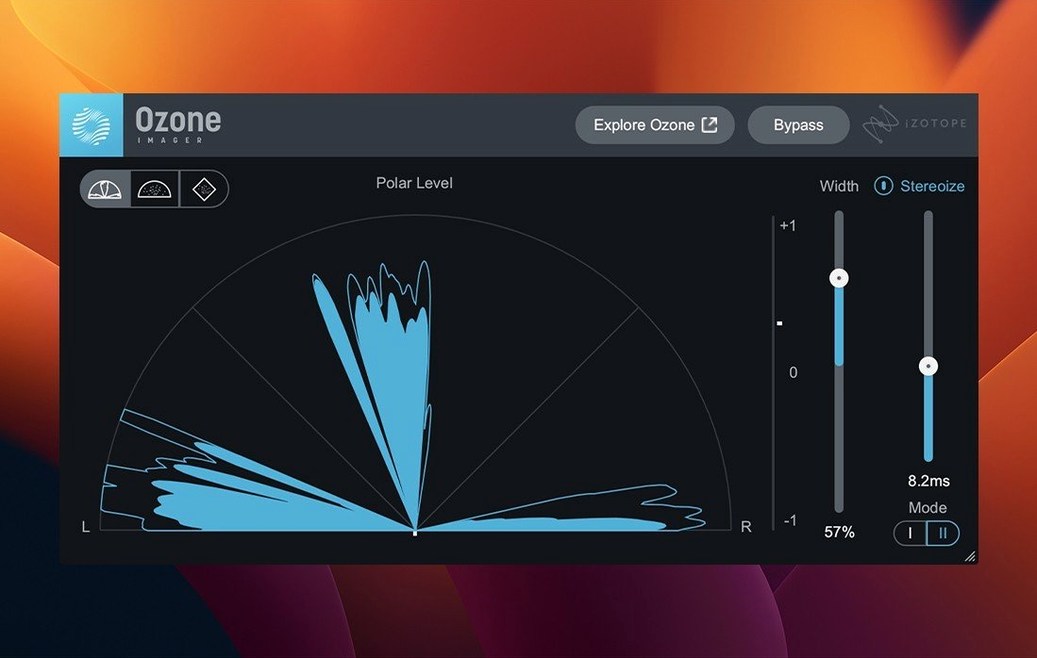
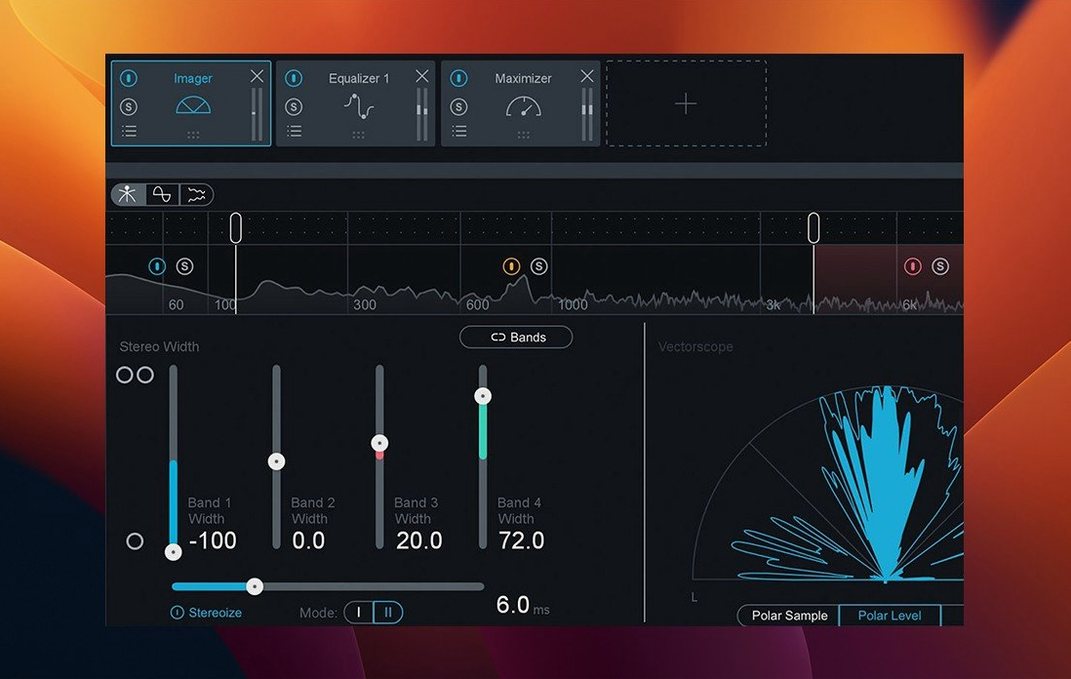
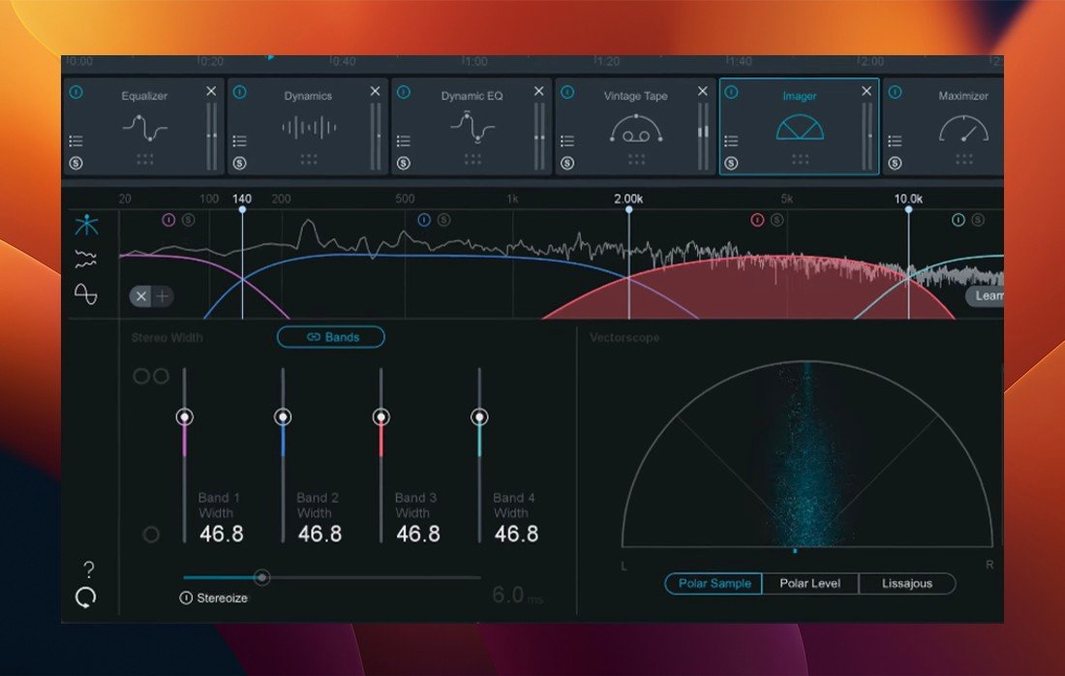
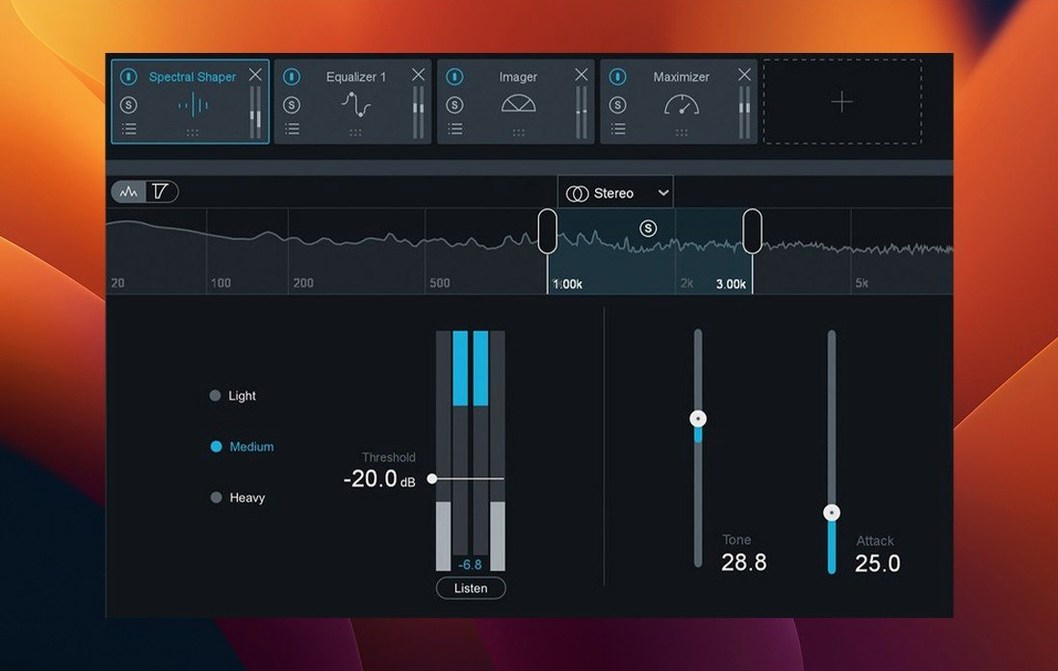
Version 12.1.0 updated the supported macOS range, so you'll need at least macOS 13.7 Ventura to run it. The suite runs natively on both Intel Macs and Apple Silicon M-series machines, and all plugin formats are 64-bit — no 32-bit bridge to worry about. Inside, you get 20 pro plugins, an AI-powered assistant to help you dial in a starting point, and the usual mastering tools for EQ, compression, limiting and stereo imaging. It's a solid setup for anyone working on modern mastering projects, whether you're finishing tracks for streaming or preparing a full album.
Building a master from start to finish with Ozone 12
Let's walk through a real mastering chain using Ozone 12's modules, one step at a time. The idea is to show how the pieces fit together without assuming you already know the order of operations.
Start by loading Ozone 12 as a stereo instance on your master bus. If you're working on a single track, the standalone app works just as well — import your bounced mix and you're in the same environment.
The first module I tend to reach for is the Stabilizer. It's the AI-powered assistant that listens to your mix and suggests a tonal balance target. You can choose from 25 genre targets, so if you're mastering a jazz recording you don't end up with a pop radio curve. The Stabilizer applies gentle EQ adjustments to bring your mix closer to that target. It's not a set-and-forget tool, but it gives you a solid foundation to work from.
From there, move to the Stem EQ. This is a six-band equaliser with per-band soloing and a spectrum analyser built in. You can cut low-end rumble, tame harshness in the upper mids, or add a subtle air boost around 12 kHz. The visual feedback helps you spot problem frequencies that your ears might miss after a long session.
Next up is Bass Control. This module is worth its place in the chain because it keeps the low end consistent across different playback systems. It analyses your stereo bass content and lets you decide how much of it stays centred and how much spreads wide. On a club system, that makes a noticeable difference.
Then comes the Maximizer. This is where you bring the level up. The IRC 5 limiting mode is the latest iteration of iZotope's Intelligent Release Control, and it adapts the release time to the audio content. You can push the threshold harder than you'd expect without the pumping artefacts that older limiters produce. Keep an eye on the gain reduction meter — a few dB of limiting is usually enough for a competitive loudness level.
Finally, the Unlimiter sits at the end of the chain as a safety net. It catches any true peaks that slip past the Maximizer, which is especially useful if you're delivering to a platform with strict peak level requirements.
How Ozone 12 compares with similar mastering tools
Ozone 12 isn't the only mastering suite on the Mac. Two alternatives come up often in studio discussions, and they each take a different approach.
LANDR. LANDR is a cloud-based mastering service that uses machine learning to process your track automatically. You upload a file, choose a style, and get a master back in a few minutes. It's fast and requires no plugin knowledge, but you don't get any control over individual modules. Ozone 12 gives you the same AI assistance as a starting point and then lets you tweak every parameter yourself. If you want to learn what compression or limiting actually does to your audio, Ozone 12 is the better choice.
FabFilter Pro-L 2. Pro-L 2 is a single limiter plugin, not a full mastering suite. It's incredibly transparent and gives you detailed metering, but you'll need to bring your own EQ, compression and stereo imaging plugins to build a complete chain. Ozone 12 includes all of those modules in one package, with the advantage that they're designed to work together. The trade-off is that FabFilter's individual tools are more flexible if you already own a collection of third-party plugins and just need a limiter.
Ozone 12 sits somewhere between these two extremes. It's more hands-on than LANDR and more complete than a single limiter. For someone who masters their own music regularly, that middle ground is often the sweet spot.
A working session: mastering an EP for a folk artist
Here's a scenario that might sound familiar. A folk singer sends you five tracks recorded in a living room. The recordings are clean but inconsistent — one song has a dark, woolly low end, another sounds bright and thin. The artist wants them to feel like a coherent release, not five separate sessions.
You load the first track into Ozone 12's standalone mode and run the Stabilizer with the acoustic genre target. It applies a gentle high-pass filter and a slight low-mid cut, which already brings the track closer to the second one. You note the EQ curve and save it as a preset.
For the bright track, you load the same preset and let the Stabilizer adjust it. This time it cuts the upper mids by a couple of decibels. The two tracks now sit in a similar tonal space, so you can move on to the Maximizer and set a consistent loudness level across all five. The Bass Control module helps you rein in a boomy D string that appears on one track without affecting the others.
By the end of the session, each track has its own fine-tuned instance of Ozone 12, but they all share the same structural chain. The artist gets a release that sounds like it was recorded in the same room, and you didn't have to rebuild the chain from scratch for each song.
Pushing the Maximizer too hard kills your dynamic range
The first mistake is overusing the Maximizer. It's tempting to push the threshold until the track sounds as loud as a commercial release, but that introduces distortion and kills dynamic range. A good rule of thumb is to aim for 3-4 dB of gain reduction on the loudest sections and trust that the rest of the chain is doing its job.
The second mistake is skipping the reference track workflow. Ozone 12 lets you load a reference file and compare your master directly, but many users jump straight into processing without one. Without a reference, it's easy to over-EQ or over-compress because you've lost perspective after listening to the same loop for an hour.
The third mistake is applying every module to every track. Ozone 12 includes 20 plugins, but that doesn't mean you need all of them on your master bus. A sparse chain with only the Stabilizer, a gentle EQ and the Maximizer often sounds better than a fully loaded instance with every module active. If a module isn't improving the audio, bypass it.
And the fourth mistake is ignoring the mono compatibility check. Ozone 12 has a mono switch that lets you hear how your master sums to mono. If the low end disappears or the vocals get buried, you need to revisit your stereo imaging or EQ. A master that sounds great in stereo but falls apart in mono will disappoint listeners on phone speakers and bluetooth devices.
A Tuesday evening bouncing an electronic track with Ozone's standalone app
It's a Tuesday evening and I've just bounced the final mix of an electronic track. The arrangement is dense — layered synths, a sub-bass line, drums that span the stereo field. I open Ozone 12's standalone app and drag the file in. The interface loads quickly, which is a welcome improvement in version 12.1.0.
I start with the Stabilizer and select the electronic genre target. It suggests a gentle low-shelf cut and a slight presence boost. I listen for a minute and decide it's close enough to work with. I bypass the module and listen again — the difference is subtle but the mix feels more focused with it engaged.
Next, I open the Stem EQ and look at the spectrum analyser. There's a build-up around 200 Hz that's making the bass sound muddy. I cut it by 2 dB with a wide Q and the low end tightens up. I add a tiny shelf at 30 Hz to give the sub-bass some weight without affecting the kick drum.
The Bass Control module is next. The sub-bass is already centred, but the synth bass is panned wide. I use Bass Control to keep the sub frequencies mono and let the higher bass notes spread out. The result is a low end that stays solid in mono but wide in stereo.
I open the Maximizer and start with the IRC 5 mode. I push the threshold until I see about 3 dB of gain reduction on the chorus section. The track feels louder without sounding squashed. I toggle the bypass a few times to make sure I'm not losing the transients. They're still there.
Finally, I load a reference track — a similar electronic track I've been using for months — and compare them in the metering view. My master is slightly darker, so I go back to the Stem EQ and add a 0.5 dB air shelf at 10 kHz. Now they match closely enough that I'm happy.
I export the master as a 24-bit WAV file, close Ozone 12 and move on to the next track. That's the sign of a mastering suite that lets you work without getting in the way.
New this release
- Fixed slow UI loading and instantiation times
- Fixed stereo output handling for mono-to-stereo instances
- Added Cubase 15 to supported host versions
- Changed supported macOS versions
Mac it needs
- macOS 13.7 or later (Ventura, Sonoma, Sequoia)
- Intel or Apple Silicon processor
- 64-bit host application supporting AU, AAX, or VST3
- Interface language: English
Questions I actually get
Does iZotope Ozone 12 run on Apple Silicon Macs?
Yes, Ozone 12 runs natively on both Intel and Apple Silicon M-series Macs.
What macOS versions are supported by Ozone 12.1.0?
It is confirmed compatible with macOS Ventura 13.7, macOS Sonoma 14.7, and macOS Sequoia 15.4.
What plugin formats does Ozone 12 support?
The suite is available as AU, AAX, and VST3 plugins, all 64-bit only.
Installing on a Mac
- Use the included installation and activation instructions that come with the release.
- Enter the installation password provided with the release when prompted.
- Tip: make sure your Mac meets the macOS 13.7 minimum before starting.
 Get it for my Mac (1.1 GB)
No notes from photographers yet. If you have used this on a real folder, say which camera and which Mac.
Top of the page

A note from the desk
When a note is from my own week with an app, I say so. When it is only a version and a file size, that is the catalogue speaking, not a promise.
I read mail after the last gallery of the day is up. Corrections are welcome, especially about sizes.
Installing on a Mac









 iReal Pro
2026.3.2
iReal Pro
2026.3.2