
 Get it for my Mac (387 MB)







 Teardown
Build 23855847

- Version
- 1.2.1 Native
- Developer
- IceLemonTea Studio
- Interface in
- English, German, Chinese (Traditional), Chinese (Simplified), Korean, French, Japanese
- Licence on file
- Not required
- Chip support
- Apple Silicon, Intel 64-bit
- Edited with it on
- macOS Tahoe, Mac mini 2024 M4
- Out on
- 19.06.2026
- Voices in
- Music only

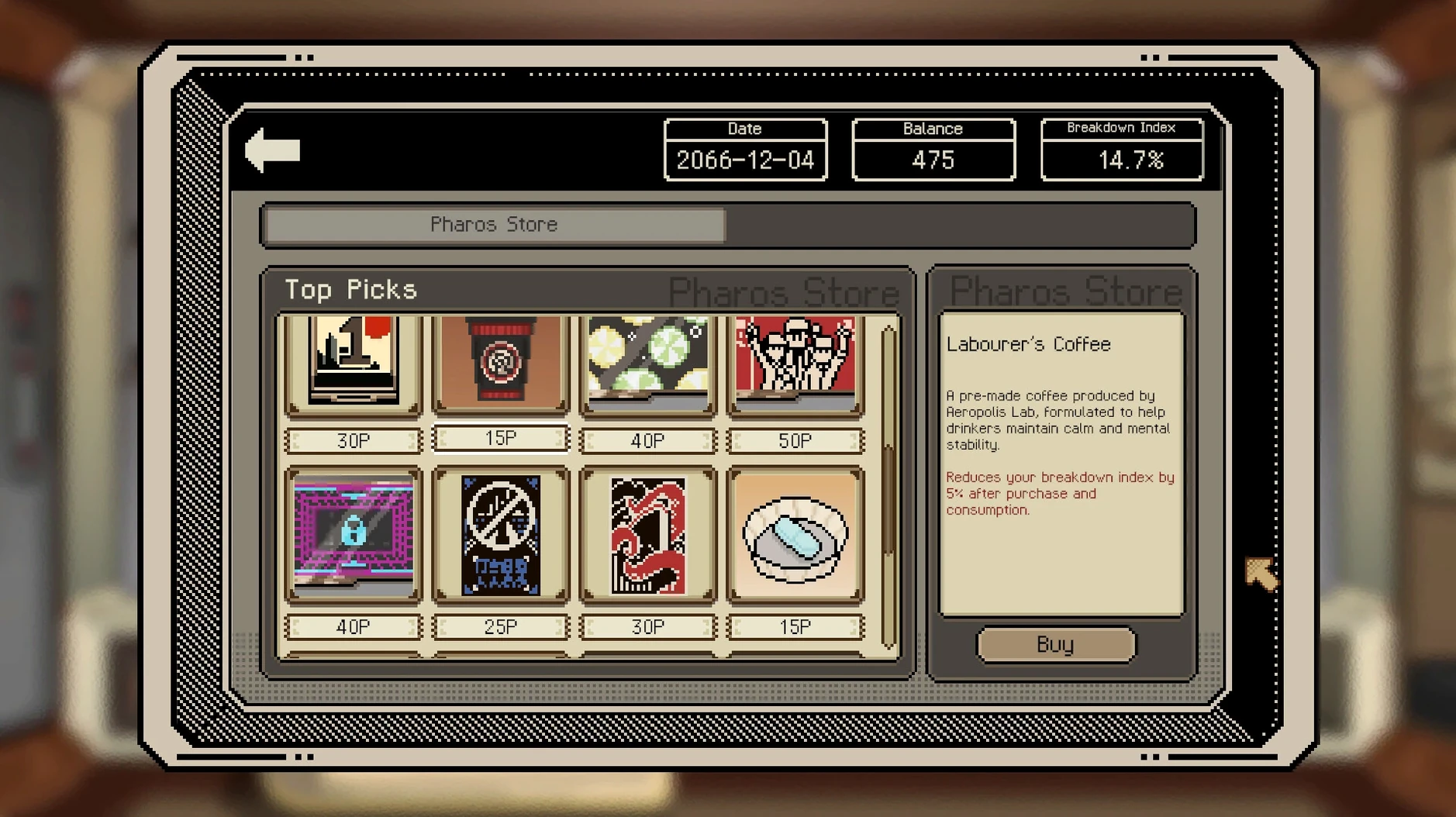
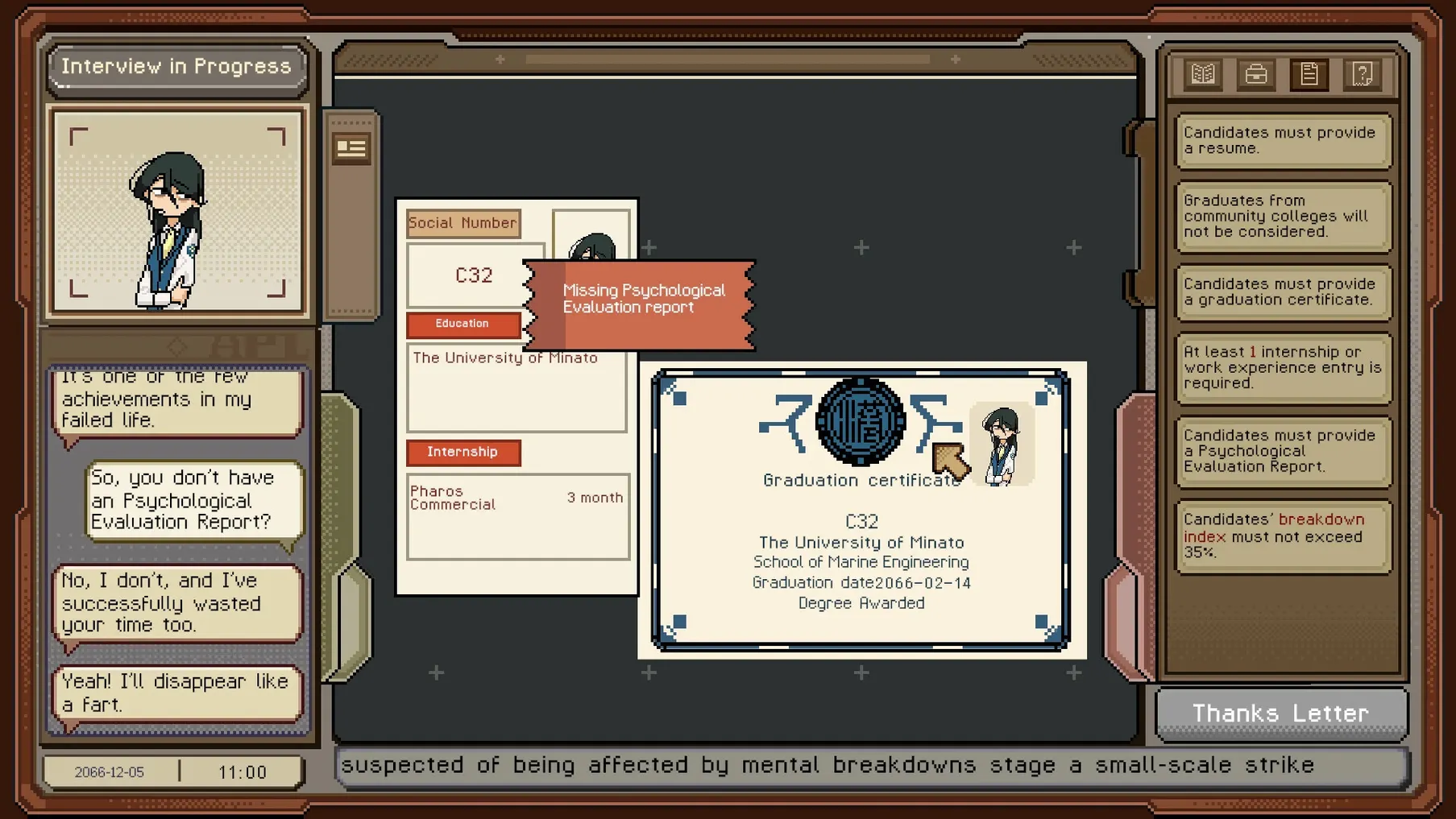

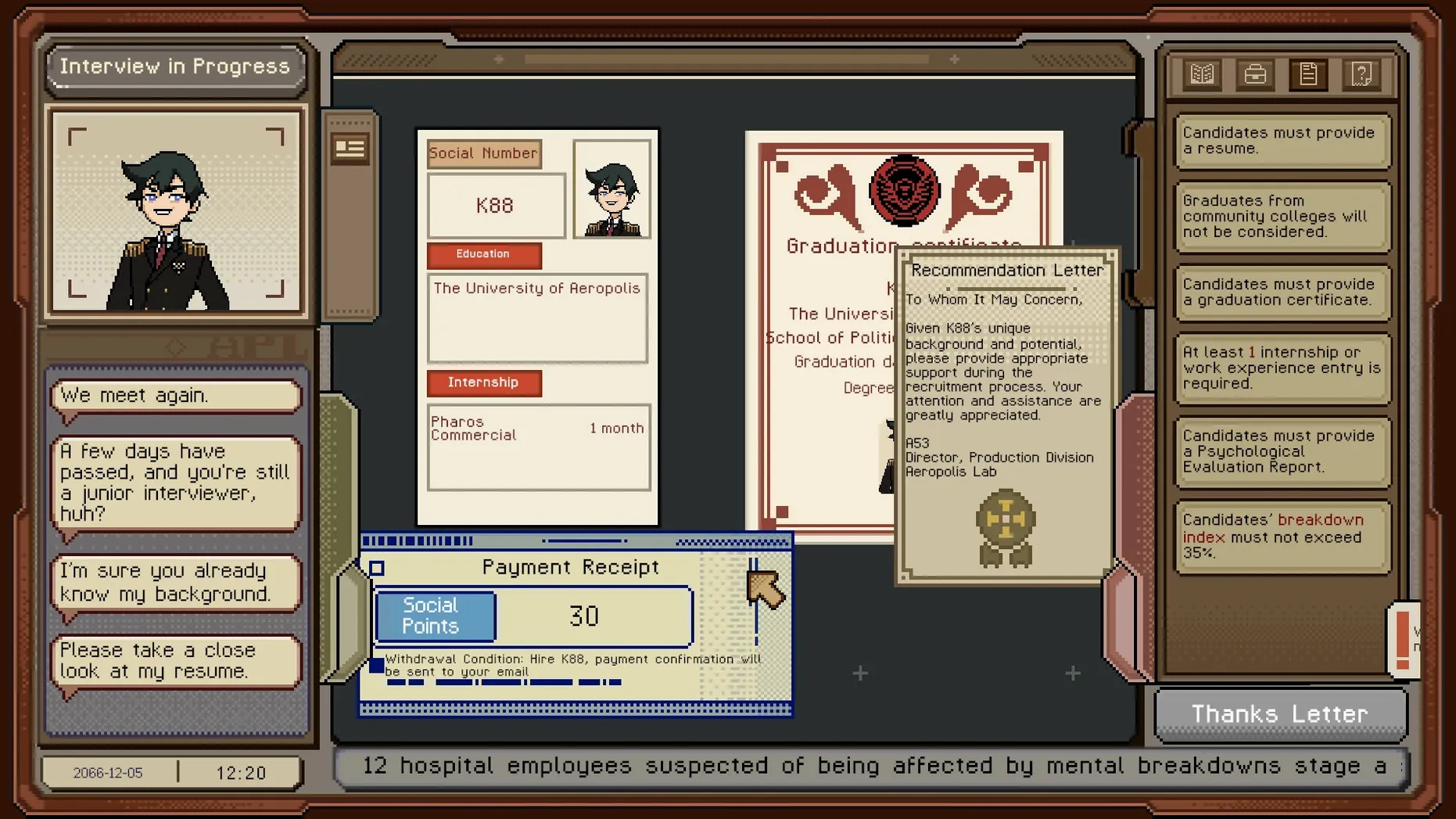
In the edit
Thank You For Your Application is an interview simulation game about screening candidates and issuing rejection letters. You play as a recent graduate who joins Aeropolis Group as a recruiter, and your job involves picking applicants, choosing reasons for rejection, and sending those emails out. Emotional stability is presented as a required quality for outstanding employees, which adds a layer of pressure to your decisions.
For narrative-driven simulation fans and curious recruiters
- Players who enjoy narrative-driven simulations with workplace themes
- Anyone curious about the recruiter side of the hiring process
- Fans of branching stories with multiple endings
Built around rejection with a sombre tone
- The game is built around rejection, so the tone stays fairly sombre
- It includes management elements outside work hours, not just interview scenes
- Interface languages: English, German, Traditional Chinese, Simplified Chinese, Korean, French, Japanese
Pairs well with Apple Notes or Obsidian
Thank You For Your Application sits nicely alongside a few other apps you might already have open. If you keep a note-taking app like Apple Notes or Obsidian running in the background, you can jot down your thoughts on each candidate as you work through their documents. The game doesn't demand your full attention at every moment — reviewing a resume or choosing a rejection reason takes a minute or two — so it's easy to switch between the game and a browser tab if you want to look something up or check a guide.
On macOS, the game runs in a standard window that you can resize or move to a separate desktop space. If you use Mission Control or Stage Manager, you can keep the game on one desktop and your email or music on another. The game doesn't interfere with system notifications, so you'll still see calendar alerts or messages from colleagues, which actually fits the workplace theme.
The music plays in the background without hogging your audio output, so you can listen to your own playlist or a podcast if the game's soundtrack gets repetitive. Just lower the in-game volume from the settings and let your system audio take over.
Version 1.1.2 runs smoothly on Intel and Apple Silicon Macs
The current version, 1.1.2, was released on 19 June 2026. It runs on both Intel and Apple Silicon Macs, and I've seen it work without issue on macOS Tahoe. Here's what the update brought to everyday use:
- The game now supports Traditional and Simplified Chinese, Korean, French, and Japanese alongside the original English and German. If you're learning a language, switching the interface can add an extra layer to the experience
- The rejection letter system feels a bit more responsive — the text updates faster when you pick a different reason, which cuts down on waiting between candidates
- A few candidate profiles were adjusted so their qualifications line up better with the hiring requirements. You'll still get mismatches, but they make more sense now
If you were playing an earlier version, the main difference you'll notice is the language options and a slightly snappier flow through the rejection process. The core gameplay hasn't shifted, so your existing save should carry over fine.
Fix: game won't launch if disk image wasn't fully ejected
A few things tend to trip people up early on. Here's what I've seen others ask about:
- The game won't launch after copying to Applications. This usually happens if the disk image wasn't fully ejected before you moved the app. Unmount the disk image from Finder, then drag the app into Applications again. If it still doesn't open, check that your Mac allows apps from unidentified developers in System Settings > Privacy & Security
- The rejection letter screen feels stuck. Sometimes the game waits for you to confirm a choice before moving on. Click the selected rejection reason again or press the spacebar — the game responds to keyboard input for advancing dialogue
- Candidate documents don't match the requirements. This is intentional. The hiring requirements change between rounds, and some candidates have hidden traits or embellished resumes. Read each document carefully and look for inconsistencies
- The after-work management section feels confusing. You don't have to engage with it deeply. Focus on keeping your emotional stability bar in a reasonable range — that's the main thing that affects your performance as a recruiter.
If you run into something not listed here, the game's Steam community page has discussions where players share their own fixes. Most problems resolve with a relaunch or a quick check of your system permissions.
New this release
Version 1.2.1 Native has landed — a clean maintenance bump that keeps things running smoothly on current macOS builds.
Mac it needs
- Apple Silicon or Intel 64-bit Mac
Questions I actually get
What happens after I send a rejection letter?
Each rejection choice can affect the story and lead to different endings. The game tracks your decisions and shows how they shape your character's career and personal life.
Installing on a Mac
Download lands at about 387 MB and the build covers Apple Silicon alongside 64‑bit Intel Macs, so you can just follow the three steps below.
- Open the downloaded disk image.
- Drag the app icon onto the Applications folder shortcut inside the window.
- Once copying finishes, launch it from Launchpad or your Applications folder.
Notes from photographers
Sign in or create your account to leave a comment.
No notes from photographers yet. If you have used this on a real folder, say which camera and which Mac.
