
 Get it for my Mac (60 MB)
 Photo Mechanic
2025.1.8239
- Version
- 4.0.0
- Developer
- Tobias Hüllmandel Software
- Interface in
- English
- Licence on file
- Included
- macOS it runs on
- macOS 10.15 or later
- Chip support
- Intel 64-bit
In the edit
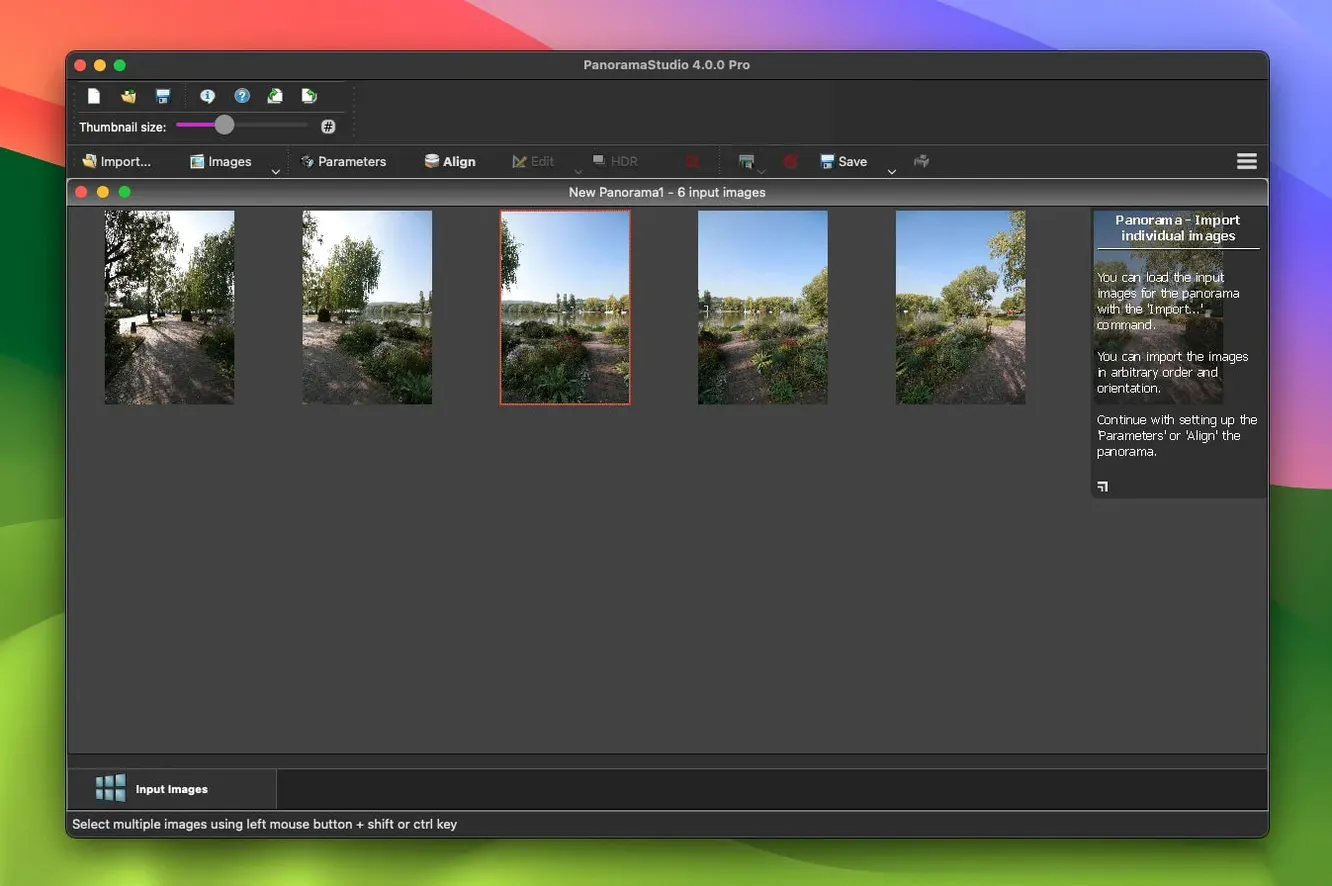
PanoramaStudio Pro is the professional edition of PanoramaStudio 4, designed for creating panoramic images from single-row, multi-row or arbitrarily arranged source photos.
What the Pro version adds over the standard edition
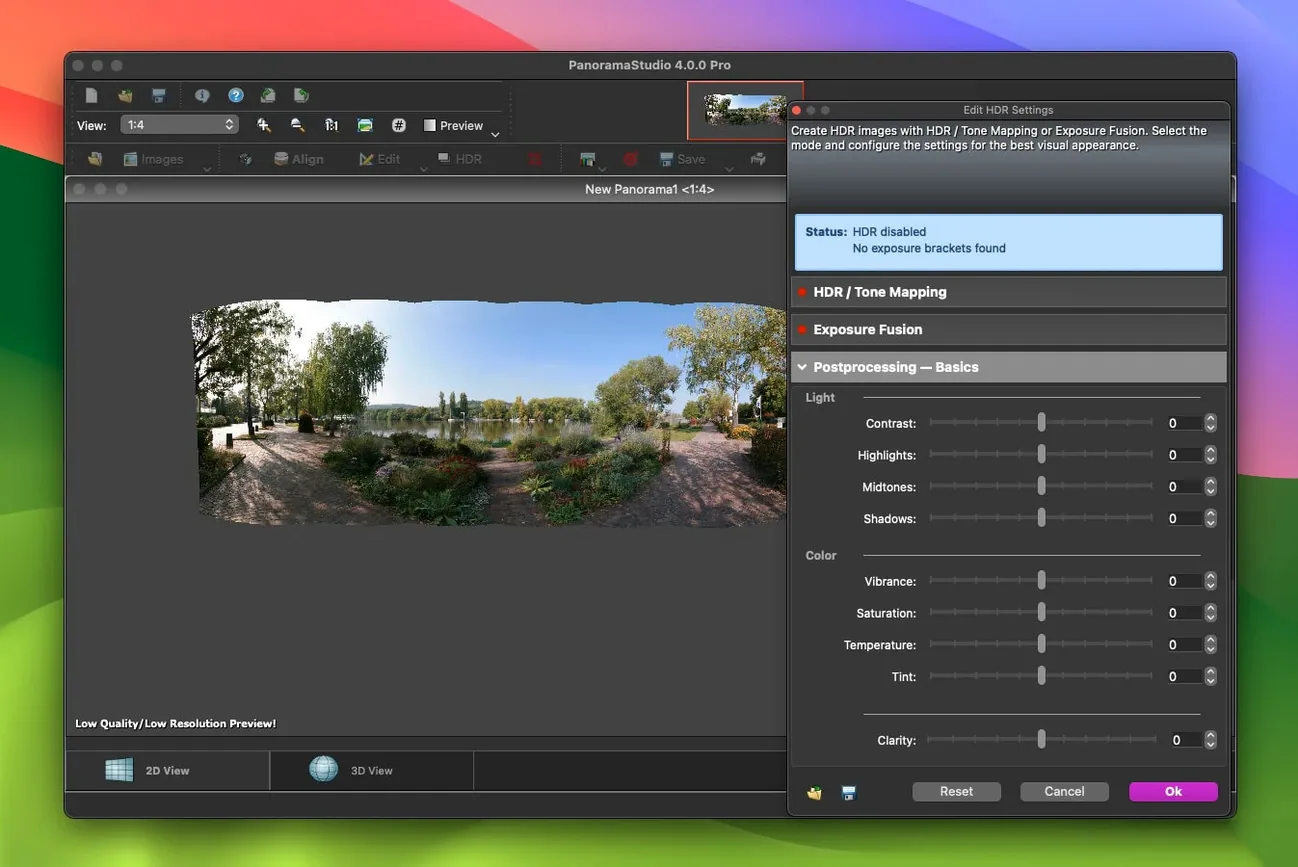
The Pro version brings additional projection types, fisheye support, and tools for handling very large panoramas made from many images. It processes exposure brackets and HDR input files to produce HDR panoramas, with import and export in OpenEXR, HDR, and 32-bit TIFF formats. Internally, all panoramas are processed in an HDR colour space, which gives more latitude when blending exposures.
Mac compatibility and installation basics
PanoramaStudio Pro 4.0 runs on macOS 10.15 or later, and works natively on both Apple Silicon and Intel-based Macs. The installer handles setup; activation instructions are included in the package. If you regularly stitch large sets of bracketed images or work with fisheye lenses, the Pro edition is the version that covers those scenarios.
How 4.0's HDR color space changes your stitching workflow
The jump to version 4.0 brought two shifts that affect how you work through a batch of panoramas. First, the internal processing now happens in an HDR colour space, which means the software handles exposure differences between frames during stitching rather than leaving you to sort out mismatched brightness later. Second, full HDR support means you can feed it exposure brackets directly and get a tonemapped panorama out, without converting files beforehand. For someone stitching a multi-row spherical panorama from bracketed sets, that saves a round-trip through another app.
If you are using an Apple Silicon Mac, version 4.0 runs natively, so there is no Rosetta translation overhead when working on large stitched files. The interface is in English, and the Pro edition keeps the same projection controls and fisheye corrections that earlier users will recognise.
Fisheye and full spherical panorama support confirmed
Can it handle a full spherical 360x180 panorama from fisheye frames? Yes, the Pro edition supports fisheye input and the full spherical projection, so you can stitch a complete equirectangular image from a set of shots taken with a fisheye lens on a panoramic head.
What about very large output files? The Pro version includes tools specifically for building panoramas that go beyond the gigapixel range. If you are stitching hundreds of images for a detailed architectural or landscape panorama, it will manage the assembly without hitting a size cap.
Do I need to prepare HDR files before stitching? No. You can import exposure brackets directly and let the software handle HDR merging and tonemapping during the stitch. It also reads OpenEXR, HDR and 32-bit TIFF files if you prefer to prepare your own HDR inputs.
Is the installer straightforward? The package includes an installer and activation instructions. Run the installer, follow the steps, and you are set. No separate licence server or online account is required during installation.
From 150 frames to a listing: stitching a real estate property
You shoot a four-bedroom house for a listing: five bracketed exposures per room, three rooms per floor, plus the garden. That is roughly 150 frames for a full property. In PanoramaStudio Pro, you load each room's bracket set as a group, let the software stitch and tonemap in one pass, and export a 32-bit TIFF for each space. The fisheye support means the hallway shots from a wide-angle lens stitch cleanly without manual correction. For the garden, you use the multi-row mode to assemble a vertical panorama of the house facade and the front garden in one composite. The HDR colour space handles the shift between bright exterior windows and the shaded brickwork without clipping.
New this release
- Full HDR support added in version 4.0 / 4.0 Pro
- Panoramas processed internally in an HDR colour space
- macOS version now runs natively on Apple Silicon and Intel Macs
Mac it needs
- macOS 10.15 or later
- Intel or Apple Silicon
Installing on a Mac
- Run the included installer to place the app on your Mac.
- Follow the activation steps provided in the instructions.
Notes from photographers
Sign in or create your account to leave a comment.
No notes from photographers yet. If you have used this on a real folder, say which camera and which Mac.
Similar apps
Next to it in Photo
All Photo picks
Photo Mechanic
2025.1.8239
 ON1 Photo RAW
27.0.3
 Photomator
3.4.15
 PhotoScape X Pro
4.3
 Pixelmator Pro
4.3
 PowerPhotos
3.5.1
 Smart Shooter
4.28
 Luminar Neo
1.26.0
