
 Get it for my Mac (5 MB)






 DiskFox
1.4.4

- Version
- 1.1.21 [MAS]
- Developer
- 自力 黄
- Interface in
- Russian, English, German, Arabic, Greek, Spanish, Italian, Chinese (Traditional), Chinese (Simplified), Korean, Polish, Portuguese, Thai, Turkish, French, Japanese
- Licence on file
- Not required
- macOS it runs on
- macOS 11 or later
- Chip support
- Apple Silicon, Intel 64-bit
In the edit
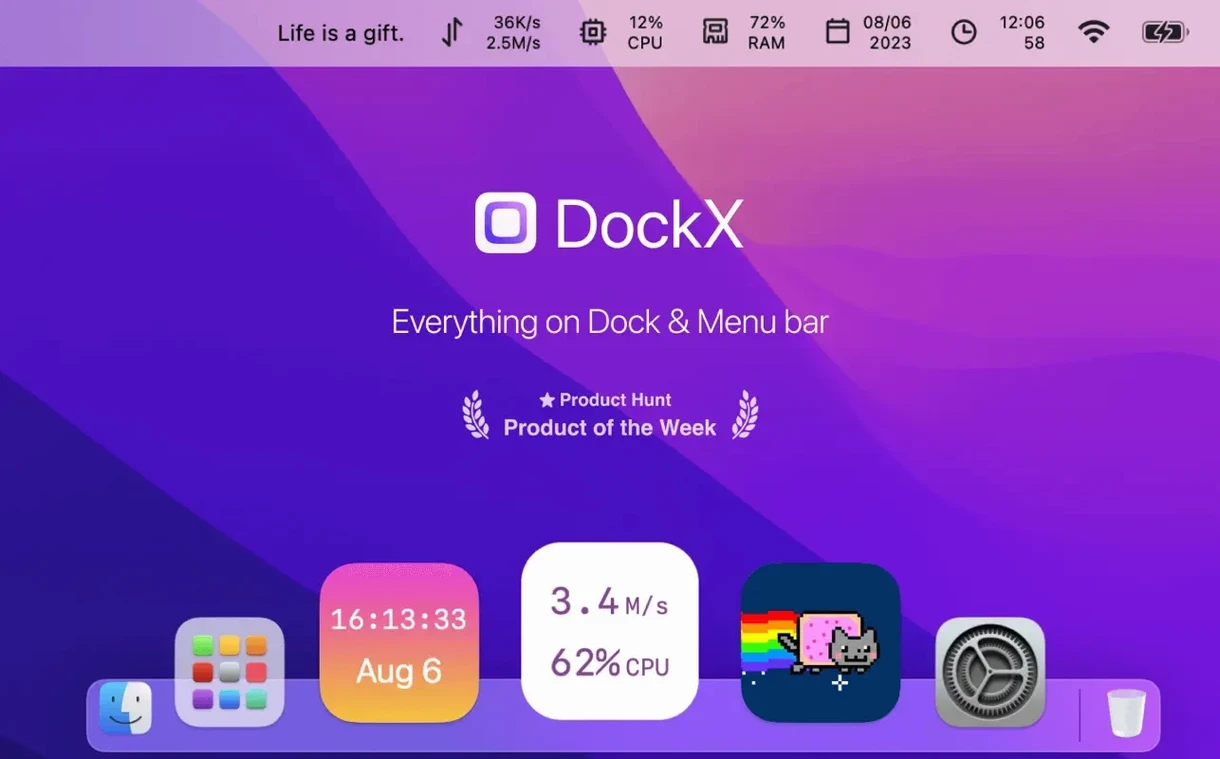
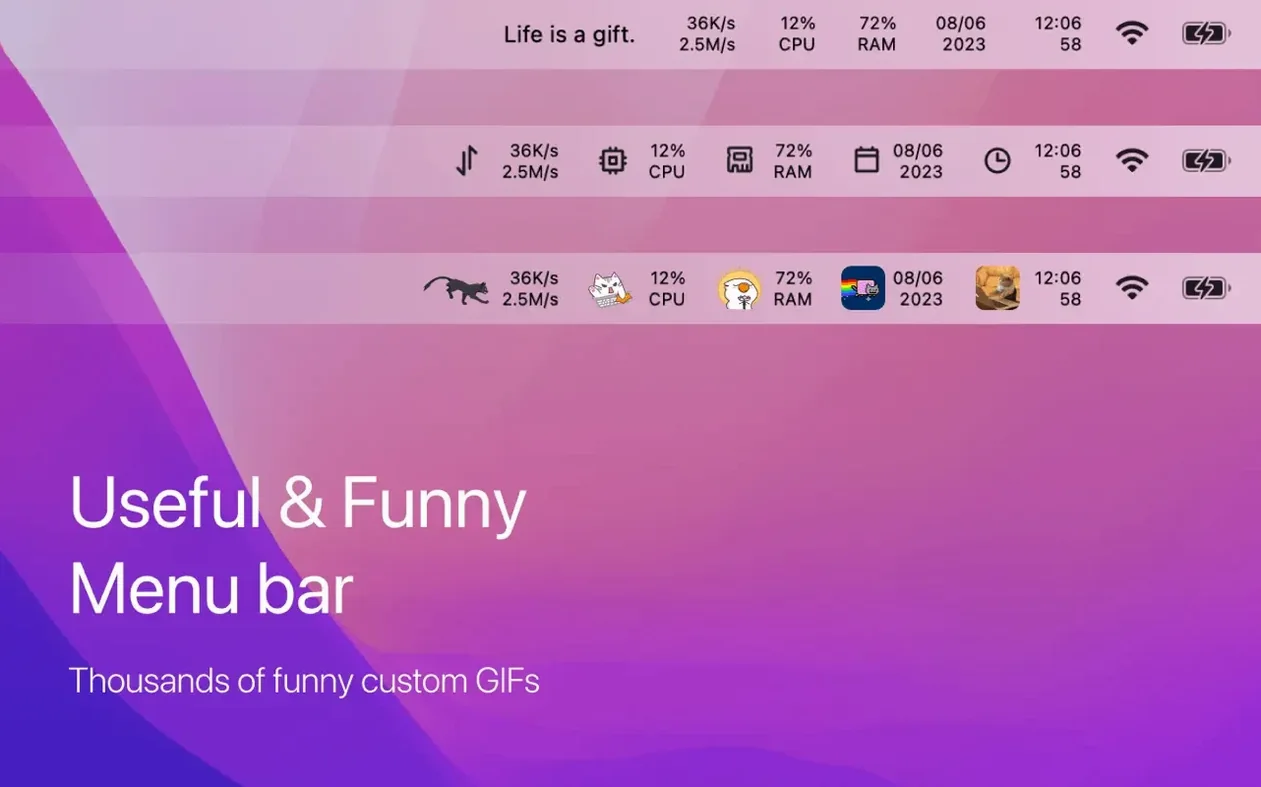
Most Mac utilities shove system info into the menu bar, where it competes with a dozen other icons. For a photographer editing through a long wedding edit, that means one less glance up at the menu bar and more time in the image.
What the experienced user gets beyond the basics
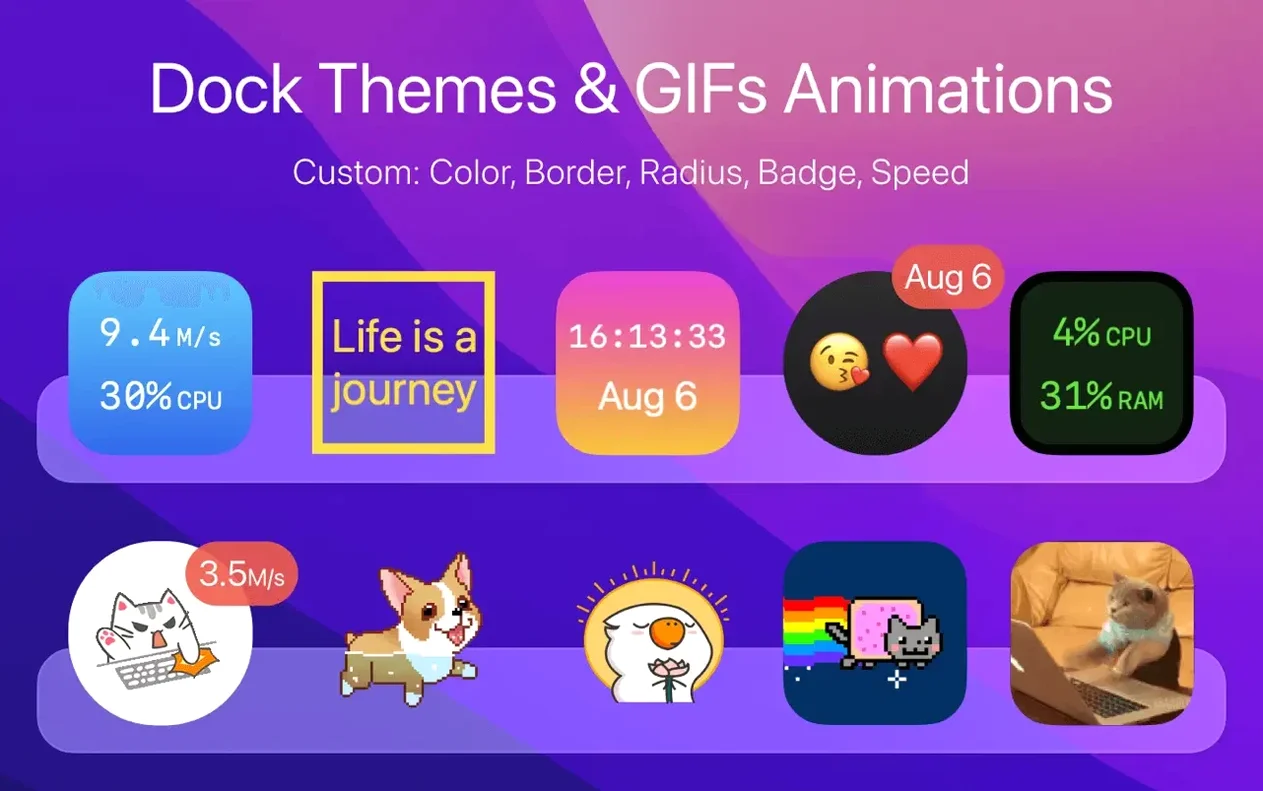
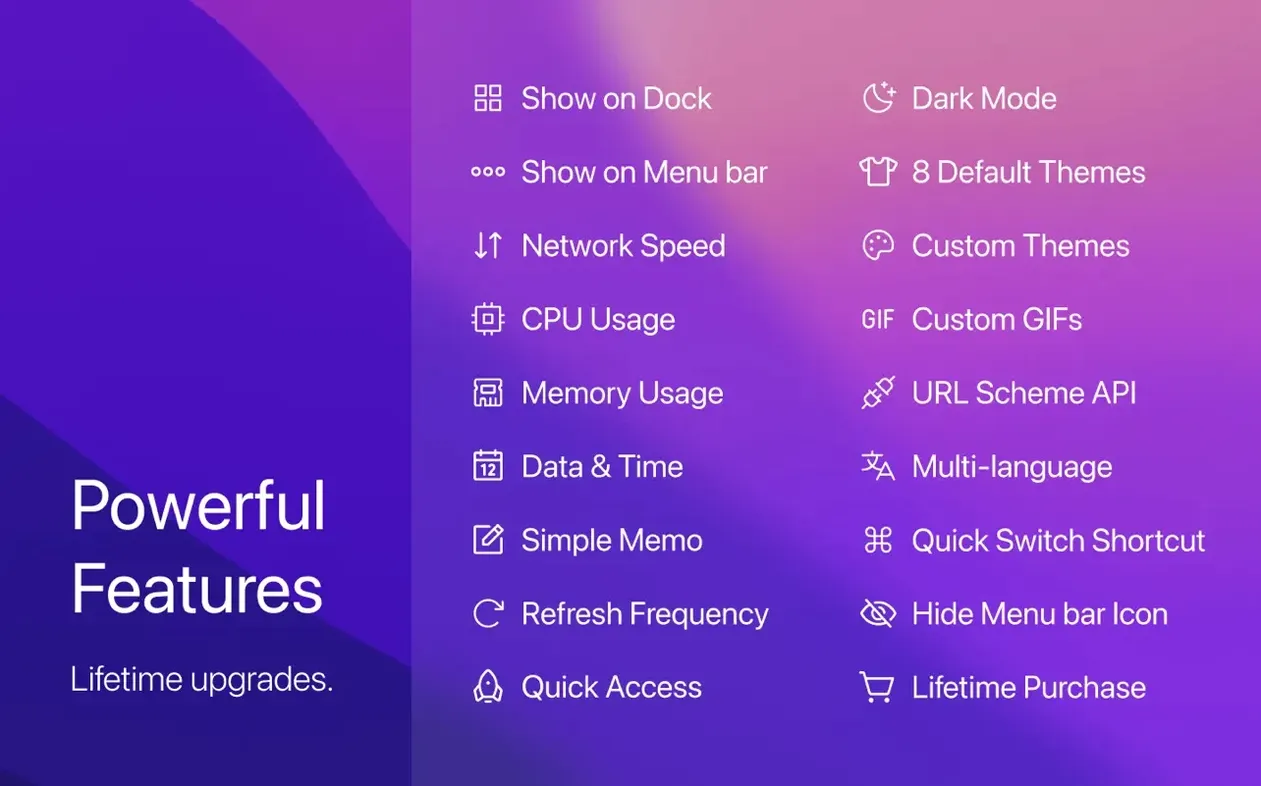
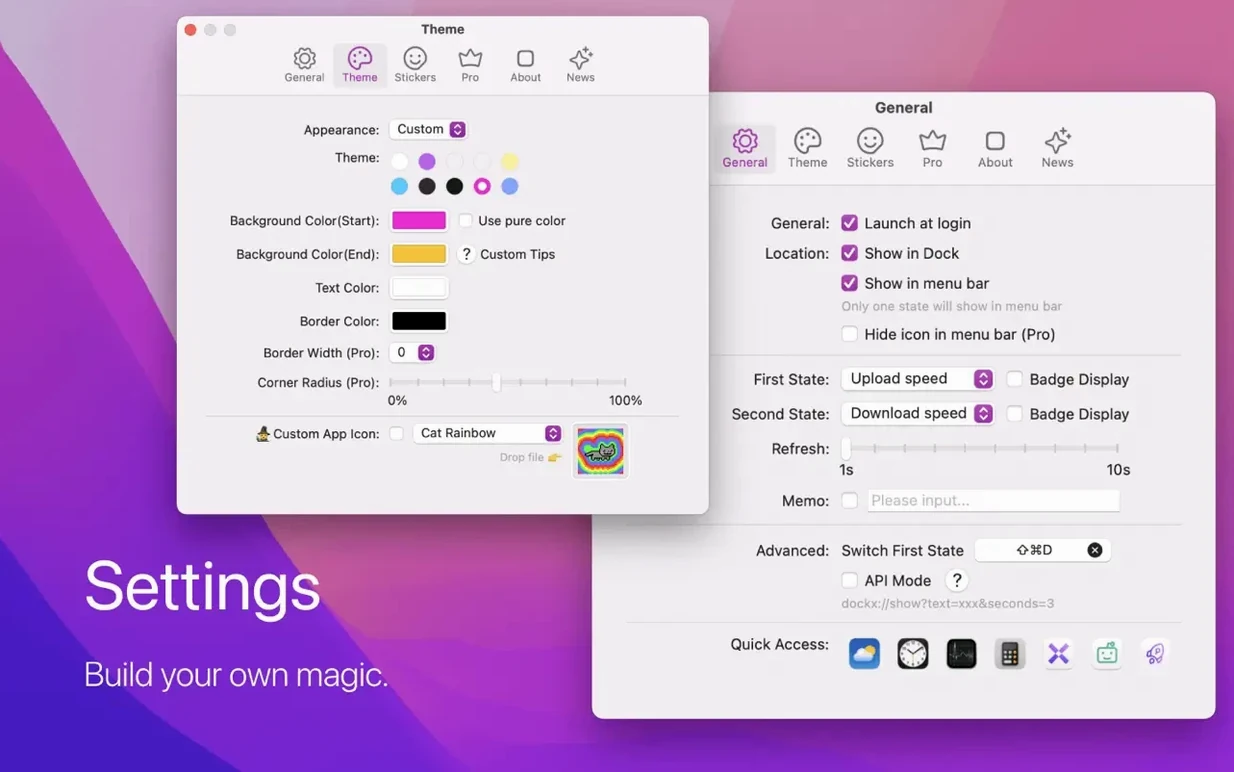
The surface features are handy: weather, a simple memo, reminders with red badges. You can customise the Dock layout, add hidden apps to it, and choose exactly which items appear where. The app supports both ARM and x86 64-bit Macs running macOS 11 or later, so it covers the full modern range. For anyone who treats their Mac as a work machine, that kind of at-a-glance monitoring saves time.
Dock layout customisation and hidden apps
DockX lets you rearrange what shows in the Dock and add apps that macOS normally keeps off it. That flexibility is useful when you want quick access to a utility without cluttering the main Dock. The menu bar display works as a second option if you prefer the traditional spot. Either way, the data updates live, and the interface stays clean. It is a small app that solves a specific problem without getting in the way.
Don't crowd the Dock with every metric at once
The most common slip is trying to put everything on show at once. The Dock gets crowded, the information loses its quick-scan value, and the whole thing feels noisy.
Another mistake is forgetting that DockX can show reminders with red badges. Beginners set up the weather panel and never scroll further. The reminder feature works well for deadlines like invoice dates or client delivery milestones, especially when you want the badge to catch your eye without opening a separate app.
Scenario: A photo editor on a tight turnaround
A freelance photo editor working from a café takes on last-minute culling jobs. They keep DockX set to show download and upload speeds in the Dock, because café Wi-Fi varies wildly and they need to know when a transfer has actually stalled. The memory indicator sits in the menu bar so they can spot a leaky background app before it slows down a full edit session. The weather widget is there too — not essential, but useful when the café gets dark and rainy and you want to know if you should pack up early. That mix of sensible defaults, chosen over time, turns DockX into a quiet assistant rather than a dashboard.
The users who benefit most from sustained-task tracking
DockX suits anyone who keeps their Mac running through sustained tasks: photographers exporting full wedding galleries, video editors rendering timelines, developers compiling projects with long build steps. These users benefit because they already glance at the Dock to check progress, and seeing network speed or CPU load there saves them from opening Activity Monitor every time they suspect something is slowing down. For anyone on a dockX system status on dock mac torrent setup, it integrates naturally into the workflow without demanding extra screen space.
Mac it needs
- macOS 11 or later
- Apple Silicon or Intel 64-bit
- Interface languages: English, Russian, German, Arabic, Greek, Spanish, Italian, Chinese (Traditional), Chinese (Simplified), Korean, Polish, Portuguese, Thai, Turkish, French, Japanese
Questions I actually get
Does DockX show battery cycle count?
Yes, battery cycle count and battery health are both supported items you can display in the Dock.
Can DockX show reminders with badges?
Yes, it can show reminders with red badges directly on the Dock icon.
What Macs does DockX support?
It runs on macOS 11 or later and supports both ARM and x86 64-bit architectures.
Installing on a Mac
- Mount the downloaded disk image.
- Drag the app into the Applications folder alias.
- Open the app from Launchpad after copying finishes.
Notes from photographers
Sign in or create your account to leave a comment.
No notes from photographers yet. If you have used this on a real folder, say which camera and which Mac.
