Get it for my Mac (78 MB)
 Movist Pro
2.21.0
Movist Pro
2.21.0

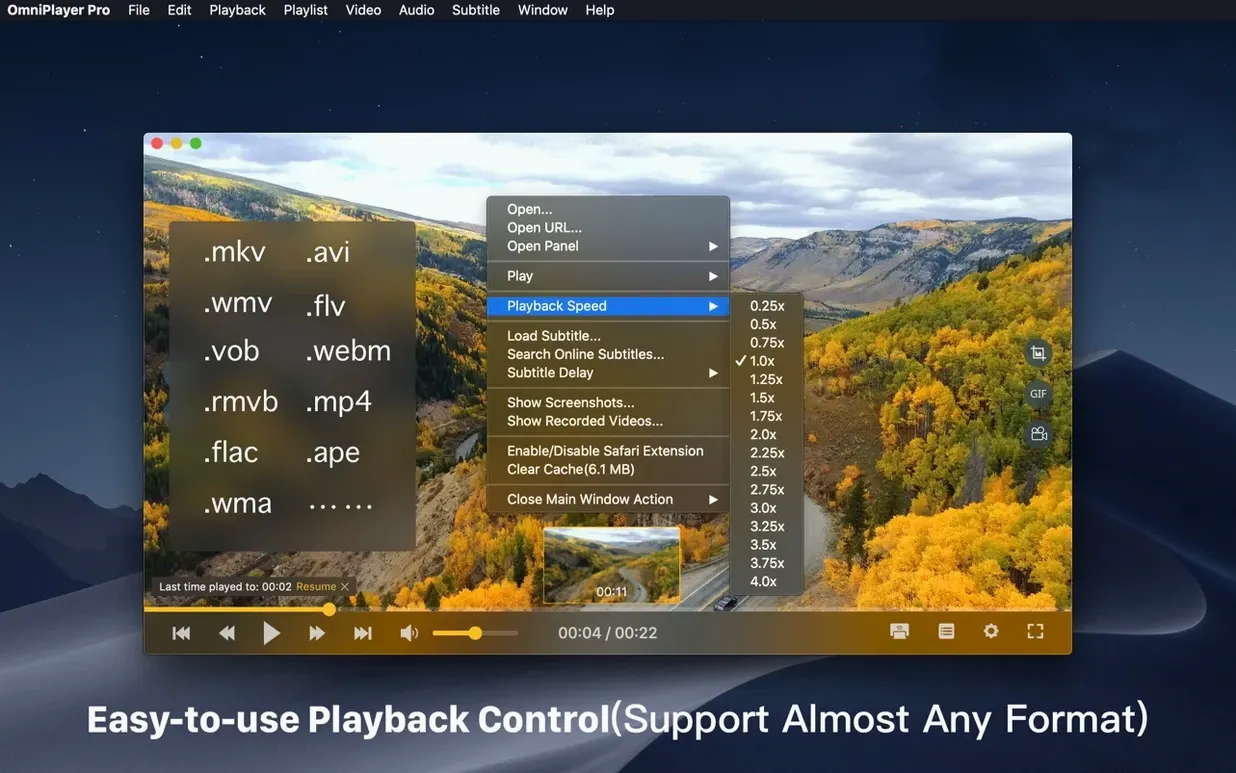
You download a film and the player you have just says no — black screen, no sound, or a spinning beachball. OmniPlayer solves that for anyone working with MKV torrents, large files, or remote media on a Mac.
OmniPlayer Pro for Mac — a media player that handles video, audio, subtitles, playlists, and wireless casting. It plays local files, streams over HTTP or HTTPS, and connects to SAMBA or FTP servers.
Requirements — runs on macOS 11 and later, Intel only. Version 2.1.22 is a 64-bit x86 build, so no Apple Silicon native version yet.
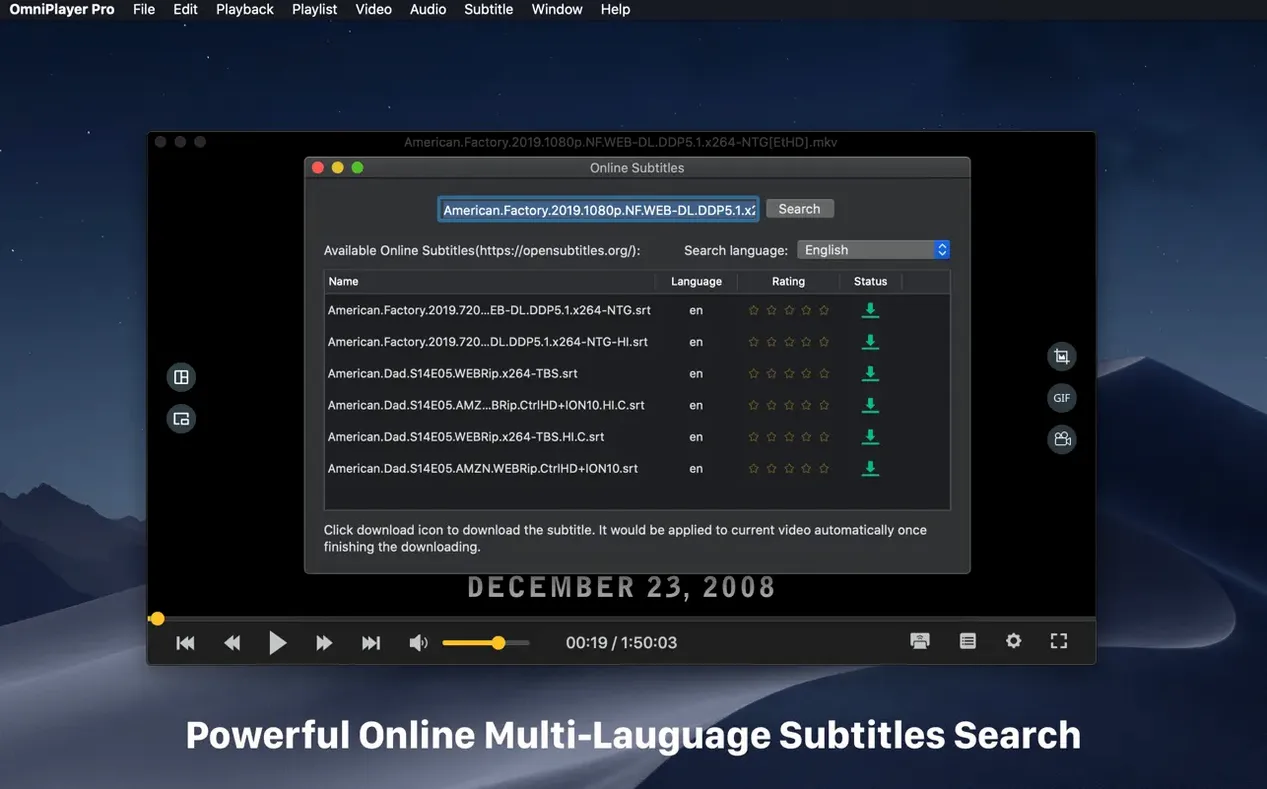
Subtitle support — search and download subtitles online by video title or file hash. Change subtitle encoding for different languages.
Playback features — preview images on the progress bar during local video, adjust video window size and aspect ratio, change audio delay to sync out-of-sync tracks.
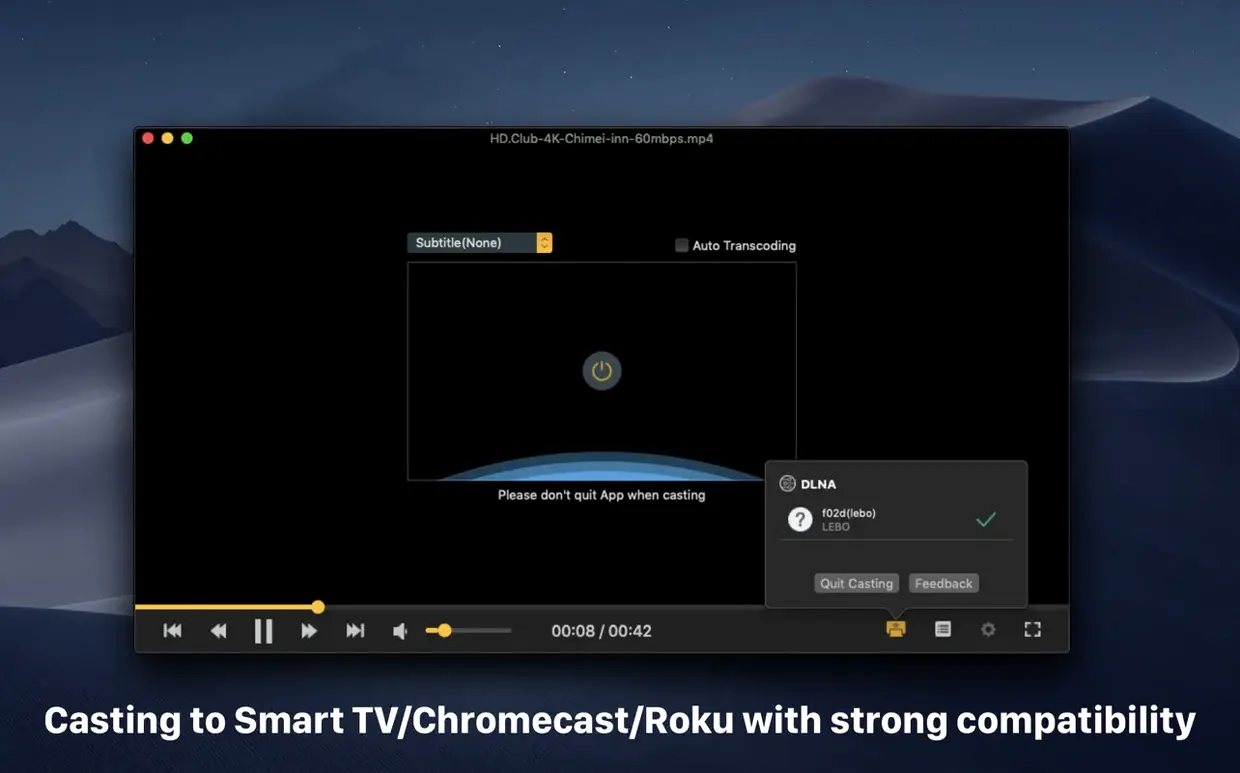
Casting — send video wirelessly to a TV or speaker using DLNA, Chromecast, or Roku.
GIF creation — turn any part of a video into a GIF up to 60 seconds long.
You have a 30 GB MKV file from last night's download. Double-click it and OmniPlayer opens to a clean window with no clutter. The controls are hidden so the video frame is the whole view — just the image. Move the mouse and the bar appears: play, pause, a slider with preview thumbnails so you can scrub to the right scene without guessing.
Say the audio is off by half a second. Hit the audio delay control and nudge it until the lipsync lines up. The track list lets you switch to a different audio track if the file has one. The same panel handles subtitle loading: you can pick a local .srt file or tell OmniPlayer to search online by the video's hash. Subtitles appear in a size and colour you can adjust on the fly, and if the encoding looks like gibberish you change it in the same menu.
You might want to grab a still from a scene. The screenshot tool saves it as a PNG or JPEG. Or you could make a short GIF — drag the start and end points, set the duration up to 60 seconds, and export it. The player keeps running while you do this; no need to pause or reload.
When you close the window, the player remembers where you stopped. Next time you open the same file, it picks up from that frame. The playlist clears itself automatically when the app exits, so you start fresh each session.
OmniPlayer 2.1.22 is built for Intel Macs running macOS 11 or later. It is a 64-bit x86 application, so on Apple Silicon machines it runs through Rosetta 2. The developer lists it for Mac only and the interface is available in English, German, Italian, French, Japanese, and two forms of Chinese.
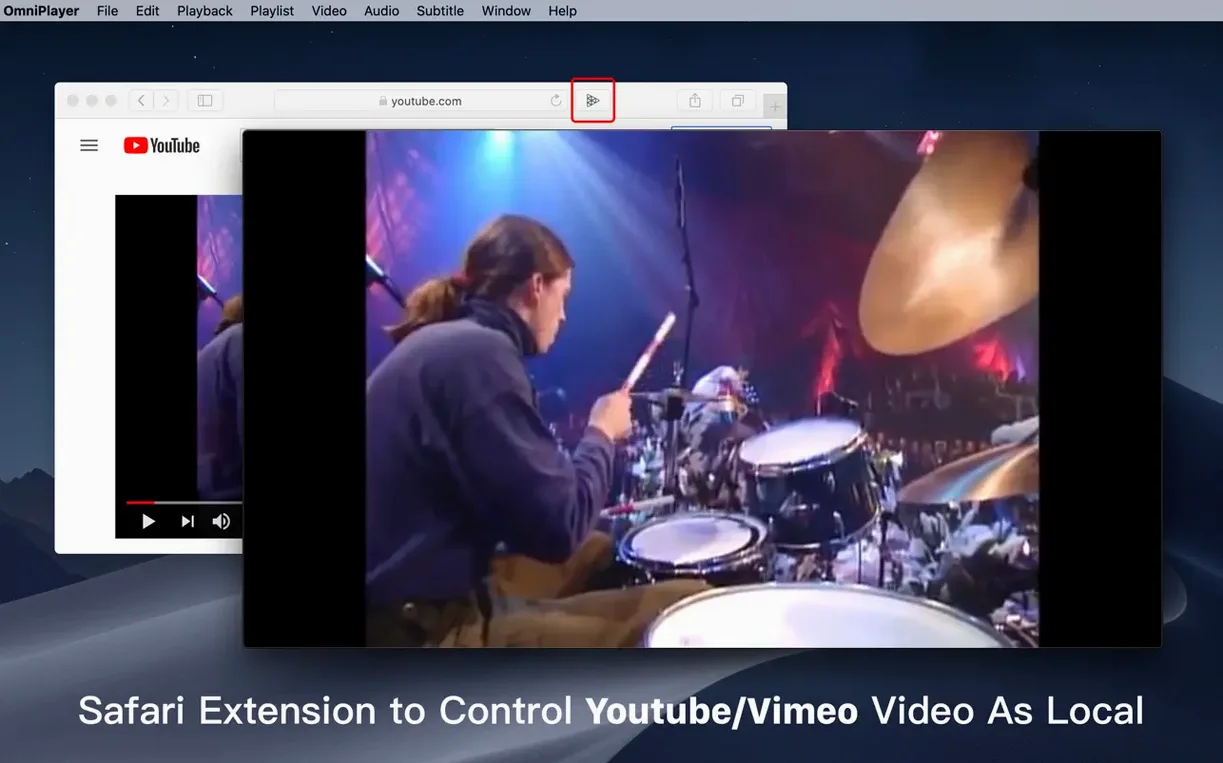
It handles local files, network shares over SAMBA and FTP, and online streams over HTTP and HTTPS. You can paste a YouTube or Vimeo page URL and it plays the video directly. For wireless display it uses DLNA, Chromecast, and Roku — no extra configuration needed beyond having the device on the same network.
Will it open my MKV files without converting them? Yes. MKV is one of the formats it handles natively. The release notes for 2.1.22 specifically mention a fix for loading a 30 GB MKV file, so large containers are tested.
Can I use it on an M1 or M2 Mac? The current version is Intel-only, so it runs under Rosetta 2. There is no Apple Silicon native build listed. It works, but it is not optimised for the M-series chips yet.
Does it stream from a NAS? Yes, through SAMBA and FTP. Point it at the shared folder and it reads the media directly. Playlist support means you can queue up several episodes from the same server.
What about subtitles for foreign films? It can search online by the video title or by the file hash. You can also load a subtitle file from your disk. The encoding setting helps if the text shows as broken characters.
Can I cast to my TV? If your TV supports DLNA, Chromecast, or Roku, yes. The cast option sends the video to the display while you use the Mac for other things.
The update fixed some bugs. The one mentioned in the release notes is a fix for loading a 30 GB MKV file — so if you work with large video files, this version should handle them without the previous issue. Nothing new in features, just a more stable version for people who deal with big files. If you have an older build, this is worth the update for that alone.
The current version 2.1.22 is listed as x86 (64-bit) and runs on Intel Macs with macOS 11 or later. It will run on Apple Silicon through Rosetta 2, but there is no native version yet.
Sign in or create your account to leave a comment.
No notes from photographers yet. If you have used this on a real folder, say which camera and which Mac.