Get it for my Mac (105 MB)
 Serum
2.1.5
- Version
- 1.2.0
- Developer
- Serato
- Interface in
- English
- Licence on file
- k'ed by Team V.R
- macOS it runs on
- macOS 10.15 or later
- Chip support
- Apple Silicon, Intel 64-bit
In the edit
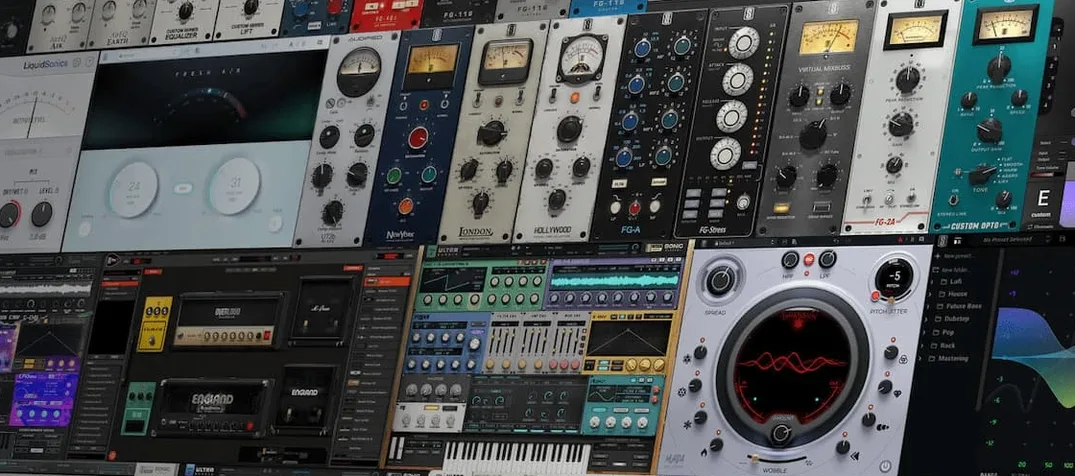
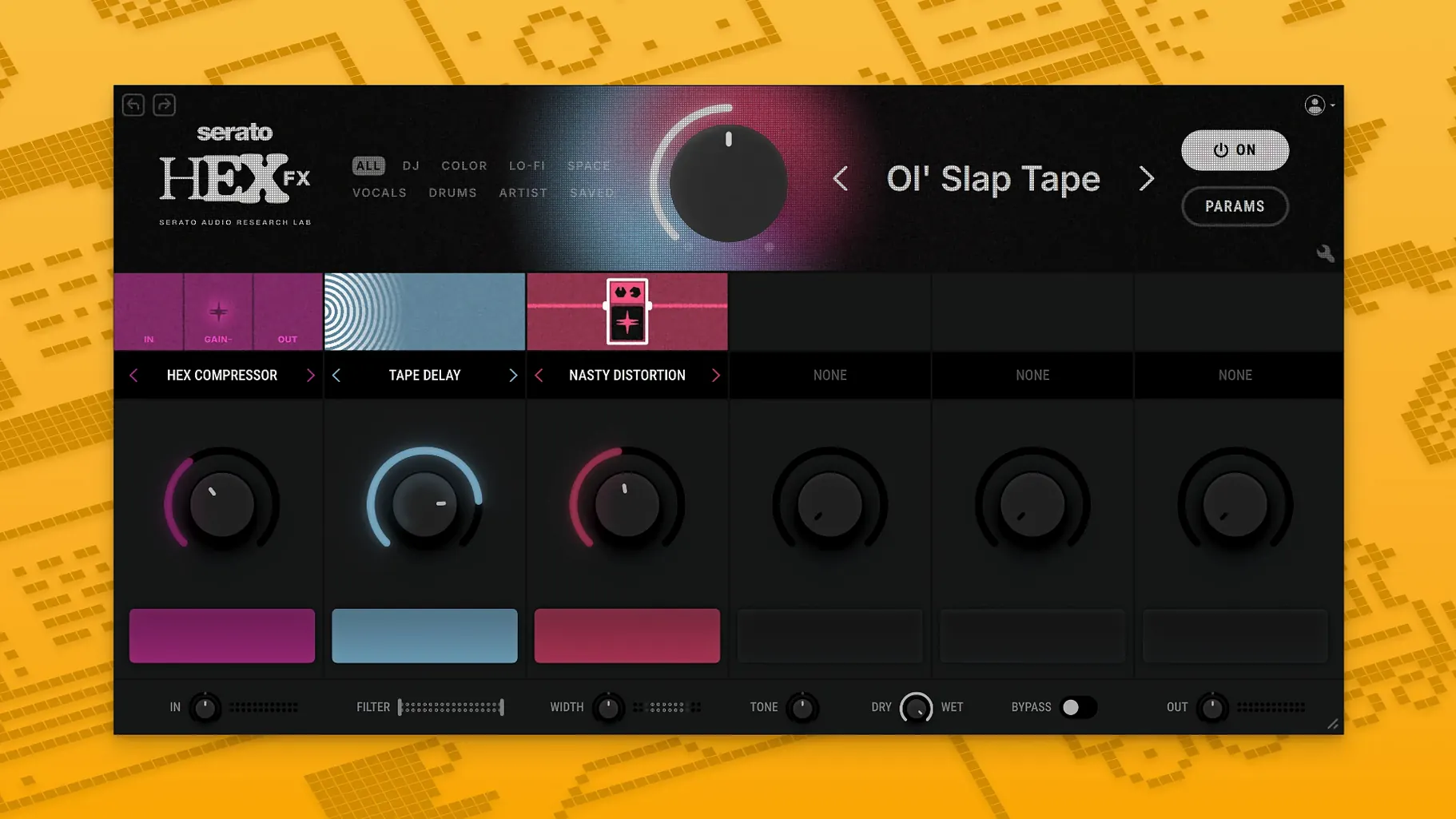
When you're building a mix, sometimes a single effect isn't enough. You want to layer, chain, and tweak multiple processors without cluttering your session with a dozen different plugins. Serato Hex FX solves that by packing several effects into one interface that you can reorder and adjust on the fly.
Drop on individual tracks for quick creative shaping
- Dropping on individual tracks for quick creative shaping — delays, filters, modulation, all in one place.
- Using on an FX bus or return track so you can send multiple channels through the same chained setup.
- Live performance where you need to switch effect chains without opening and closing separate plugins.
- Pro Tools sessions, now that version 1.2.0 includes AAX support alongside VST and AU.
Runs on macOS 10.15 and later, English interface only
- It runs on macOS 10.15 and later, including macOS 26 Tahoe, on both Intel and Apple Silicon Macs.
- The interface is in English only.
- Each effect in the chain can have its parameters customised, giving you a lot of control from a single window.
Explore 200+ presets from Guy Lawrence and Lord Finesse
Once Serato Hex FX is installed and your DAW recognises it, spend a few minutes with the preset browser before diving into custom chains. The 200+ presets from producers like Guy Lawrence, Lord Finesse, and DECAP are a good way to hear what the plugin can do without building from scratch. Load one onto a drum loop or a vocal phrase, then start swapping individual effects in the chain to see how each one changes the sound.
Try the Performance FX — Halftime and Rollout are good candidates for quick rhythm changes. Map a couple of these to MIDI controls if you perform live; it saves reaching for the mouse during a set.
If you run into a crash or error message after the install, Serato provides Terminal commands in the documentation that should resolve it. Copy them exactly and run them before digging into your session.
Shines for Serato Studio users and DAW producers
Music producers working inside a DAW are the obvious fit, but the plugin really shines for a few specific types of Mac user. If you use Serato Studio, Hex FX integrates directly and gives you a familiar workflow without leaving the environment. Sound designers who layer textures will appreciate being able to stack modulation, reverb, and filtering in one window rather than across multiple inserts.
Live performers benefit from the chainable effects and the ability to save custom presets for each track or section of a set. Producers using Pro Tools now have native AAX support with version 1.2.0, which means no bridging or format conversion — just install and go. And if you work in Ableton Live, FL Studio, Logic Pro, or Maschine, the plugin is officially supported and should slot straight into your template.
Add movement to a synth pad with chained effects
Let me walk through how a session might go with Hex FX. Say you have a simple synth pad sitting in a track and it needs more movement. You insert the plugin on the channel and start by selecting one of the preset chains — something with a filter and a slow modulation effect. The sound starts to breathe, but you want a sharper edge.
You reorder the chain, moving the filter before the modulation so the effect hits the filtered signal rather than the raw pad. The change is subtle but noticeable. Next, you tweak the parameters of the modulation effect, adjusting the rate until it locks with the track tempo. The parametric EQ bands — low-shelf, mid-bell, and high-shelf — let you shape the tone further without adding another plugin.
Once the chain sounds right, you save it as a custom preset. Later in the session, when a similar part needs the same treatment, you load that preset and it's ready. If you're working on a mixdown, you might send several tracks to an FX bus with Hex FX on it, letting you process multiple elements through the same chain for cohesion.
For live performance, you could assign the chain selection to a MIDI controller and switch between a clean filter sweep and a glitchy delay chain during a build-up. The whole thing stays in one plugin window, so there is less clicking around and more time focused on the music.
New this release
- AAX support added for Pro Tools users.
- Installer now includes an AAX format option.
- Bug fixes included.
Mac it needs
- macOS 10.15 or later
- Apple Silicon or Intel processor
- Compatible DAW (VST, AU, or AAX host)
Questions I actually get
What plugin formats does Serato Hex FX support?
It supports VST, AU, and AAX formats, so it works in most major DAWs including Pro Tools.
Can I use Serato Hex FX in Pro Tools?
Yes, version 1.2.0 added AAX support, and the installer includes an AAX format option.
What macOS versions are supported?
Serato Hex FX runs on macOS 10.15 and later, including macOS 26 Tahoe, on both Intel and Apple Silicon Macs.
Installing on a Mac
- Open the downloaded disk image and run the standard installation process.
- If the plugin crashes with an error, run the listed Terminal commands exactly as provided.
Notes from photographers
Sign in or create your account to leave a comment.
No notes from photographers yet. If you have used this on a real folder, say which camera and which Mac.