
 Get it for my Mac (9 MB)






 CleanMyMac
5.7.0

- Version
- 7.11.0
- Developer
- Cisdem Inc.
- Interface in
- English
- Licence on file
- K'ed by TNT team
- macOS it runs on
- macOS 10.12 or later
- Chip support
- Intel 64-bit
In the edit
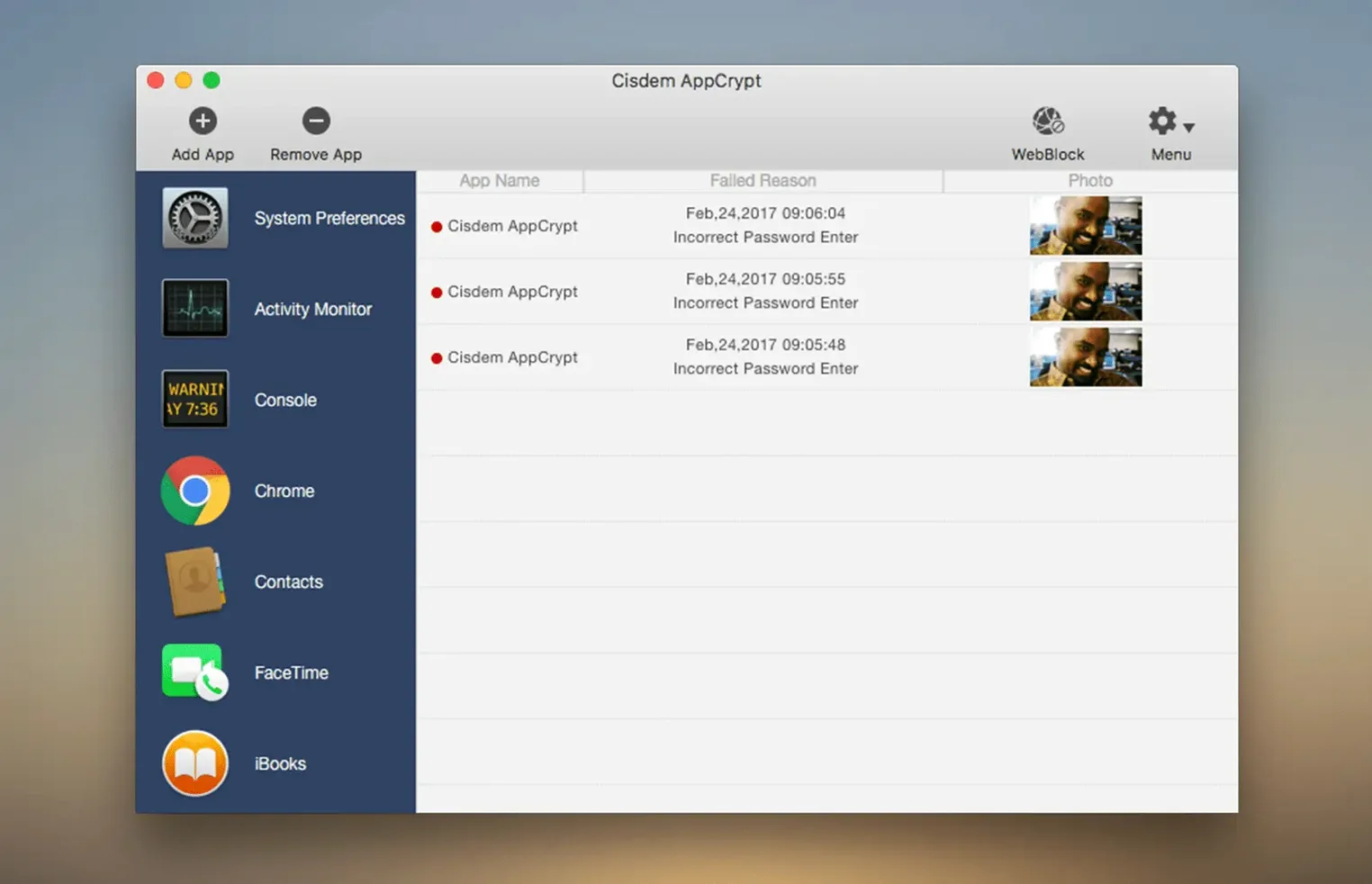
Photographers, designers, editors — anyone who shares a Mac with family or colleagues and wants to keep their work apps to themselves. Cisdem AppCrypt locks selected applications behind a master password and blocks distracting websites across nine browsers, including Chrome, Safari, Edge, and Opera.
Locks Lightroom, Capture One, and any app behind a password
- Locking Lightroom, Capture One, or any app so nobody else can open it without the password.
- Blocking social media or time-wasting sites across multiple browsers at once.
- Setting it up once and forgetting it — the App Allowlist function (added in 7.9.0) lets you decide exactly what stays accessible.
Adding the first website triggers an Automation permission request
- Version 7.11.0 runs on Intel and Apple Silicon Macs, from macOS 10.12 Sierra all the way to 26.0 Tahoe.
- Adding the first website to the block list triggers an Automation permission request — that’s normal.
- You’ll need 512 MB of RAM and about 50 MB of free disk space.
Skipping the Automation permission step breaks the web block list
The most common slip is skipping the Automation permission step when adding a website for the first time. The dialogue appears, some click Deny out of habit, and then the web block list doesn’t work until they go back into System Settings and enable it manually. Another one: trying to lock the Finder or System Settings themselves. AppCrypt isn’t built for that, and locking system-level apps can cause odd behaviour or a lockout. Stick to your own applications — browsers, games, photo software, communication tools.
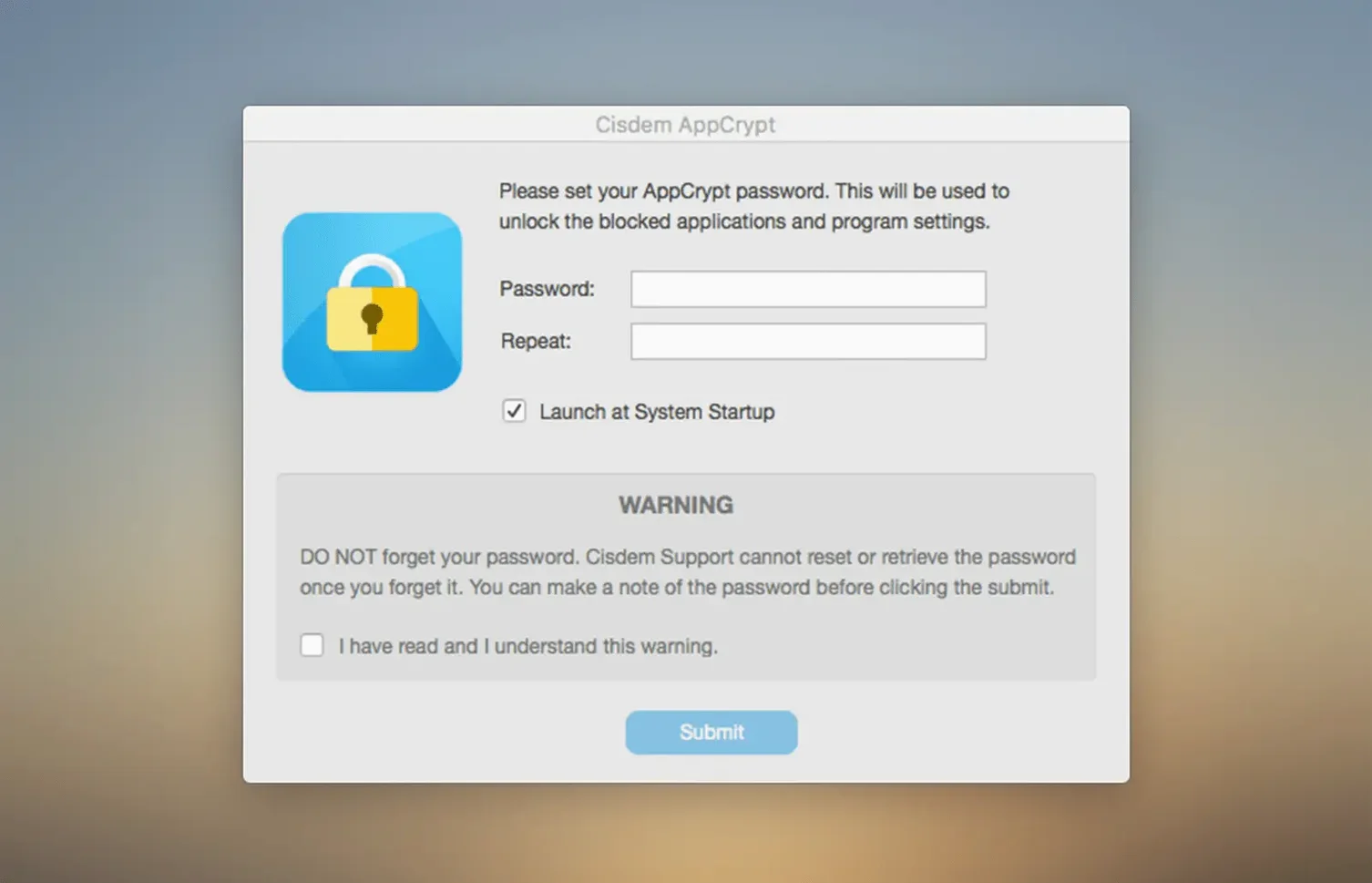
People also forget that the master password is the only way back in. There’s no recovery email or reset button. If you set something long and clever, make sure you remember it. And a few users assume that locking an app keeps its background processes running — it doesn’t. Once locked, the app won’t launch, but if it was already open, it stays open until closed. Quit before locking.
Turn on the App Allowlist to see what stays open versus locked
Open the settings panel right after installation. The App Allowlist feature from version 7.9.0 is worth turning on early — it gives you a clear list of what stays open versus what gets locked, so you don’t accidentally block something you need daily. The quick website blocking option, also added in 7.9.0, saves time: you can add a URL to the block list without entering your password every time, which makes it easy to shut down a distraction mid-session.
Under the menu tab, you can enable App Lock and Web Block without a password. That sounds counterintuitive for a security app, but it’s useful if you want to lock or unlock things quickly while you’re already signed in. And make sure the setting for locking managed apps when the Mac goes to sleep is on — it’s been there since 7.9.0 and it keeps your work protected if you walk away from the desk.
Freelance photographers and designers who share a home computer
Freelance photographers and designers who share a home computer with a partner or children are the obvious fit. Locking Capture One, Final Cut, or the Adobe suite means nobody accidentally opens a project or changes a setting. Office workers who leave their Mac unattended during meetings will appreciate the automatic sleep lock. Parents who want to limit game or browser time for their kids can block specific apps and websites without needing a full parental control suite.
Then there’s the crowd who just want fewer distractions. If you find yourself opening Twitter or YouTube out of muscle memory during edits, locking those sites across all nine supported browsers removes the temptation at the source. AppCrypt doesn’t nag you or track time — it just puts a wall where you decide. That’s enough for a lot of people to stay focused through a busy season.
Mac it needs
- macOS 10.12 Sierra through macOS 26.0 Tahoe
- Intel or Apple Silicon processor
- 512 MB RAM or more
- 50 MB free disk space or more
Questions I actually get
Can I lock individual apps without blocking websites?
Yes. App Lock and Web Block are separate features, and you can enable just one or both.
Does Cisdem AppCrypt work on Apple Silicon Macs?
Yes, it supports both Intel and Apple Silicon processors.
Which browsers does the website blocker support?
It works with Chrome, Safari, Edge, Opera, Opera GX, Arc, Dia, Ecosia, and Brave.
Installing on a Mac
- Mount the disk image and run Open Gatekeeper friendly.
- Press Enter in Terminal to bypass Gatekeeper.
- Drag the app to the Applications folder.
- Launch the app.
Notes from photographers
Sign in or create your account to leave a comment.
No notes from photographers yet. If you have used this on a real folder, say which camera and which Mac.
