Get it for my Mac (37 MB)
 Dropover
5.3.0
Dropover
5.3.0

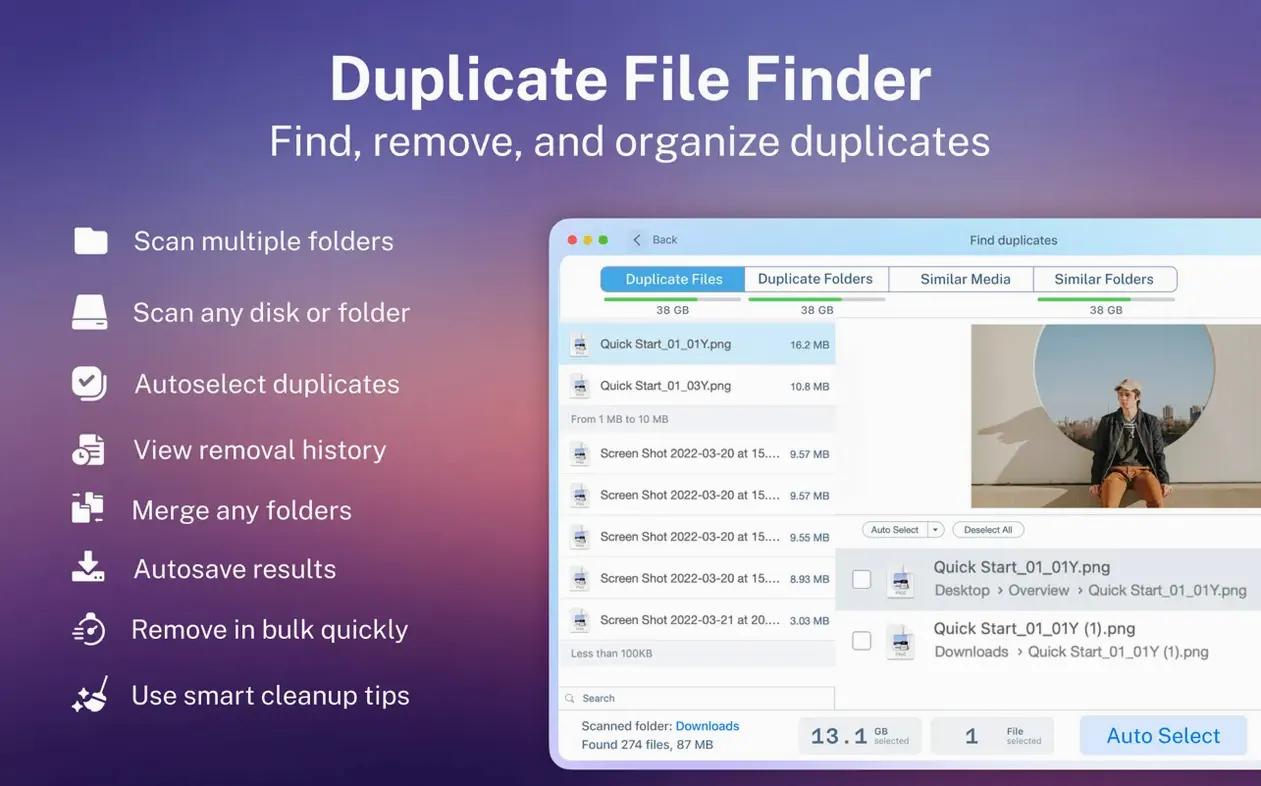
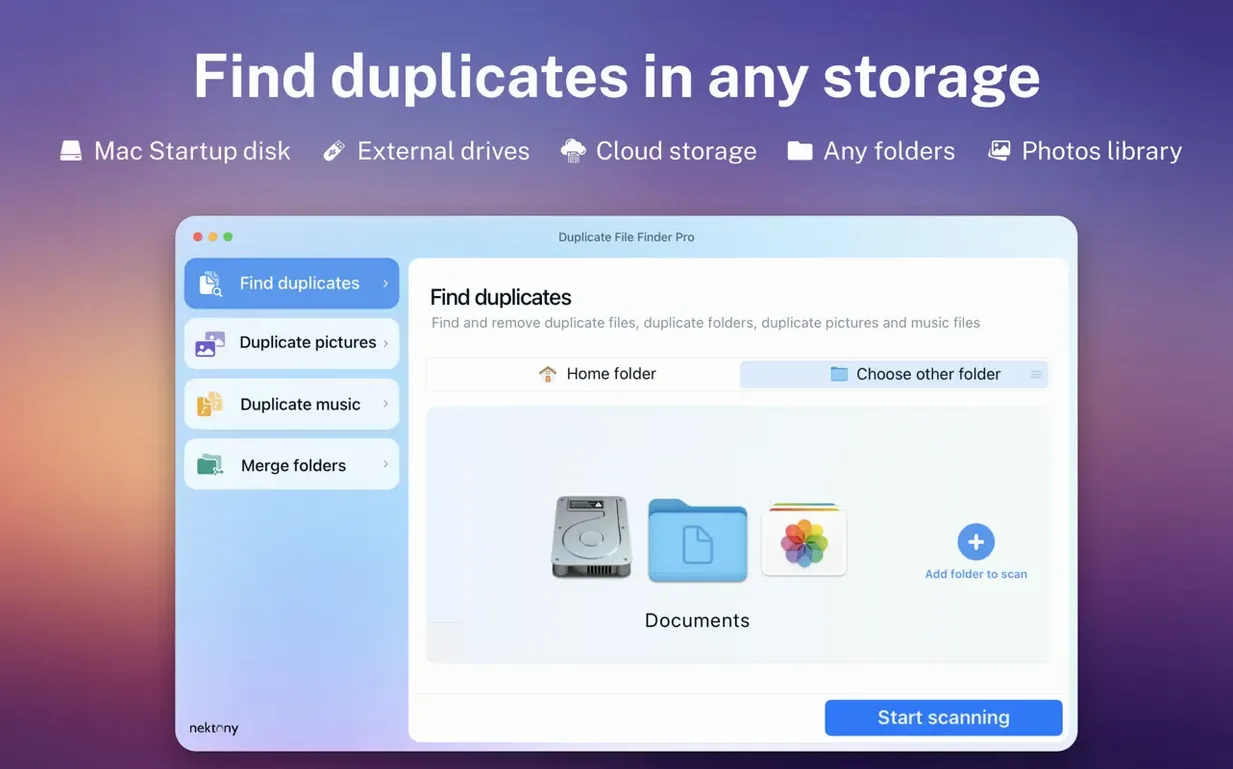
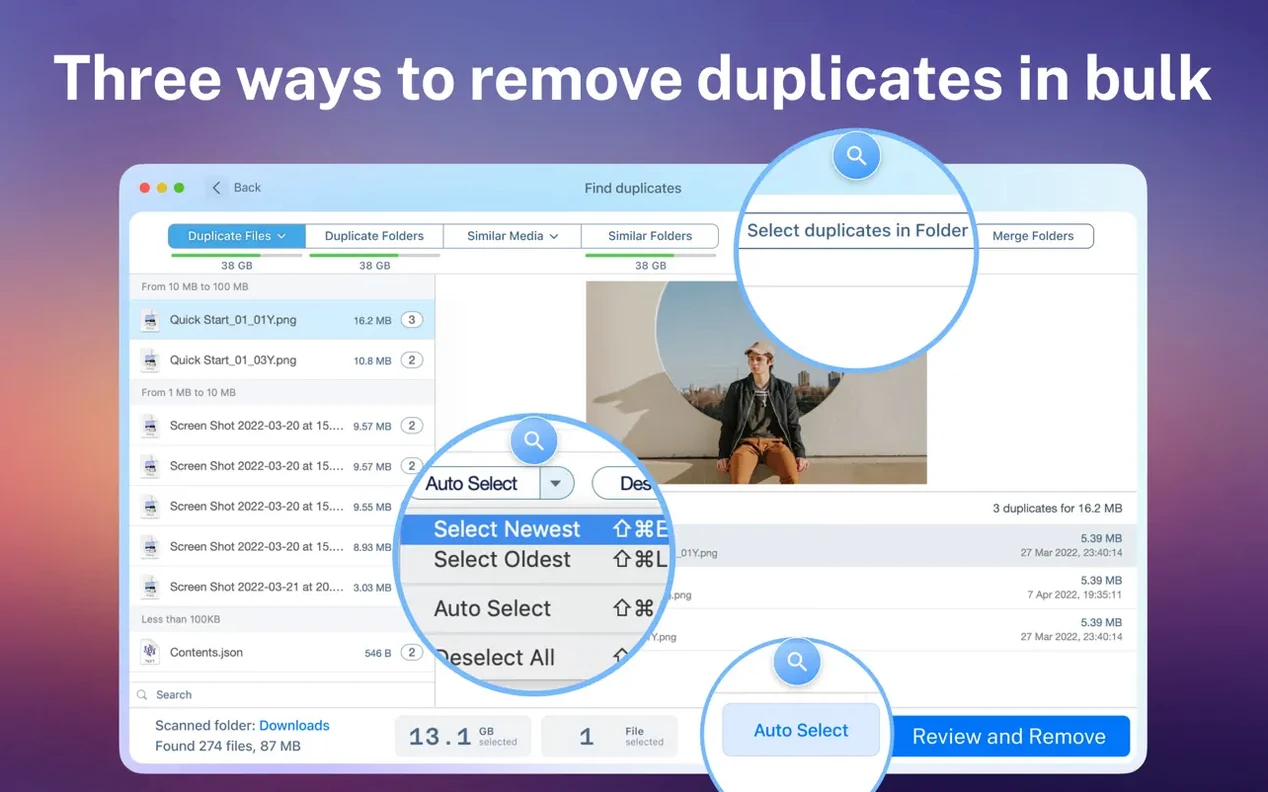
Duplicate File Finder Pro runs on Macs with macOS 10.13 or later, Intel and Apple Silicon both covered. Here are the first things a newcomer should try, explained in plain terms.
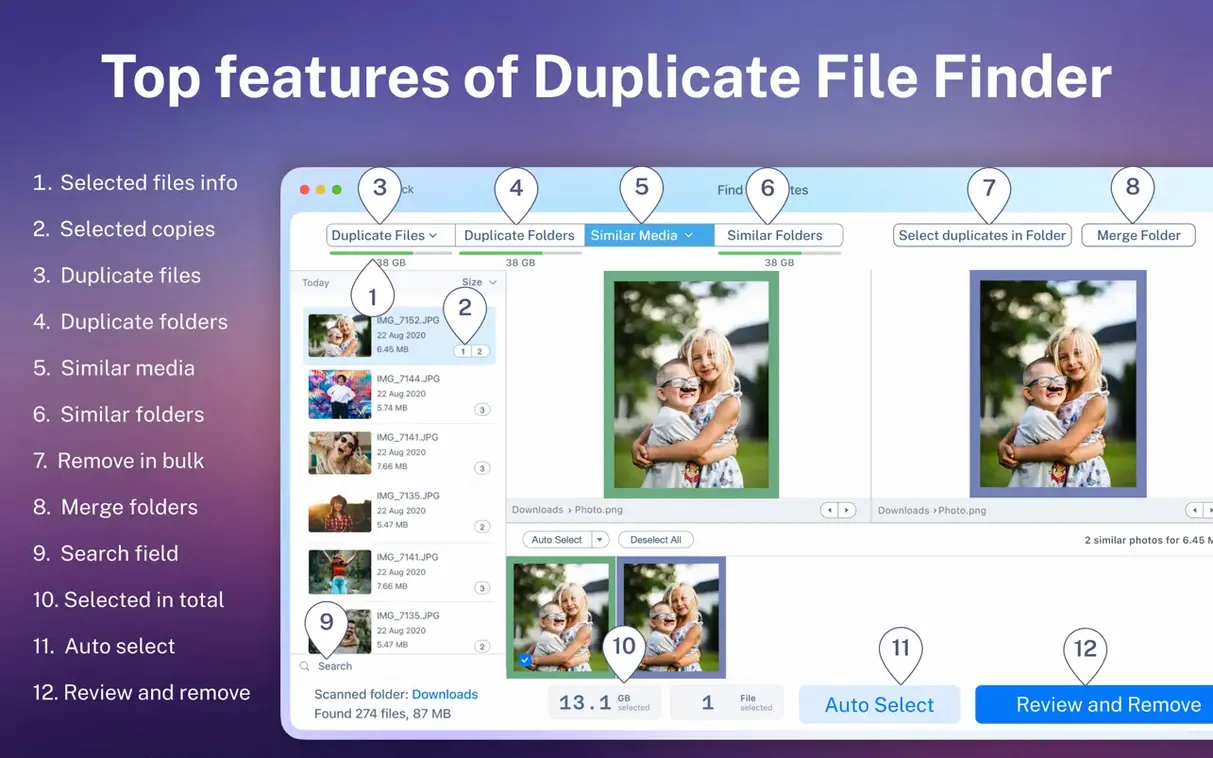
After a scan, the app picks duplicates you can safely remove — usually the ones in less important locations. You can adjust the selection before deleting.
Once a scan finishes, you get a clear breakdown of space taken by duplicates, grouped by folder or disk. Helps you decide where to start cleaning.
The duplicate list sorts by name, size, total size, type or duplicate count. Useful when you want to find the biggest space-wasters first.
Hidden system folders are included in the scan unless you tell it otherwise. Good for catching duplicates that other tools miss.
Duplicate File Finder Pro works well alongside Finder, not against it. When you finish a scan, you can open the enclosing folder for any duplicate right from the app — handy when you want to check the original file's context before deleting a copy. The app also respects macOS tags and colour labels, so files you've organised with Finder's tagging system stay identifiable in the scan results.
If you use Time Machine for backups, the app scans your backup drives the same way it handles any external volume. That means you can clean duplicates off a Time Machine disk without digging through folder hierarchies manually. For people who keep an organised Photos library, the image category in the scan report covers common photo formats, so you can clear out duplicate JPEGs or RAW files that accumulated during imports.
You can add a folder to your Finder favourites from within the app's scan panel, which saves a step when you're working through the same directories regularly. And because the app shows duplicate folders alongside duplicate files, you can merge two near-identical project folders into one, keeping the newer or fuller version and discarding the rest.
A few things trip people up early on. Here are the ones I see most often, with straightforward fixes.
If you point the app at your entire internal drive on the first run, it will take a while — that's normal. To speed things up, scan individual folders like Downloads, Documents or Desktop instead. The app remembers previous scan results, so you can also reopen an old report without rescanning.
The app compares files by content, not just name. If two files have different names but identical data, they still appear as duplicates. If you're not seeing what you expected, check that you included the right folders in the scan and that hidden folder scanning is turned on — some app caches and system folders hide duplicates that way.
It happens. The restore feature keeps a record of files you've removed through the app, so you can bring them back as long as you haven't emptied the Trash. Open the history list, select the items and restore them to their original location.
Make sure the drive is mounted in Finder before you start a scan. Network volumes and external drives connected after the app launched may need a refresh in the volume selector. If the drive still doesn't show, check that it uses a format macOS can read — APFS, HFS+ or exFAT are all fine.
The smart selection algorithm is conservative — it tends to leave files in your home folder alone and mark duplicates in caches or temporary folders for removal. If it selects something you want to keep, just deselect it manually before hitting delete. You have full control over the final list.
The app runs on any Mac with macOS 10.13 or later, which covers High Sierra through to the latest Sonoma and Sequoia releases. Both Intel and Apple Silicon Macs are supported natively, so you get the same interface and features regardless of the processor.
Language support is English throughout. The app's interface, scan reports and preferences all use British or American English depending on your system setting. No additional language packs to worry about.
For everyday use, you can leave the app installed and run scans whenever you need to reclaim space. The folder-merge feature and duplicate-folder detection give you more options than a simple file scanner, so you can clean up project directories, photo libraries and backup drives without switching between different tools.
If you delete something by mistake, you can restore it from the app’s history. No permanent loss from a rushed cleanup.
Yes, it can find duplicate folders as well as similar folders. You can scan multiple folders or entire disks in one go.
Sign in or create your account to leave a comment.
No notes from photographers yet. If you have used this on a real folder, say which camera and which Mac.