Get it for my Mac (615 MB)
 Vector Magic
1.20
Vector Magic
1.20
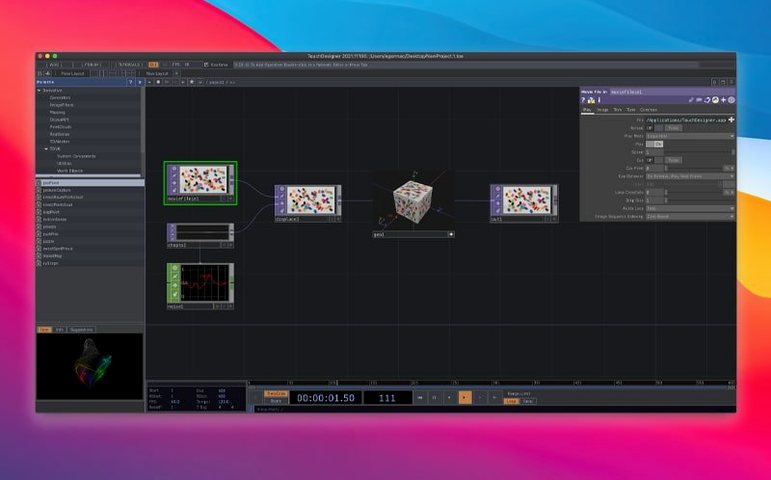
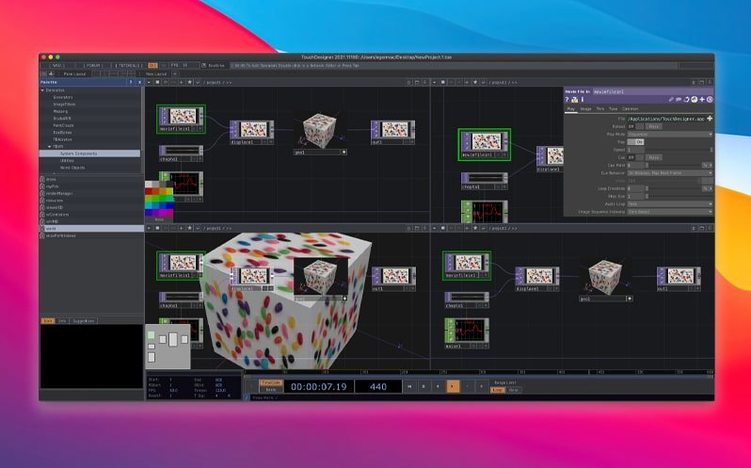
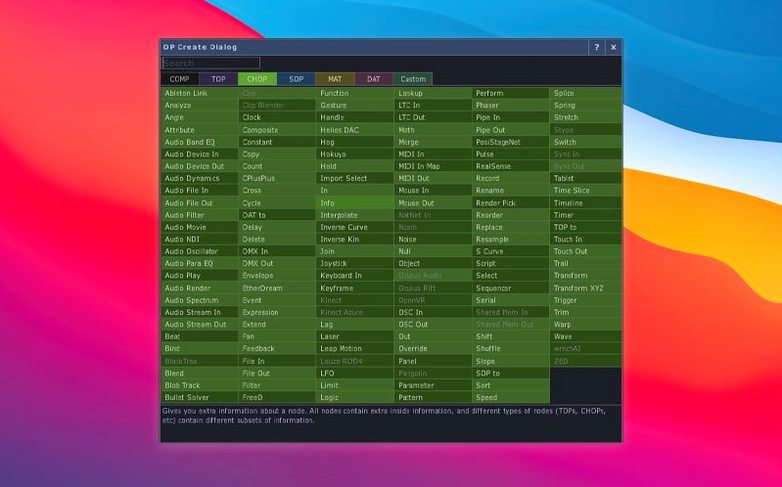
TouchDesigner 2025.31550 handles 3D textures and 2D arrays natively across most TOPs, which makes a difference when you start building interactive visuals. It is a visual programming environment for real-time media — think live visuals, installation work, or generative graphics — where you wire nodes together rather than write lines of code.
Once you have TouchDesigner 2025.31550 in your Applications folder, take a moment to check the Gatekeeper settings. Open a Terminal window, type the bypass command and press Enter — this is a one-time step for the initial launch. After that, the app behaves like any other Mac software.
Start with the built-in examples menu. The Derivative team includes a set of sample networks that show how nodes connect for projection mapping, audio-reactive visuals, and basic UI layouts. Open a few, trace the wires, and change a parameter here and there. You will learn more from breaking and fixing a node than from reading the manual.
Set up a project folder early. TouchDesigner saves references to external assets relative to the .toe file, so keeping textures, video clips, and scripts inside one project directory saves you from broken paths later. I use a simple folder structure: one for media, one for exports, one for backups of older network versions.
If you work with depth cameras, test the Orbbec or Kinect Azure connections right away. The Orbbec SDK 1.10.16 now supports Intel Macs, which was not always the case, so plug in your camera, add the appropriate CHOP, and check the data stream before you build a whole patch around it.
The biggest shift is the Point Operators family. POPs run on the GPU and handle 3D point data — think particle systems, point clouds from depth sensors, or vertex-level deformations. Before 2025, you would have built these workflows inside SOPs or with custom GLSL. Now a dedicated set of nodes handles the heavy lifting, and because they run on the GPU, the performance ceiling is higher for dense point sets.
Most TOPs now support 3D textures and 2D arrays natively. This matters if you work with volumetric data or multi-layer image sequences. Instead of unpacking a 3D texture into separate 2D slices and processing each one individually, you feed the whole volume into a single TOP and let it handle the dimensions. Fewer nodes, cleaner networks, less room for mistakes.
The camera SDK updates are smaller but practical. The Orbbec SDK 1.10.16 and Kinect Azure 1.10.3 bring improved device compatibility and stability on Intel Macs. If you run multi-camera setups, the updated drivers handle device enumeration more reliably, which saves time during installation teardowns and rebuilds.
TouchDesigner is not a plugin — it is a standalone environment that talks to the rest of your system through protocols and file formats. You can send OSC or MIDI to Ableton Live, Resolume, or QLab for synchronised audio and video playback. For projection mapping, export your calibration data and bring it into MadMapper or HeavyM for fine-tuning, or keep everything inside TouchDesigner if the projection setup is simple enough.
On macOS, the app works with system-level input devices. Connect a MIDI controller, a gamepad, or a webcam, and TouchDesigner picks it up through CHOPs. I have used a cheap USB footswitch to trigger scene changes during a live performance — no extra drivers, just plug and map.
For file exchange, TouchDesigner reads and writes common image and video formats, so you can bring in assets from Photoshop, After Effects, or DaVinci Resolve and send rendered frames back out. If you use Notch or Unreal Engine for specific 3D tasks, you can pipe data via Spout (on Windows) or Syphon (on macOS) to keep the real-time loop alive between applications.
Apple's built-in screen sharing and QuickTime recording work fine alongside TouchDesigner. I often record a rehearsal session with QuickTime Player to review timing later — no need for a separate capture tool.
A friend of mine runs sound and video for a two-person theatre show in a black box venue. He uses TouchDesigner as the media server. The setup is simple: a MacBook Pro with an Intel processor, a USB MIDI controller, and a projector mounted on a lighting truss.
His network has three main sections. One CHOP reads the MIDI controller — he mapped the faders to control video opacity and the buttons to trigger scene changes. One TOP chain handles playback of pre-rendered video clips and a live camera feed that he blends in for one scene. The last section runs a small POP network that generates a particle cloud behind the actors, driven by a microphone input through the audio CHOP.
The 2025 update helped him in two ways. The native 3D texture support in TOPs let him load a volumetric fog clip as a single asset instead of splitting it into layers. And the POPs meant he could keep the particle system entirely on the GPU, leaving the CPU free for the MIDI handling and video decoding. He does not touch the network during the show — the MIDI controller is his only interface — so he built a simple UI panel inside TouchDesigner for the tech rehearsal and hid it during the performance.
It is not a flashy setup, but it runs reliably for eight shows a week. That is the kind of use case TouchDesigner handles well: a single environment that replaces a video player, a compositor, a lighting controller, and a generative engine.
Yes. Most TOPs now natively support 3D textures and 2D arrays, which is useful for volumetric effects and layered compositing.
Yes. The Orbbec SDK was upgraded to 1.10.16 and now supports Intel-based Macs.
POPs (Point Operators) run on the GPU and let you create or modify 3D point data directly, which is handy for particle systems and point cloud work.
Sign in or create your account to leave a comment.
No notes from photographers yet. If you have used this on a real folder, say which camera and which Mac.